
After activating Classified Listing – BuddyBoss Integration Addon will add new settings tab named BuddyBoss on The Classified Listing Settings page. The activity page depends on these settings.
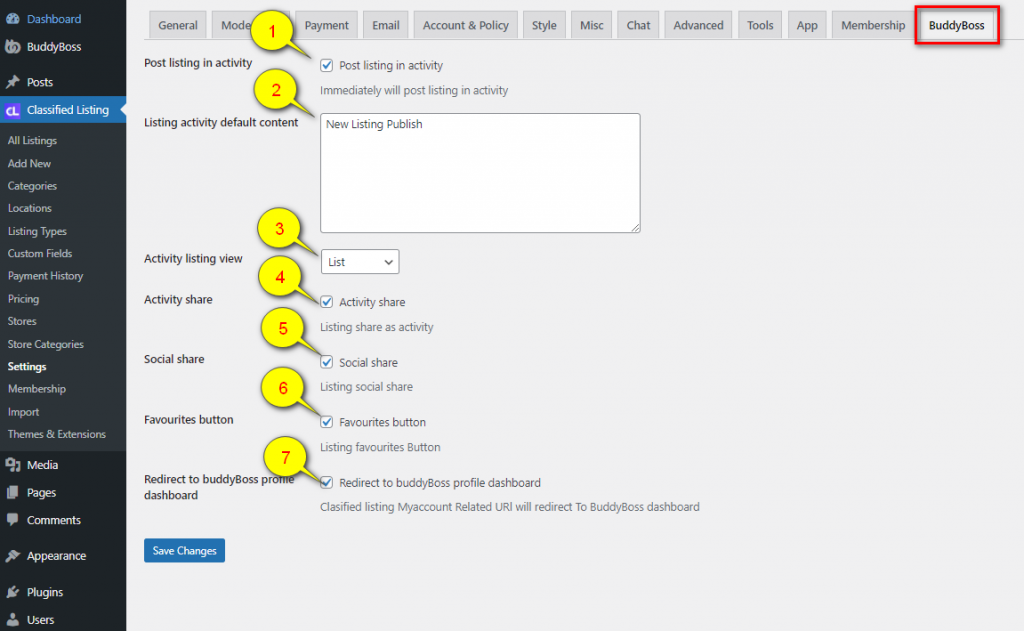
Above Image If Point 1 is active then every new listing will share on the feeds. Check below for get in details
Point 1: Some text has displayed. Setting pages Above Image Point 2 field text displayed here.
Point 2: This is the listing that the user published recently.
Point 3: The share button will visible if the settings page Above Image Point 4 is activated.
Point 4: The Favourites button will visible if the settings page Above Image Point 6 is activated.
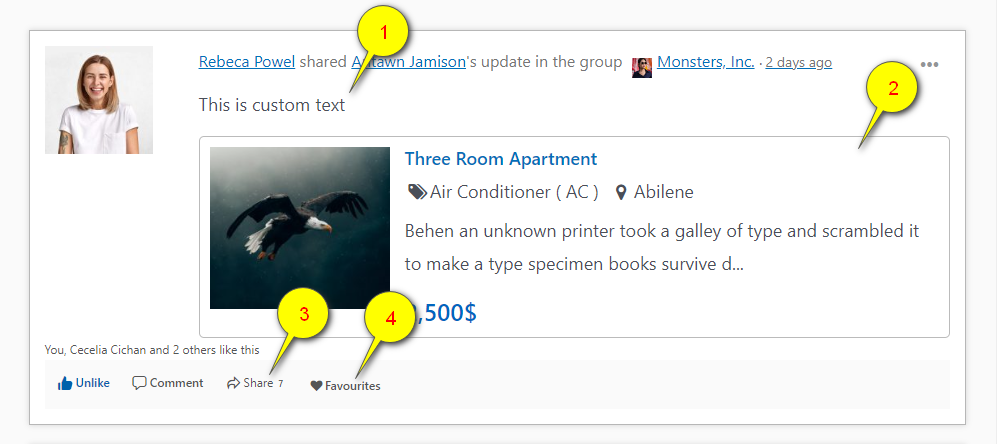
Share button and pop ups Behavior
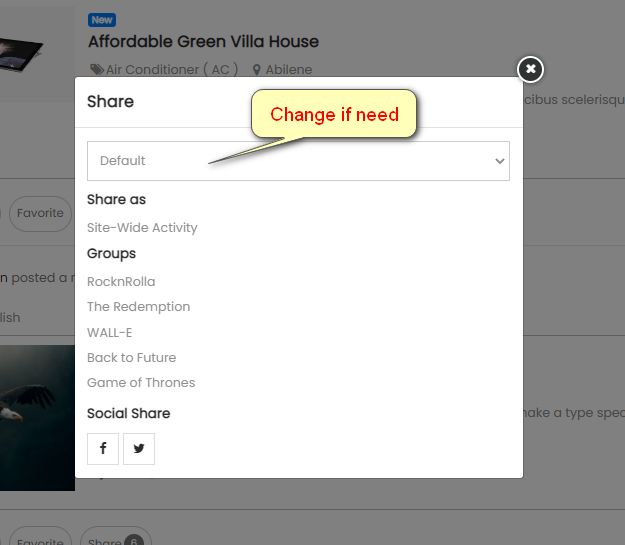
After clicking the share button. The popups will Show.
If the user needs to share some description just change the select box default to Share with Custom Text And get the custom text field option. Social share is not available for the custom text option.
Site-wide activity will share this listing on his wall and feeds.
Or just click on the group name then the activity will share immediately.
Note: Social share will be visible if the settings page Point 5 checkbox activates. And Custom Text is not available.


