
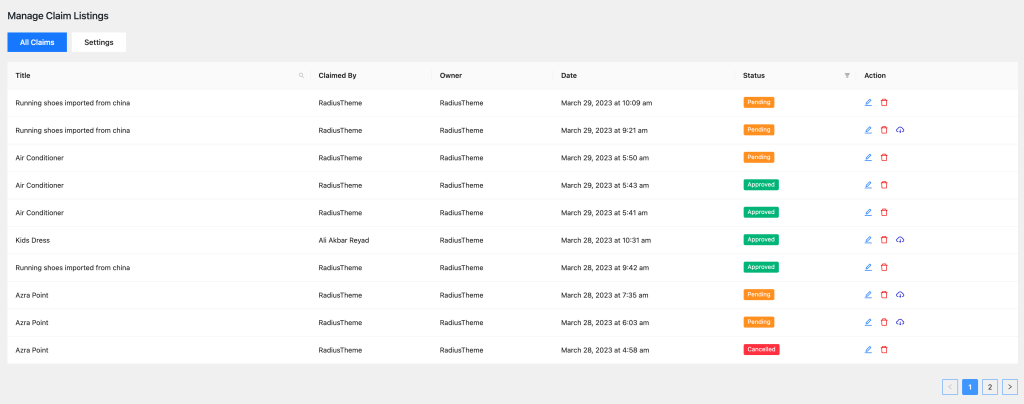
After submit a claim, admin will see all claim in dashboard under Claim Listings menu and admin able to manage it from here –
Action #
Download: Admin able to download attached file with form to verify user claim.
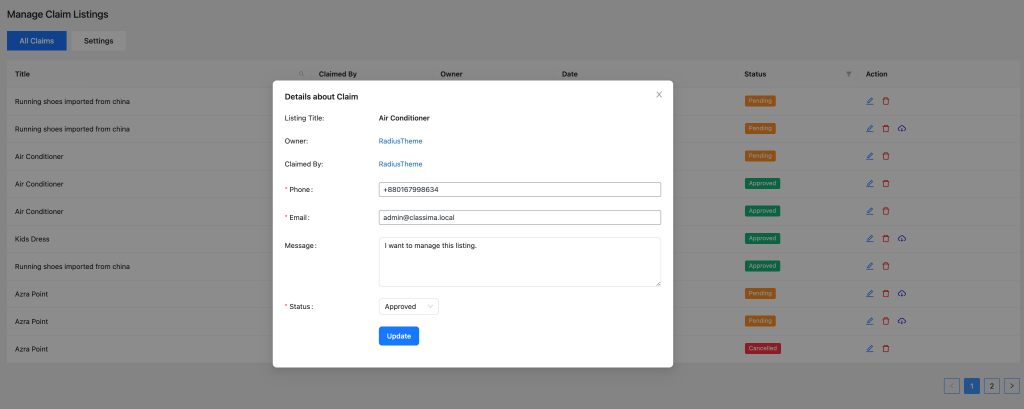
View/Edit: Admin able to see all submitted data by clicking on edit icon and also able to change that data. After verifying claim data, admin can transfer a listing to claimer by changing claim status to Approved. Also can change status to Cancelled if not want to transfer to claimer.
Delete: Admin able to remove a claim if don’t want to show it further to optimise resources.


