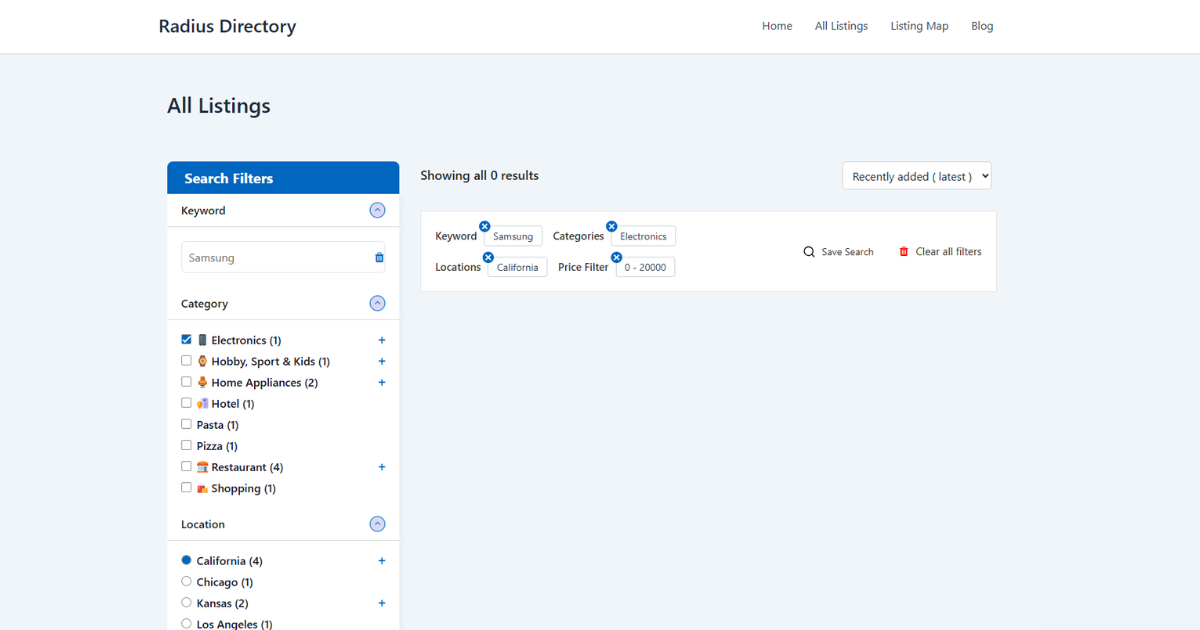
Once users save queries, as an admin, you can view the search alert list by following the steps below.
Go to WordPress Admin Dashboard > Classified Listing > Search Alert.
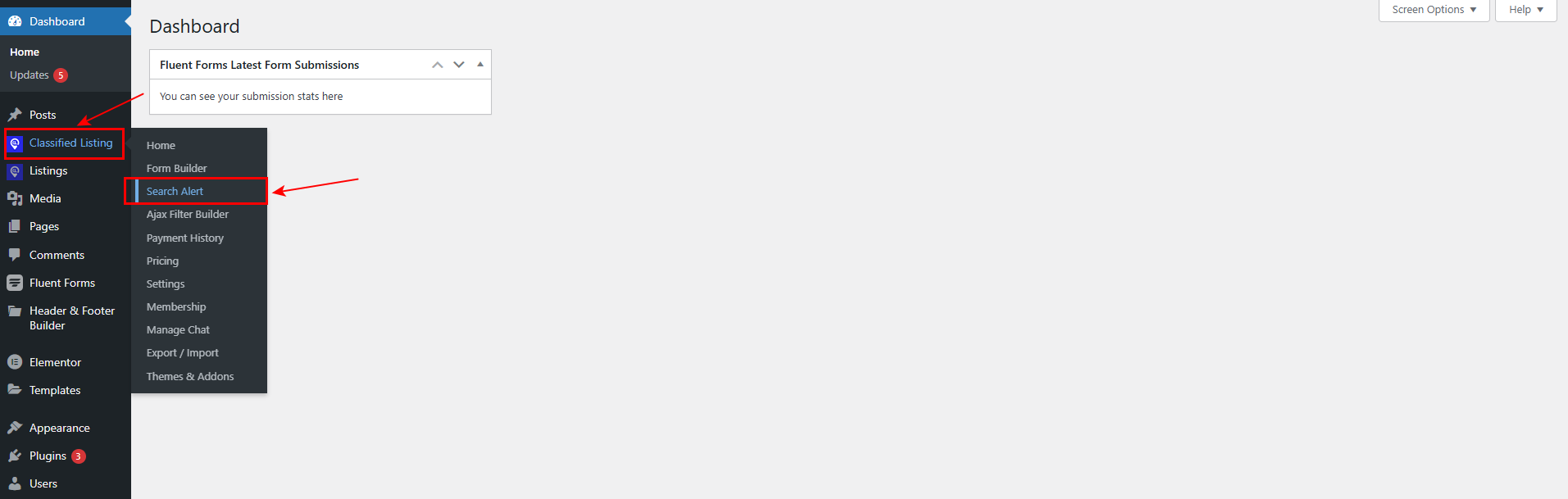
Here, you can see the newly created list of search alerts.
1. Firstly, you’ll notice the analytics. You can view the successful searches, failed searches, and total search numbers.
2. Click on the “Filter Link” option of your desired search alert to view what users searched for.
3. You can activate or inactivate the search status from the dashboard.
4. From the ‘Action’ tab, you can view the search results or delete it according to your choice.
5. To make your operation process more smooth, you can ‘Export’ the full search list.
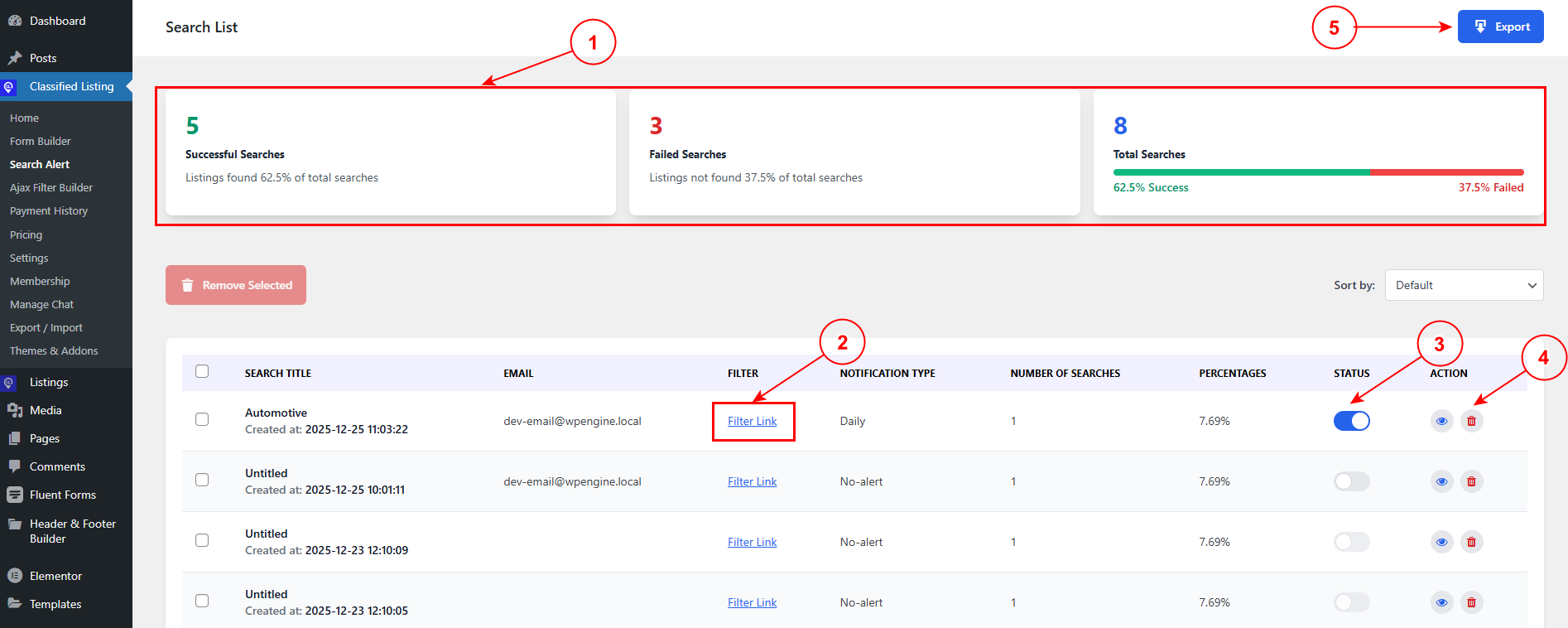
- You can then view the queries that users have saved, as shown in the screenshot below.