
Now go to Multi-Currency => Design to set the current swatch bar look and position.
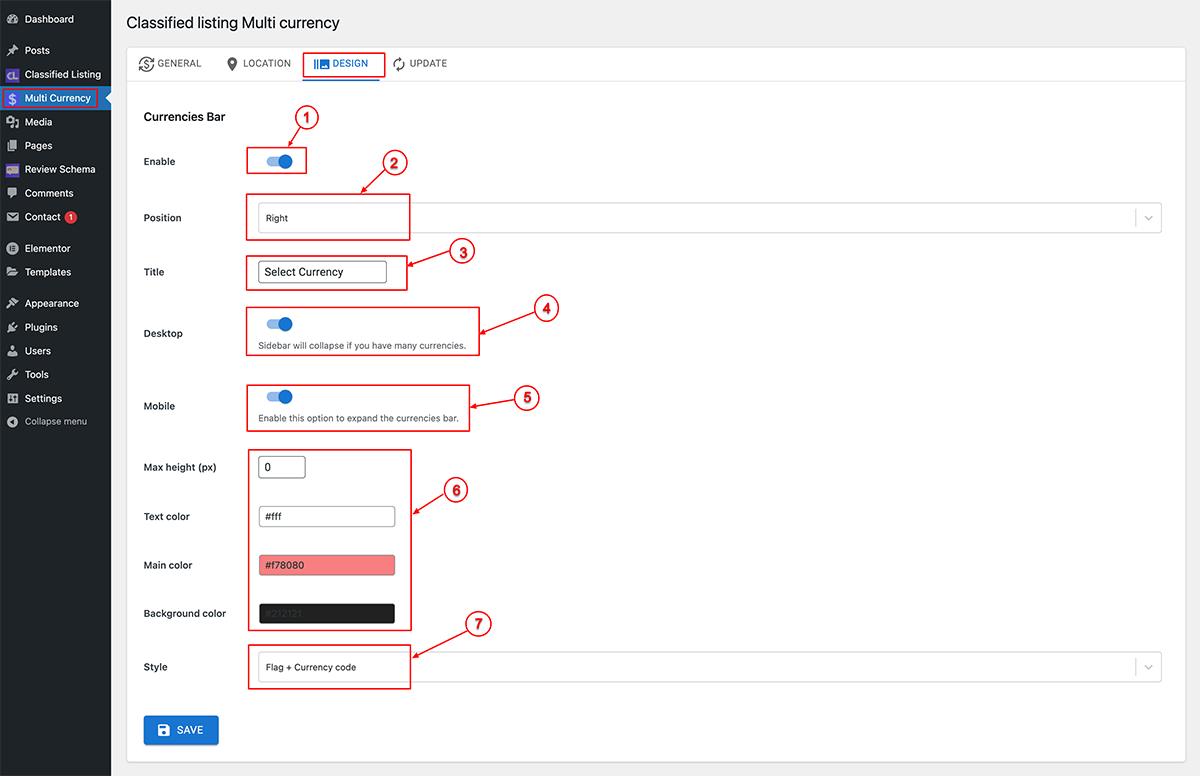
- Enable: Enable the currency bar
- Position: Set the position Right, Left
- Title: Set your own title here
- Desktop: If you have many currencies then enable this setting it will collapse the bar.
- Mobile: Enable this position to expand the currencies bar.
- Colors and Height: Set the height, background color and text color.
- Style: We have 4 styles like Symbole, Flag, Flag+Currency code and Flag+Currency Symbole.
After done any changes make sure to click the save button.


