After inserting the “Listing Showcase” widget into a page, you’ll see three tabs on the left-hand side panel: Content, Style, and Advanced.
Under the ‘Content’ tab, you’ll get the following settings:
Layout #
When you click the ‘Layout’ setting, it’ll slide open two options: View and Style. Here are details about each option.
1.2) View: This option allows you to choose between Grid and List formats to display your listings.
1.3) Style: Depending on the listing format you select, you’ll get several layout variations.

General #
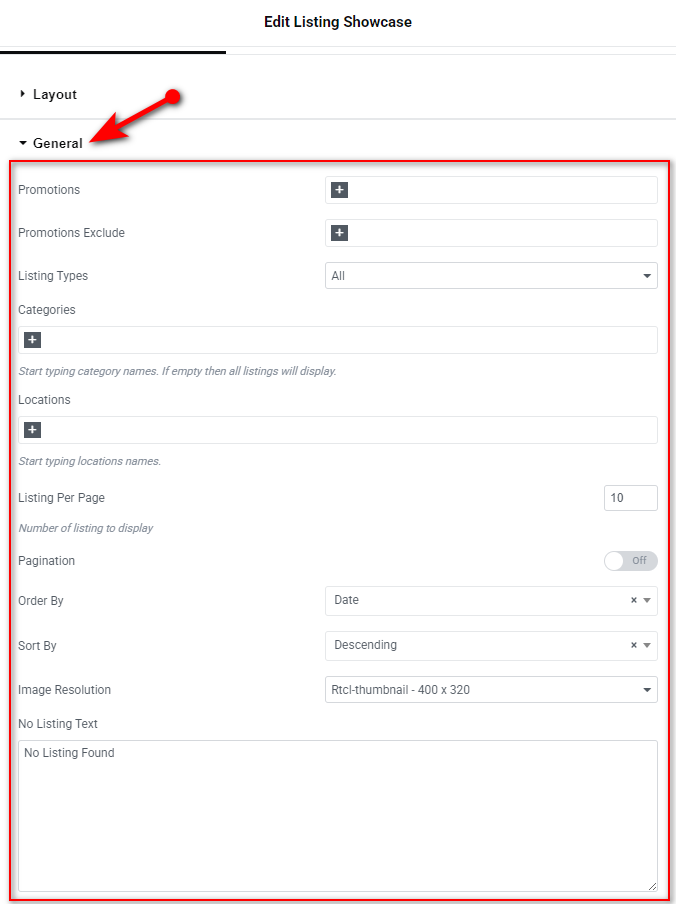
The ‘General’ setting has the following options:
1) Promotions: Display promotional ads like ‘Featured,’ ‘Top,’ ‘Bump Up,’ and ‘Popular’ on your chosen page.
2) Promotions Exclude: Use it to exclude promotional listings such as ‘Featured,’ ‘Top,’ ‘Bump Up,’ and ‘Popular’ from the page.
3) Listing Types: This drop-down menu helps you showcase diverse listing types like ‘Sell,’ ‘Buy,’ ‘Exchange,’ ‘To-Let,’ etc.
4) Categories: Show listings by their categories.
5) Locations: Exhibit ads by their locations.
6) Listing Per Page: It lets you determine the number of ads you want to display per page.
7) Pagination: Turn it on or off to display or hide pagination for listings.
8) Order By: Reorder listings by ‘Date,’ ‘Price,’ ‘ID,’ ‘Views,’ etc.
9) Sort By: Sort listings in Ascending or Descending order.
10) Image Resolution: Choose listing thumbnail size from several sizing options.
11) No Listing Text: In this box, write what text you want to display when no listing is available.
Content Visibility #
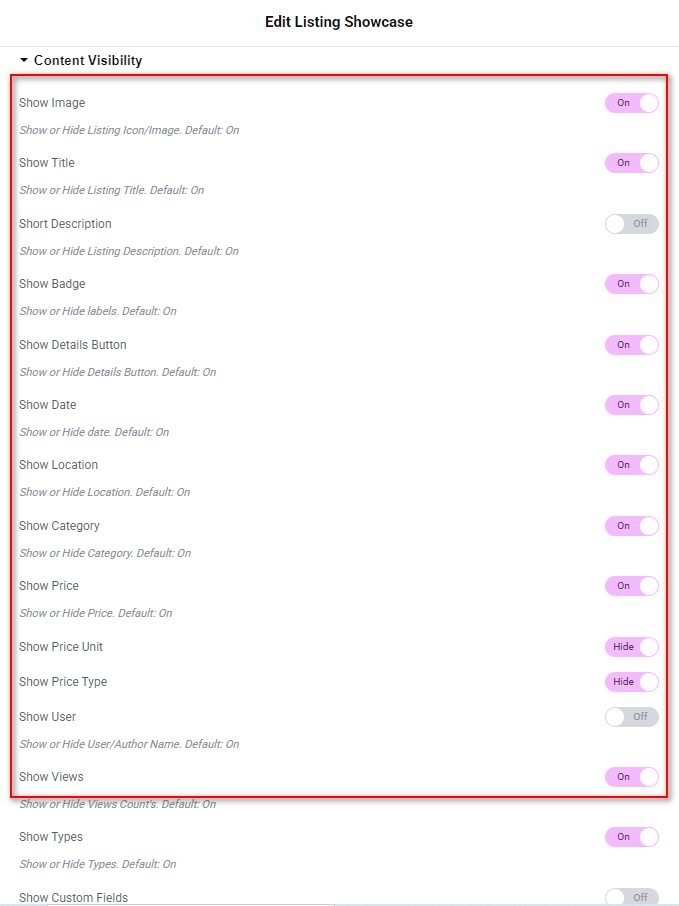
This setting allows you to display or hide several features of a listing. For example, you can show or hide ads’ image, price, title, category, description, badge, compare, favorites, views, and more.
Style #
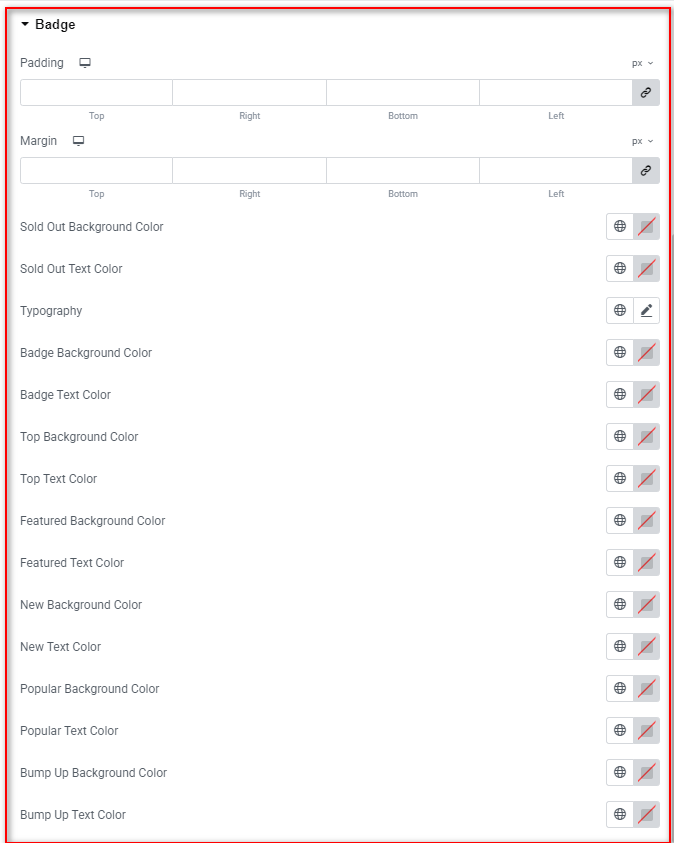
We’ve described virtually everything about ‘Style’ tab in “Listing Category” widget. The “Listing Showcase” has similar settings. So, we avoid explaining them. However, we’ll talk about a different setting in this tab, which is ‘Badge.’
With this setting, you can change the margin and padding of the listing badge. You can also change the badge text, background colors, and typography.