
Before you start: The free/pro Classified Listing plugin (version 6.0.0 or newer) must be installed and active. This add-on does nothing on its own — if the base plugin is turned off, this one goes completely silent and simply shows a reminder notice.
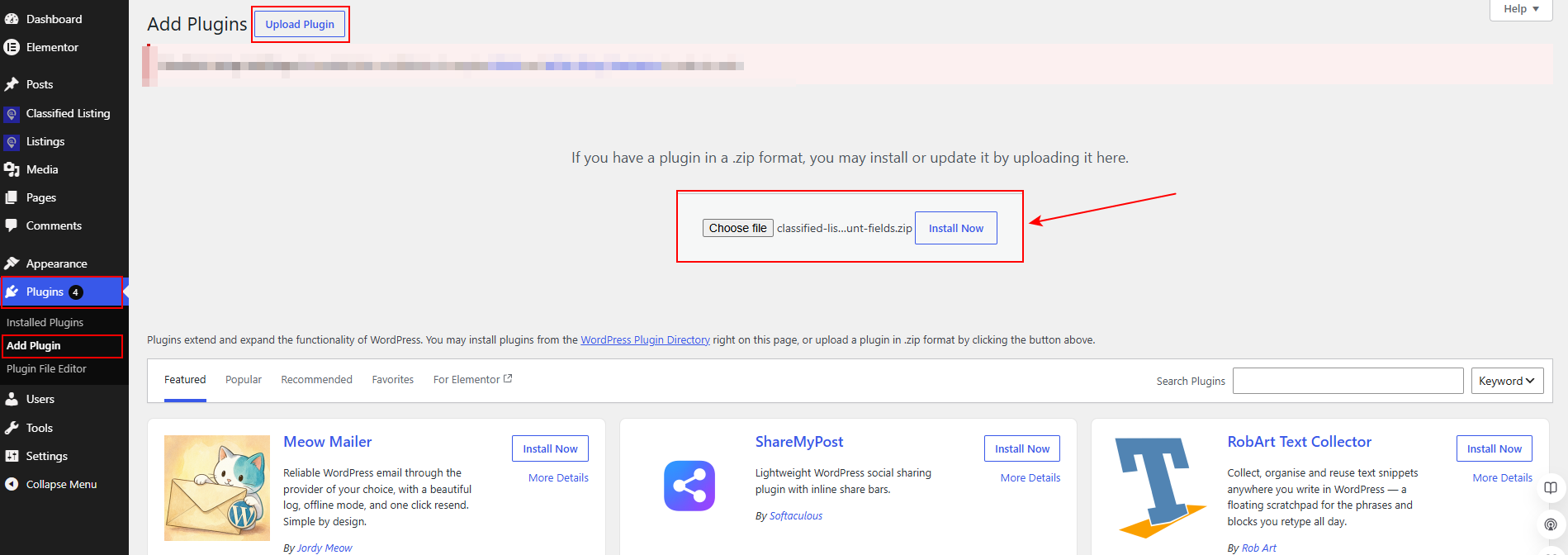
- Upload the add-on: In your WordPress dashboard go to Plugins → Add New → Upload Plugin, choose the classified-listing-account-fields.zip file, and click Install Now.
- Activate it: Click Activate Plugin. If the base Classified Listing plugin is active, you’re ready. If not, you’ll see a notice telling you to activate it first.
- Open the builder: A new menu item appears at Classified Listing → Account Fields. That’s where you design everything.


