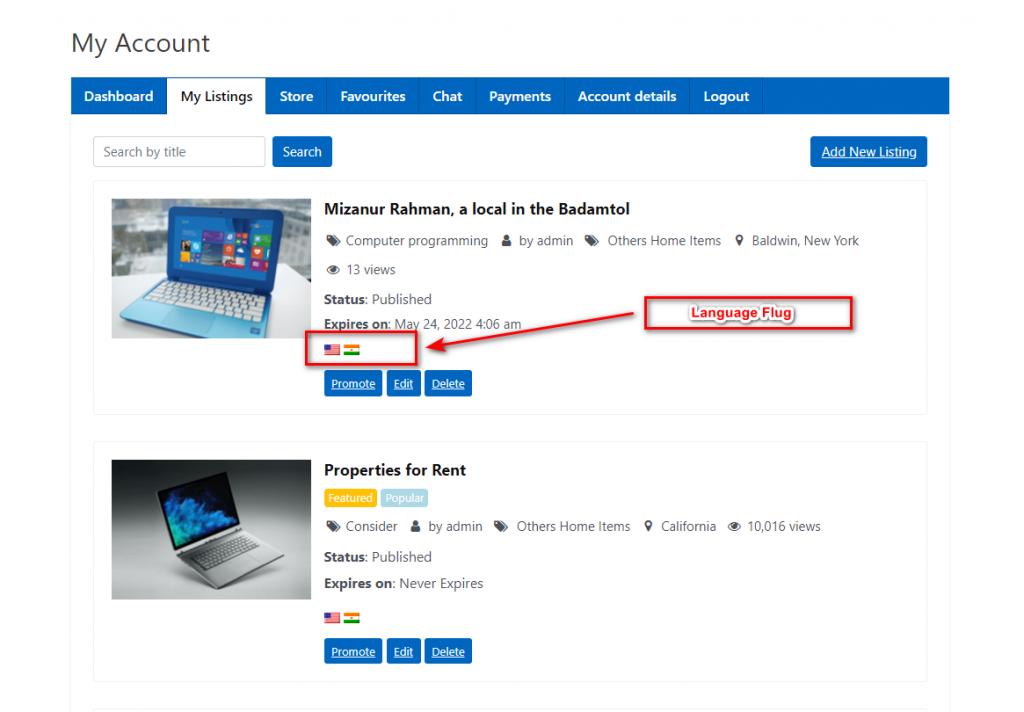
User can translate his own listing. At first Got to My Account -> My Listings. Now user can see all listing’s.
Step 1: Click the Language Flug for translation. Here will Open a popup modal with text.
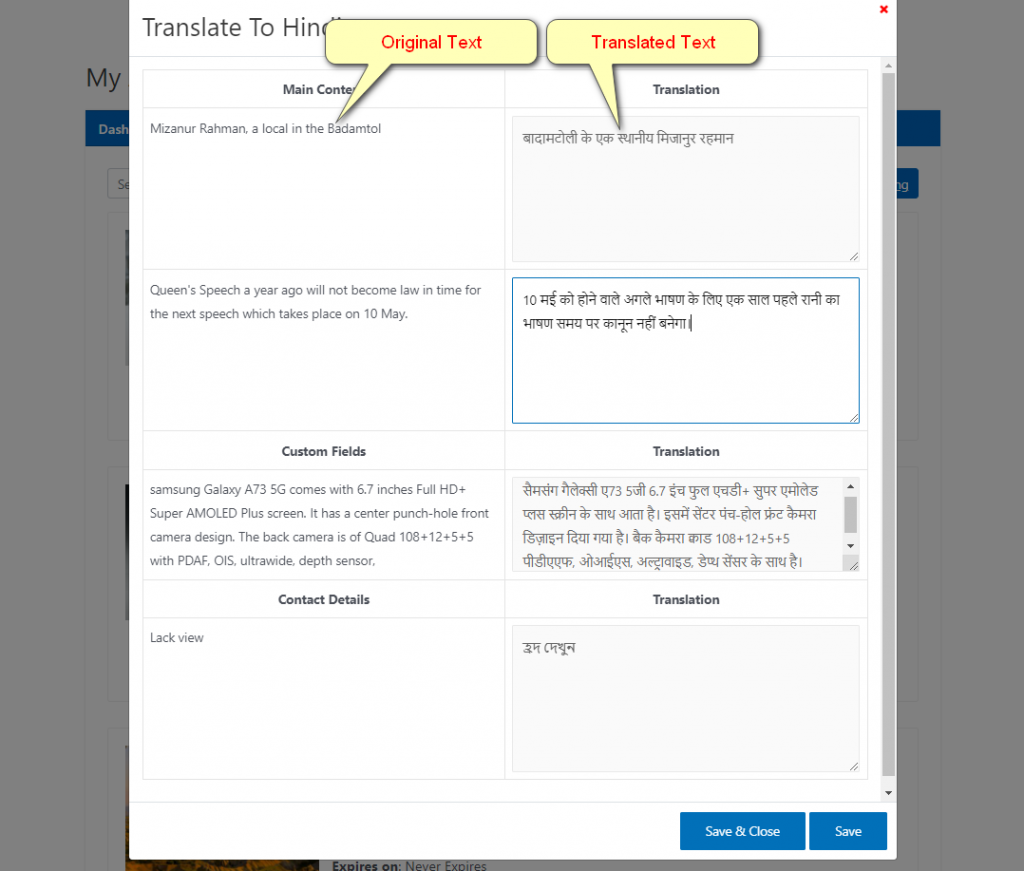
Step 3: After opening the modal. The left side has original text for the default language And the right side has input filed for translated language. After Complete Translation please hit the save button.