
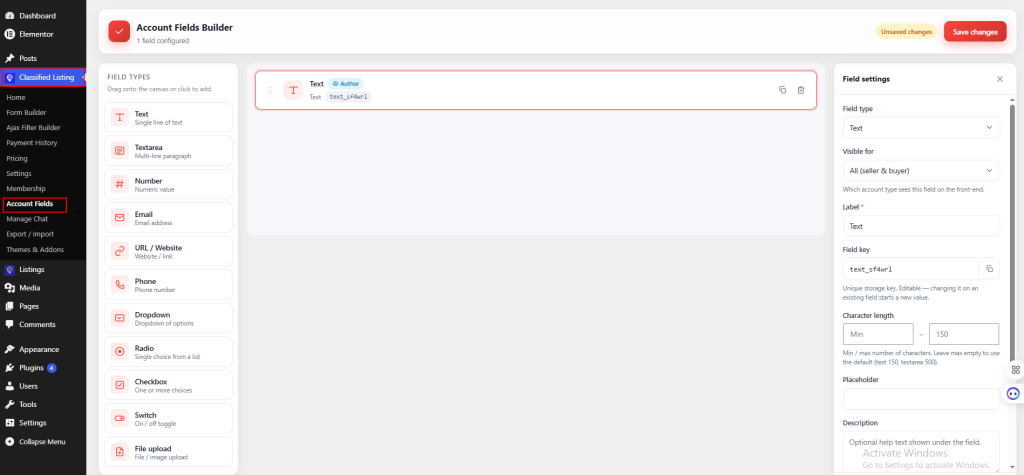
Open Classified Listing → Account Fields. The screen has three columns:
| Area | Where | What it’s for |
| Palette | Left | The list of field types you can add. Drag one onto the canvas, or click it, to create a new field. |
| Canvas | Middle | Your form as it’s being built. Each field is a card. Drag cards up/down to reorder them. Click a card to select and edit it. |
| Settings panel | Right | The settings for the field you’ve selected — label, description, required, options, and so on. |
At the top is a toolbar with the Save button and a status badge that reads Unsaved changes or Saved.
Nothing is live until you click Save. While you’re arranging fields, everything lives only in your browser. If you leave the page while it still says “Unsaved changes“, your work is lost. Always click Save when you’re happy.


