
Open the Settings tab to set defaults that apply across all your ads. Remember to Save Settings when done.
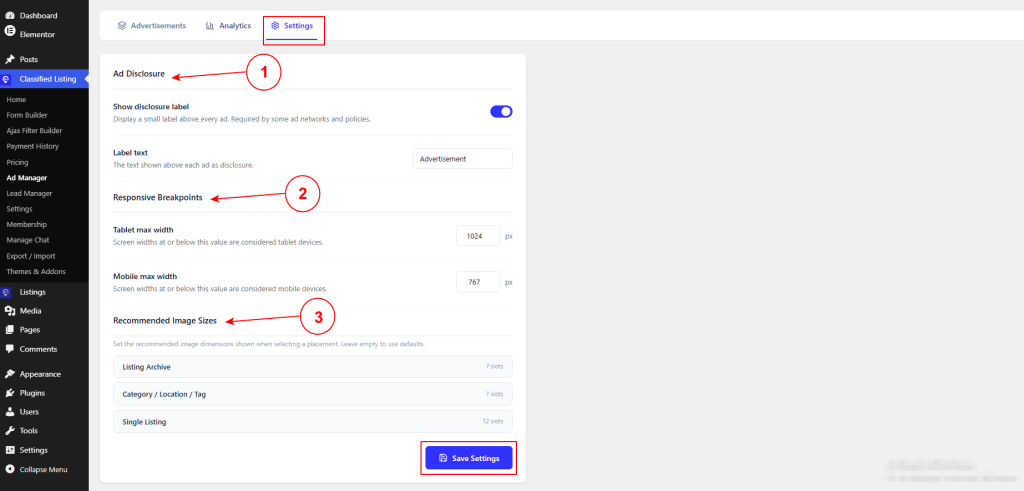
1. Ad Disclosure #
Controls the small label shown above every ad.
- Show disclosure label — toggle on to display a label above each ad. Some ad networks and advertising policies require this, so it’s worth leaving on.
- Label text — the wording shown, e.g. Advertisement (the default).
2. Responsive Breakpoints #
Defines where the tablet and mobile boundaries fall — these feed the Responsive visibility toggles on each ad.
- Tablet max width — screens at or below this width count as tablet (default 1024px).
- Mobile max width — screens at or below this width count as mobile (default 767px).
3. Recommended Image Sizes #
Sets the suggested banner dimensions shown next to each placement slot. The three groups are listed — Listing Archive (7 slots), Category / Location / Tag (7 slots), and Single Listing (12 slots) — and you can override any slot’s size. Leave a field empty to use the default.


