
If your site lists more than just jobs, you can give job posts their own dedicated page. This keeps jobs away from cars, property, and other ads, so job seekers only see jobs.
Setting It Up #
Go to Classified Listing → Settings → Addon Settings → Job Manager.
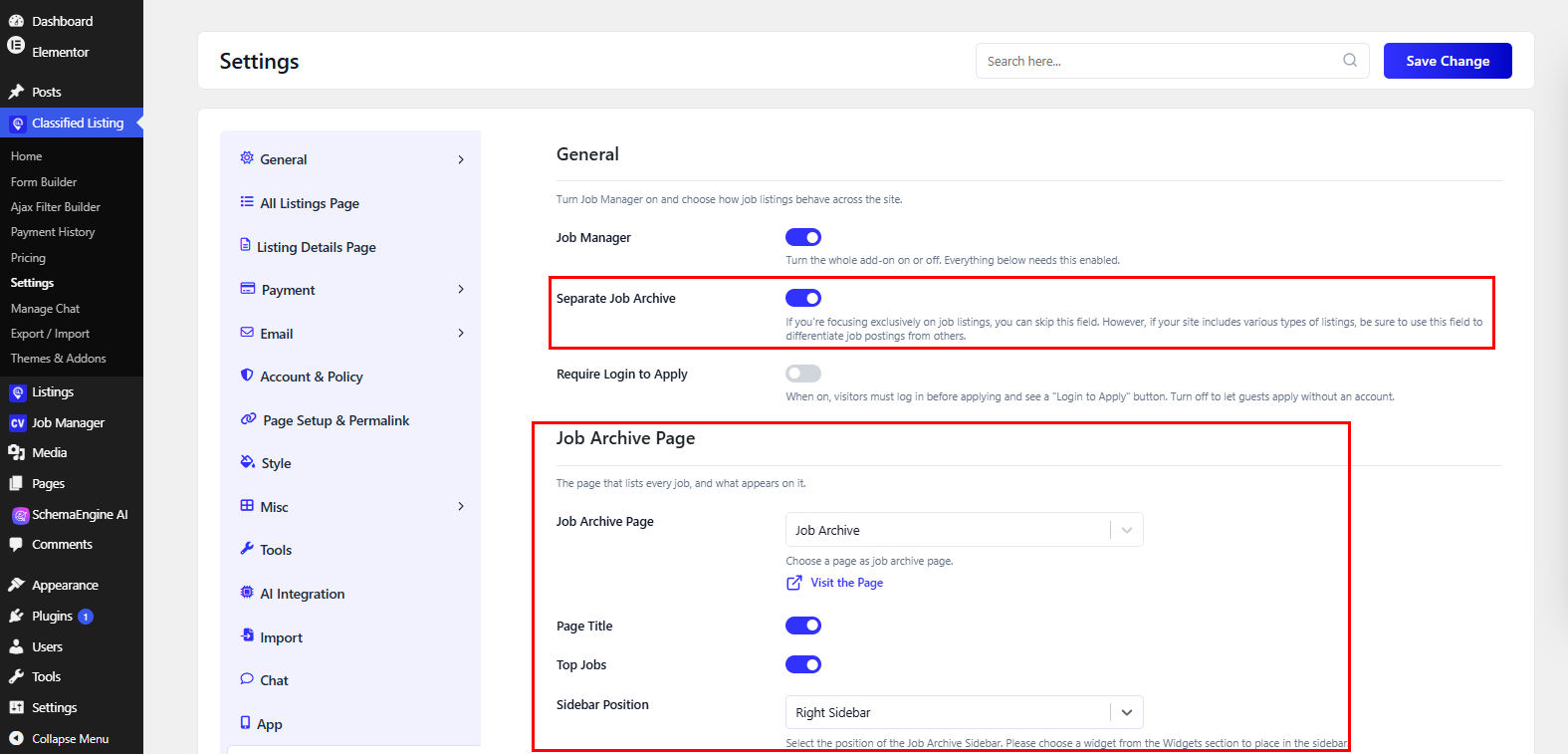
1. Turn On Separate Job Archive #
Under General, switch on Separate Job Archive. You can skip this if your site is jobs-only, but turn it on if you have several listing types and want jobs kept apart.
2. Choose the Job Archive Page #
Under Job Archive Page, pick the page that will list all your jobs, for example a page called “Job Archive.”
Once it’s selected, a Visit the Page link appears just below, so you can jump straight to the front end and see how it looks.
Tip: Create a blank page under Pages → Add New first, name it something clear like “Jobs” or “Job Archive,” then select it here.
3. Adjust What Appears #
Page Title: shows or hides the title at the top of the page.
Top Jobs: shows or hides the Top Jobs section.
Sidebar Position: choose Right Sidebar or Left Sidebar for the job filters, or leave it unset for a full-width page.
Note: The sidebar stays empty until you add widgets to it under Appearance → Widgets.
4. Save #
Click Save Change.
What Visitors See #
Open the page on your site and you’ll find a job-only listing page.
The search bar at the top has the category already set to Jobs, so any search made from this page only returns job posts. Visitors can still narrow things down by location or keyword.
The results count sits above the listings, telling visitors how many jobs are showing.
The sort dropdown lets them reorder results, for example by Recently added (latest).
The view switcher (the two icons beside it) toggles between list view and grid view.
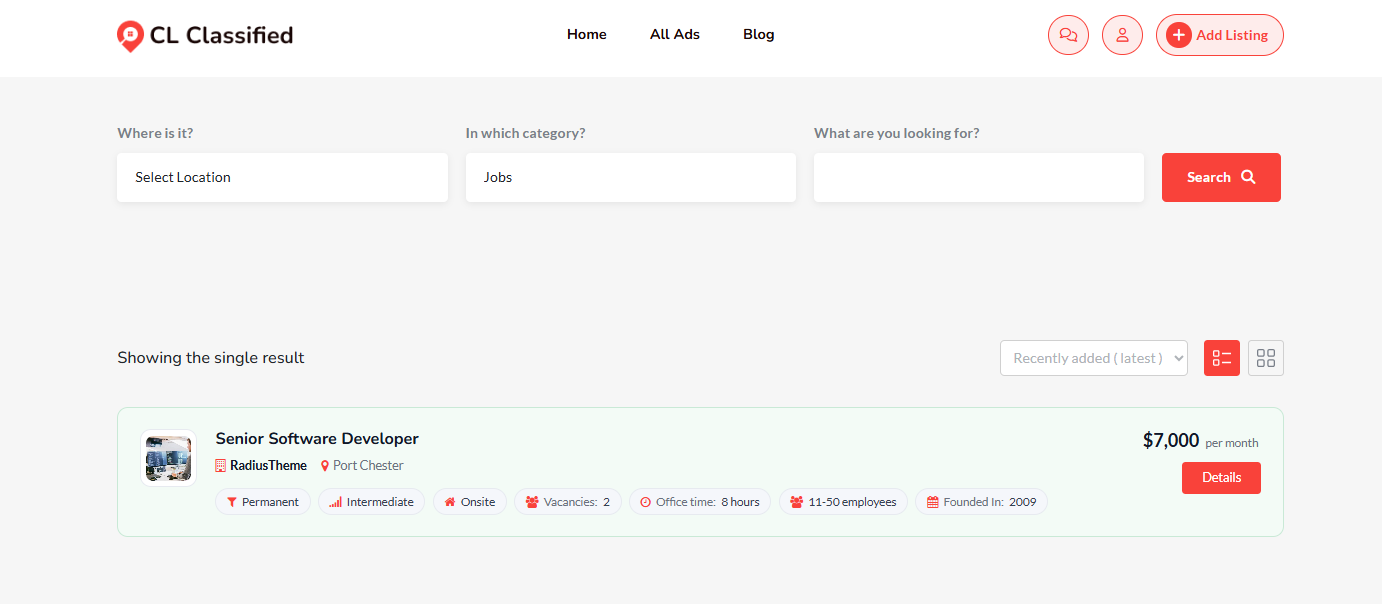
Each job card uses the Job Layout, showing the title, company, location, salary, and the detail tags such as Job Type, Experience, Flexibility, Vacancies, Office time, Company Size, and Founded In, plus a Details button.
The Job Archive page always uses the job layout, whatever you’ve set as the Job Card Layout elsewhere.
Quick Tips #
- Add the Job Archive page to your main menu so visitors can find it.
- Use Ajax Filter Builder to add job filters like Job Type and Experience to the sidebar.
- Use Visit the Page after saving to check your work straight away.
- Leave Separate Job Archive off if your site only lists jobs, since you don’t need it.


