
Service booking lets customers book appointments on the days and times the listing owner is available. The owner sets a weekly schedule, and customers choose a date, time, and number of guests.
Use cases: personal trainers, salons and spas, doctors and clinics, consultants, tutors, photographers, and repair services.
Setting Up a Service Booking #
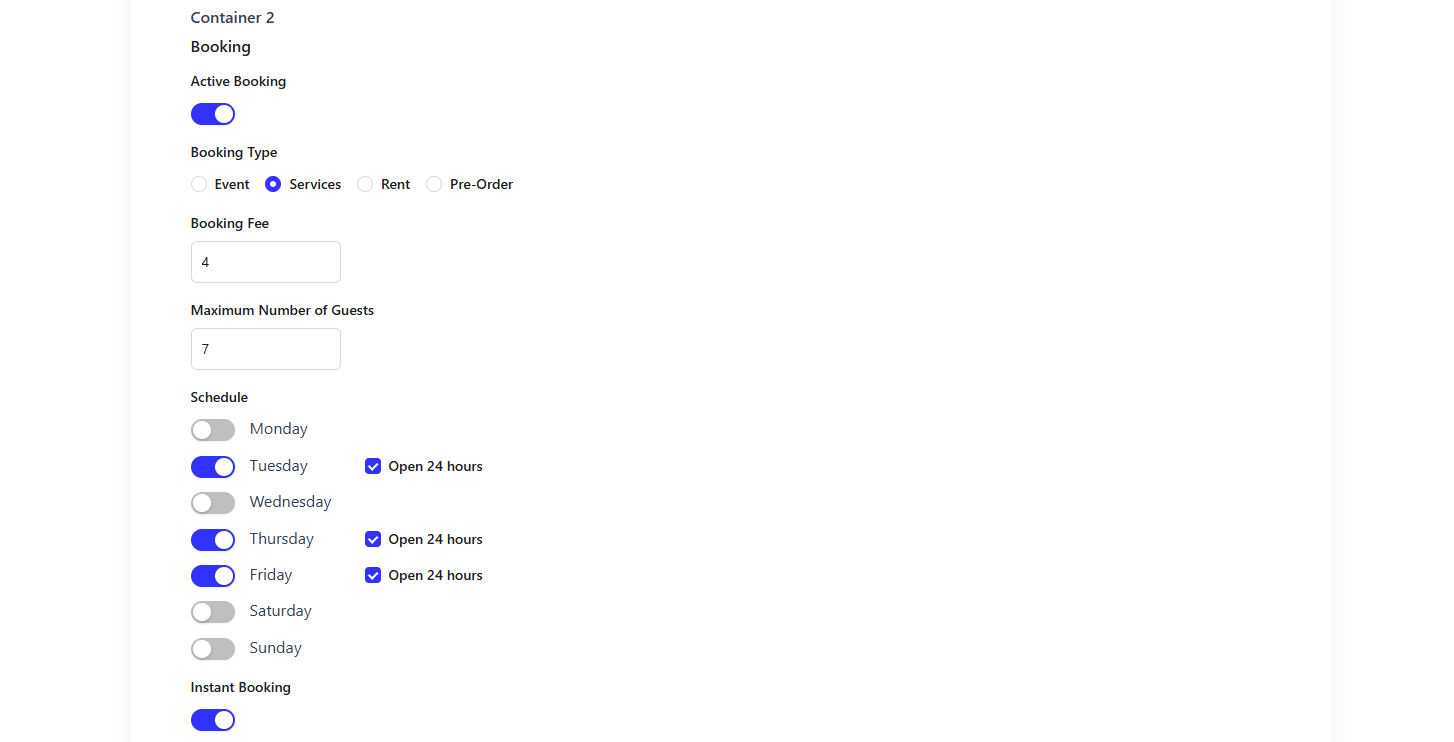
In the listing form, turn on Active Booking, select Services as the Booking Type, and fill in these fields:
| Field | Description |
| Booking Fee | The fee charged per booking. |
| Maximum Number of Guests | Maximum guests allowed in one booking. |
| Schedule | Turn on the days the service is available. Check Open 24 hours to allow bookings all day. |
| Instant Booking | Confirms bookings automatically. Turn it off to approve bookings manually. |
How Customers Book a Service #
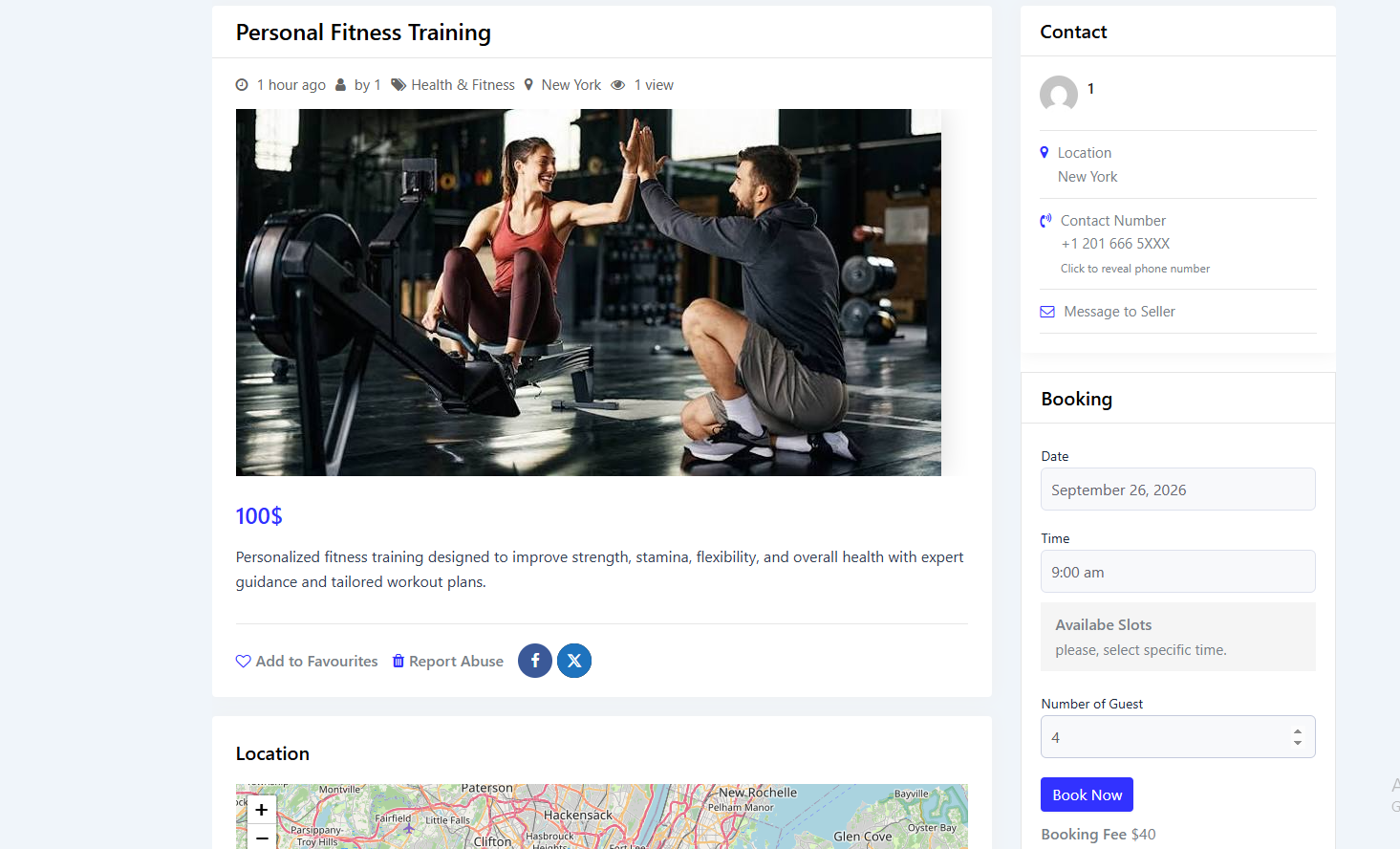
On the listing page, the customer selects a Date, Time, and Number of Guest, then clicks Book Now. Only days set in the owner’s schedule can be booked.
The customer then enters their personal information and confirms, just like an event booking. The booking appears under My Account → My Bookings.


