How to set billing address
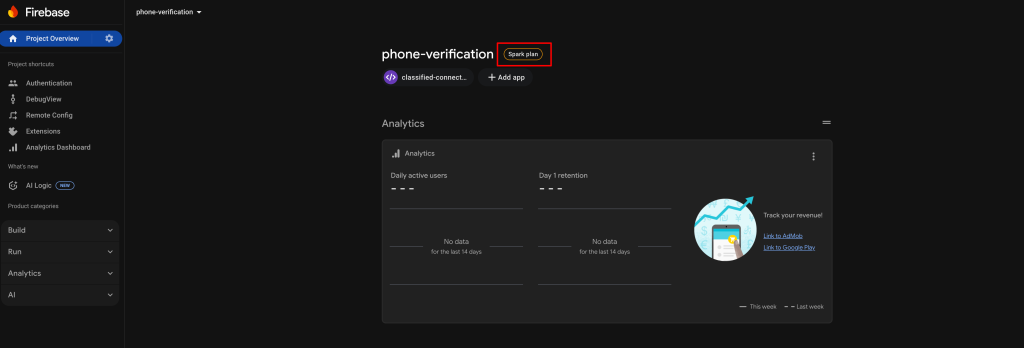
To set billing address or change plan, go to project home page and click on active plan –
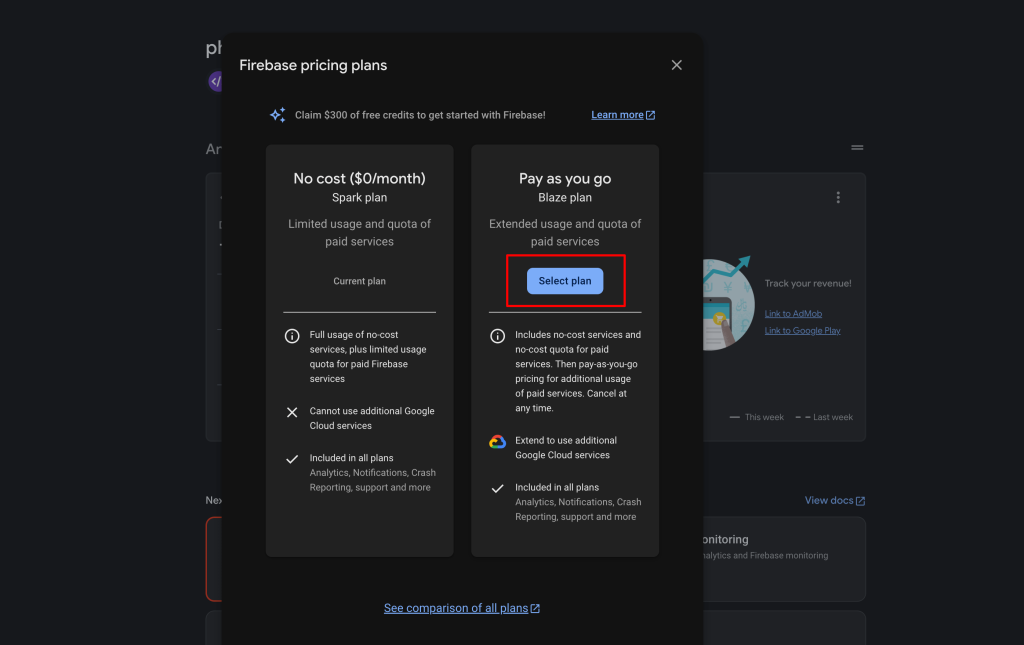
Then click on Blaze plan button to active free plan with extra usage cost plan and set billing details –
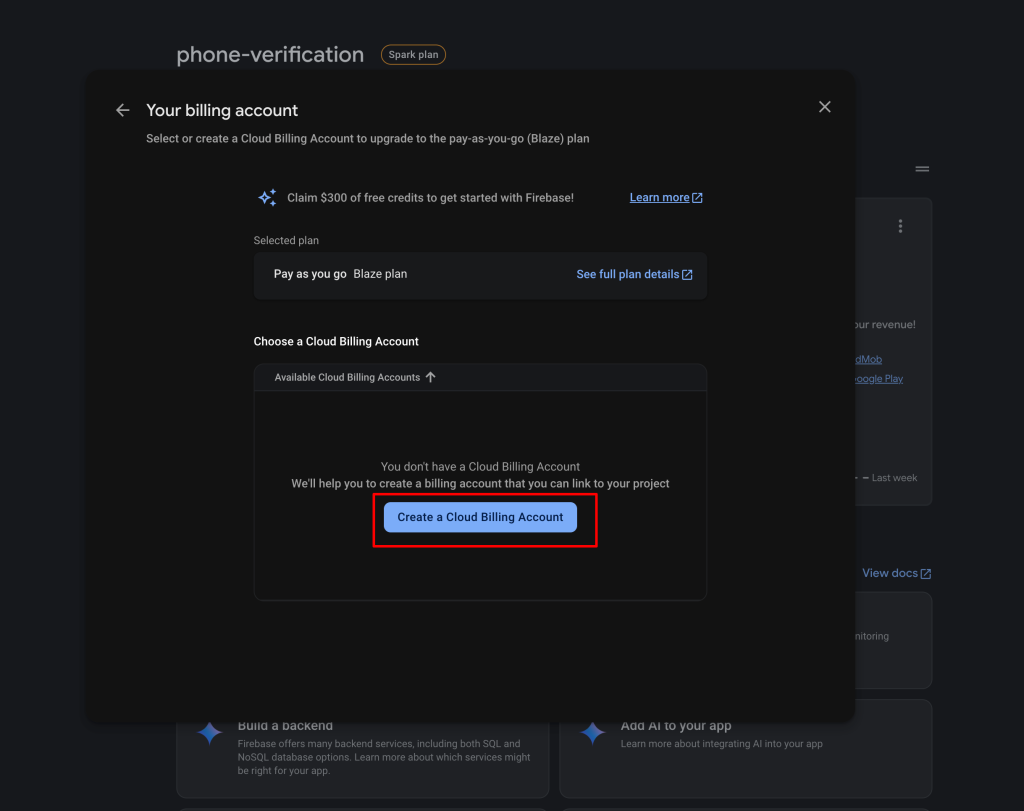
If you have previously added billing information then you can also connect previous one using following process.
How to set domain
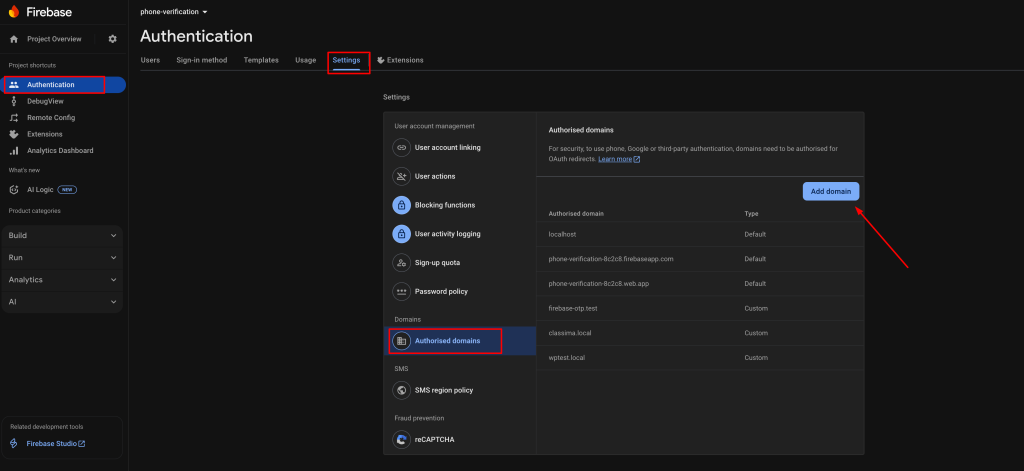
To set authorised domains, go to project page and click on Authentication menu Settings -> Authorised domains
How to allow / deny regions
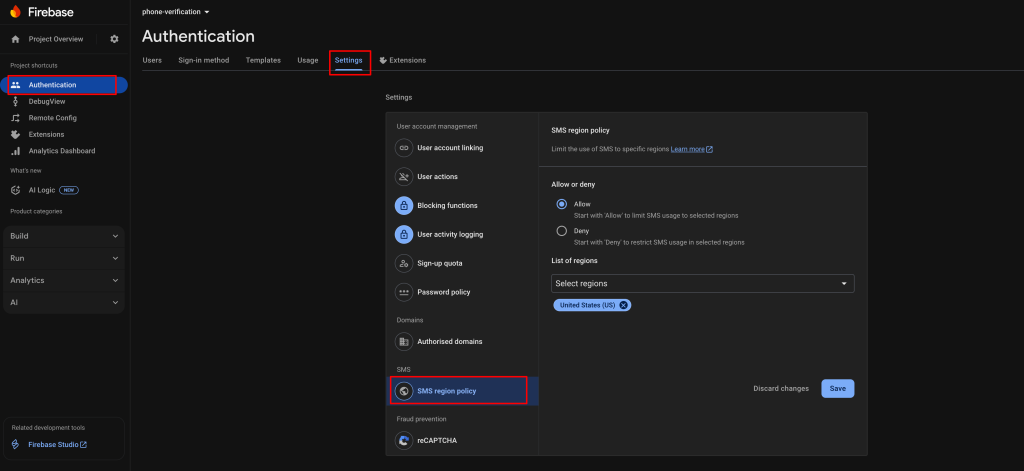
To allow or deny specific regions, go to project page and click on Authentication menu Settings -> SMS region policy then select allow or deny option and set region from dropdown list –
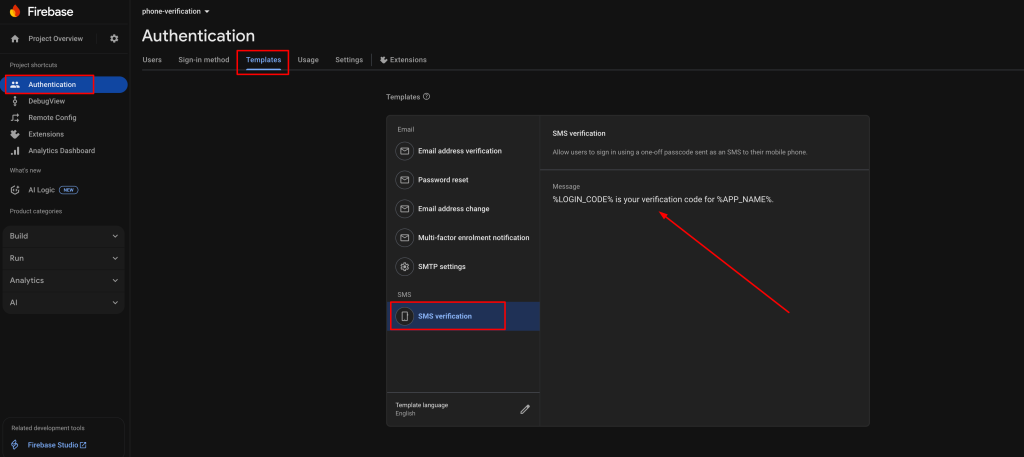
How to modify SMS format
To modify SMS text, go to project page and click on Authentication menu Templates -> SMS verification then modify it. Don’t remove %LOGIN_CODE% tag otherwise user will not get OTP code.