On This Page
Seven out of 10 shoppers who add a product to their cart leave without buying. Your theme can’t fix every reason they leave. But a slow page, a clumsy mobile layout, or a messy checkout can cost you sales you already earned.
The problem is that most theme demos look great. They run on tuned hosting with few plugins and perfect photos, while your real store has to work with hundreds of products on a shopper’s phone.
This guide compares 10 popular WooCommerce themes by price, speed, and sales features. You’ll see who each theme suits, who should skip it, and how to test your top two before you spend a dollar.
10 best WooCommerce themes compared
Prices were checked in October and November 2026 and can change. The 3-year cost assumes today’s prices stay the same.
| Theme | Best for | Price | 3-year cost | Popularity signal | Free version |
| Astra | Most new stores | $99 first year, then $149/year | $397 | 700,000+ stores (vendor claim) | Yes |
| Shoptimizer | Built-in sales tools | $99/year | $297 | Often named top pick for conversion | No |
| Flatsome | Visual building, large catalogs | $59 once | $59 | 266,000+ sales | No |
| WoodMart | Big catalogs, advanced filters | $59 once | $59 | 116,000+ sales | No |
| Blocksy | Modern block-based stores | $69/year or $199 lifetime | $199 to $207 | 300,000+ installs | Yes |
| Kadence | Design control without Elementor | $299/year for store tools | $897 | Common pick in 2026 speed lists | Yes |
| GeneratePress | Speed and custom builds | $59/year | $177 | 500,000+ installs | Yes |
| Porto | Many niches, many demos | $59 once | $59 | 102,000+ sales | No |
| Neve | Mobile-first small stores | $69/year on sale, $139 regular | $207 to $417 | 200,000+ installs | Yes |
| Metro | Small marketplaces | $49 once | $49 | 3,900+ sales |
What makes a WooCommerce theme high converting?
A high-converting theme helps shoppers find a product, trust the store, and pay fast via digital method. Look for these five things:
- Fast product and shop pages. Portent found that a site loading in 1 second converts 2.5 times better than one loading in 5 seconds (2022 data).
- A clear mobile layout. Mobile brings most online store traffic but still converts below desktop. Tap targets, filters, and the cart must be easy to use with one thumb.
- A sticky add-to-cart button. The button stays on screen while people read long product pages.
- Trust signs near the buy button. Use a reviews feature, and show returns, shipping costs, and payment icons before the shopper has to ask. A simple Contact Form also gives people an easy way to ask questions.
- A short checkout. Baymard puts average cart abandonment at about 70%. It estimates that better checkout design could lift conversion by about 35% on large stores.
A pretty demo is not on this list for a reason. Big sliders, animations, and popups can slow a store down and pull attention away from the product. If you use a popup plugin, keep it to one clear offer.
What changed for WooCommerce themes in 2026?
The biggest change is that WooCommerce now does more on its own. That means a theme should work with WooCommerce, not replace it. Older list posts miss most of these points:
- Block checkout matters more. Many themes built custom checkout designs for the old shortcode checkout. WoodMart, for example, supports both types, but each is set up in a different place. Ask how your theme handles both before you buy.
- WooCommerce got faster. Version 10.4 made a lighter Mini Cart the default, and 10.6 made product images lazy load by default. A theme that loads its own heavy cart scripts can undo that gain.
- Fewer plugins are needed. Brands and cost of goods tracking are now in WooCommerce core. Do not pay for a theme just to get these.
- AI tools can read your store. WooCommerce added an MCP beta in version 10.3, so AI assistants can work with store data. Clear titles, full descriptions, reviews, and product schema help here more than any theme design.
- Lean code is winning. Speed reviews now favor themes that avoid heavy jQuery, split code by feature, and load only what each page needs.
- Server needs are rising. WooCommerce recommends PHP 8.3 or newer, and version 11.6 will require PHP 8.1+. Check that your theme and host support this.
- Social selling keeps growing. Many WooCommerce stores now sell through Instagram and Facebook. Make sure your product pages look good when someone opens them from a social network.
How do I choose a WooCommerce theme?
Choosing a WooCommerce theme shouldn’t be a tiresome process. All you need to do is examine various WooCommerce themes while comparing their features. You should also check to see their users’ reviews and recommendations.
Which is better – Shopify or WooCommerce?
Shopify and WooCommerce are the top two eCommerce platforms on the planet. Shopify is easier to use than WooCommerce but denies you control and will most likely be more expensive in the long run. On the other hand, WooCommerce gives you a lot to work with for a lower cost. Which one is better? – it depends on your preferences.
Is WooCommerce good for SEO?
WooCommerce is good for SEO since it is, basically, an SEO friendly platform. The code with which it is built is already optimized for SEO; however, it lacks a wealth of SEO features.
Best high-converting WooCommerce themes
Metro

Metro by RadiusTheme is an Elementor-based theme with a minimalist design that keeps the focus on your products. It supports Dokan, a popular multivendor plugin. It is the smallest theme on this list by sales, with 3,900+ sales and a 4.70 rating from 114 reviews. It earns a place because few low-cost themes cover this use case.
Metro is made for owners who want several sellers under one store. With Dokan, vendors can manage their own products and orders from the front end, set up their own stores, and request withdrawals. The theme also includes a one-click demo importer and a child theme, which makes setup and safe edits easier. WPML translation support helps if you sell in more than one language.
- Sales features: Bundled WooCommerce Variation Swatches Pro, WooCommerce Variation Images Gallery Pro, and WP SEO Structured Data Schema Pro. It also has 13 homepages, 10 header styles, and AJAX shop filters.
- Watch out: The vendor’s latest listed update was in July 2026, so confirm WooCommerce and block checkout support for your setup. You can build elegant sliders with the bundled LayerSlider, but they can add weight, so use them with care.
- Skip it if: You want the fastest possible store or a big user community.
- Price: $49 once, with 6 months of support.
Flatsome

Flatsome is the top-selling WooCommerce theme on ThemeForest, with 266,000+ sales. Its UX Builder is built into the theme, so you do not need Elementor.
Flatsome suits owners who like to see changes as they make them. You can drag and drop page sections, build your header visually, and start from ready-made shop layouts. Fashion, lifestyle, and other photo-led stores often like this style of working. One payment covers the theme and its future updates.
- Sales features: Live search, quick view, variation swatches, a floating cart, AJAX filters, and a Mega Menu builder for large stores.
- Watch out: It packs many features into one theme. Test it on your real catalog before you commit, mainly on mobile.
- Skip it if: Top mobile speed matters more to you than visual design tools.
- Price: $59 once, with 6 months of support.
Porto

Porto is a multipurpose WooCommerce theme with 102,000+ sales. It works with WPBakery, Elementor, and Gutenberg. That makes it useful if you are not sure which builder you want yet, or if you want a stunning portfolio beside your shop.
Porto gives you plenty of starting points, so it can suit agencies and owners who build different kinds of sites. A setup wizard helps you install its plugins and demo content. Pick the demo closest to your store, then remove what you do not need. That one habit keeps a feature-rich theme easier to manage.
- Sales features: Product swatches, labels, sales popups, and pre-order options.
- Watch out: More choices can mean more setup. Remove demo content and plugins you do not need.
- Skip it if: You want the lightest setup you can get.
- Price: $59 once, with 6 months of support.
Astra
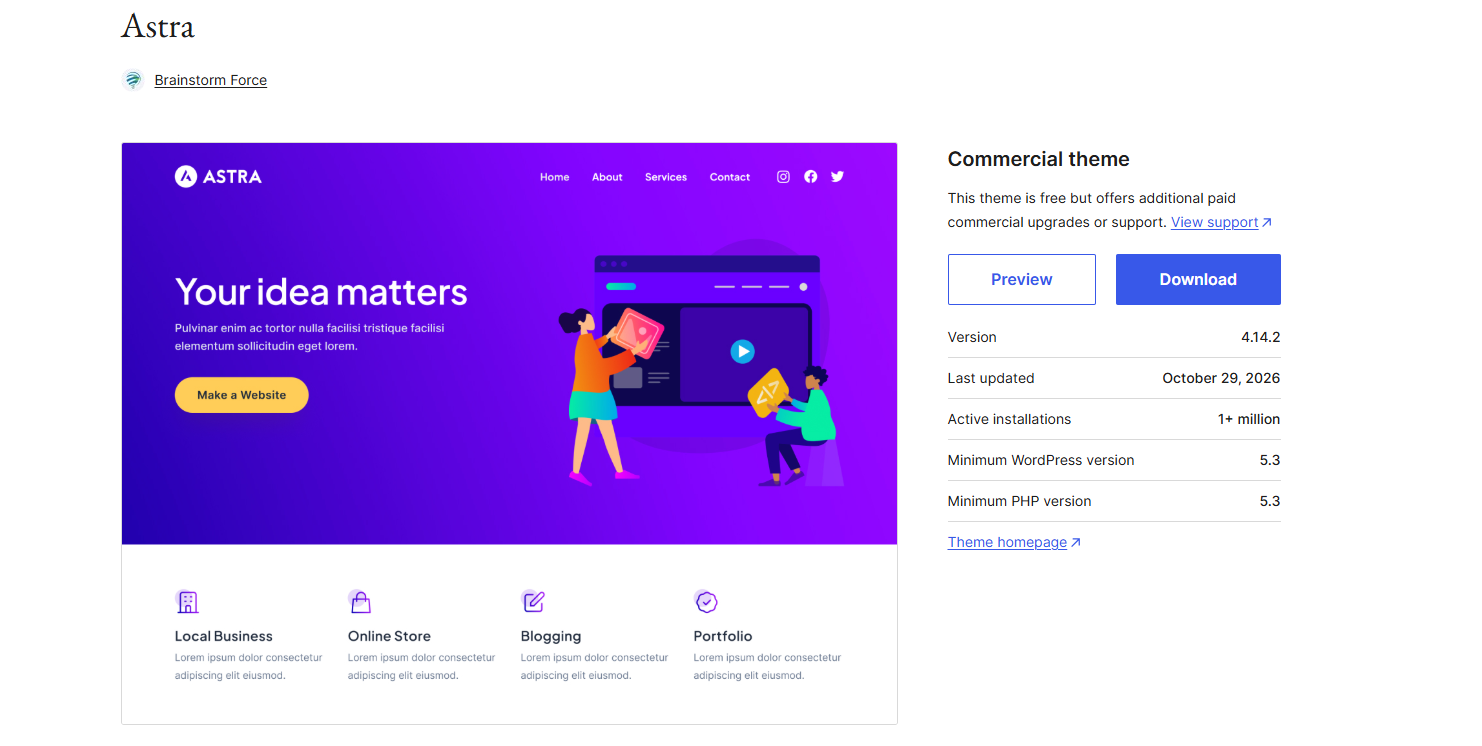
Astra is light, simple to set up, and comes with ready-made store templates. It does not rely on jQuery, and the base theme is under 50 KB.
Astra is a good fit if you have never built a store before. You can import a starter template, swap in your logo and products, and have a clean shop much faster than building each page by hand. It also works with major page builders such as Elementor and Gutenberg, so you are not locked into one way of working.
- Sales features: Astra Pro adds AJAX add-to-cart, infinite scroll, and a distraction-free checkout.
- Watch out: The best store features need a paid plan, and the first-year price rises at renewal.
- Skip it if: You want to pay once and never renew.
- Price: Free version available. Astra Pro + AI costs $99 for the first year, then $149/year.
WoodMart

WoodMart is a strong pick for stores with many products and filters. It has 116,000+ ThemeForest sales, and one 2026 report shows it outselling Flatsome week to week.
WoodMart helps shoppers narrow down a big range without waiting for pages to reload. They can filter by size, color, and other details, then pick a product option right from the shop page. Its demos cover stores such as tools, groceries, and furniture, so you can often start close to your niche. Swatches also work without an extra plugin, which is one less thing to manage.
- Sales features: AJAX filters, a layout builder for shop and product pages, and swatches.
- Watch out: One review warns it can be heavy on shared hosting. Its checkout setup also differs between classic and block checkout.
- Skip it if: You have 20 products and low-cost hosting.
- Price: $59 once, with 6 months of support.
Shoptimizer
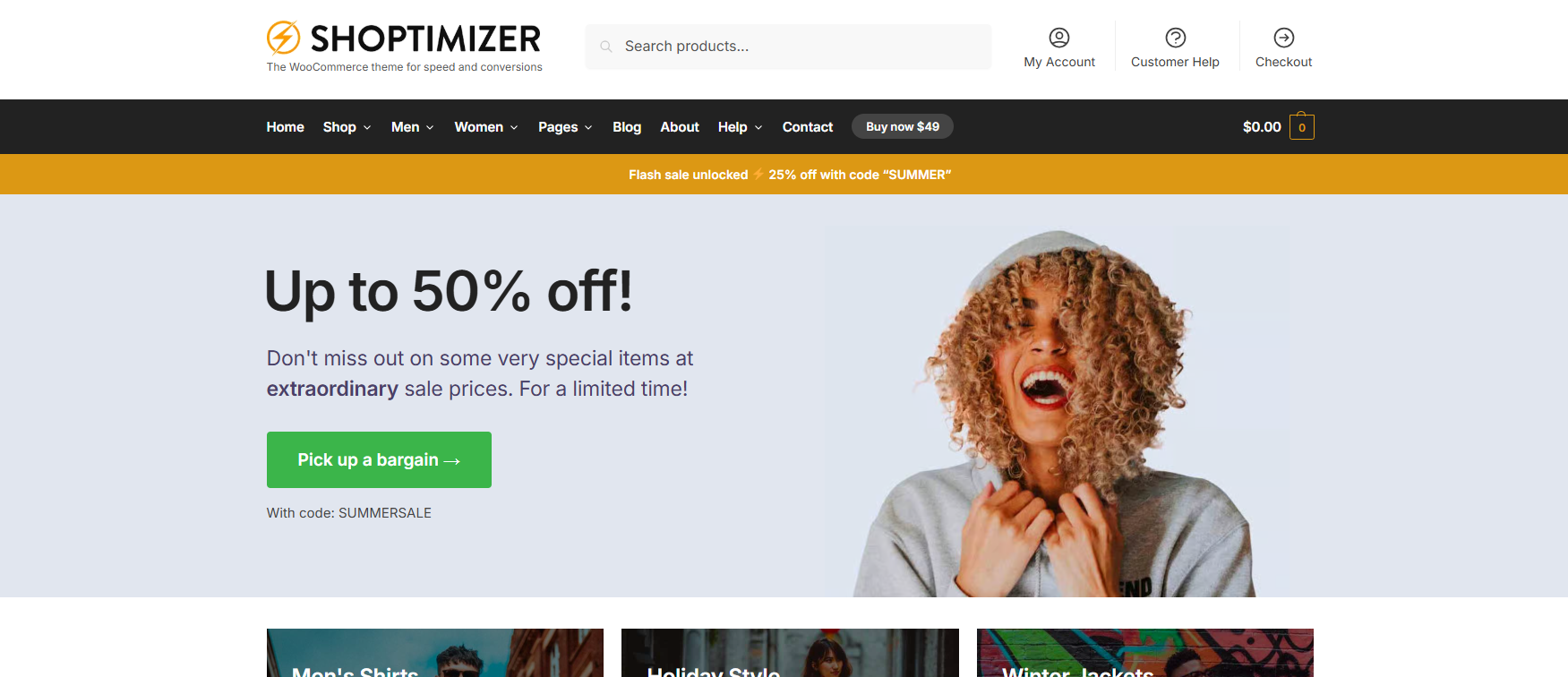
Shoptimizer was made only for WooCommerce. It comes with the tools many stores would otherwise add through plugins.
Think of Shoptimizer as a theme built around the buying steps. It lets you add sale timers, trust badges, and short notes near the add-to-cart button. If you sell costly items, you can also offer a request-a-callback option. It comes with the CommerceKit plugin and a 10-day money-back guarantee, so you can try it with less risk.
- Sales features: Sticky add-to-cart, trust badges, sale timers, a focused checkout, and sales notices.
- Watch out: There is no free version, and the design is less flexible than Kadence or Blocksy. The vendor often runs sales near $49, so check before paying $99.
- Skip it if: You are brand new. One speed team calls its long feature list overkill for small stores.
- Price: $99/year, with no free version.
Blocksy
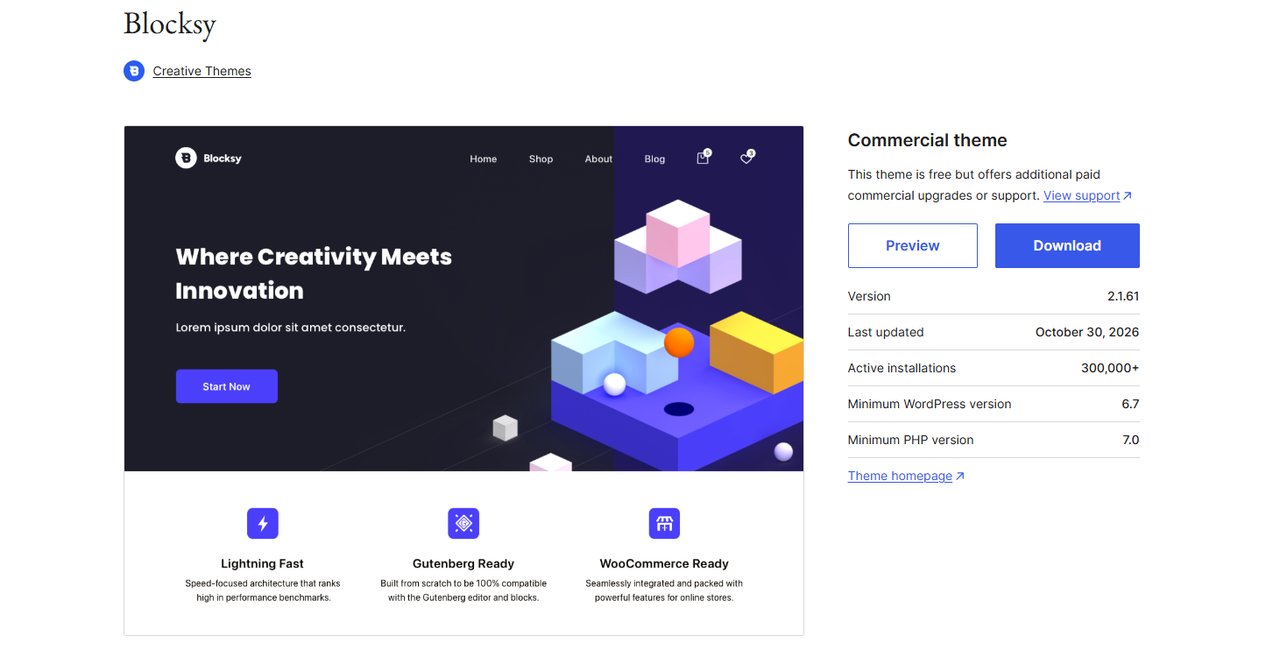
Blocksy is built for the WordPress block editor. A built-in lazy loading feature and local fonts help pages load fast.
Blocksy is a nice middle ground between a plain theme and a heavy one. You get modern design controls in the normal WordPress editor, and you do not need a third-party page builder. Free starter sites are available through its Companion plugin, so you do not have to begin with a blank page. It also works with Elementor if you change your mind later.
- Sales features: Off-canvas cart, AJAX filters, and sticky add-to-cart. Pro adds a built-in wishlist.
- Watch out: Store features need the free Companion plugin or Pro. Turn off modules you do not use.
- Skip it if: Your team already builds everything in Elementor.
- Price: Free version available. Pro costs $69/year or $199 for a lifetime license.
Kadence
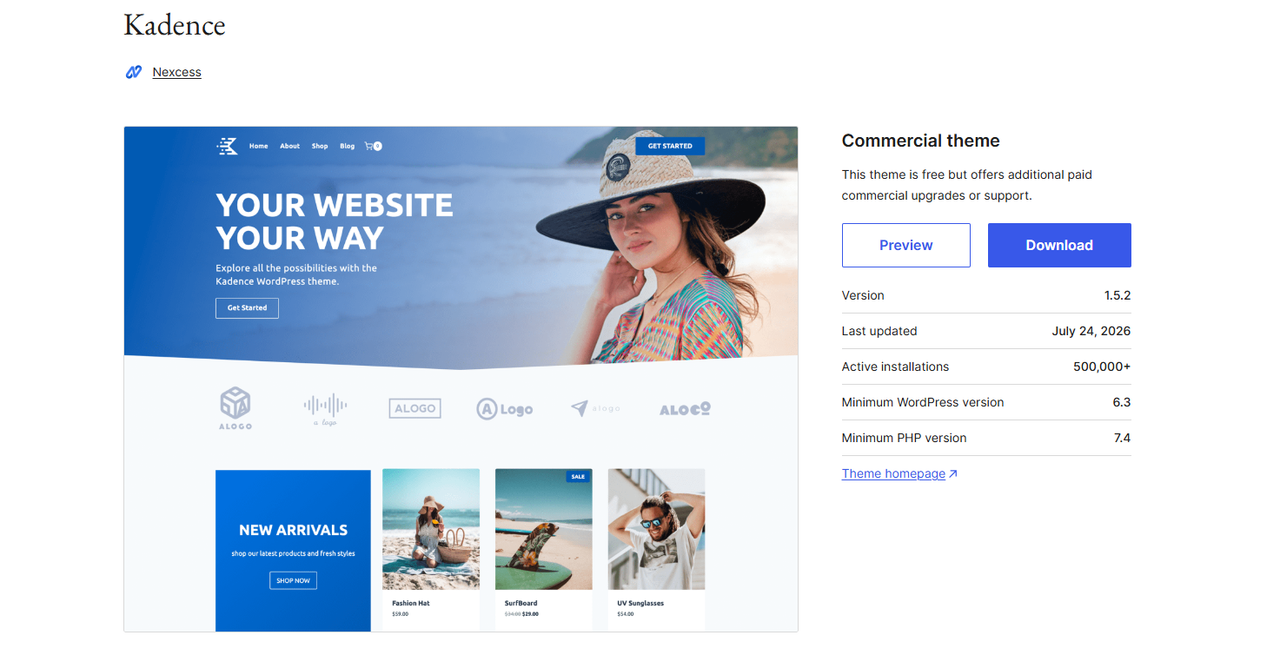
Kadence gives you a drag-and-drop header and footer builder plus strong blocks for product page layouts. The free theme is a solid start.
Kadence works well if you want your store to look custom but do not want to learn Elementor. You can set your colors and fonts once and use them across the site. You can then shape product pages with blocks. The paid plan bundles extras such as Shop Kit, security, and backups, so it makes more sense if you will use several of those tools.
- Sales features: Swatches, sticky add-to-cart, off-canvas cart, and AJAX add-to-cart.
- Watch out: Shop Kit comes with the $299/year Pro plan, which is a lot for one small store.
- Skip it if: You want advanced store features on a tight budget.
- Price: Free theme available. Pro starts at $299/year.
GeneratePress
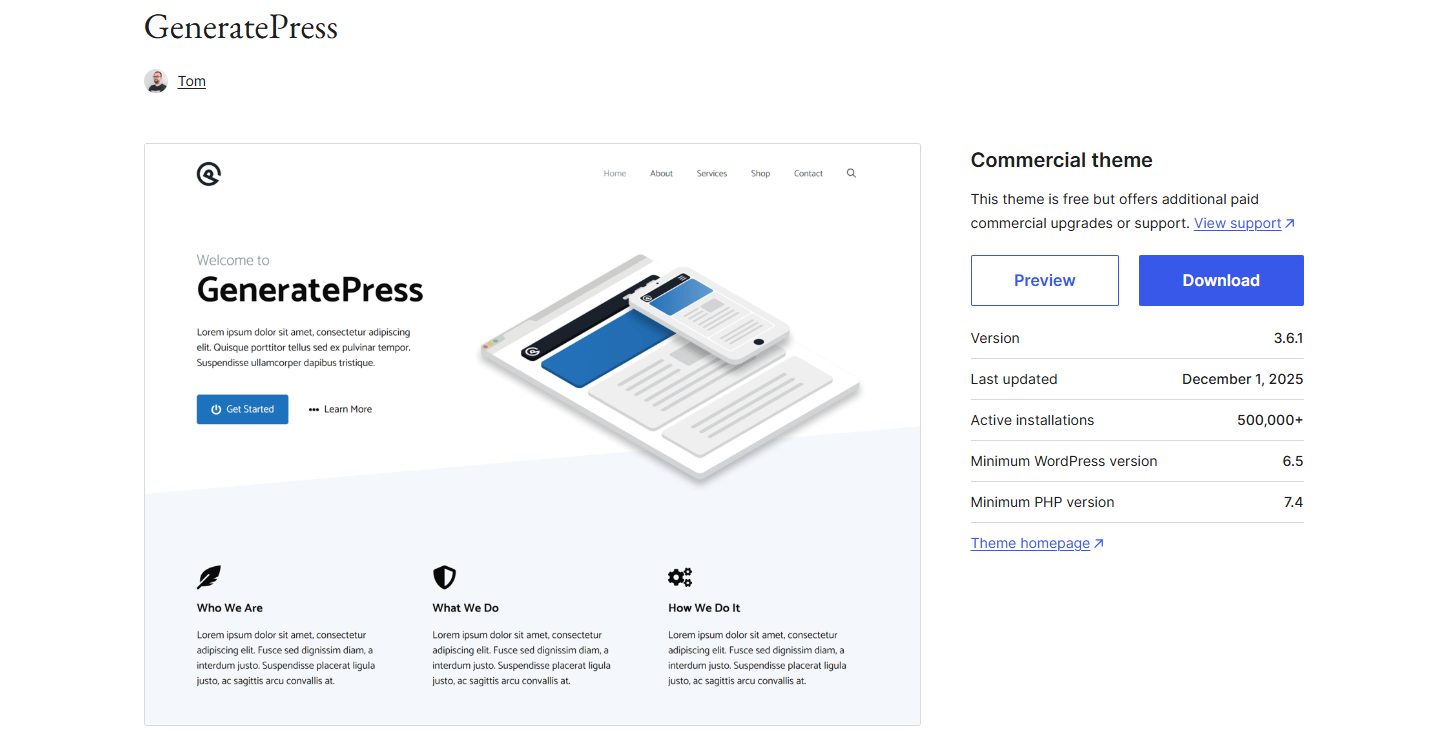
GeneratePress is the lean choice. It does not rely on jQuery, and the theme is under 30 KB. The paid plan covers up to 500 sites.
GeneratePress gives you a clean base and lets you add only what you need. Its paid features work as modules, so you can leave the rest turned off. This suits developers and SEO teams who care most about Core Web Vitals. Many users pair it with GenerateBlocks to design page layouts.
- Sales features: Distraction-free checkout, an AJAX add-to-cart panel, and control over upsell layouts.
- Watch out: It is light on design tools, so building a branded store takes more work.
- Skip it if: You want a finished look with one click.
- Price: Free version available. GP Premium costs $59/year.
Neve
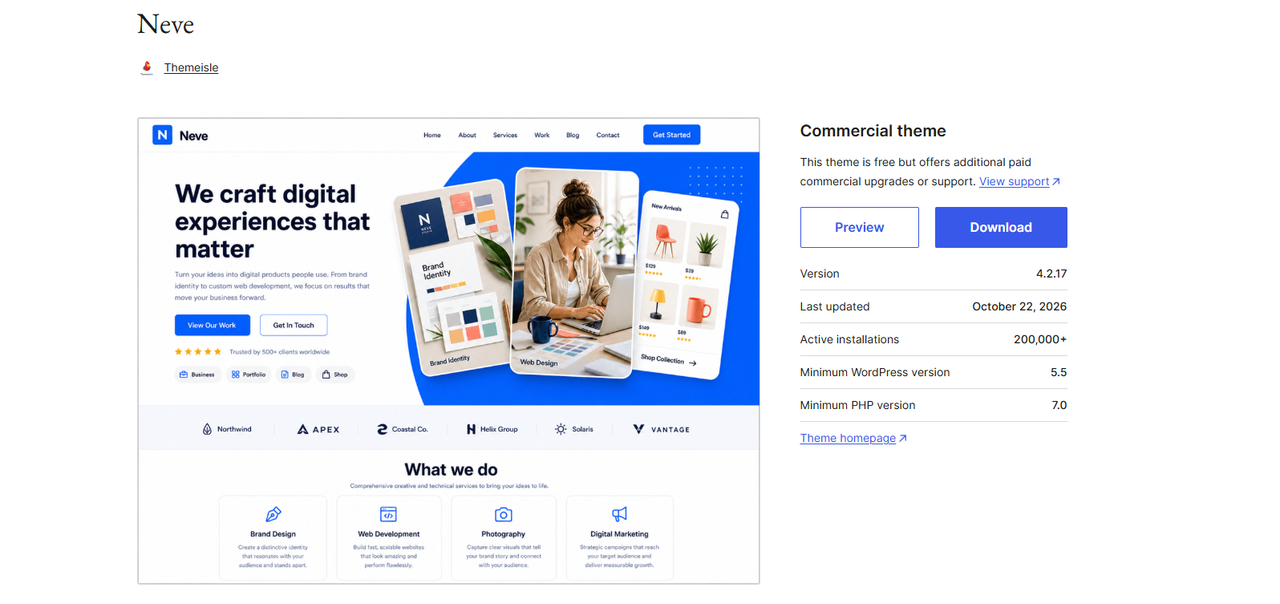
Neve is a simple, modular theme built for phones first. It also runs without jQuery and works with Elementor.
Neve is a good choice for a small store that gets most of its visits from phones. You can build headers and footers without a page builder, then add store tools as you need them. Its WooCommerce Booster features add conversion tools to the paid version. The free version also gives you a low-risk way to try it first.
- Sales features: Sticky add-to-cart, quick view, and AJAX filters through Neve Pro.
- Watch out: The free version covers only the basics, and the $69 price is a sale price.
- Skip it if: You need the deep store tools that Shoptimizer has.
- Price: Free version available. Neve Pro costs $69/year on sale, or $139/year at the regular price.
A Buyer’s Guide for the Best WordPress WooCommerce Themes
After viewing the features that each of our featured premium WooCommerce themes have to offer, you may have already decided to buy one. However, one question could still be a bother – “How do I make sure to get my money’s worth?” Your theme of choice should work for your site seamlessly. To help you settle on one, here are a few pointers to consider when going for a WooCommerce theme:
- Read the reviews of the themes you have in detail – not just the star ratings. There are public reviews available for all of the best WooCommerce themes on ThemeForest and other sellers.
- Look at the demo on various devices, and ensure that you are impressed with the mobile view as much as you are by the desktop and tablet views.
- Run the theme demos through various browsers using tools like Browsershots to ensure that your theme looks great on different browsers.
- Run the demo through speed test tools, such as Google PageSpeed Insights, GTmetrix, and Pingdom Tools.
- Find live performances of your theme to see it in a genuine environment.
- Check to ensure that you’re getting support and updates for your theme for at least a year or half a year.
- Ask for clarifications of various functionality queries that match what you want your theme to do for you.
How do you choose the right WooCommerce theme?
Start with your store type, then pick two themes to test. This short guide covers most cases:
- First store, small budget: Start with free Astra, Blocksy, or Neve.
- Want more sales tools without many plugins: Choose Shoptimizer.
- Hundreds or thousands of products: Choose WoodMart or Flatsome.
- Already use Elementor: Test Astra or Metro.
- Want no page builder: Choose Kadence, Blocksy, or GeneratePress.
- Running a marketplace: Test Metro with Dokan, and test your vendor flow in full.
Also look at the total cost, not the sticker price. A $59 theme and a $99/year theme look close today. Over three years, the gap is $238.
How to test a theme before you buy
Test your real shop and product pages, not the homepage demo. Demos run on tuned hosting with few plugins, so your live store will likely score lower.
- Set up a staging site on the hosting plan you will really use.
- Add your real products, image galleries, and must-have plugins.
- Run PageSpeed Insights on your shop page and one product page.
- Check Google’s three targets: LCP within 2.5 seconds, INP within 200 ms, and CLS under 0.1.
- Use a real phone to search, filter, add to cart, and check out.
- Place a test order with each payment method you offer.
- Confirm that your checkout plugins and MailChimp signup work with the checkout type you use.
Do not chase a perfect score. Hosting, images, caching, and plugins can matter as much as the theme. Field data from real visitors matters more than a single lab score.
How to switch themes without losing sales
Switching themes changes your design, but it does not delete products, orders, or content. You may still need to rebuild headers, footers, and some widgets.
- Back up your full site.
- Build and test the new theme on staging.
- Save your current conversion rate, mobile sales, and page speed.
- Make the switch during your quietest sales hours.
- Place a live test order right after launch.
- Compare results over at least two to four weeks, and watch for seasonal changes.
These mistakes come up again and again in support threads and buyer questions:
- Judging a theme by its demo.
- Forgetting to update child theme template files after WooCommerce updates.
- Stacking a heavy theme with several page builder add-ons.
- Skipping updates. Even small themes ship security fixes, as Metro’s changelog shows.
- Using nulled copies from unofficial sites. You may get no real updates or support, and the files may be unsafe.
- Loading too many Google Fonts. Two font families are enough for most stores.
WooCommerce theme FAQ
What is the highest-converting WooCommerce theme?
No theme can claim that title, because no public test compares them fairly. Shoptimizer has the most conversion features built in. The best theme for you is the one that wins on your own products and traffic.
Is Flatsome or WoodMart better?
Choose Flatsome if you want a built-in visual builder. Choose WoodMart if you need deep filters and a large catalog. Both cost $59, so test the one that fits how you like to work.
Are free WooCommerce themes good enough?
Yes, for many small stores. Astra, Blocksy, Neve, and the official Storefront theme can all run a real shop. Upgrade when a paid feature would clearly help you sell more.
Does a WooCommerce theme affect SEO?
Yes, but it is only one part of SEO. An SEO friendly theme helps with speed, mobile use, and page structure. You still need a good SEO plugin, useful product content, reviews, and schema. Good Core Web Vitals do not guarantee top rankings.
Do I need Elementor for WooCommerce?
No. Flatsome has its own builder, and Kadence, Blocksy, and GeneratePress work well with blocks. If you prefer WordPress page builder plugins, Elementor is a fine choice, but it adds its own scripts to your pages.
Can I use one ThemeForest license on many stores?
No. A regular license covers one end product for you or one client. Buy one license for each store, and ask the author about staging sites.
Final Thoughts
Getting a premium WooCommerce theme that satisfies all your needs is not a hard dream to realize. All you need is to understand your requirements and examine the features and performance of your chosen theme. Creating a website from scratch is quickly becoming a thing of the past since themes present a cheaper and more reasonable alternative. The only tricky part is ensuring that you don’t get yourself a subpar theme. Hopefully, this catalog helped guide you to your choice. Have fun earning from your website!