


On This Page
Your portfolio is often the first impression a potential client gets of your work. Whether you’re a photographer, web designer, developer, architect, or creative agency, how you present your projects online can make or break a sale. WordPress makes it easy to set up a portfolio website, but choosing the right portfolio plugin is what turns a basic page into a powerful, visually compelling showcase.
In this guide, we’ve hand-picked 6 of the best WordPress portfolio plugins available, covering both free and premium options, so you can find the perfect fit regardless of your budget, page builder preference, or technical skill level.
Why Use a Portfolio Plugin for WordPress?
WordPress doesn’t ship with a built-in portfolio feature, which means you either rely on your theme’s built-in options (limiting your design flexibility) or you install a dedicated plugin. A good portfolio plugin gives you:
- Filterable galleries so visitors can sort work by category or type
- Multiple layout options, grid, masonry, slider, carousel, and more
- Lightbox popups to view work in detail without leaving the page
- Responsive design so your portfolio looks great on all devices
- Shortcode or block editor support for easy embedding anywhere on your site
- Custom metadata for each project, client names, dates, URLs, and tools used
The plugins below are actively maintained, work with modern WordPress versions, and are compatible with popular page builders like Elementor and Gutenberg.
👉 Good Read: How to Create a Portfolio in WordPress
1. Radius Portfolio

| Type: Free + Pro | Rating: 4.6/5 ★ (38 reviews) | Link: View Plugin → |
If you want an all-in-one portfolio solution that works straight out of the box and scales well with a Pro upgrade, Radius Portfolio is a strong contender. It’s one of the most feature-rich free portfolio plugins on WordPress.org, with over 9,000 active installations and a 4.6-star rating.
What Makes It Stand Out
The free version comes with 3 grid layouts, 3 slider layouts, and 3 isotope filter layouts, all fully responsive and customizable. You can display portfolio items using shortcodes, a Gutenberg block, or an Elementor addon widget, giving you maximum flexibility regardless of which editor you prefer.
The built-in shortcode generator is a highlight; it lets you configure your layout visually, preview it, and generate a shortcode without writing a single line of code. You can control columns for desktop, tablet, and mobile separately, set image sizes, enable/disable pagination, filter by category or tag, and customize colors all from one panel.
Key Features
- 3 grid, 3 slider, and 3 isotope filter layouts in the free version
- Live layout preview inside the shortcode generator
- Full Elementor addon and Gutenberg block support
- Filter by category, tag, and custom taxonomy
- Image size control to protect page speed
- Social sharing integration (LinkedIn, Facebook, Twitter, Instagram)
- RTL language support
- Translation-ready
Radius Portfolio PRO Features
The Pro version unlocks 50+ layouts, including masonry grid, masonry isotope, even grid, even isotope, and carousel slider. You also get 4 pagination types (Ajax load more, Ajax number, autoload on scroll, normal number), drag & drop item ordering, margin and gutter control, and detail page popups.
Best for: Freelancers, agencies, and anyone who wants a solid free plugin with room to grow into a feature-rich Pro version
Page builder support: Elementor, Gutenberg
Pricing: Free | Pro available
2. Visual Portfolio

| Type: Free + Pro | Rating: 4.8/5 ★ (300 reviews) | Link: View Plugin → |
Visual Portfolio is one of the most polished and developer-friendly portfolio plugins available for WordPress. Built by the nK team, it strikes an excellent balance between visual simplicity and advanced functionality, making it equally suitable for beginners and experienced developers.
What Makes It Stand Out
The plugin is built with performance in mind. Scripts and styles are only loaded when the gallery appears on a page, which helps keep page load times lean. Images use lazy loading natively, and the plugin is compatible with popular image optimization and WebP providers. This makes it a rare portfolio plugin that’s both feature-rich and genuinely fast.
Another standout feature is the live Gutenberg block editor with real-time visual preview. You configure your layout, choosing from Masonry, Justified (Flickr-style), Tiles, Grid, Slider, or Carousel, and see exactly how it looks as you tweak settings. No shortcode guesswork required.
Key Features
- Layouts: Masonry, Justified, Tiles, Grid, Slider, and Carousel
- 5 hover/skin effects: Classic, Fade, Emerge, Fly, Caption Move
- Powerful Fancybox/PhotoSwipe lightbox with mobile swipe and zoom support
- Video support from YouTube, Vimeo, TikTok, Instagram, and many more
- Audio support (Spotify, SoundCloud, Mixcloud, and others)
- Posts Query Builder, display any post type, filter by taxonomy, author, date
- Theft protection, add wa atermark logo to your gallery images
- SEO-friendly with sitemap support for Yoast, Rank Math, and All in One SEO
- WPML-compatible for multilingual sites
- Password-protected gallery blocks for client previews
Who Should Use It
Visual Portfolio is ideal for photographers, creatives, and agencies who want a modern, high-performance gallery/portfolio setup without compromising on design. Its Justified layout is especially loved by photographers for its Flickr-style variable-height rows.
Best for: Photographers, creatives, developers who want speed and design quality
Page builder support: Gutenberg, Elementor (Pro), WPBakery (Pro)
Pricing: Free | Pro available at visualportfolio.com
3. AWPLife Portfolio
| Type: Free + Premium | Rating: 4.8/5 ★ (300 reviews) | Link: View Plugin → |
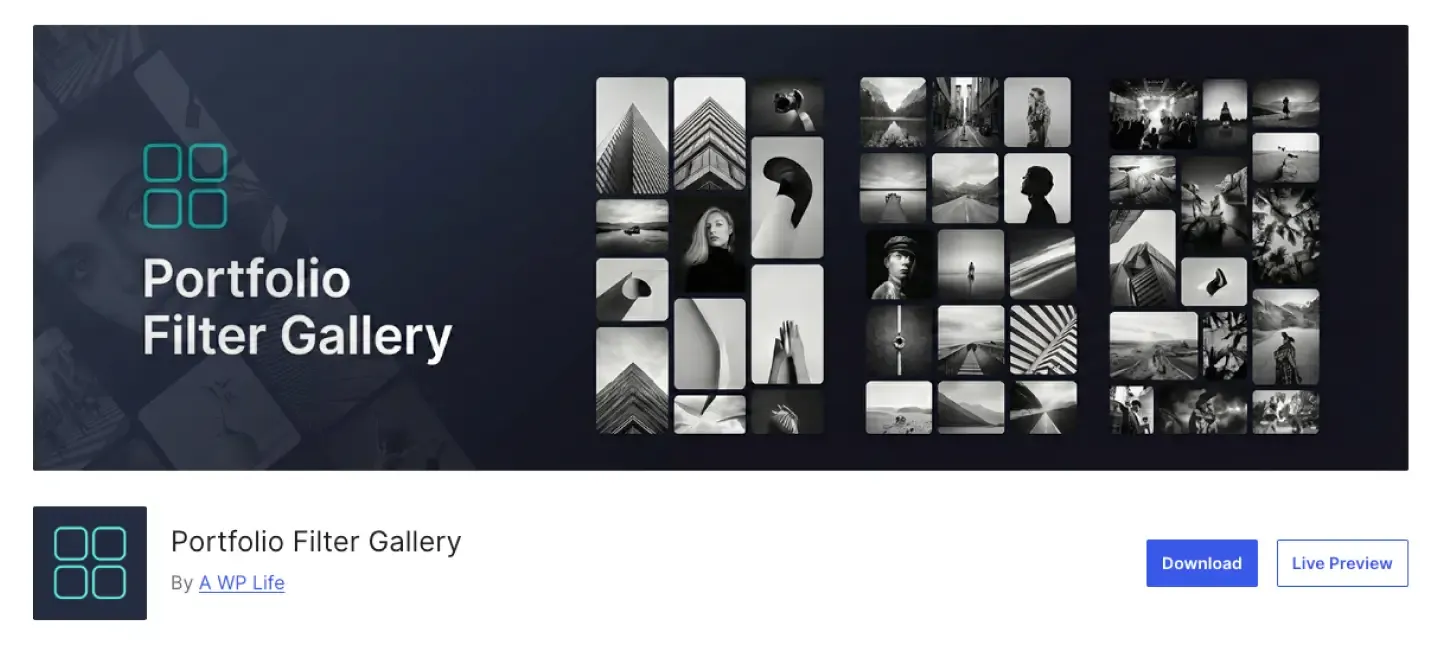
Portfolio Filter Gallery by A WP Life is a clean, straightforward plugin built specifically around one core idea: letting visitors filter your work by category. If filterable galleries are your top priority, this plugin delivers that experience with minimal complexity and a thoughtful workflow.
What Makes It Stand Out
The plugin has a dedicated category management interface separate from your images. You create your filter categories first, then assign them to individual portfolio items as you build your gallery. This separation keeps things organized and makes it easy to maintain large portfolios with many categories.
The free version supports both masonry and grid layouts, 2-4 column options, configurable item spacing, a Bootstrap-based lightbox with navigation arrows and touch support, and YouTube/Vimeo video embedding inside the lightbox. CSS3 animations power the filter transitions for a smooth, professional-looking result.
Key Features
- Dedicated filter category management interface
- Assign multiple filters to each gallery item
- Masonry and grid layouts with 2, 3, or 4 columns
- Smooth CSS3 filter transition animations
- Responsive Bootstrap lightbox with touch support and navigation arrows
- YouTube and Vimeo video embed support
- Grayscale hover effect option
- Customizable filter button colors and border settings
Premium Features
The premium version adds over 30 additional hover animation effects, 5 alternative lightbox styles (LD Lightbox, Swipebox, PopTrox, Viewer, BlueImp), Ajax Load More pagination, URL-based filter selection (share a page with a specific filter pre-applied), default filter on page load, ascending/descending sort controls, and a search function within the gallery.
Best for: Users who want clean, category-based filterable portfolios with a simple setup process
Page builder support: Works with any builder via shortcode
Pricing: Free | Premium available at awplife.com
4. PowerFolio
| Type: Free + Pro | Rating: 4.5/5 ★ (11 reviews) | Link: View Plugin → |
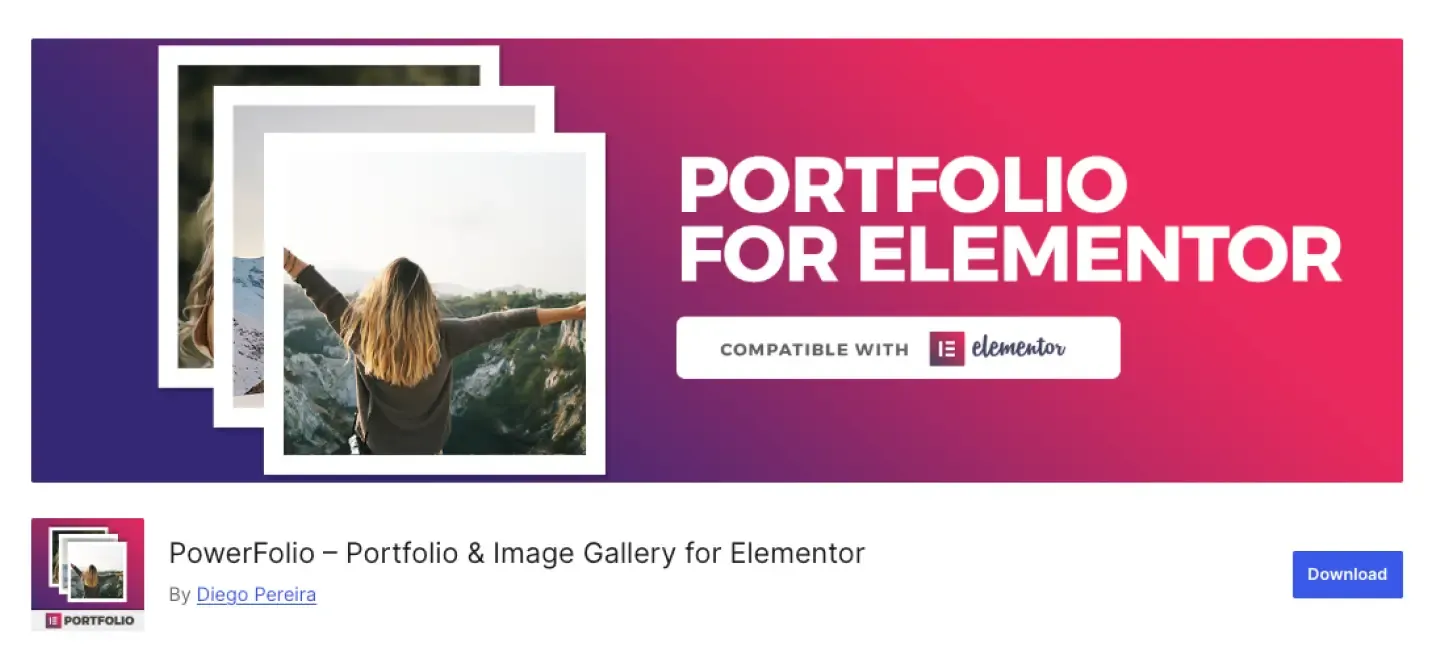
PowerFolio (formerly listed as Portfolio Elementor) is a portfolio and image gallery plugin built specifically for the modern WordPress ecosystem. It provides native Elementor widgets, Gutenberg blocks, and classic shortcode support, giving you a consistent experience regardless of which editor you use.
What Makes It Stand Out
Most portfolio plugins are shortcode-first with Elementor support bolted on. PowerFolio takes the opposite approach: its Elementor widget is a first-class feature. You drag the portfolio widget onto your page inside the Elementor builder, then configure your columns, hover effects, animations, and category filters all within the familiar Elementor panel, no separate settings screen required.
The plugin supports masonry, boxed, and custom Packery grid layouts. You can display individual portfolio items in a modal popup or link them to their own dedicated single pages, giving you flexibility for light presentation versus deep project case studies.
Key Features
- Elementor portfolio widget, fully editable inside the Elementor page builder
- Elementor image gallery widget for filterable photo galleries
- Gutenberg portfolio and gallery blocks
- Shortcode generator for classic editor / any page builder
- Masonry, Boxed, and custom Packery grid layouts
- 2, 3, 4, 5, or 6 column options
- Category filter with smooth animations
- Modal popup or single-page project display
- CSS animations and transition effects
- 100% responsive design
Pro Features
The Pro version adds a visual grid builder where you can manually set the width and height of each item in your gallery to create truly custom, editorial-style layouts. It also adds the image gallery grid builder, more hover effects, and priority support.
Best for: Elementor users who want a native, drag-and-drop portfolio experience inside Elementor
Page builder support: Elementor (native widget), Gutenberg, Classic Editor
Pricing: Free | Pro available at powerfoliowp.com
5. Go Portfolio

| Type: Premium (CodeCanyon) | Rating: 4.5/5 ★ (450 reviews) | Link: View Plugin → |
Go Portfolio is a mature, feature-packed premium portfolio plugin available on Envato’s CodeCanyon marketplace. With thousands of customers and years of active development, it has established itself as a reliable choice for professionals who want deep customization without writing custom code.
What Makes It Stand Out
Go Portfolio ships with four built-in presentation styles, FLEX, DOOR, VARIO, and DELUX, each offering a distinct visual approach. On top of these, the plugin supports both responsive grid and horizontally-sliding layouts with up to 10 columns. The grid system is percent-based and fully flexible, with independently adjustable horizontal and vertical spacing.
What really sets Go Portfolio apart is its template import system. You can pull in pre-built custom templates with just a few clicks, which significantly speeds up the process of creating a polished portfolio. The plugin supports unlimited portfolios, works with existing custom post types and regular blog posts, and even integrates with WooCommerce, making it suitable for product showcases alongside creative portfolios.
Key Features
- 4 default styles: FLEX, DOOR, VARIO, DELUX
- Responsive grid or horizontal sliding layout with up to 10 columns
- Two filtering types: classic isotope and opacity change
- Supports unlimited portfolios and custom post types
- Works with existing blog posts and WooCommerce products
- One-click custom template import
- Advanced post-query options
- Huge admin panel with extensive customization options
- Custom taxonomy display: title, date, category, tags, and more
- Optionally responsive with custom breakpoint settings
Best for: Developers and power users who need a deeply configurable premium plugin with WooCommerce compatibility
Page builder support: Works independently, compatible with most themes
Pricing: One-time purchase on CodeCanyon
6. FAT Portfolio
| Type: Premium (CodeCanyon) | Rating: 4.8/5 ★ (53 reviews) | Link: View Plugin → |
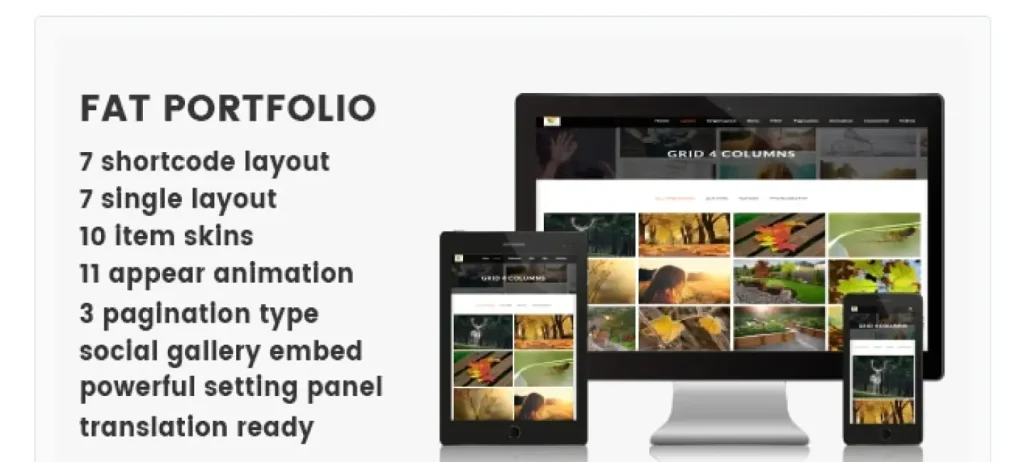
FAT Portfolio is a premium WordPress portfolio plugin sold on CodeCanyon, designed for users who want advanced presentation options with a clean, modern aesthetic. It lives up to the ‘Advanced’ label in its name with a range of layout styles and animation capabilities that go beyond what most free plugins offer.
What Makes It Stand Out
FAT Portfolio is built around variety and visual impact. It offers multiple distinct portfolio presentation modes, including grid, masonry, and carousel, with smooth animation transitions between filter states. The plugin prioritizes visual quality, making it a strong choice for photographers, designers, and creative agencies where aesthetics are non-negotiable.
The plugin is theme-independent and works across a wide range of WordPress setups. It includes shortcode support for embedding portfolios anywhere on your site and gives you control over the number of columns, item spacing, hover effects, and caption styles. The admin interface is clean and focused, which helps keep setup time short even with premium-level feature depth.
Key Features
- Multiple layout options: grid, masonry, carousel
- Smooth CSS3 transitions and filter animations
- Custom hover effects and caption styles
- Shortcode-based embedding works with any theme or page builder
- Column and spacing control
- Responsive across all device sizes
- Clean, focused admin interface
- Theme-independent design
Best for: Creatives and designers who prioritize polished visual presentation and want a premium plugin with broad theme compatibility
Page builder support: Works via shortcode with any builder or theme
Pricing: One-time purchase on CodeCanyon
Quick Comparison: Which Portfolio Plugin Is Right for You?
| Plugin | Free Version | Page Builder | Best For | Filter Support |
|---|---|---|---|---|
| Portfolio (RadiusTheme) | ✅ Yes | Elementor + Gutenberg | Beginners to agencies | ✅ Category & tag |
| Visual Portfolio | ✅ Yes | Gutenberg (Elementor Pro) | Photographers, creatives | ✅ Taxonomy-based |
| Portfolio Filter Gallery | ✅ Yes | Any (shortcode) | Filter-focused galleries | ✅ Dedicated filter UI |
| PowerFolio | ✅ Yes | Elementor (native) | Elementor users | ✅ Category filter |
| Go Portfolio | ❌ Premium | Theme-independent | Power users, WooCommerce | ✅ Isotope + opacity |
| FAT Portfolio | ❌ Premium | Shortcode / any | Designers, creatives | ✅ CSS3 animated |
How to Choose the Right Portfolio Plugin
With six solid options in front of you, here’s how to narrow it down based on your specific situation:
If you use Elementor, PowerFolio gives you a native Elementor portfolio widget that integrates directly into the page builder. Visual Portfolio Pro also adds Elementor support.
If you want the best free option, Portfolio by RadiusTheme and Visual Portfolio are both excellent free plugins. RadiusTheme’s plugin is easier for beginners; Visual Portfolio offers more layout variety and is faster out of the box.
If filterable galleries are your main priority, Portfolio Filter Gallery is built specifically around this use case, with a clean category management workflow.
If you need WooCommerce integration, Go Portfolio on CodeCanyon is the only plugin in this list with native WooCommerce support, making it suitable for product-focused portfolios.
If you’re a photographer: Visual Portfolio’s Justified (Flickr-style) layout and high-quality lightbox make it the top pick for image-heavy portfolios.
If you need a one-time premium purchase with deep customization, Both Go Portfolio and FAT Portfolio offer this model via CodeCanyon, with Go Portfolio having the more extensive feature set.
👉 You might be interested in reading: How to Make a Team Page on WordPress.
Frequently Asked Questions
A WordPress portfolio plugin adds portfolio functionality to your WordPress site without requiring a portfolio-specific theme. It typically creates a custom post type for your projects, provides multiple display layouts, and allows visitors to filter your work by category. This gives you the freedom to use any WordPress theme while still having a professional portfolio presentation.
Yes. PowerFolio offers a native Elementor widget, while Portfolio by RadiusTheme and Visual Portfolio both include Elementor compatibility. Go Portfolio and FAT Portfolio work via shortcode and can be used on Elementor pages as well.
Not necessarily. Both Portfolio by RadiusTheme and Visual Portfolio have free versions that are more than capable of building a professional-looking portfolio. The premium versions add more layouts, advanced pagination, and additional customization options, which are useful as your portfolio grows or your design requirements become more specific.
Visual Portfolio is widely regarded as the best choice for photographers due to its Justified (Flickr-style) layout, high-performance lightbox with swipe and zoom support, social sharing within the gallery, and image theft protection features.
Yes. All six plugins in this list are built with responsive design as a core requirement. Your portfolio will automatically adapt to look great on desktops, tablets, and smartphones.
Final Thoughts
Building a portfolio in WordPress doesn’t require technical expertise; the right plugin does the heavy lifting for you. Whether you’re looking for a free, lightweight option or a premium plugin with deep customization, there’s something on this list for every type of creator.
For most people starting out, Portfolio by RadiusTheme or Visual Portfolio make excellent starting points, both free, both actively maintained, and both capable of producing genuinely professional results. If you’re an Elementor user, PowerFolio integrates most naturally with your existing workflow. And if you need premium-grade customization with one-time pricing, Go Portfolio and FAT Portfolio on CodeCanyon are both mature, well-supported choices.
Pick the plugin that matches where you are today, and remember, most of these offer upgrade paths when your needs grow. Start building and let your work speak for itself.


