


On This Page
The popularity of WordPress is growing, so numerous WordPress page builders have come out with time. Each builder offers diverse features to simplify the page-building process.
But can you use them for free? Which are the best free WordPress page builders? These are the questions we answered in this article.
We compiled our best picks, both free and paid, along with their key features, pros and cons, and pricing in this content. So, read on to find your preferred free WordPress page builder.
What to Check Before Selecting a Good Page Builder?
You’ll encounter many free WordPress page builders while searching for one. And the irony is that most of those builders will claim to give you astounding features and benefits, while the reality is they don’t.
Therefore, cautiously check the factors below for the best free WordPress page builder.
Ease of use: A good page builder should guarantee ease of use. It needs to be highly intuitive, so you don’t need to read several documentation pages to use the page builder.
Fast performance: Check if the page builder delivers fast performance by default. It should ensure that all web pages you create using that builder will load fast.
Responsive design: Choose a builder that lets you build sites on WordPress that look good and perform well across diverse devices.
Stunning Templates: Ensure your chosen page builder offers a library of great templates to help you build websites on WordPress fast.
Compatibility: Choose a page builder that works well with virtually all themes and plugins and doesn’t restrict you from accessing features of 3rd-party tools.
Support: Check if your selected page builder comes with excellent 24/7 support. You never know when you encounter problems and need immediate solutions.
User Reviews: Read user reviews and see testimonials to determine if the page builder is worth a try.
Pricing: Finally, compare the pricing with other similar page builders before choosing.
These are primary factors to check while seeking the best free page builder to build a website on WordPress.
Explore These Free WordPress Page Builders in the Present Time
Here you have all the best free WordPress page builders in recent times. Ensure you thoroughly read everything about these builders before picking your ideal one.
| Page Builder Name | Pros | Cons | Pricing |
|---|---|---|---|
| Elementor | No-code, Intuitive, Many extensions, Tutorials, Seamless integration | Learning curve for beginners | Free; Premium starts at $4.92/month |
| Beaver Builder | Fast, Developer-friendly, Mobile responsive, Works with most themes | Limited features in free version | Free; Premium starts at $89/year |
| SiteOrigin | SEO-optimized, Lightweight, User-friendly, Responsive | Less customization potential | Free; Premium starts at $29/year |
| SeedProd | Easy to use, Spam protection, Responsive, Lightweight, SEO-optimized | Essential features in premium version | Free; Premium starts at $79/year |
| Brizy | Clutter-free, Mobile-friendly, Direct editing, Affordable | Fewer add-ons compared to others | Free; Premium starts at $19/month |
| Gutenberg | Drag-and-drop, Developer-friendly, Free, Supports third-party add-ons | Steep learning curve | Free |
| Themify Builder | Front-end/back-end editing, Pre-designed layouts, Budget-friendly, Responsive | Limited third-party integration | Free; Premium starts at $89/year |
| Live Composer Page Builder | Smooth drag-and-drop, SEO-friendly, Budget-friendly, Fast editor | Limited features | Free; Premium starts at $69/year |
| Colibri Page Builder | Beginner-friendly, Diverse block library, Advanced customization, Responsive | Multi-language support only for premium users | Free; Premium starts at $6.58/month |
| Nimble Builder | Mobile-oriented, Shortcode insertion, SEO-optimized, Compatible with most themes | Lacks advanced customization features | Free; Premium starts at $39/year |
| Visual Composer | Novice-friendly, Tons of features, Excellent integration, Code-free | Many features locked in premium version | Free; Premium starts at $49/year |
| Zion Builder | Lightweight, Feature-rich, Responsive editor, Intuitive | Issues with plugin updates | Free; Premium starts at $39/year |
| Spectra | Beginner-friendly, Fast, Built-in SEO tools, Mobile-friendly | Limited features in free version | Free; Premium starts at $49/year |
| Stackable | UI Kit designs, Ready-made block designs, Diverse layouts, User-friendly | Plugin deactivation issues | Free; Premium starts at $49/year |
| PluginOps | Easy-to-use, Comprehensive features, Responsive, Excellent support | Visual editor may feel tedious | Free; Premium starts at $59/year |
| Breakdance | Numerous elements, AI functionality, WooCommerce integration | Limited design options | Free; Premium starts at $99.99/year |
| Divi | Fast, Numerous features, No coding, Responsive editing | No free version | Premium starts at $7.42/month |
| WPBakery | Compatible with all themes, Pre-made layouts, Lifetime license | Interface may feel complex | Premium starts at $69 (lifetime) |
| Thrive Architect | Great UI, Conversion-focused, Lightning speeds, Flexible layout | Pricier than most builders | Premium starts at $199/year |
| Oxygen Builder | Lifetime license, SEO-friendly, Speed performance, Responsive | Not beginner-friendly | Premium starts at $129 (lifetime) |
1. Elementor Page Builder
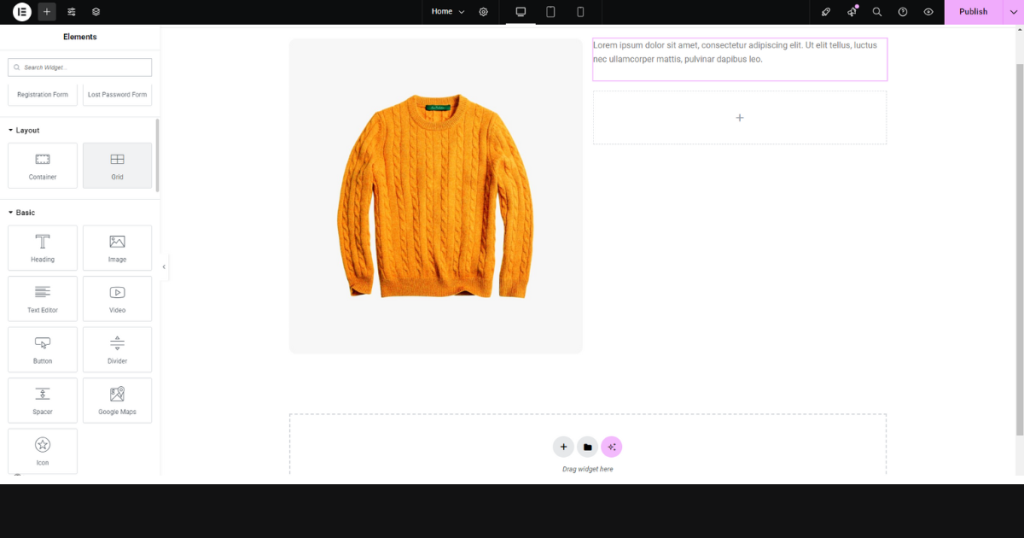
Our first pick is Elementor, one of the most popular free WordPress page builders. As of now, 18M+ websites have been built by Elementor.
This builder lets you create stunning pages in minutes, thanks to its drag-and-drop live editor and 100+ powerful WordPress widgets. It’s super easy to use and feature-rich, making it popular worldwide.
Key Features
- Drag-and-drop live editor
- Responsive page layout (elements, sections, columns)
- Theme Builder
- Popup Builder
- AI Integration
Pros
- No-code environment
- Intuitive and easy to use
- Many Elementor extensions
- Tons of resources and tutorials
- Seamless integration capability
Cons
- Beginners need to undergo a learning curve
Pricing
You can use this #1 WordPress page builder for free. However, it has a premium version, with pricing starting at $4.92 per month (billed annually).
2. Beaver Builder
Beaver Builder is a popular and beginner-friendly builder for WordPress websites. It allows you to build custom layouts without writing any code.
People love this page builder for its clean and clutter-free user interface. Users can use this builder with most themes.
Therefore, it remains a top choice for novices and experts seeking to create fantastic pages on their WordPress websites.
Key Features
- Intuitive drag-and-drop editor
- Pre-built templates
- A library of icons
- Premium modules
- Advanced styling options
Pros
- Allows for fast website creation
- Developer-friendly
- Mobile responsive
- Works with most themes and plugins
- Offers white labeling
Cons
- The free version doesn’t include all the significant features
Pricing
It has a free and premium version. Its cheapest plan for the premium version charges you $89 per year.
3. Page Builder by SiteOrigin

SiteOrigin Page Builder is a fantastic content creation interface. It lets you build responsive and grid-based page content with pixel-perfect accuracy.
The builder offers all the essential widgets you may need to create eye-catching and professional pages on WordPress.
Besides this, this builder comes with free themes to help you develop pages fast. Finally, it works magnificently with most themes and plugins.
Key Features
- Drag-and-drop editor
- Row, Cell, and Widget Styles
- History browser
- Many free themes and widgets
Pros
- SEO-Optimized
- User-friendly
- Responsive design
- Lightweight
- Free to use
Cons
- Less customization potential
Pricing
This page builder comes in a free and paid version. Its lowest premium plan starts with a yearly charge of $29.
4. SeedProd
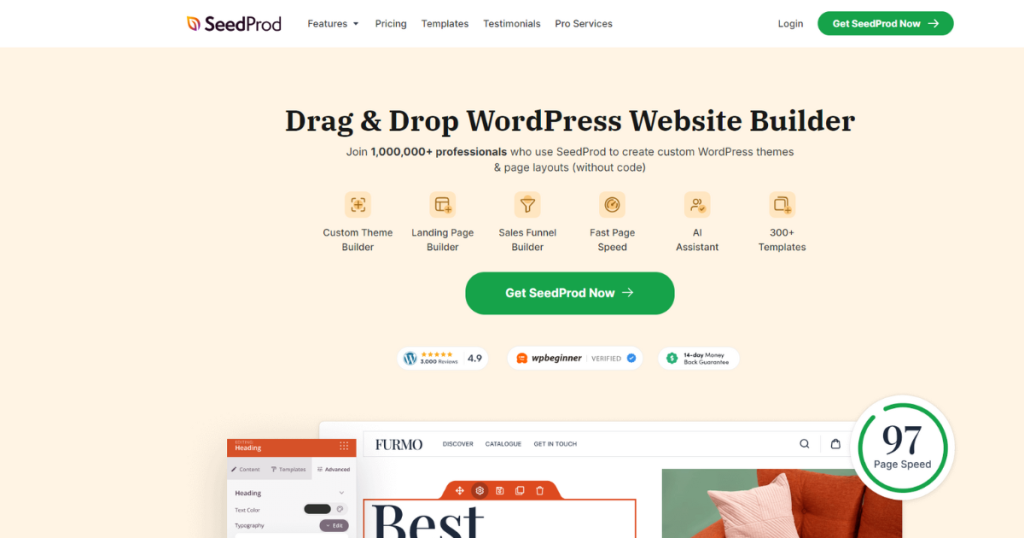
SeedProd is one of the most fabulous page builders for WordPress sites. It’s got an easy-to-use page builder, letting you build great-looking pages and layouts in minutes!
It also allows you to create even Themes without writing code or hiring a WordPress developer!
This free WordPress page builder contains over 300 templates and 90 pre-built blocks to help you get started with creating stunning pages.
These features make SeedProd lucrative among users who want to build diverse pages on their WordPress websites without hassle.
Key Features
- Custom Theme Builder
- Landing Page Builder
- Sales Funnel Builder
- AI Assistant
- 300+ Templates
Pros
- Easy to use
- Offers spam protection
- Responsive design
- Lightweight
- SEO-Optimized
Cons
- Essential features are available only on the premium version
Pricing
The free version is available. Its pro version pricing begins at $79 per year.
5. Brizy

Designed in React, Brizy is a free drag-and-drop page builder for WordPress. It requires zero coding knowledge to let you build visually appealing pages for your WordPress sites.
Brizy has many pre-built pages and sections to help you create web pages in minutes. Besides this, it boasts a form builder, enabling you to create custom forms, even with the free version!
Lastly, Brizy is compatible with popular marketing tools like Zapier, Mailchimp, HubSpot, Salesforce, and more. So, don’t just build amazing WordPress websites, but also effectively promote them using this page builder.
Key Features
- Over 500 pre-made blocks
- 4000+ icons
- Smart text editor
- Intuitive drag & drop feature
- Global styling option
Pros
- Smart and clutter-free
- Mobile friendly
- Allows direct editing of elements
- Easy to use
- Affordable pricing
Cons
- Fewer add-ons compared to other page builders
Pricing
Has a free and pro version. The pricing of the pro version begins at $19 per month.
6. Gutenberg
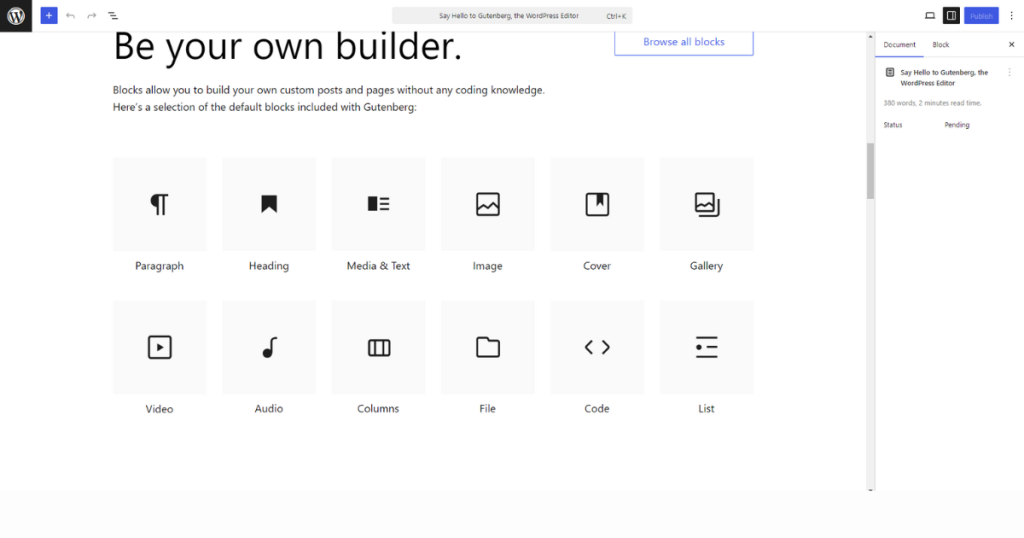
Gutenberg is the default block editor for WordPress, and it first came out (launched in December 2018) after the release of WordPress 5.5. This block editor replaced the post and page editor of WordPress.
The editor is clean, minimally designed, and easier to use than the Classic editor. That’s why you enjoy editing pages with this default editor for WordPress.
Key Features
- Tons of plugins and blocks
- Block-based design
- Drag-and-drop editor
- Embed content
- Pre-built blocks
Pros
- Drag-and-drop functionality
- Developer friendly
- Many styling and formatting options
- Free to use
- Supports third-party add-ons
Cons
- Steep learning curve
Pricing
It is entirely free for users.
7. Themify Builder
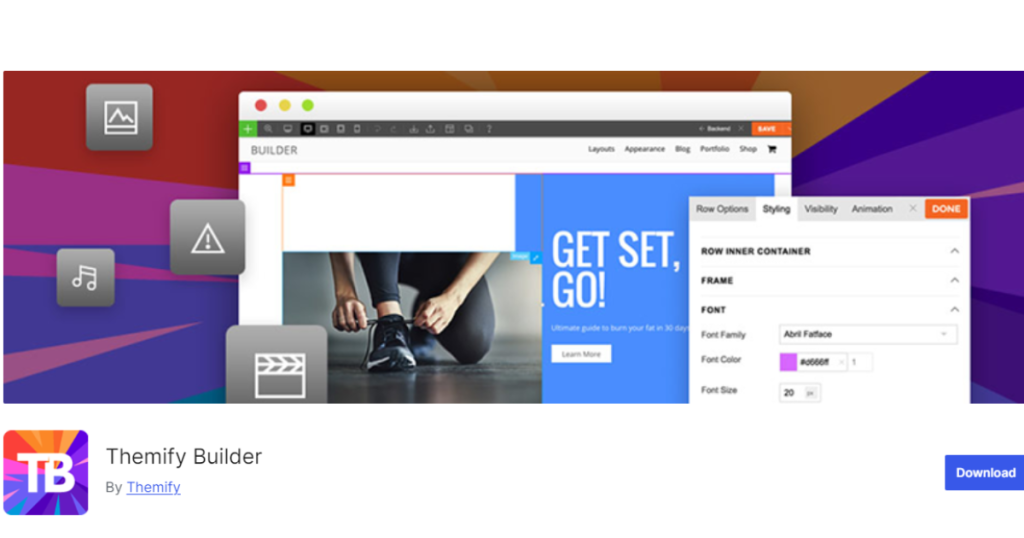
At this point, we have another popular WordPress theme builder. It lets users design their sites using the drag-and-drop interface.
It helps you quickly customize every section of any web page (including the 404 page) from headers to footers. Themify Builder has many pre-built layouts and sections that you can utilize to build your site fast.
This builder works with all WordPress themes and is suitable for beginners and professionals who want to design their WordPress sites without coding.
Key Features
- Responsive grids
- Reusable layout parts
- Drag-and-drop editor
- Addon bundle
- Animation effects
Pros
- Allows front-end and back-end editing
- Various pre-designed layouts and sections
- Budget-friendly
- Responsive design
- User-friendly
Cons
- Limited integration facility with third-party tools compared to other page builders
Pricing
This plugin has two versions: free and pro. Its pro version starts with a yearly pricing of $89.
8. Live Composer Page Builder

Live Composer Page Builder is one of the best front-end and free WordPress page builders. It comes with 40+ modules, boasting functionality and styling options. Therefore, it allows users to build pages with countless variations without coding.
What sets this page builder apart is enabling users to customize essential WooCommerce pages, such as Cart, My Account, and Checkout.
Finally, with the Live Composer, you can easily build responsive web pages that users can comfortably view on desktops, smartphones, laptops, and other devices.
Key Features
- Intuitive drag-and-drop editor
- Diverse modules
- WooCommerce integration
- Premium extensions
- Lightweight themes
Pros
- Offers smooth drag-and-drop experience
- SEO-friendly and responsive
- Budget-friendly
- Fast editor
- Provides helpful documentation and tutorials
Cons
- Limited features compared to other page builders
Pricing
Similar to most other WordPress page builders, this one comes in free and premium modes. Its lowest premium plan will cost you $69 yearly.
9. Colibri Page Builder

Colibri is praised for its beginner-friendly and drag-and-drop interface. With this builder, users can quickly design visually appealing layouts.
It contains pre-built blocks for diverse content types, including texts, images, videos, and more. Besides this, it gives users a high level of control over navigation layout and design.
Colibri is appropriate for people who want to efficiently create polished and clutter-free web pages on WordPress.
Key Features
- 90+ full website templates
- 40+ drag-and-drop components
- Live editing in Customizer
- Advanced styling features
- Graphical section dividers
Pros
- Intuitive interface
- Diverse block library
- Advanced customization options
- Theme builder capabilities
- Responsive design
Cons
- Multi-language support is available to premium users only
Pricing
Has a free and paid plan. The lowest-paid plan starts with a monthly price of $6.58 (Charged annually).
10. Nimble Page Builder
Nimble Builder is a versatile and flexible page builder for WordPress that enables you to create stunning websites easily.
This free WordPress page builder can insert sections in any context of your site, including home pages, single posts or pages, category or tag pages, search results, and 404 pages.
With its intuitive drag-and-drop interface, you can design visually appealing pages in real-time without writing a single line of code.
Whether you want to create a custom header or footer or insert engaging post grids on any page, Nimble Builder covers you.
Key Features
- Live Customizer
- Various customizable content blocks
- Many content modules
- Export/Import
- Embed shortcodes
Pros
- Mobile-oriented builder
- Allows for easy shortcode insertion
- Compatible with most themes
- SEO-optimized
Cons
- Lacks advanced customization features
Pricing
You can build web pages with its free plan. Also, you may opt for its lowest-paid plan, which begins with a yearly charge of $39.
11. Visual Composer Website Builder
Visual Composer is a free, fast, react-based website and landing page builder. It comes with pretty much all the features you expect from an excellent WordPress page builder.
For instance, it has 50+ free elements, 10+ free landing page templates, and advanced design options to help you develop eye-gasmic and professional web pages in minutes without coding.
This free and all-in-one Wysiwyg web page builder gets along with other plugins and provides compatibility features to sketch and build stunning websites quickly.
Key Features
- 500+ Templates, Elements, Addons, and Blocks
- Theme Builder
- E-commerce Website Builder
- Visual Composer Insights
- Role Manager
Pros
- Novice friendly
- Tons of features
- Excellent integration capability
- Compatible with most themes and plugins
- Code-free environment
Cons
- Many essential features aren’t available in the free version
Pricing
Comes in a free and pro version. Its pro plan kicks off with a yearly pricing of $49.
12. Zion Builder

Zion Builder is a new WordPress page builder in the market compared to the ones listed in this article. However, it beats some popular page builders with its lucrative features.
It offers 25+ free elements, Theme Builder, Header & Footer Builder, Popup Builder, and other features to help you build any website as you wish.
The noticeable feature of this page builder is its Live responsive editing. For that, you can determine colors, sizes, and positioning of elements for diverse screens.
All these make Zion Builder one of the best WordPress page builders you can use for free.
Key Features
- 300+ pre-designed blocks & templates
- Theme Builder
- Header & Footer Builder
- WooCommerce Builder
- Modal Builder
Pros
- Fast and lightweight
- Unified system
- Feature-rich
- Responsive editor
- Intuitive
Cons
- Issues with plugin updates
Pricing
Like all the other page builders mentioned above, this one has a free and pro version. You can use its pro version by spending $39 yearly for its lowest premium plan.
13. Spectra

Spectra, formerly Ultimate Addons for Gutenberg, was once a free suite of extra blocks and features for the Gutenberg block editor.
It has now grown to become one of the most usable page builders you can use to create a website.
Brainstorm Force, the people behind the Astra theme, developed this WordPress page builder. Developers use clean code to build this plugin.
Therefore, it performs flawlessly, offering a range of intuitive tools to help anyone at any skill level create outstanding websites.
The Spectra page builder includes everything, from over 30 unique blocks to 75+ readymade templates, to help you design any responsive website quickly.
Key Features
- Numerous website building blocks
- Form Builder
- Content Timeline
- Lottie Animation
- Loop Builder
Pros
- Beginner friendly interface
- Tons of helpful resources
- Super fast
- Built-in SEO tools
- Mobile friendly
Cons
- The free version comes with limited features
Pricing
You can use this page builder for free. However, to utilize its advanced features, you may opt for its lowest premium plan, which starts with an annual charge of $49.
14. Stackable

Stackable is a fantastic WordPress page-building plugin that extends the Gutenberg editor’s capabilities. By converting Gutenberg into a Page Builder, Stackable allows you to design amazing websites.
To launch your design process, take advantage of an outstanding Design Library of UI Kits, Block Designs, and Separators. Never start from scratch again; use gorgeous and professionally-made designs to design like an expert.
Stackable features 42 custom Gutenberg blocks that are feature-rich and attractive right out of the box and can be used to build a strong foundation for any website without writing a single line of code.
In a word, Stackable is ideal for those comfortable with the WordPress Gutenberg editor.
Key Features
- Powerful custom blocks
- Flexbox controls
- Customize block hover styles
- Dynamic content
- Agency tools
Pros
- Many UI Kit designs
- Several ready-made block designs
- Tons of block layouts
- Diverse shape separator designs
- User-friendly
Cons
- Some users have issues with plugin deactivation
Pricing
It has a free and premium version. The lowest premium plan will cost you $49 annually.
15. PluginOps

PluginOps is a feature-rich page builder that makes creating WordPress sites easier. One of its top features is its drag-and-drop visual editor. With this intuitive tool, you can easily add and arrange elements on your page while seeing your changes in real-time.
Another advantage of this free WordPress page builder is its pre-designed page templates. These templates are updated regularly, so you can always access the latest design trends and techniques.
You can also create your own custom templates or use the pages you’ve already designed as templates, saving you time and effort.
PluginOps Landing Page is also compatible with almost all modern WordPress themes, and it supports WooCommerce products, making it a versatile and flexible option for any website owner.
Key Features
- 120+ pre-designed templates
- Drag-and-drop visual editor
- Live form builder
- WooCommerce integration
- Compatible with all modern themes
Pros
- Easy-to-use interface
- Comprehensive features
- Responsive design
- Excellent customer support
- Simple and efficient
Cons
- The Visual Editor may feel a tad tedious to some users
Pricing
It is available in both free and paid versions. The lowest-paid plan comes with a $59 price tag.
16. Breakdance
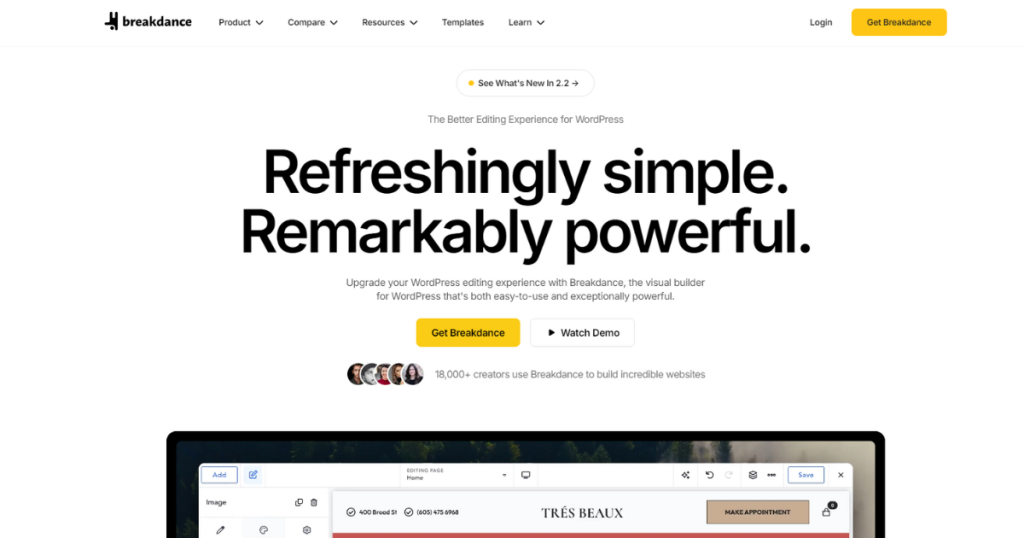
Breakdance is an easy-to-use WordPress page builder that lets you create amazing websites from start to finish.
With this page builder, you can build custom headers, footers, hero images, blog templates, dynamic page layouts, and more without writing code.
It comes with over 145 built-in elements. Thus, you don’t have to spend hours developing components from scratch. What’s more? It’s got a Breakdance AI, enabling you to write web content for you.
It also features an Advanced Form builder that assists you in building powerful forms and connecting those with your favorite marketing tools. You may use this visual site builder for a fantastic page-building experience.
Key Features
- Breakdance AI
- Advanced Form Builder
- Built-in Popup creation
- Element studio
- Mega Menu Builder
Pros
- Customization options
- Easy to use
- Numerous elements
- AI functionality
- WooCoomerce integration
Cons
- Limited design options
Pricing
It has a free version, and its paid plan starts at $99.99 per year.
Take a Look at These Premium WordPress Page Builder
We’ve seen the free WordPress page builders. We’ll now discuss a few paid ones. They suit you if you want to trim the hassle of building professional websites on WordPress from scratch.
17. Divi
Divi is an incredibly popular WordPress page builder that enables you to create outstanding designs easily and efficiently.
Its drag-and-drop building enables you to add, delete, and move elements around your site. It offers accurate visual editing for designing your pages in real time. What’s more, you can customize the appearance of your website specifically on mobile devices.
Divi utilizes cutting-edge AI tools to identify the essential pages for your business and creates an entire site with consistent global styles and dynamic templates.
Apart from all these, this theme and page builder has powerful features to help you build stunning websites without coding.
Key Features
- Visual drag-and-drop interface
- Section, row, column structure
- 1,000s Of design options
- Divi AI
- Dynamic content
Pros
- Fast
- Numerous features
- No coding required
- Easy to use
- Responsive editing
Cons
- No free version
Pricing
Its pricing starts at 7.42 per month (billed annually)
18. WPBakery
WPBakery Page Builder is among the world’s top two most popular page builders, with over 5.8 million websites using it (at the time of writing). Despite being a premium plugin, all its licenses are for a lifetime.
This drag-and-drop page builder enables users to create custom layouts with versatile frontend and backend editors. Its simple code and usability extend to accommodate any WordPress theme that you may want to use to customize.
The plugin has an inbuilt skin builder to expand your design options and element styling to create a color theme that matches your brand identity.
One of the best features of WPBakery is its advanced grid builder, which has countless options and over 40 predefined styles.
You can use it to create grids for showcasing portfolios, posts, and other post types on regular or masonry grids.
The page builder is user and developer-friendly. So, you may use it to develop lucrative websites without writing codes!
Key Features
- Object Oriented Code
- 80+ Predefined layouts and templates
- Advanced Grid Builder
- Parallax effect
- Search Engine Optimization Toolkit
Pros
- Compatible with all WordPress themes
- Many pre-made layouts and templates
- No coding required
- Allows front-end and back-end editing
- Lifetime license option
Cons
- Some users may find the interface complex
Pricing
This premium plugin’s pricing begins at $69
19. Thrive Architect

Thrive Architect is a robust and fast page and funnel builder that combines a friendly drag-and-drop editing interface with conversion-oriented elements. Its dynamic personalization settings allow you to brand your website as you best can.
This page builder offers over 300 ready website templates designed by professional coders to help you get started immediately. Thrive Architect’s blocks are perfect for building and editing the perfect website from scratch and editing it.
Since the page builder integrates seamlessly with all the top addons and extensions, you will find it easy to bring in whatever you need for a comprehensive website.
It is optimized for WooCommerce right out of the box, so you can start working on your online store instantly. All these features are the primary reasons this plugin became a top-tier page builder.
Key Features
- Landing page and funnel builder
- 300+ templates
- Drag & drop functionality
- Form Builder
- Conversion optimization toolkit
Pros
- Great user interface
- Hundreds of templates
- Conversion-focused elements
- Lightning page speeds
- Flexible layout
Cons
- Pricier than most page builders
Pricing
You need to pay $199 per year to use Thrive Architect
20. Oxygen Builder
Oxygen is an excellent page builder with some unique offerings compared to other page builders. It covers the basics and goes beyond with some essential features.
The page builder facilitates the building of unlimited headers and footers with its dedicated header builder element. It’s sticky header and overlay effects are exceptional so that you can expect the most impressive headers.
The performance of the pages you create with this page builder is the most excellent on all devices. Other performance features, like the Google Font Face Limiter and Default WordPress Bloat Eliminator, give you a massive head start.
Oxygen’s WooCommerce capabilities are top-tier, with great styling that controls your store’s elements and widgets. Its custom cart, checkout, and My Account pages are beautiful and highly customizable to suit your purposes.
Thus, whether you build a high-quality website on WordPress or a high-converting WooCommerce store, you may utilize this Oxygen Builder.
Key Features
- Lifetime unlimited license
- Lifetime support and updates
- Elegant scroll and entrance animations
- Unlimited colors per gradient
- Entrancing sticky header
- Gorgeous overlay effects
- Widget and element styling controls
Pros
- WooCommerce Builder
- SEO-friendly
- Provides lifetime license
- Prominent speed performance
- Responsive design
Cons
- Not Beginner-friendly
Pricing
The page builder’s premium plan starts at $129
Which Free WordPress Page Builder Will You Pick?
These are all the best free and paid WordPress page builders. They can help you build professional websites on WordPress with little effort. However, they are different from each other. You may find one highly useful and others less practical.
But how do you figure out which one is your best fit? , test all these plugins and pick the one that meets your requirements. We hope you find your desired one from this list and build your dream WordPress site.
If you are looking for the best WooCommerce builder, Here are the list of top WooCommerce page builder for Elementor
Freequently Asking Question
Do you need a WordPress page builder?
A WordPress page builder is not strictly required, but it greatly simplifies the process of designing and building web pages. Page builders offer drag-and-drop interfaces, pre-built templates, and responsive design tools that allow you to create professional-looking pages without writing any code, making them highly recommended for most users.
What is the default page builder in WordPress?
The default page builder in WordPress is Gutenberg, a block-based editor that was launched in December 2018 with WordPress 5.0. It replaced the Classic editor and offers drag-and-drop functionality, pre-built blocks, and support for third-party add-ons. It is entirely free to use.
Which free page builder is best for WordPress?
Elementor is widely regarded as one of the best free WordPress page builders. It powers over 18 million websites and offers a drag-and-drop live editor, 100+ widgets, a Theme Builder, Popup Builder, and AI integration. Other strong free options include Beaver Builder, SeedProd, Brizy, and Spectra, depending on your specific needs.
What is the most popular page builder for WordPress?
Elementor is the most popular page builder for WordPress, with over 18 million websites built using it. Its no-code environment, intuitive drag-and-drop editor, extensive template library, and wide range of extensions have made it the leading choice among WordPress users worldwide.
What is the fastest page builder for WordPress?
Beaver Builder and Spectra are among the fastest WordPress page builders. Beaver Builder is known for its fast website creation and clean output, while Spectra (built by the team behind the Astra theme) is developed with clean code for optimal performance. Zion Builder and Nimble Builder are also noted for being lightweight and fast.



