

On This Page
Your blog content deserves a better display than the standard WordPress list. A post grid plugin lets you showcase articles, pages, and custom post types in visually organized grid layouts that keep visitors browsing longer and clicking more.
But not every grid plugin is worth installing. Some are bloated, some lack page builder support, and others stop getting updates after a few months.
We tested and compared 7 of the best free post grid plugins that are actively maintained, well-rated, and trusted by thousands of WordPress users. Each one works without spending a penny, though we have also noted what their premium versions unlock.
Whether you are building a news website, a personal blog, a magazine-style site, or a portfolio, there is a plugin here that fits your needs.
Why Use a Post Grid Plugin?
The default WordPress blog layout stacks posts vertically in a single column. That works for simple blogs, but it wastes screen space and makes it harder for readers to scan multiple articles at once.
A post grid plugin fixes this by displaying your content in multi-column grid layouts, card-style designs, masonry arrangements, or even sliders. The result is a cleaner, more professional look that encourages exploration.
Here is what a good post grid plugin should offer:
- Multiple Layout Options including grid, list, masonry, and slider views
- Page Builder Compatibility with Gutenberg, Elementor, or Divi for easy setup
- Query Builder to filter posts by category, tag, author, date, or custom post type
- AJAX Pagination with load more, infinite scroll, or numbered pages
- Responsive Design that adjusts automatically across desktop, tablet, and mobile
With that criteria in mind, let us look at the plugins.
1. The Post Grid
Shortcode, Gutenberg Blocks, and Elementor Addon for Post Grid
| Rating: 4.8 / 5 | Active Sites: 100,000+ | Developer: RadiusTheme | Best For: All-purpose grids |

The Post Grid is one of the most widely used post grid plugins on WordPress, trusted by over 100,000 websites. It works with Gutenberg blocks, Elementor widgets, Divi modules, and shortcodes, so it fits into whatever workflow you prefer.
The plugin stands out for its flexibility. You can display posts from specific categories, tags, authors, or dates using an advanced query builder. The output can be a grid, list, isotope filter, hover effect layout, or slider. Everything adjusts automatically for mobile screens.
If you are looking for a tutorial on creating grids, check out this guide on how to create post grid in Divi theme or learn how to make a post slider in WordPress.
Key Free Features
- 8+ layout styles including grid, list, isotope, and hover effects
- Works with Gutenberg, Elementor, Divi, and shortcodes
- Advanced query builder with category, tag, author, and date filters
- Full control over excerpt length, image sizes, and meta fields
- Fully responsive with column controls per device
Key Premium Features
- 80+ layouts including slider, carousel, and grid hover designs
- AJAX pagination (load more, infinite scroll, numbered)
- WooCommerce product grid support
- Custom post type and taxonomy support
- Advanced popup and quick view for posts
Our Take: The most versatile free option on this list. If you need a single plugin that covers grids, lists, sliders, and isotope filters across multiple page builders, The Post Grid delivers without compromise. The free version alone covers what many premium plugins charge for.
2. Content Views
Post Grid & Filter, Recent Posts, Category Posts with Blocks and Widgets
| Rating: 4.9 / 5 | Active Sites: 100,000+ | Developer: Content Views Team | Best For: Content-heavy sites |
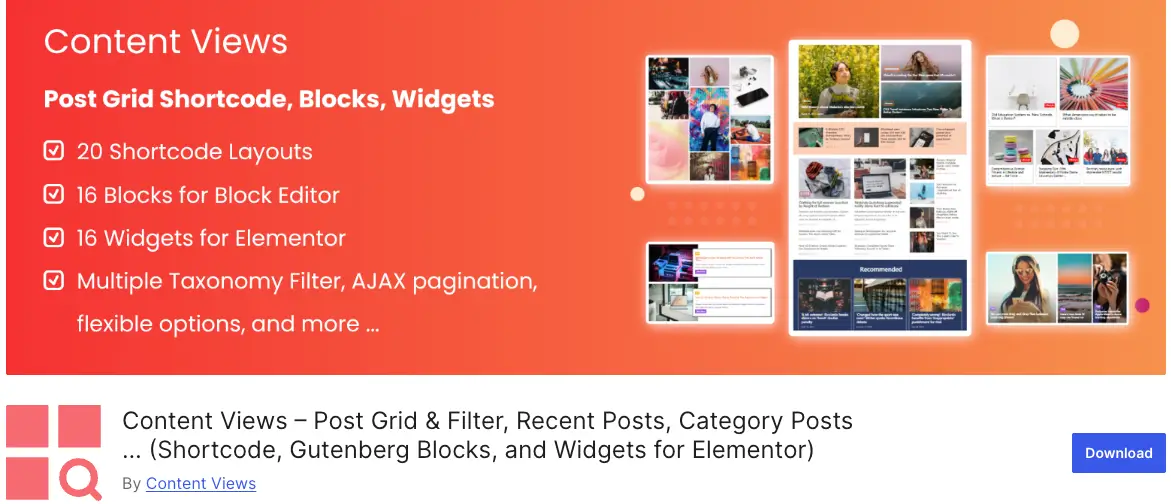
Content Views takes a unique approach. You create a “View” where you configure your query and layout, and then insert it anywhere using a shortcode, Gutenberg block, or Elementor widget. This two-step process makes it very flexible for displaying posts, pages, and custom post types across different sections of your site.
The plugin comes with 16 Gutenberg blocks and 76 pre-made patterns that you can import with a single click. For Elementor users, there are 16 dedicated widgets as well. The visual query builder lets you filter content by category, tag, author, keyword, custom field, date, and more.
Key Free Features
- 20 layout options including grid, list, slider, and collapsible
- 16 Gutenberg blocks and 76 ready-made patterns
- 16 Elementor widgets for post display
- Advanced query filters for category, tag, author, keyword, and date
- Responsive and SEO-friendly output
Key Premium Features
- Pinterest, timeline, masonry, and Facebook-style layouts
- Replace default WordPress archive and search result pages
- Drag-and-drop field ordering (thumbnail, title, content, meta)
- Load more and infinite scroll pagination
- WooCommerce product grid support
Our Take: A solid pick if your site is content-heavy and you need precise control over what shows up where. The pre-made Gutenberg patterns save a lot of design time, and the query builder is one of the most detailed in this category.
3. PostX (Ultimate Post)
Gutenberg Post Blocks for News, Magazines, and Blog Websites
| Rating: 4.8 / 5 | Active Sites: 60,000+ | Developer: WPXPO | Best For: News & magazine sites |
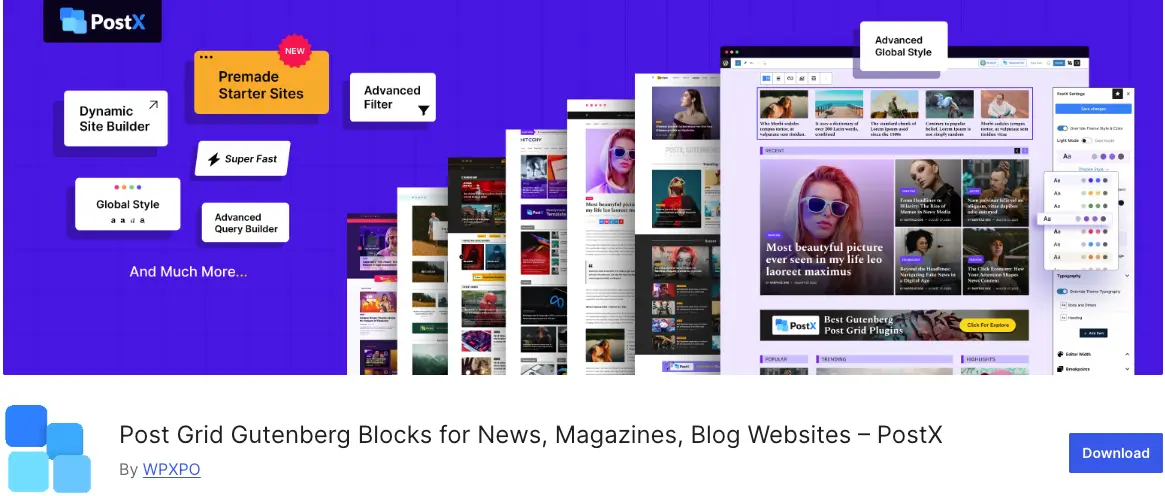
PostX is built from the ground up for the Gutenberg editor. If you prefer working with the native WordPress block editor rather than Elementor or other page builders, PostX is easily the strongest option for creating post grids, lists, sliders, and carousels.
It comes with 40+ blocks and 250+ pre-designed patterns. You also get complete starter sites for different niches like news, sports, food, travel, gaming, and crypto. The AJAX post filter lets visitors sort content by category or tag without a page reload, which keeps readers engaged longer.
PostX also includes a ChatGPT integration for content generation and a dynamic site builder that lets you customize your home page, archive pages, and single post templates directly in Gutenberg.
Key Free Features
- 40+ Gutenberg blocks with extensive customization
- 250+ pre-designed patterns and starter site templates
- AJAX category and tag filter for post grids
- Post slider, carousel, and grid layouts
- SEO plugin integration (Yoast, Rank Math, AIOSEO)
Key Premium Features
- Dynamic site builder for Gutenberg (home, archive, single)
- Frontend post submission for guest writers
- Custom font uploads and advanced typography
- Priority support and regular feature updates
Our Take: The best choice for anyone committed to Gutenberg. The starter sites alone can save you days of design work for news and magazine projects. The AJAX filter is a standout free feature that many plugins reserve for premium.
4. Blog Designer Pack
Post Grid, Post Slider, Post Carousel, and News Layouts
| Rating: 4.8 / 5 | Active Sites: 10,000+ | Developer: Starter Starter LLC | Best For: Bloggers & news sites |
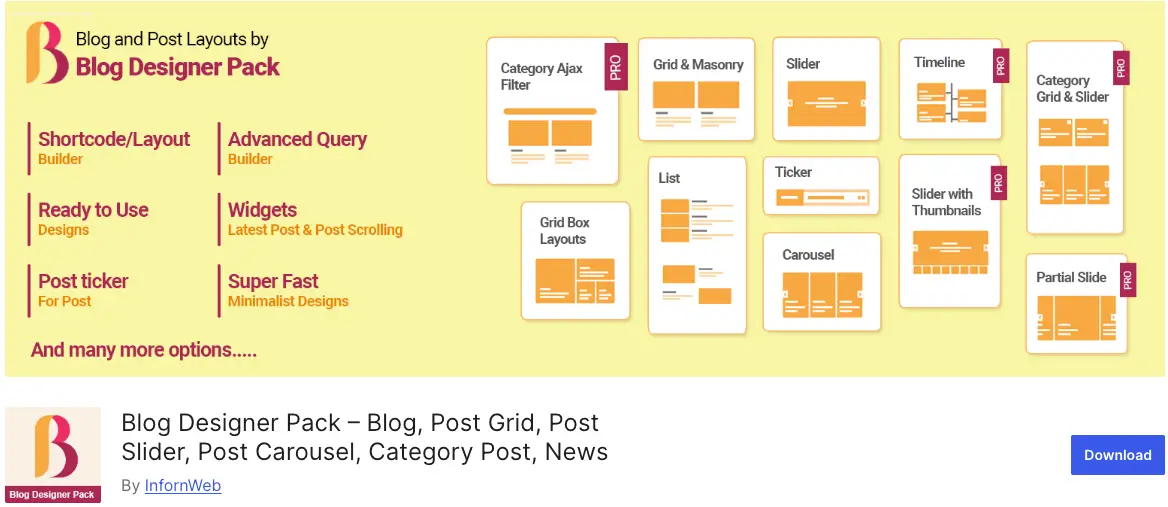
Blog Designer Pack is a shortcode-based plugin that gives you 6 different shortcodes, each with 2 design variations. You get separate shortcodes for grid, list, masonry, slider, carousel, and grid box layouts. This modular approach means you pick the exact layout type you need and drop it into any page.
The plugin works well for blogging websites, news portals, and magazine-style sites. It includes a post ticker feature for breaking news scrollers, and pagination support for handling large post collections.
Key Free Features
- 6 shortcodes covering grid, list, masonry, slider, carousel, and grid box
- 2 designs per layout type (12 total designs)
- Post ticker for news scrollers
- Pagination support with customizable settings
- Works with Elementor and Divi via shortcode embedding
Key Premium Features
- 90+ designs across all layout types
- Custom post type, taxonomy, and tag support
- Category filtering and featured/trending post functionality
- AJAX load more and infinite scroll pagination
- WPBakery page builder support
Our Take: A straightforward shortcode-based solution that works out of the box. If you do not want to deal with complex block editors and just need clean grid, slider, and carousel layouts with minimal setup, Blog Designer Pack is a reliable choice.
5. Smart Post Show
Responsive Post Slider and Post Carousel Plugin
| Rating: 4.6 / 5 | Active Sites: 5,000+ | Developer: Starter Starter LLC | Best For: Carousel & slider focus |
Post Carousel is a lightweight plugin focused specifically on post sliders and carousels. While the other plugins on this list try to do everything, Post Carousel concentrates on doing sliders and carousels really well.
It includes a responsive carousel layout with configurable slides per view, autoplay, navigation arrows, and dot pagination. The setup is simple, and it works with any WordPress theme. If you want to add a post slider to your WordPress site, this is one of the lightest options available.
Key Free Features
- Responsive post carousel with touch and swipe support
- Configurable slides per view and scroll speed
- Autoplay, navigation arrows, and dot pagination
- Customizable post display (title, excerpt, thumbnail, meta)
- Shortcode-based for easy placement anywhere
Key Premium Features
- Multiple carousel designs and layout variations
- Custom post type support
- Advanced styling options for colors, fonts, and spacing
- Category-based post filtering
6. Display Post Types
Lightweight Post Display with Customizable Templates
| Rating: 4.9 / 5 | Active Sites: 2,000+ | Developer: flavor developer | Best For: Developers & minimalists |

Display Post Types is a minimalist plugin built for developers and WordPress purists who want clean, lightweight post grids without bloat. It provides a Gutenberg block, a widget, and a shortcode to display posts from any post type in list or grid layouts.
The plugin stands out for its approach to styling. Instead of packing in dozens of design options, it gives you clean HTML output with well-structured CSS classes, making it easy to customize with your own styles. It supports custom taxonomies and offers sorting by date, title, random, comment count, and more.
Key Free Features
- Gutenberg block, widget, and shortcode support
- Display posts, pages, and any custom post type
- Grid and list layouts with column control
- Filter by taxonomy, terms, and number of posts
- Clean HTML output with developer-friendly CSS classes
Key Premium Features
- Masonry layout and advanced styling options
- AJAX load more pagination
- Image overlay and hover effects
7. Post Grid and Filter Ultimate
Grid Display with Category Filtering and Masonry Layout
| Rating: 4.3 / 5 | Active Sites: 5,000+ | Developer: Essential Plugin | Best For: Filter-focused grids |

Post Grid and Filter Ultimate is a solid option if your main priority is displaying posts with category-based filtering. The plugin lets visitors click on category tabs to filter posts dynamically, which is useful for sites with a lot of content spread across multiple topics.
It includes 10 grid designs, masonry layout support, and the ability to show or hide pagination. The shortcode-based setup makes it compatible with any theme or page builder. If you need to add blog filtering to your WordPress site, this plugin handles it well.
Key Free Features
- 10 grid designs with category tab filtering
- Masonry layout support
- Show/hide pagination controls
- Customizable post display elements
- Shortcode-based with easy configuration
Key Premium Features
- Additional designs and layout variations
- Custom post type support
- Advanced pagination and sorting options
- FancyBox and lightbox support
Our Take: A focused plugin for category-based post filtering. If your readers need to switch between topics quickly and you want a clean tab-style filter above your grid, this plugin delivers that without unnecessary complexity.
Quick Comparison Overview of the Post Grid Plugin
Here is a side-by-side view of all 7 plugins to help you decide faster.
| Feature | The Post Grid | Content Views | PostX | Blog Designer Pack | Post Carousel | Display Post Types | Grid & Filter Ultimate |
| Active Sites | 100K+ | 100K+ | 60K+ | 10K+ | 5K+ | 2K+ | 5K+ |
| Rating | 4.8 | 4.9 | 4.8 | 4.8 | 4.6 | 4.9 | 4.3 |
| Gutenberg Blocks | Yes | 16 blocks | 40+ blocks | No | No | Yes | No |
| Elementor Support | Yes | 16 widgets | Via addon | Via shortcode | No | No | No |
| Divi Support | Yes | No | No | No | No | No | No |
| Grid Layouts | Yes | Yes | Yes | Yes | No | Yes | Yes |
| Slider/Carousel | Yes | Yes | Yes | Yes | Yes | No | No |
| AJAX Filter (Free) | No | No | Yes | No | No | No | Yes |
| Masonry | Pro | Pro | Yes | Yes | No | Pro | Yes |
Which Plugin Should You Pick?
- All-purpose grid, list, slider, and filter with multi-builder support: The Post Grid covers every angle.
- Content-heavy site with precise query control: Content Views gives you the deepest filtering options and 76 ready patterns.
- Gutenberg-native news or magazine site: PostX offers 40+ blocks, starter sites, and AJAX filters built for the block editor.
- Simple blog layouts with shortcodes: Blog Designer Pack provides clean grid, slider, and carousel layouts with minimal setup.
- Dedicated post carousel or slider: Post Carousel is lightweight and focused on doing sliders well.
- Developer-friendly minimal grids: Display Post Types gives you clean HTML output and fast performance.
- Category tab filtering: Post Grid and Filter Ultimate handles dynamic category-based post filtering.
For a broader exploration, you may also want to check out the best WordPress post slider plugins and best Gutenberg block plugins.
Frequently Asked Questions
The Post Grid by RadiusTheme is one of the most popular options with 100,000+ active sites. It supports Gutenberg, Elementor, Divi, and shortcodes, and offers multiple layout types including grid, list, isotope, and slider in the free version.
Yes. The Post Grid, Content Views, and PostX all support custom post types. Some require the premium version for full custom post type support, while others like PostX include it in the free version through their advanced query builder.
PostX (Ultimate Post) is the strongest Gutenberg-native option with 40+ dedicated blocks. Content Views also offers 16 Gutenberg blocks with 76 pre-built patterns. The Post Grid provides Gutenberg block support alongside Elementor and Divi compatibility.
Well-coded plugins like The Post Grid and Display Post Types are lightweight and optimized for speed. The key is choosing a plugin that only loads its scripts on pages where grids are displayed. Avoid plugins that inject heavy scripts site-wide.
Install a plugin like The Post Grid or Post Carousel, select the slider layout, configure your post query, and insert the shortcode or block into your page. For a detailed walkthrough, see our guide on how to make a post slider in WordPress.
Final Thoughts
Each of these 7 plugins brings something different to the table, and all of them work well in their free versions. For most WordPress users, The Post Grid offers the best balance of features, builder support, and ease of use. If you are fully committed to Gutenberg, PostX is the stronger pick. And for developers who want minimal overhead, Display Post Types is clean and fast.
The best way to decide is to install one or two on a staging site and try them out. Since all 7 are free, there is no risk in experimenting.
Which post grid plugin do you use on your WordPress site? Share your experience in the comments!


