
On This Page
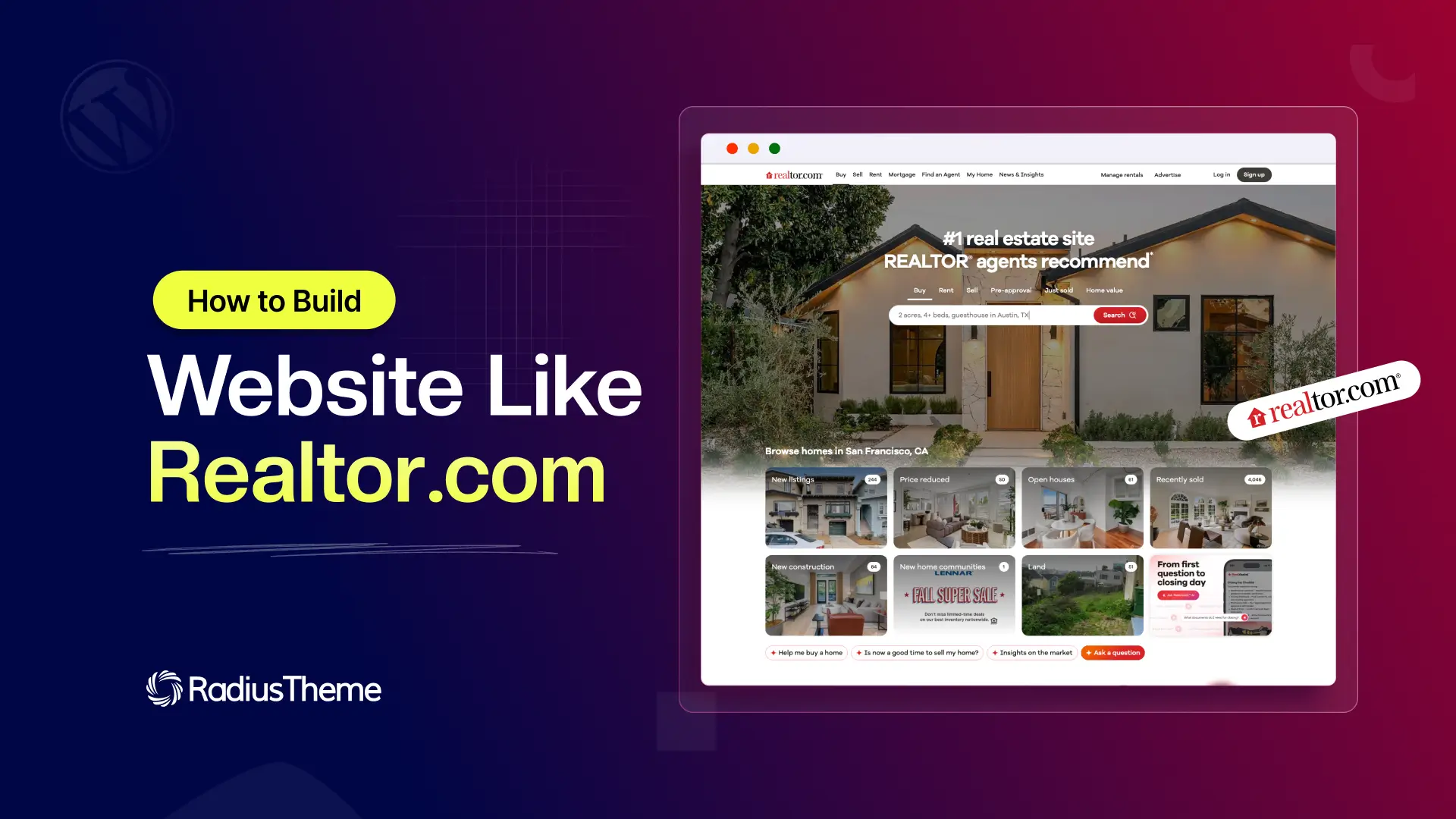
Realtor.com is one of the most trusted names in online property search. Buyers use it to browse homes, compare prices, view listings on a map, and connect with agents, all in one place. It made home hunting simple, and it turned property search into a real business model.
If you have ever wanted to build a website like Realtor.com, this guide is for you. Real estate portals like Realtor.com and Zillow are among the most profitable websites you can run. They earn from agents, property owners, and premium listings, while helping buyers find a home faster.
The best part is that you do not need a big budget or a team of developers to get started. In this guide, you will learn what a site like Realtor.com actually does, exactly what you need to build one, and how to launch your own property listing website step by step. Let us dive in.
What You Need to Build a Website Like Realtor.com
Before we get into the steps, here is a quick look at everything you need. Keep this table handy as a checklist. It shows what each piece does and why it matters, so you can see the full picture at a glance.
| What You Need | What It Does | Notes |
|---|---|---|
| Domain name | Your website address, like yoursite.com | Pick something short and easy to remember. Around 10 to 15 dollars per year. |
| Web hosting | Stores your site files and keeps it online | Choose a plan that handles images and traffic well. Roughly 5 to 30 dollars per month to start. |
| WordPress | The free software that runs your website | Most hosts install it in one click. Free to use. |
| Real estate theme | Controls your design and core listing features | This is the most important choice. Use a theme built for property listings, such as Homlisti. |
| Property listing and search engine | Powers listings, filters, and search results | Comes built into a good real estate theme, so buyers can search by price, location, and type. |
| Maps integration | Shows listings on a map with location pins | Google Maps or OpenStreetMap. Radius search lets buyers find homes nearby. |
| Submission forms | Lets agents and owners post their own listings | A drag and drop form builder with custom fields captures the right details per property type. |
| Agent profiles and dashboard | Gives sellers a profile and a place to manage listings | Essential for growing your marketplace with outside contributors. |
| Messaging or chat | Connects buyers and sellers safely | Keeps conversations and leads inside your website. |
| Booking or viewing tool | Lets buyers schedule property visits | Optional but powerful for converting interest into real appointments. |
| Payment gateway | Collects money from listings and upgrades | Stripe, PayPal, or WooCommerce for paid and featured listings. |
| SEO and schema tools | Helps Google find and rank your listings | Works with Yoast or Rank Math. Schema adds star ratings in search results. |
If that list looks like a lot, do not worry. As you will see below, one purpose built real estate theme covers most of these items in a single package.
What a Website Like Realtor.com Really Does
Before you build anything, it helps to understand what makes Realtor.com work. On the surface it looks simple. Under the hood, it does a few key jobs very well.
Here is what platforms like Realtor.com and Zillow have in common:
- Property listings. Every home has its own page with photos, price, location, and details like bedrooms and square footage.
- Smart search and filters. Buyers can search by city, price range, property type, and more, with results that load fast.
- Map view. Listings appear as pins on a map, so buyers can see what is nearby.
- Agent and owner profiles. Sellers and agents can post their own properties and get contacted directly.
- Lead generation. The site connects buyers with sellers through forms, chat, or booking tools.
- A way to earn money. The platform charges for featured listings, memberships, or agent subscriptions.
Once you break it down like this, a website like Realtor.com stops feeling impossible. It is really a searchable directory of properties with a smart way to earn from it. That is something you can build.
Do You Need to Know How to Code?
This is the first question most people ask, so let us answer it clearly. No, you do not need to know how to code to build a real estate website like Realtor.com.
Years ago, building a portal like this meant hiring developers and spending months in custom development. Today, WordPress and modern real estate themes handle the hard parts for you. Search, maps, forms, payments, and user accounts are already built in. You point, click, and configure.
Coding only becomes useful later, when you want to add a very specific custom feature. For most people launching a property site, a good theme covers everything you need on day one.
Two Ways to Build a Website Like Realtor.com
You have two main paths. Pick the one that fits your budget and timeline.
Option 1: Custom development. You hire a team to build the whole platform from scratch. This gives you full control, but it is slow and expensive. Costs often run into tens of thousands of dollars, and you have to maintain everything yourself. This path only makes sense for funded startups with a unique idea.
Option 2: WordPress and a real estate theme. You install WordPress and add a theme built for property listings. You get search, maps, agent profiles, and payments out of the box. You can launch in days instead of months, and the cost is a small fraction of custom work. This is the right choice for almost everyone who wants to build a website like Zillow or Realtor.com without burning cash.
The rest of this guide follows the second path, because it is the fastest and most affordable way to get a real, working site online.
How to Build a Website Like Realtor.com With WordPress
Now for the tutorial. Follow these steps in order and you will have a working property listing website by the end.
Step 1: Get a Domain and Hosting
Your domain is your web address, like yoursite.com. Pick something short and easy to remember. Hosting is where your website files live. For a new real estate site, choose a hosting plan that can handle images and traffic, since property photos can be heavy. Many hosts offer one click WordPress installs, which makes the next step easier.
Good Read: How to Choose a Domain Name for Your Directory Website
Step 2: Install WordPress
WordPress is the free software that runs your site. Most hosting providers let you install it with a single click from your dashboard. If yours does not, they will have a short guide. Once WordPress is installed, you can log in to your admin area and start building.
Step 3: Choose a Real Estate Theme
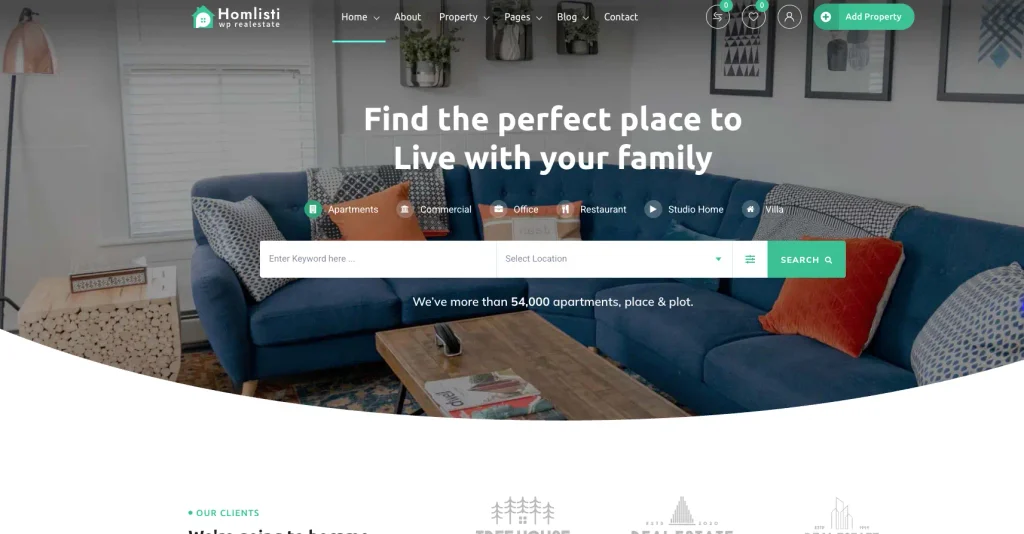
This is the most important decision you will make. Your theme controls the design and, more importantly, the features. A general blog theme will not give you search, maps, or agent dashboards. You need a theme built for property listings.
The Homlisti real estate WordPress theme is built for exactly this use case. It is designed to help you create a Realtor or Zillow style marketplace with advanced search, map based listings, agent profiles, and frontend property submission. It runs on the Classified Listing engine, which powers the listing, search, and payment features. You can view the live demo to see how a finished site looks before you commit.
Step 4: Import a Demo and Set Up Your Pages
Starting from a blank site is slow. A better approach is to import a ready made demo. Themes like Homlisti include a one click demo importer that sets up your homepage, listing pages, and menus in minutes. You then swap the sample content for your own.
After importing, review your key pages: the homepage, the listing search page, the pricing page, and the agent dashboard. Adjust the text, logo, and colors to match your brand.
Step 5: Add Property Listings and Submission Forms
Your listings are the heart of the site. You can add a few yourself to start, then open the doors for agents and owners to post their own.
This is where a flexible form builder matters. Homlisti includes a drag and drop form builder with 37 field types and conditional logic. That means a rental listing can ask different questions than a sale listing. You can capture bedrooms, floor area, amenities, and anything else a property type needs, all without touching code.
There is also an AI form generator. You type a prompt like “create a real estate submission form” and it builds the fields for you. This saves a lot of setup time when you are starting out.
Step 6: Set Up Search, Filters, and Maps
A property site lives or dies by its search. If buyers cannot find what they want quickly, they leave.
Set up your filters so buyers can sort by price, bedrooms, location, and property type. Homlisti uses real time AJAX search, so results update without reloading the page. For maps, you can choose Google Maps for premium imagery and Street View, or OpenStreetMap, which is free and needs no API key. Radius search lets buyers find homes within a set distance of a point on the map, just like the big portals.
Step 7: Add Agent Profiles and Messaging
To grow, your site needs agents and owners posting listings on their own. Give each one a profile and a frontend dashboard where they can add, edit, and manage their properties.
For contact, a built in messaging system keeps deals on your platform. Homlisti includes real time buyer and seller chat, so buyers can ask questions while personal contact details stay private. You can also add viewing appointments through the RadiusBooking integration, which lets buyers schedule a property visit right from the listing.
Step 8: Turn On Monetization
This is how your website like Realtor.com becomes a business. Decide how you want to earn before you launch, so the pricing feels natural to your users.
Homlisti includes eight ways to make money, including paid listings, featured and top placements, subscriptions, memberships, pay per submit, agent stores, claim a listing, and a commission marketplace. Payments run through Stripe, PayPal, and WooCommerce. A common approach is to let owners post a basic listing for free, then charge for featured placement that pushes their property to the top.
Good Read: Monetize Your Directory Website
Step 9: Optimize for SEO and Launch
Before you go live, give Google a reason to rank your listings. Write clear titles and descriptions, use quality photos, and make sure each listing has complete details.
Homlisti works with Yoast SEO and Rank Math, and it can generate Review and AggregateRating schema automatically. Schema helps your listings show star ratings directly in Google search results, which improves clicks. Once your pages look good and your forms work, you are ready to launch.
Good Read: SEO for Directory Website
How Much Does It Cost to Build a Website Like Realtor.com?
Cost is often the deciding factor, so let us look at real numbers. With the WordPress path, your main expenses are:
- Domain: around 10 to 15 dollars per year.
- Hosting: roughly 5 to 30 dollars per month when you start, more as you grow.
- Real estate theme: a one time or yearly fee. Homlisti starts at 34 dollars per year or 41 dollars one time for a single site, and includes lifetime updates plus a free demo setup service.
So you can launch a real property listing website for well under 100 dollars in the first year. Compare that to custom development, which can cost tens of thousands, and the value is clear. As your traffic grows, your only major increase is hosting, which is a good problem to have.
Common Mistakes to Avoid
A few small missteps can slow your growth. Watch out for these.
- Choosing a pretty theme with weak features. Looks fade fast when the search is slow or maps are missing. Function comes first.
- Making buyers register before they can search. Let people browse freely. Ask for sign up only when they want to contact a seller or save a listing.
- Ignoring mobile users. Most home searches happen on phones. Test every page on a small screen.
- Skipping monetization planning. Decide how you will earn before launch, not after.
- Thin listing pages. Photos and full details help both buyers and your Google ranking.
Final Thoughts
Building a website like Realtor.com used to be a job for big companies with big budgets. That is no longer true. With WordPress and a purpose built real estate theme, you can launch a professional property listing site in days, not months, and at a cost almost anyone can afford.
Start by getting your domain and hosting, then choose a theme that already includes search, maps, agent profiles, and monetization. From there, import a demo, add your listings, and open your site to agents and owners. If you want a head start, the Homlisti real estate theme gives you the full toolkit in one package, so you can focus on filling your marketplace instead of building it from scratch.
Your real estate portal can be online sooner than you think. The best time to start is now.
Frequently Asked Questions
Can I really build a website like Realtor.com without coding?
Yes. A real estate WordPress theme handles search, maps, agent profiles, and payments through simple settings. Coding is optional and only needed for advanced custom features.
How long does it take to build a real estate website?
With a demo importer and a ready made theme, you can have a working site in a few days. Adding your own listings and branding takes a little longer, but launch is fast.
How do websites like Realtor.com and Zillow make money?
Most earn through paid listings, featured placements, agent subscriptions, and memberships. You can offer free basic listings and charge for premium visibility.
Do I need Google Maps to show listings?
Not always. You can use Google Maps for premium features, or OpenStreetMap, which is free and does not require an API key.
Is WordPress good enough for a real property portal?
Yes. When paired with a listing focused theme, WordPress powers search, filters, maps, user dashboards, and payments, which is everything a property marketplace needs.