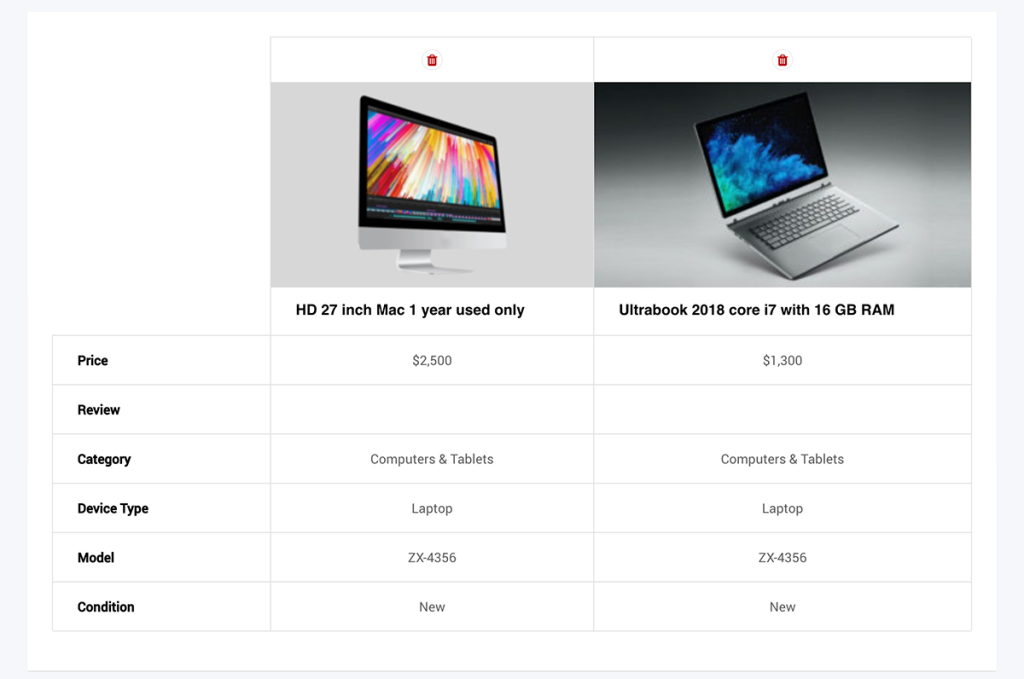
There two steps need to follow to enable compare feature
Enable Compare Feature #
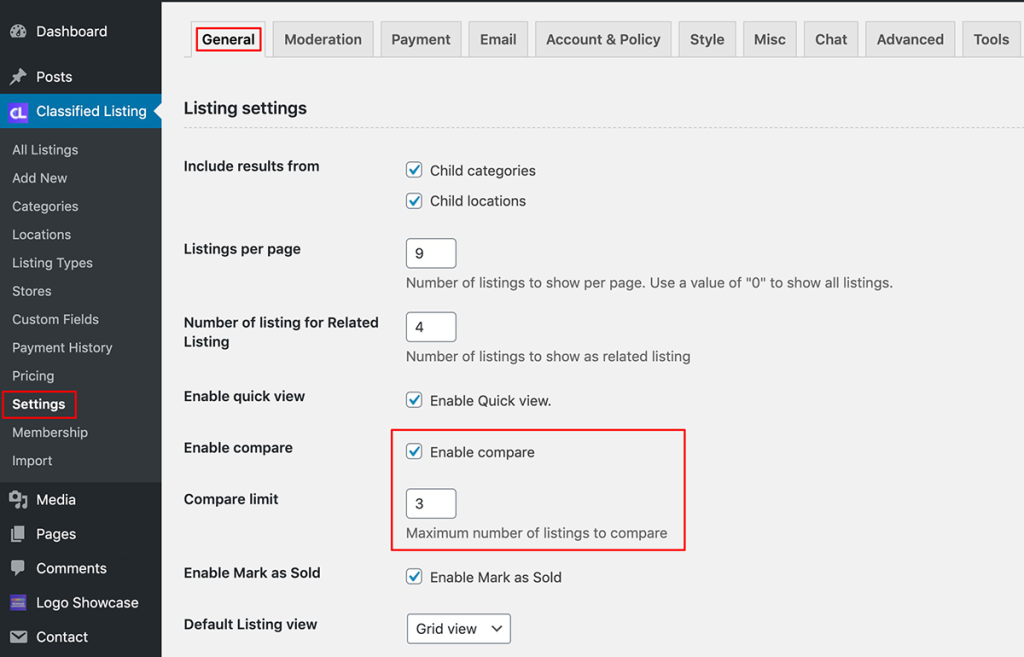
First need to enable compare to do this navigate WordPress admin menu => Classified Listing => Settings => General now check the Enable Compare also set the compare limit. Hoe many ads want to show in compare list in front end view.
Set Default Page #
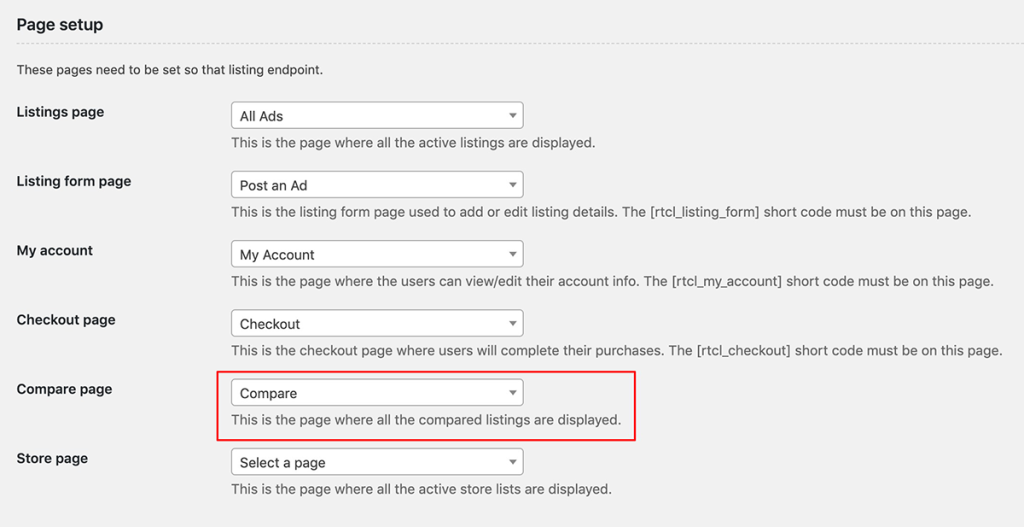
Now set default compare page from Classified Listing => Settings => Advanced => Page setup
This is just a blank page no need any shortcode
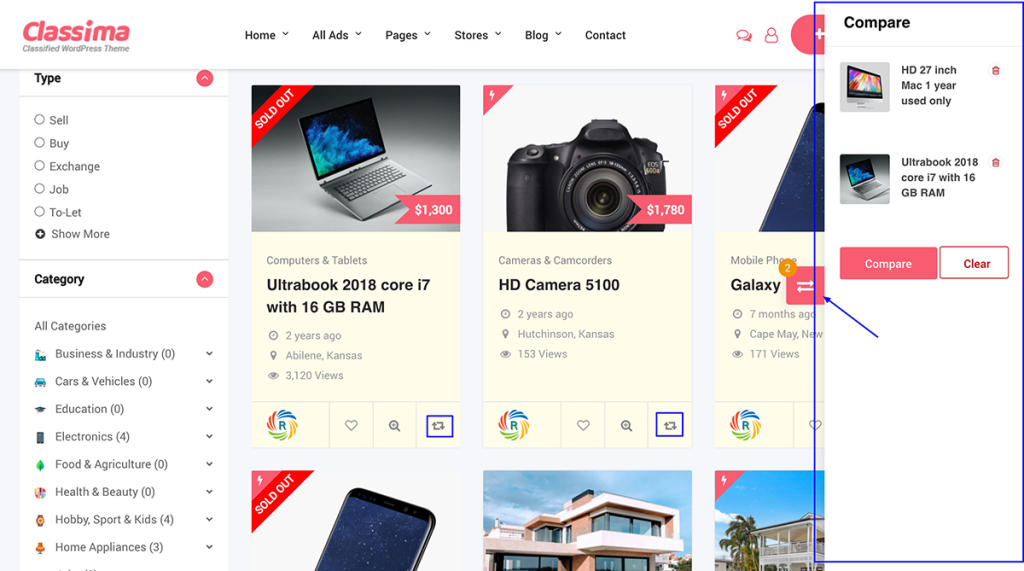
Front End view #
Compare ads view #