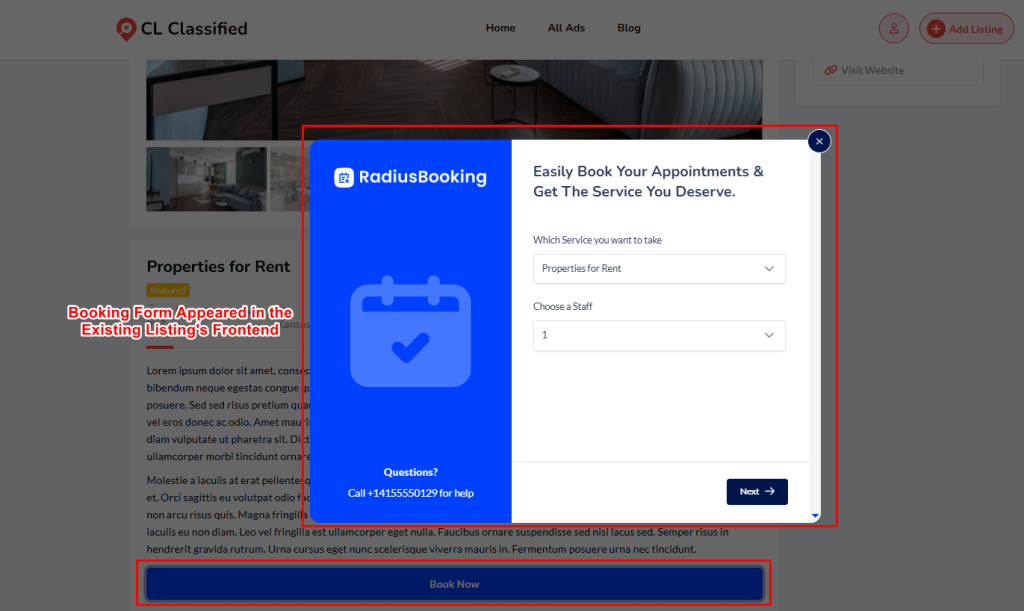
In addition to enabling booking via the listing submission form, admins can activate Radius Booking directly on any existing Classified Listing from the WordPress listing edit screen.
This is done through the Radius Booking meta box, which appears automatically when the integration is active.
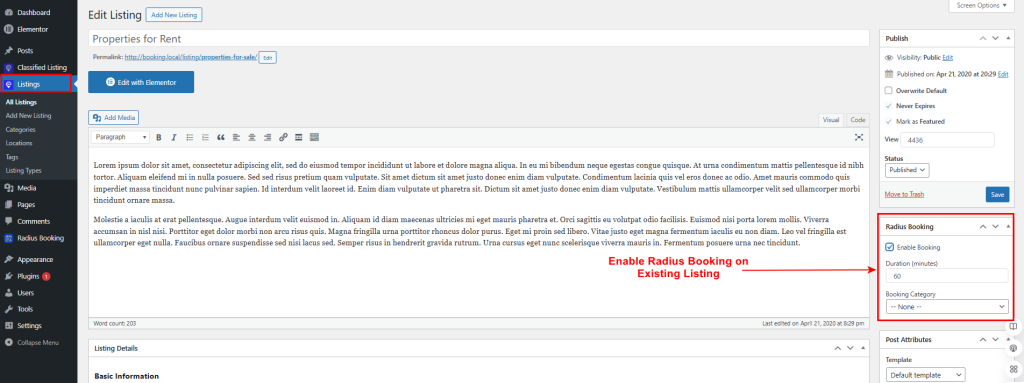
- Open the Listing: Go to Listings → All Listings and click on any existing listing to open its edit screen.
- Locate the Radius Booking Meta Box: Scroll down the right sidebar to find the Radius Booking panel.
- Enable Booking: Check the Enable Booking checkbox to activate booking for this listing.
- Set Duration: Enter the appointment duration in minutes (e.g., 60). This sets the default booking slot length for this listing.
- Select Booking Category: Choose a Booking Category from the dropdown to assign this listing’s service to a category in Radius Booking. Leave as None if not required.
- Save the Listing: Click the Save button to apply the changes. The listing will be automatically synced as a bookable service in Radius Booking.
Booking Form Appeared in the Existing Listing’s Frontend