
Radius Booking integrates with the Classified Listing plugin and Classified Listing theme, allowing listing owners to turn their listings into bookable services automatically.
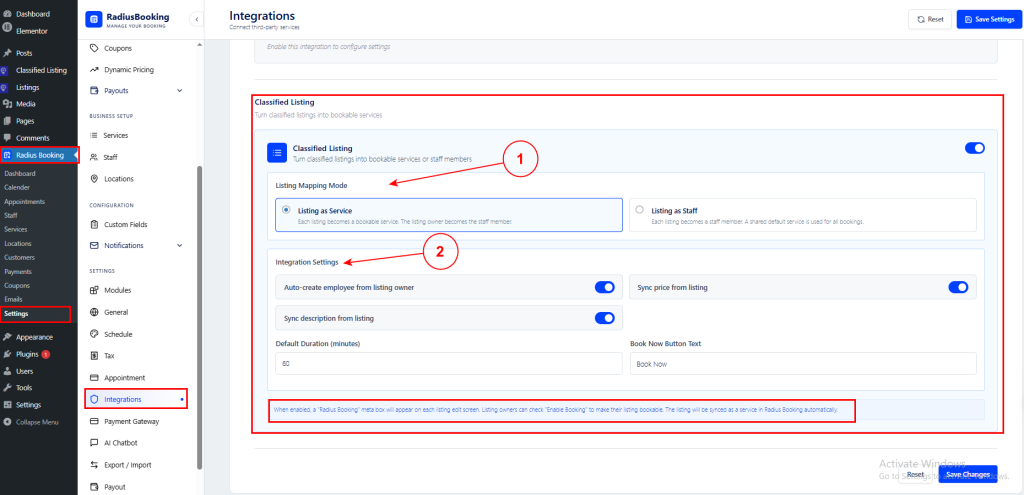
Navigate to Radius Booking → Settings → Integrations and scroll to the Classified Listing section.
⚠️ Note: This integration is only available when the Classified Listing plugin or Classified Listing theme is installed and active on your WordPress site.
1. Listing Mapping Mode #
Choose how listings are mapped:
- Listing as Service:
Each listing becomes a bookable service, and the listing owner becomes the staff member.
- Listing as Staff:
When you select Listing as Staff, each listing becomes a staff member using the listing title and image. All staff share a single default service for bookings.
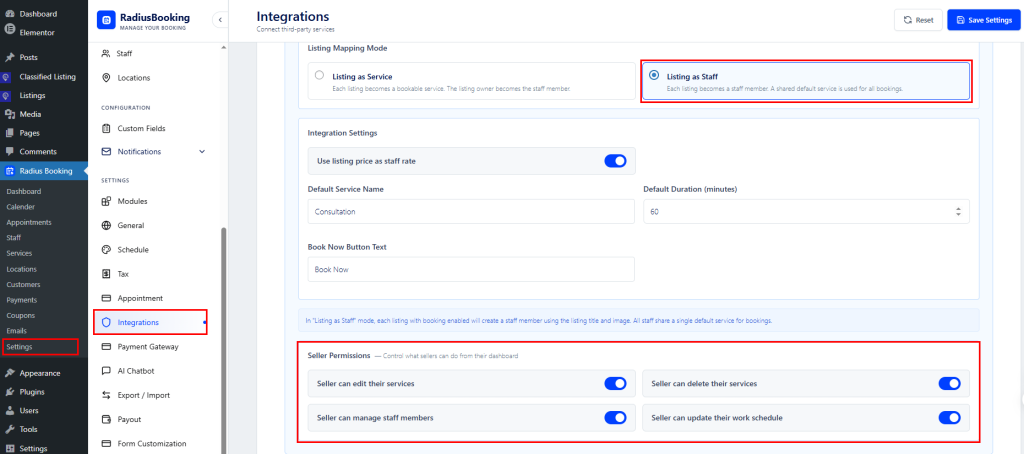
Seller Permissions
Control what sellers can do from their dashboard:
- Seller can edit their services: Allows sellers to modify their service details.
- Seller can delete their services: Permits sellers to remove their services.
- Seller can manage staff members: Lets sellers to add or edit staff profiles.
- Seller can update their work schedule: Allows sellers to set their own availability and working hours.
Listing as a Staff Booking front end #
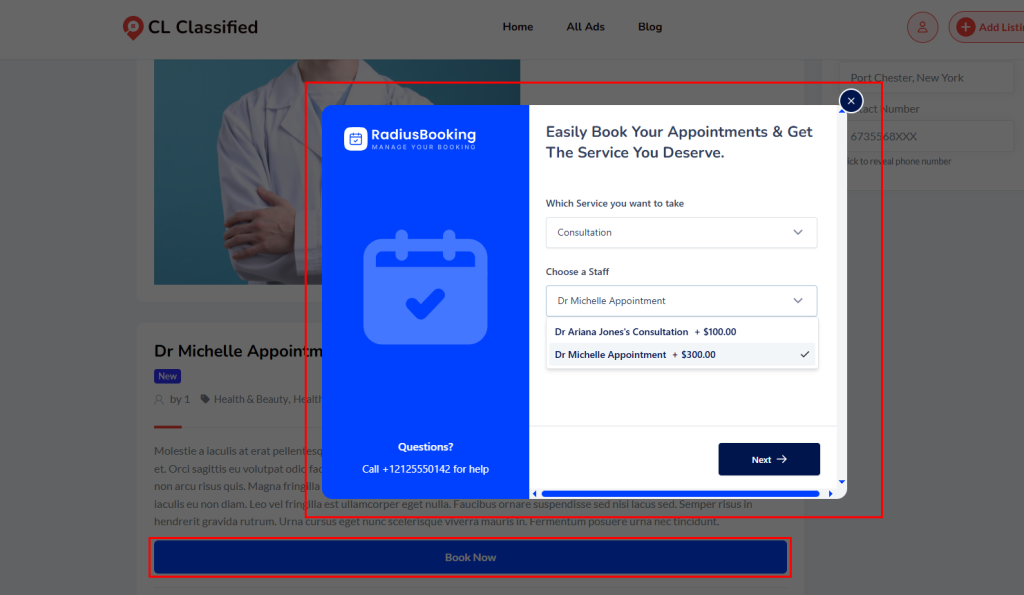
Use this when each listing represents a different person or provider. For example, a clinic directory where each listing is a doctor — “Dr. Michelle Appointment,” “Dr. Ariana Jones’s Consultation.” All providers share the same default service (e.g., “Consultation“), but customers choose which staff member they want to book with.
As shown in the frontend, when a customer clicks Book Now on a listing, the booking popup appears. The service is pre-selected (e.g., “Consultation”), and the Choose a Staff dropdown lists all available providers along with their individual rates. In this example, Dr. Ariana Jones charges $100.00 and Dr. Michelle charges $300.00 — these rates are pulled directly from their listing prices when “Use listing price as staff rate” is enabled.
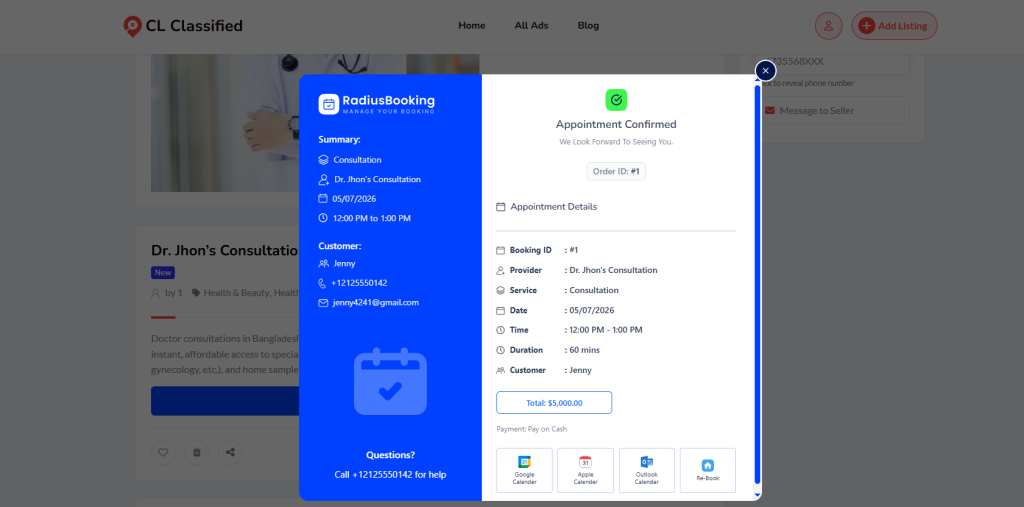
Appoint Confirmed Notification #
2. Integration Settings #
- Auto-create employee from listing owner: Automatically creates a staff profile from the listing owner’s account.
- Sync price from listing: Pulls the listing’s price into the booking service.
- Sync description from listing: Pulls the listing’s description into the booking service.
- Default Duration (minutes): Sets the default appointment length (e.g., 60 minutes).
- Book Now Button Text: Customizes the booking button label displayed on listings (default: “Book Now”).
How It Works #
Once enabled, a “Radius Booking” meta box appears on each listing edit screen. Listing owners can check “Enable Booking” to make their listing bookable. The listing will then be synced as a service in Radius Booking automatically.
💡Tip: Click Save Changes to apply integration settings. Use Reset to restore defaults.


