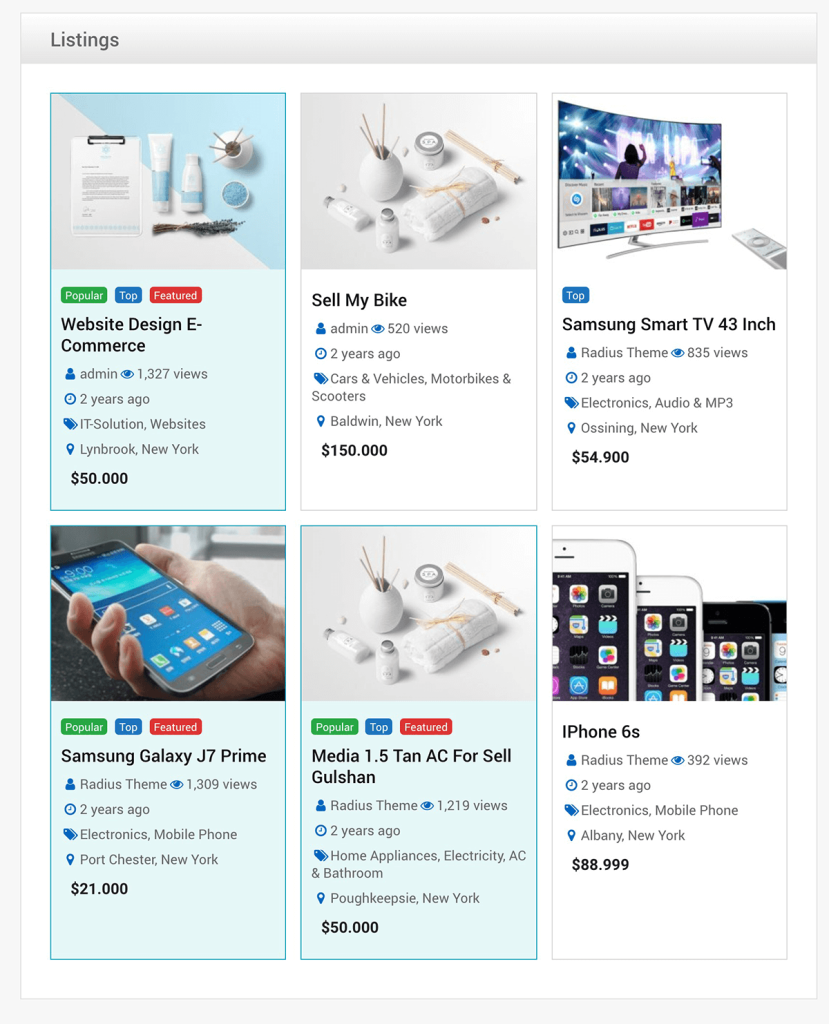
To display category-wise listings you can use the following shortcode. You can display single or multiple categories by using a comma in the category ID.
[rtcl_filter_listings category='3,5,6' location='2,3,4' view='grid' type='featured_only' limit='6' orderby='date' order='DESC' columns='4' show_image='1' image_position='top' show_category='1' show_location='1' show_labels='1' show_price='1' show_date='1' show_user='1' show_views='1' pagination='1']This shortcode has different parameters: #
Category: #
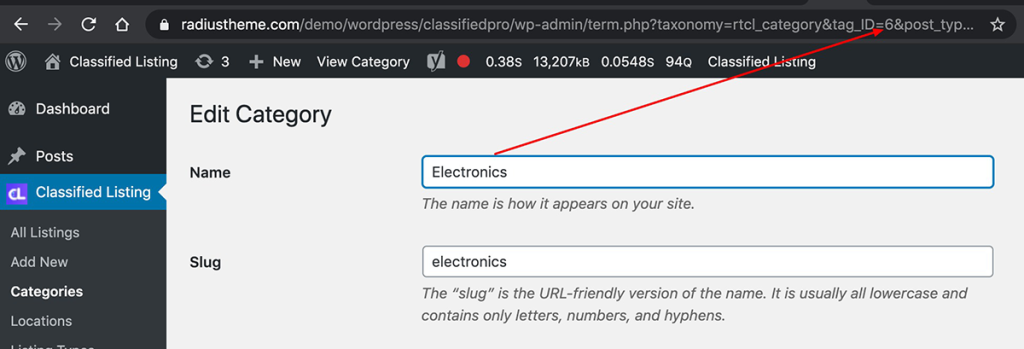
You can display a single category using only one ID category =’3′ or multiple categories, for instance, category =’3,6,8′. Here 3,6,8 is the category ID. you will get the ID from Classified Listing => Categories. Go to the Edit mode to see address bar tag_ID=6
[rtcl_filter_listings category='3,6']How to get category ID see below image
Location: #
If you want to display listings location-wise, then can use the location parameter for a single location using only one ID location =’3′ or multiple locations, such as location =’3,6,8′. Here 3,6,8 is the location ID. you will get the ID from Classified Listing => Locations. Go to the Edit mode and see address bar tag_ID=6
[rtcl_filter_listings location='2,3']You can get the location Id in the same way as category as in the above image.
View #
You can set the view to grid or list view layout, such as view=’grid/slider/map’. (map only for pro version) By default the plugin is in grid view.
[rtcl_filter_listings view='grid']Type #
You can set type for featured, top ads such as like type=’featured_only/ top_only/ feature_top‘. If don’t use this parameter then it will not effect
[rtcl_filter_listings type='featured_only']Limit #
You can set an integer number for how many ads will show like 10/ 15/ 20 any integer number.
[rtcl_filter_listings limit='10']Filter by User #
You can set authors ID by comma separated, like authors=’1,5,12′
[rtcl_filter_listings authors='1,15']Orderby: #
You can set order by name, date, ID, like orderby=’id/title/count/data’
[rtcl_filter_listings orderby='data']Order: #
You can set ASC or DESC like order=’ASC/DESC’
[rtcl_filter_listings orderby='data' order='DESC']Columns #
You can set the number of columns in grid view that will show the listings. For instance, 2/3/4/6 using columns=’4′ by default it is set 4
[rtcl_filter_listings columns='4']Show Image #
You can show or hide the listings’ main image using show_image=’1/0′. By default the settings are show, show_image=’1′
[rtcl_filter_listings show_image='1']Image Position #
You can set the image position to the top/ left using image_position=’top’. By default, the image is positioned on top
[rtcl_filter_listings image_position='top']Show Category #
You can show the category names in the listing view or can disable it by using show_category=’1/0′. The default is set to 1, which is on show
[rtcl_filter_listings show_category='1']Show Location #
You can show the location name in the listing view or can disable it by using show_location=’1/0′. The default setting is set as 1, which is “show”.
[rtcl_filter_listings show_location='1']Show labels #
You can show label names in the listing view, such as Top, Featured, New, Popular or you can disable it by using show_labels=’1/0′. The default is set 1, which is show.
[rtcl_filter_listings show_labels='1']Show Price #
You can show or hide the listing price in the grid or list view of the listings using this show_price=’1/0′. The default setting is 1, which is show.
[rtcl_filter_listings show_price='1']Show Date #
You can show the listing post data in the list or grid view of the listings by using show_date=’1/0′. the default is set at 1, which is show.
[rtcl_filter_listings show_date='1']Show User #
You can show the listing author or the owner’s name in the list or grid view of the listings by using show_user=’1/0′. The default is set at 1, which is show.
[rtcl_filter_listings show_user='1']Show View #
You can show the view count in the list or grid view of the listings by using show_views=’1/0′. The default is set at 1, which is show.
[rtcl_filter_listings show_views='1']The output of this shortcode will be like this #