
Video Tutorial Create Directory & Listing form with AI #
We’ve integrated AI with our plugin. Hence, from now on, you can easily create directory & Classified ads submission forms based on your listing type using AI!
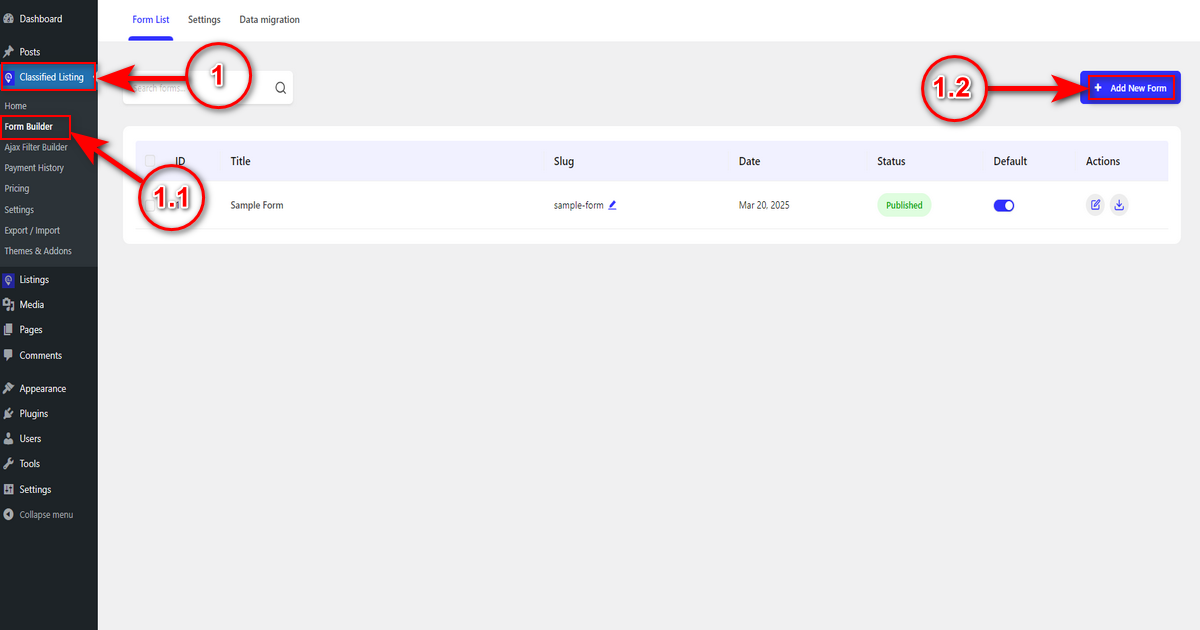
To build one, visit WordPress Admin Panel > Classified Listing > Form Builder.
Then, click the “+ Add New Form” button.
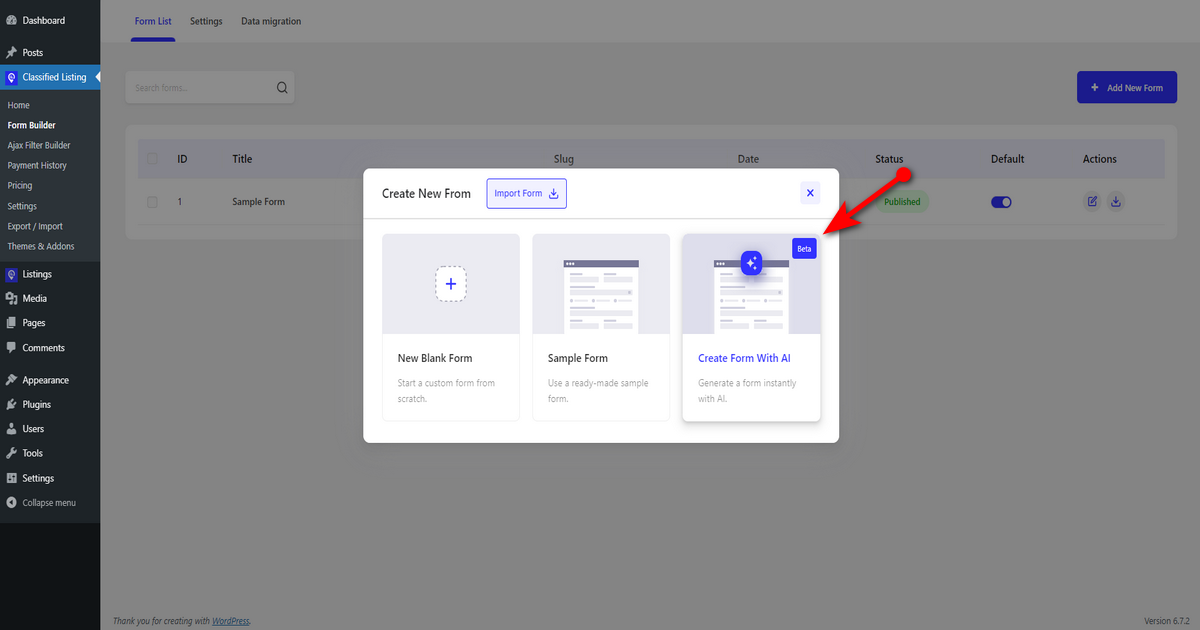
Now, you see the form builder pop-up with one additional feature, “Create Form With AI.” Click on it.
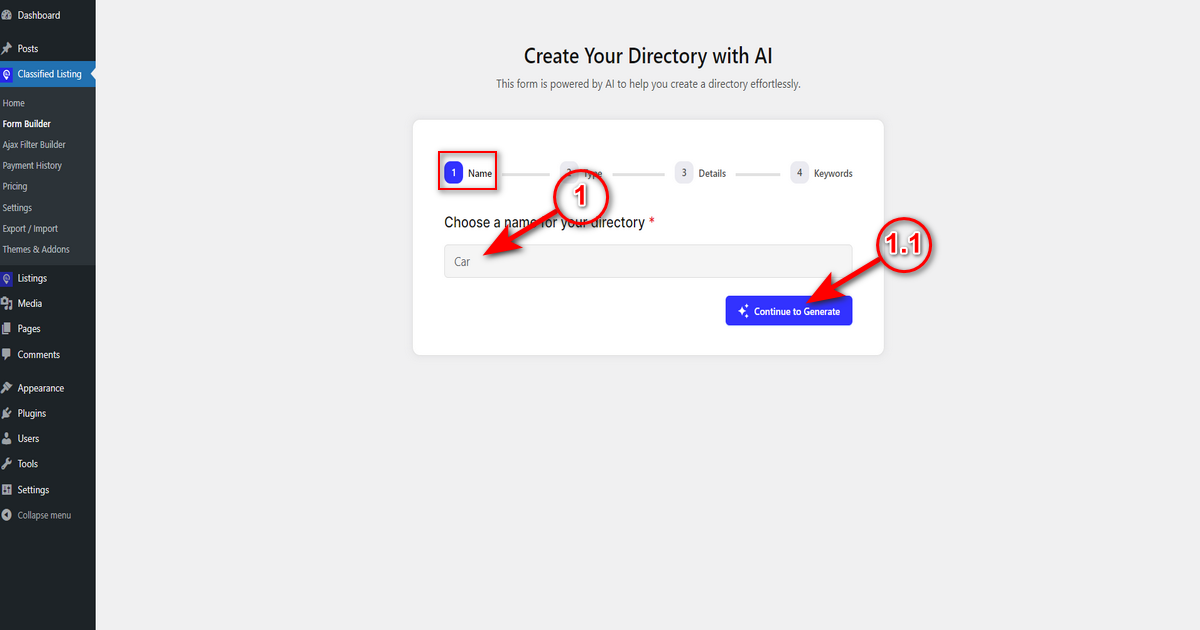
1. Name: Type your directory name and hit the “Continue to Generate” button.
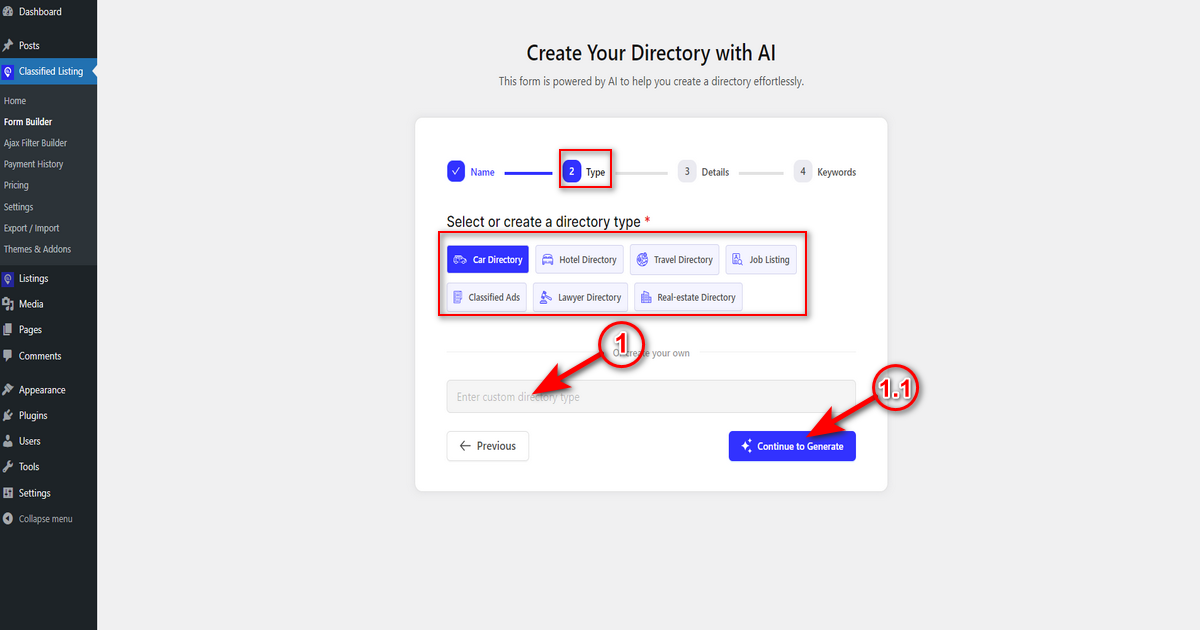
2. Type: At this stage, you need to select your directory type from the suggested ones, or you need to write your directory type in the “create your own” field and click the “Continue to Generate” button to go to the next step.
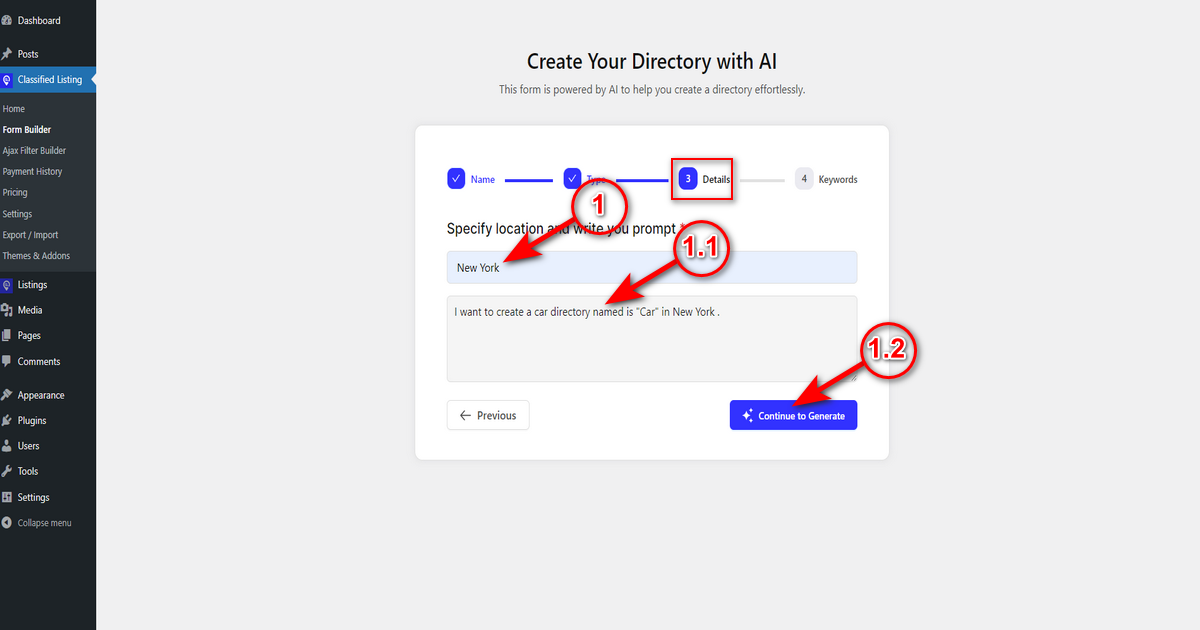
3. Details: Here, you need to specify your directory location (e.g., New York) and write a well-crafted prompt about your directory – you can go with the automated prompt, however. Lastly, click the “Continue to Generate” button.
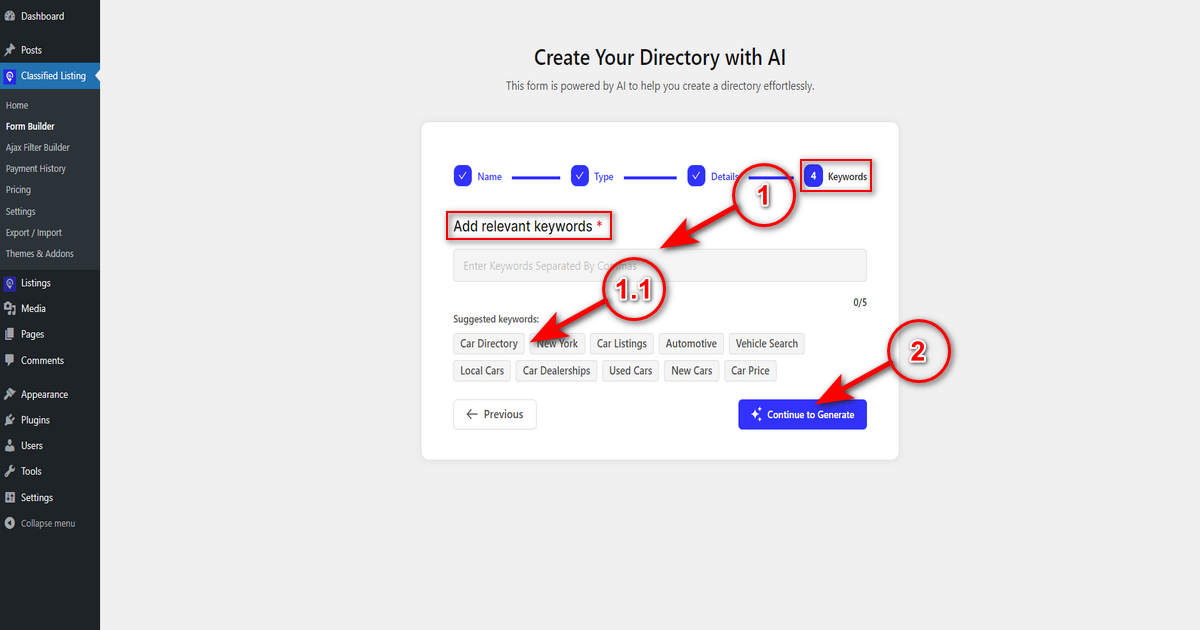
4. Keywords: Finally, you need to add keywords related to your directory in the “Add relevant keywords” field – add up to 5 keywords.
Alternatively, you can select keywords from the “Suggested keywords” section and hit the “Continue to Generate” button to build a form with AI.
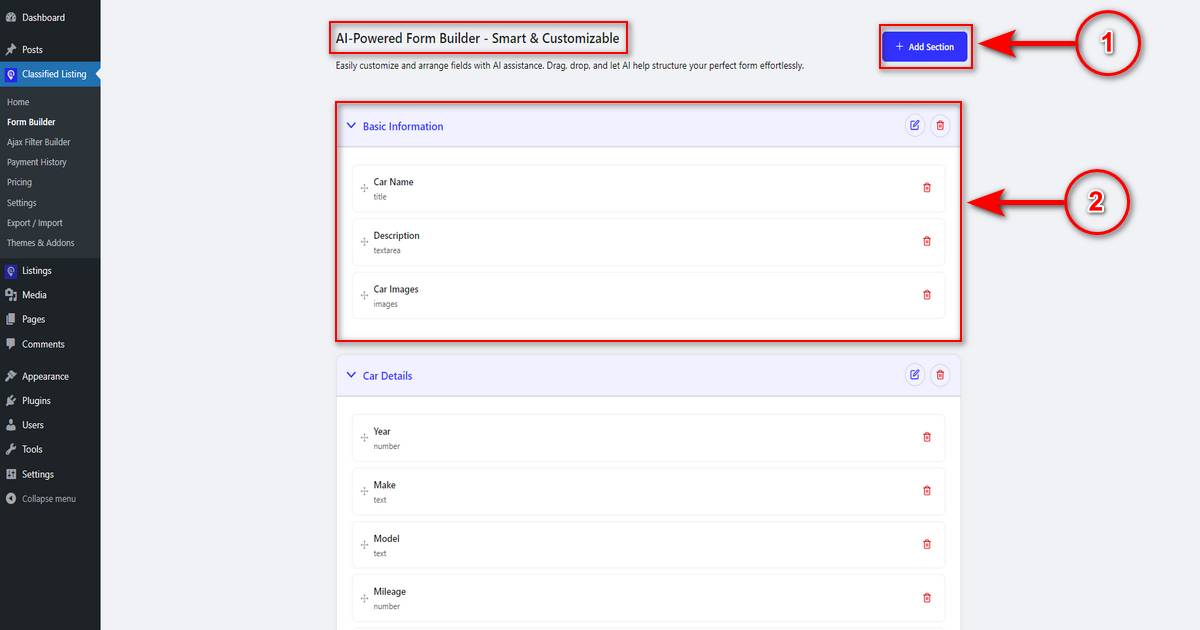
Wait a few seconds, and AI will generate your form. Once AI creates a form, you can customize it if necessary. Here’s what you can do-
1. Add Section: This button will let you add a new section in the AI-generated form.
2. Basic Information: Rename the section name by clicking the pencil icon on the top right. Also, rearrange every field under this section by dragging and dropping.
After customizing all the form fields if needed, scroll down to the bottom and click the “Generate Form” button to generate a listing form.
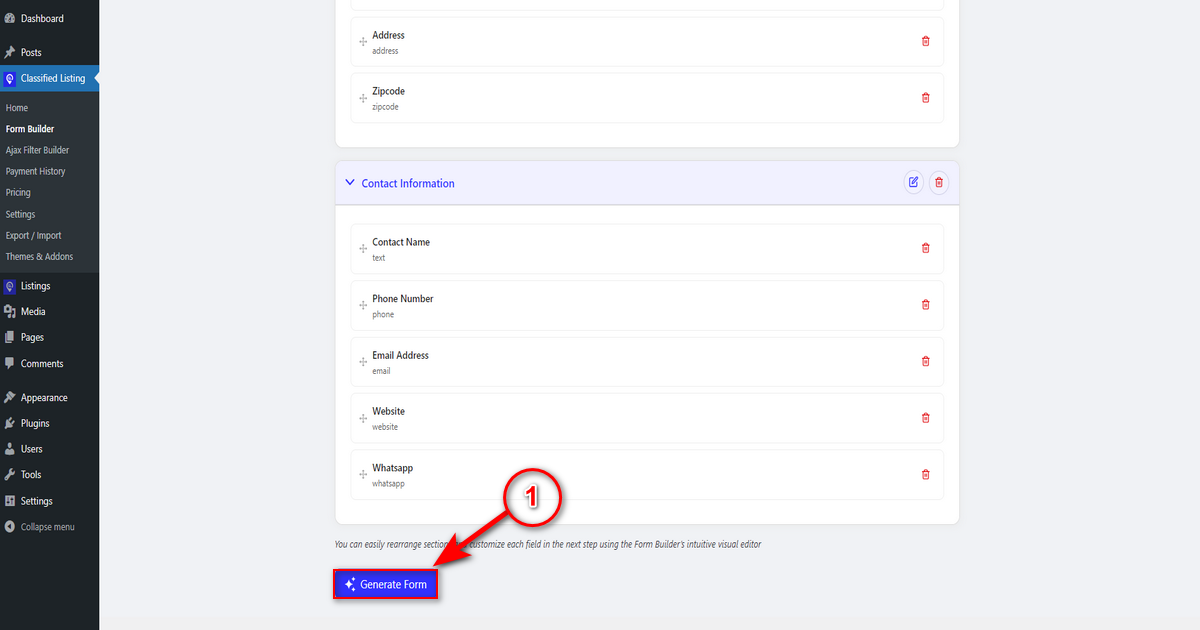
That’s how you generate a form. You’ll see the back end of this AI-generated form. Make some customizations if needed.


