
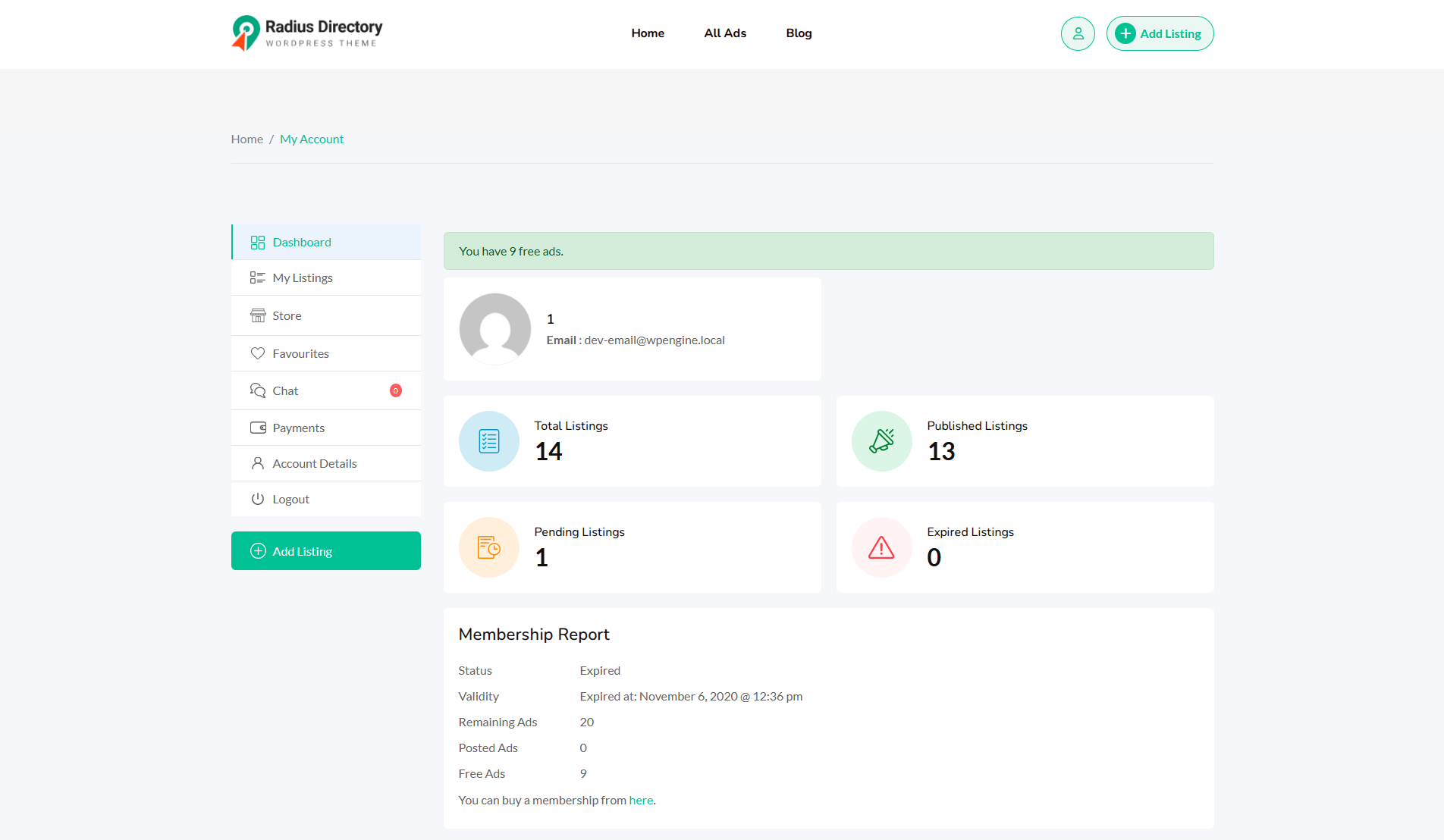
After Login a user can access the “My Account” menu. It is the dashboard for users where they can manage their ads, see payment, and other elements.
- Dashboard
- My Listings
- Store
- Favourites
- Chat
- Payment
- Account Detail
- Logout
1. Dashboard: After login, users will get the dashboard menus.
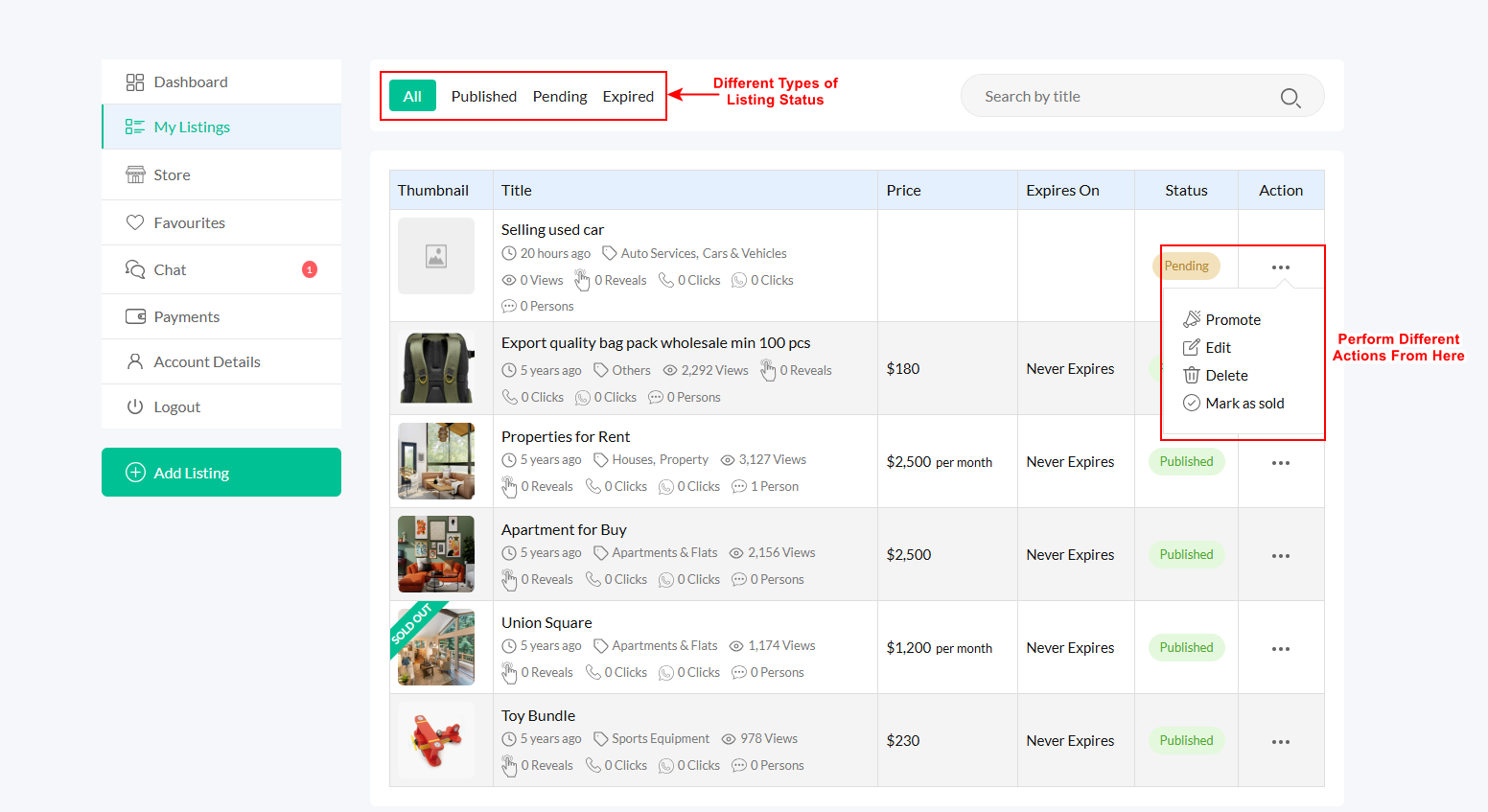
2. My Listings
Users can manage their listings, add/edit/delete any listing. They can also manage promotions and view different types of listing statuses.
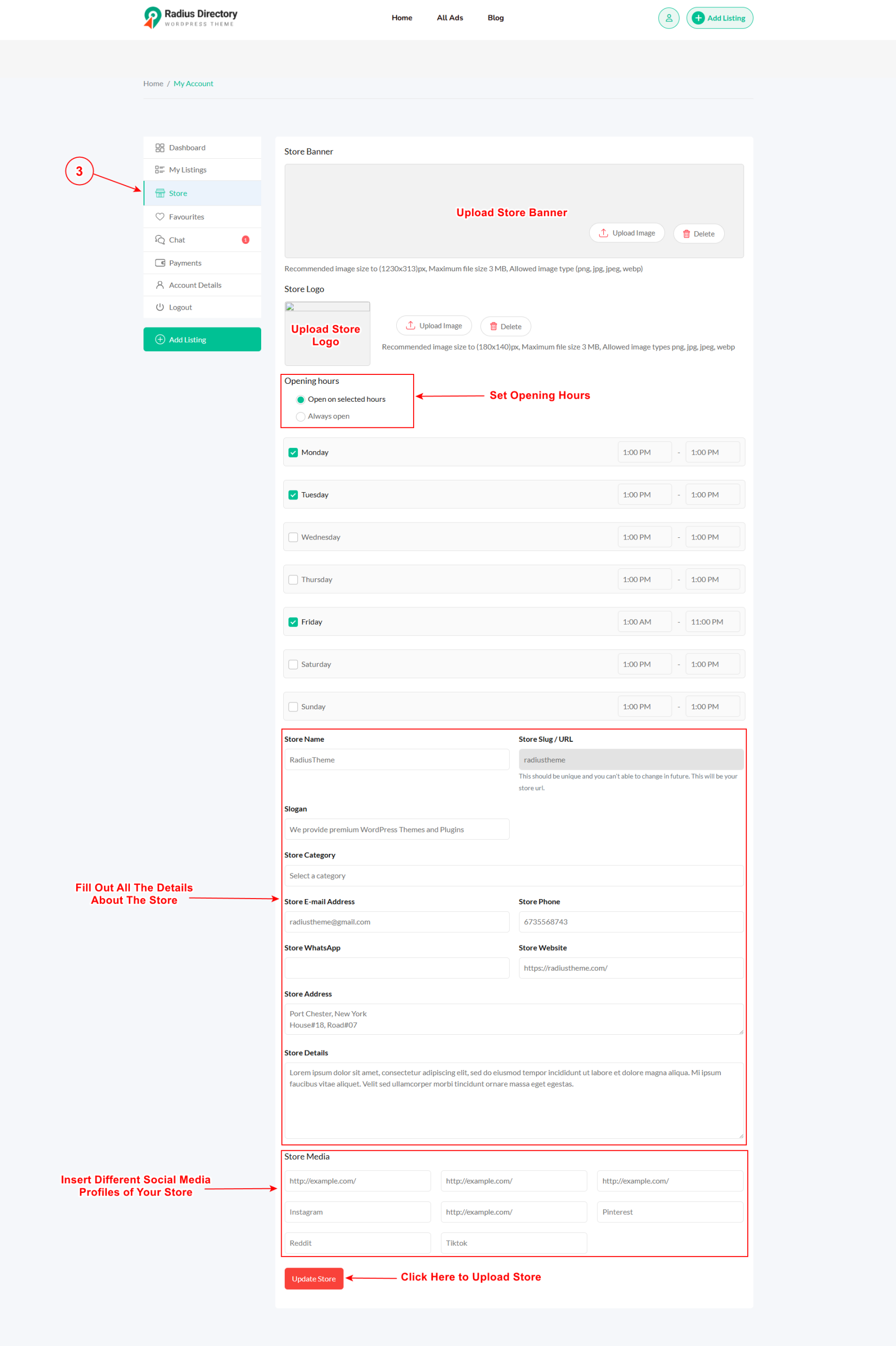
3. Store:
Users can manage their stores, add a store banner, logo, description, opening hours, contact info, and store social profiles.
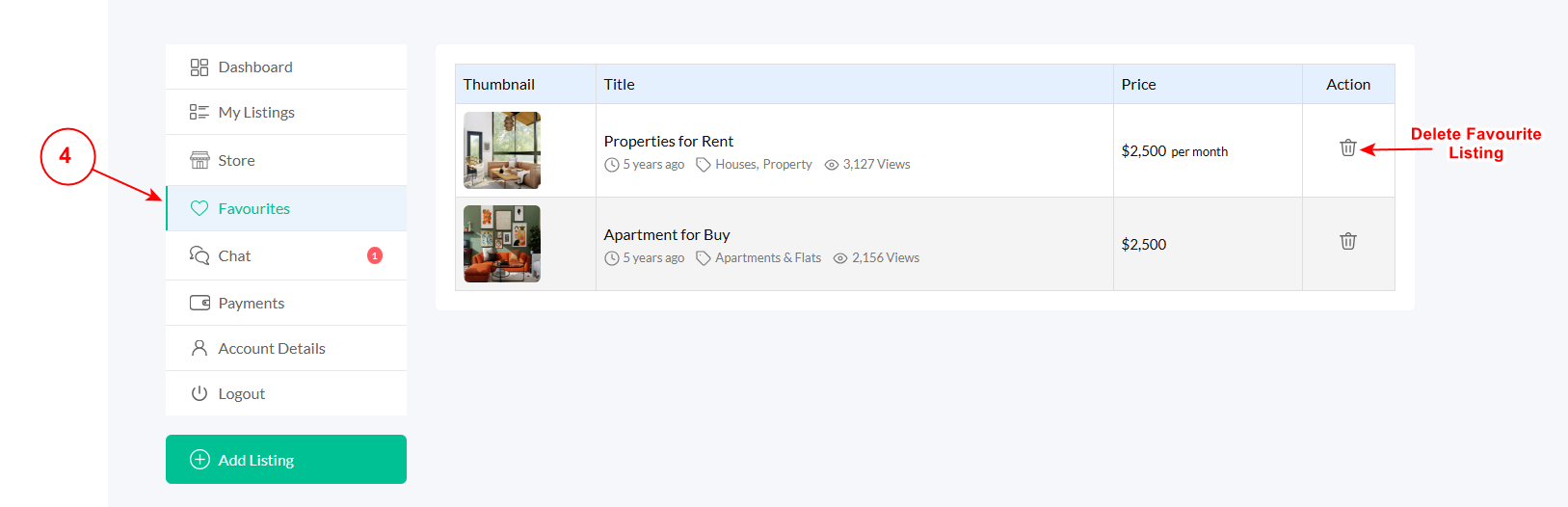
4. Favorites:
If you add any ads to the favorites list, this change will reflect here. However, you can delete this item if you wish.
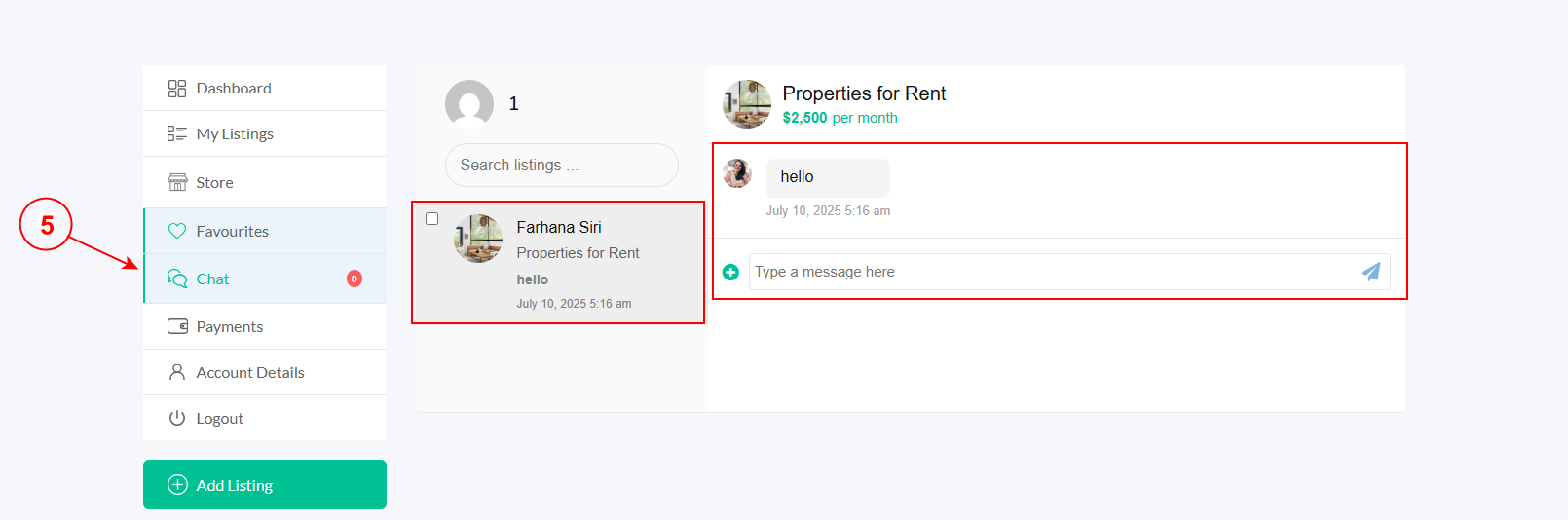
5. Chat:
Users can view their chat history from here.
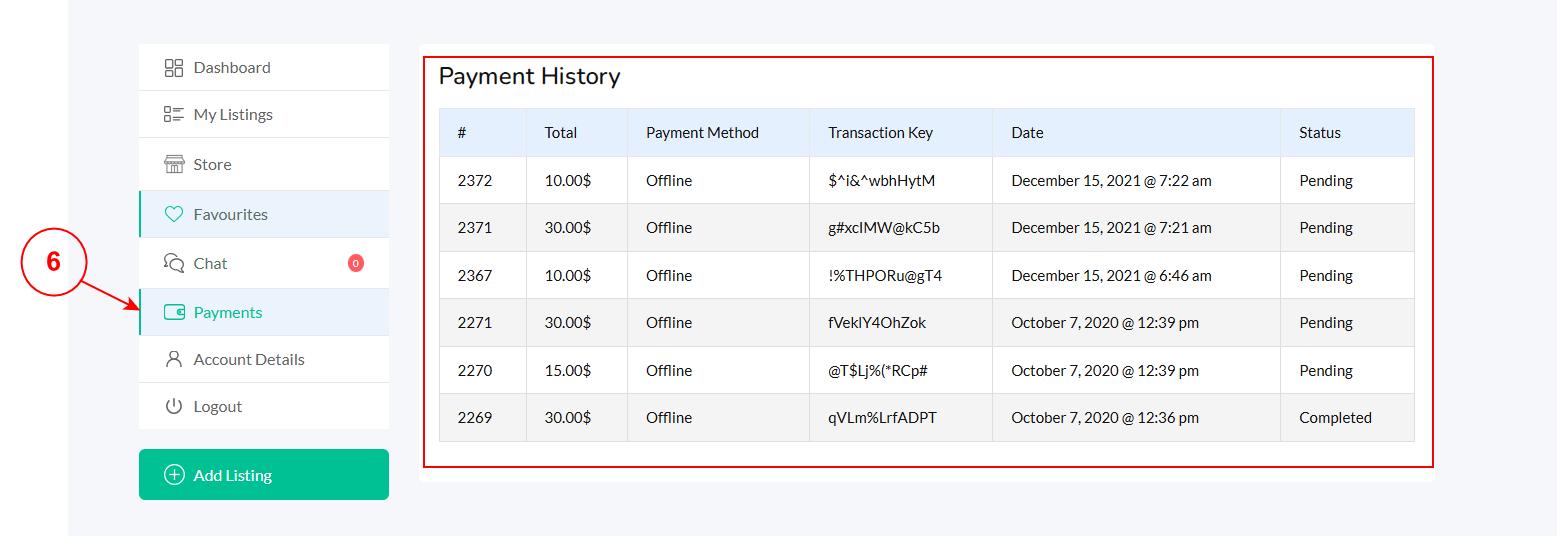
6. Payment:
Admin can showcase all the payment history from here..
7. Account Detail:
As a user, you can easily edit the necessary account information from here.


