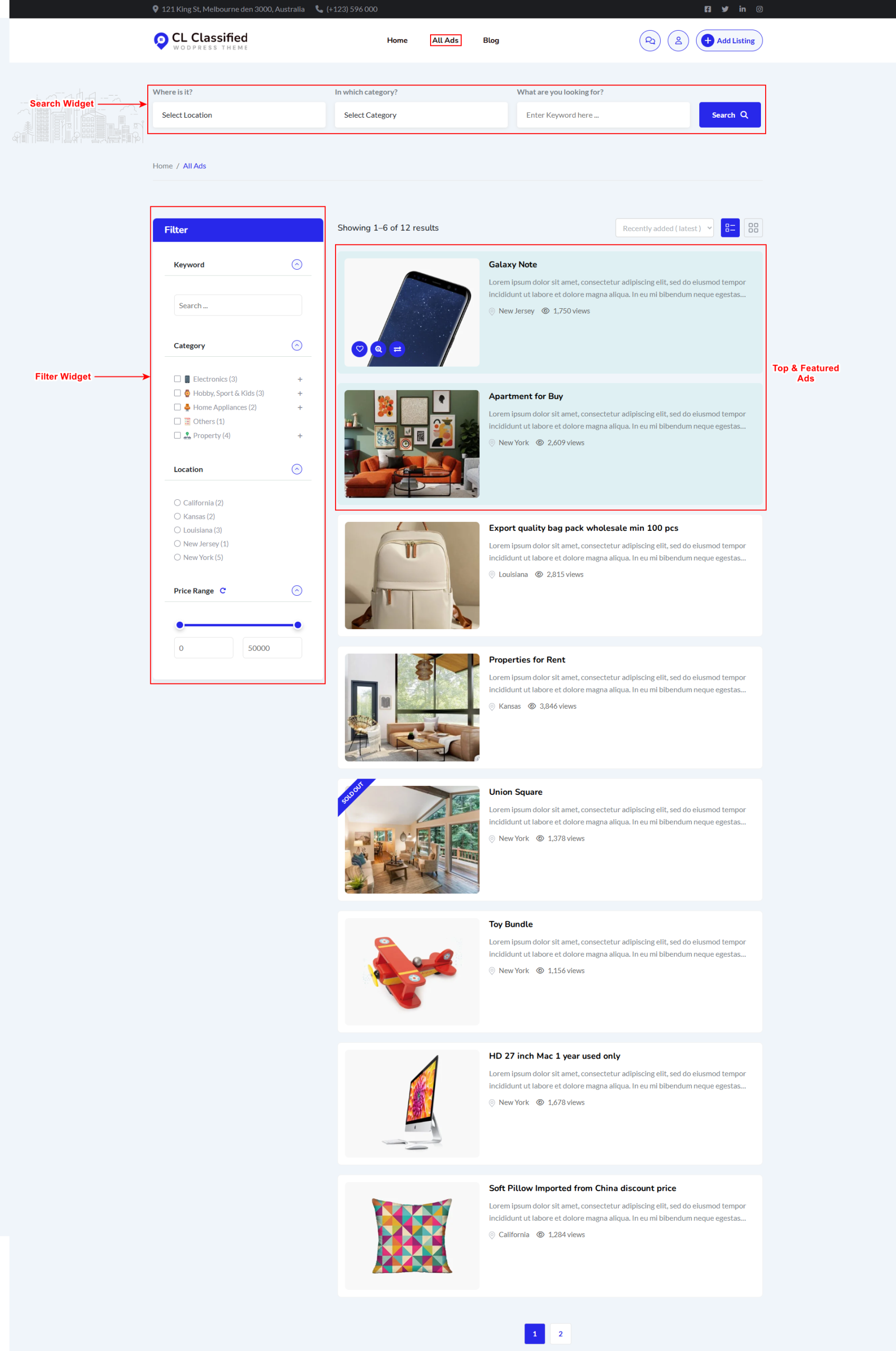
All ads are in the archive page or listing view from the front end
1) Top Search Widget: It is a widget named “Classified Listing Search“. We offer various layout options, as you can see in the widget settings.
2) Left Filter: It is also the widget name, “Classified Listing Filter“. We have different settings that you could check on the widget.
Archive page ads display
Top ads: These are promoted ads. If the Top ads option is enabled/available, then it will show up at the top of the list in random order. You can control how many ads will display at the top from Classified Listing > Settings > All Listing Page > Top Listing Number to Display.
Featured ads: These are also promoted ads. If Featured ads are enabled/available, then they will show up on the list with a background color.
Regular ads: Regular ads are shown in list view.