With Classified Listing, you need to log in/ register to submit ads. We also have a Guest posting option that you need to enable from Account & Policy settings. Immediately, a guest posts an ad, it auto registers and sends them a password by email.
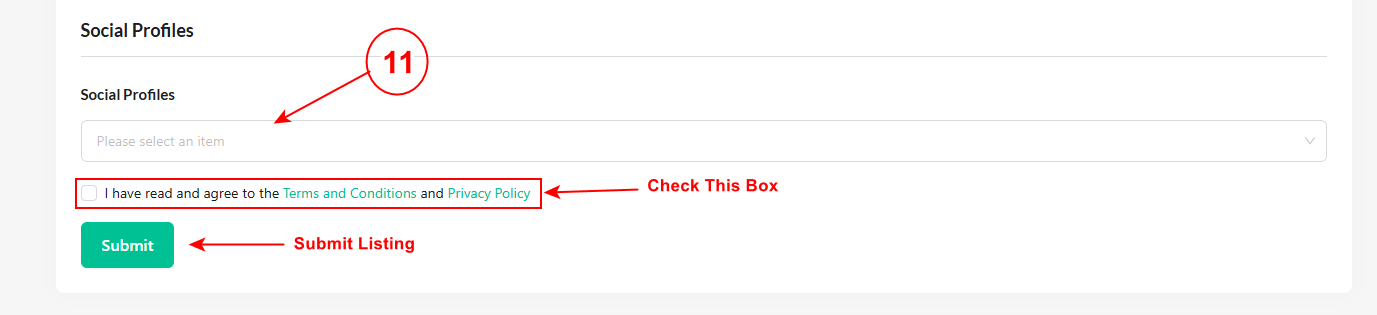
Basic Information:
1) First, select the listing type from the drop-down: Sell, Buy, Exchange, Job, or To-Let.
2) Then the Category option will appear. If you have a membership, enable it to make sure you have proper category membership access to post ads.
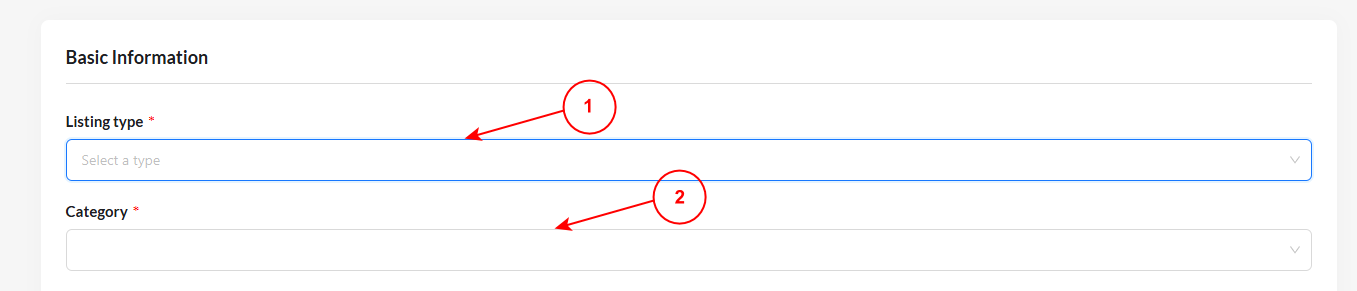
Listing Information
After filling up the basic information, you need to fill out the listing information below.
3) Title: Write a suitable title for your listing.
4) Pricing: Determine the pricing type, price type, and price range.
5) Description: Insert the description of your listing.
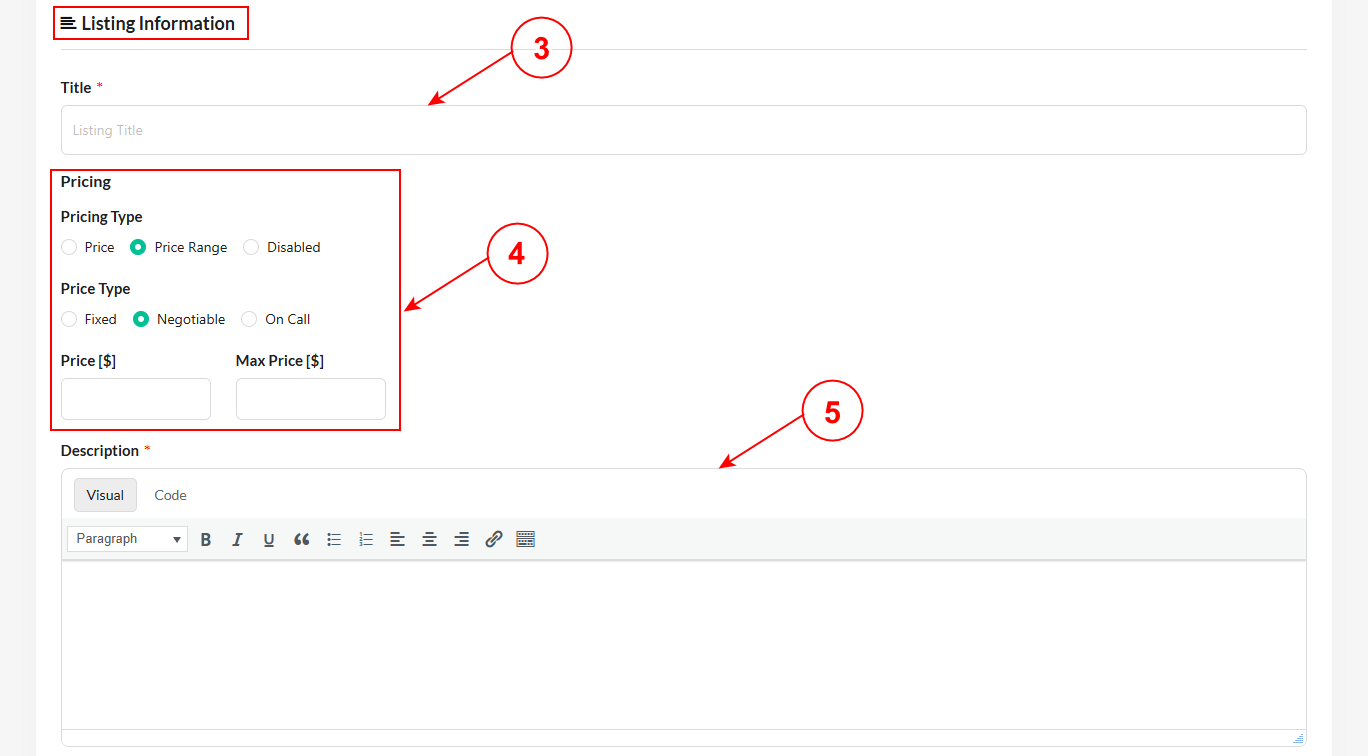
6) Title: Write a suitable tag for your listing.
4) Featured & Gallery Images: Click or drag files to upload your listing images.
5) Contact Details: Fill out the phone, email, and website address.
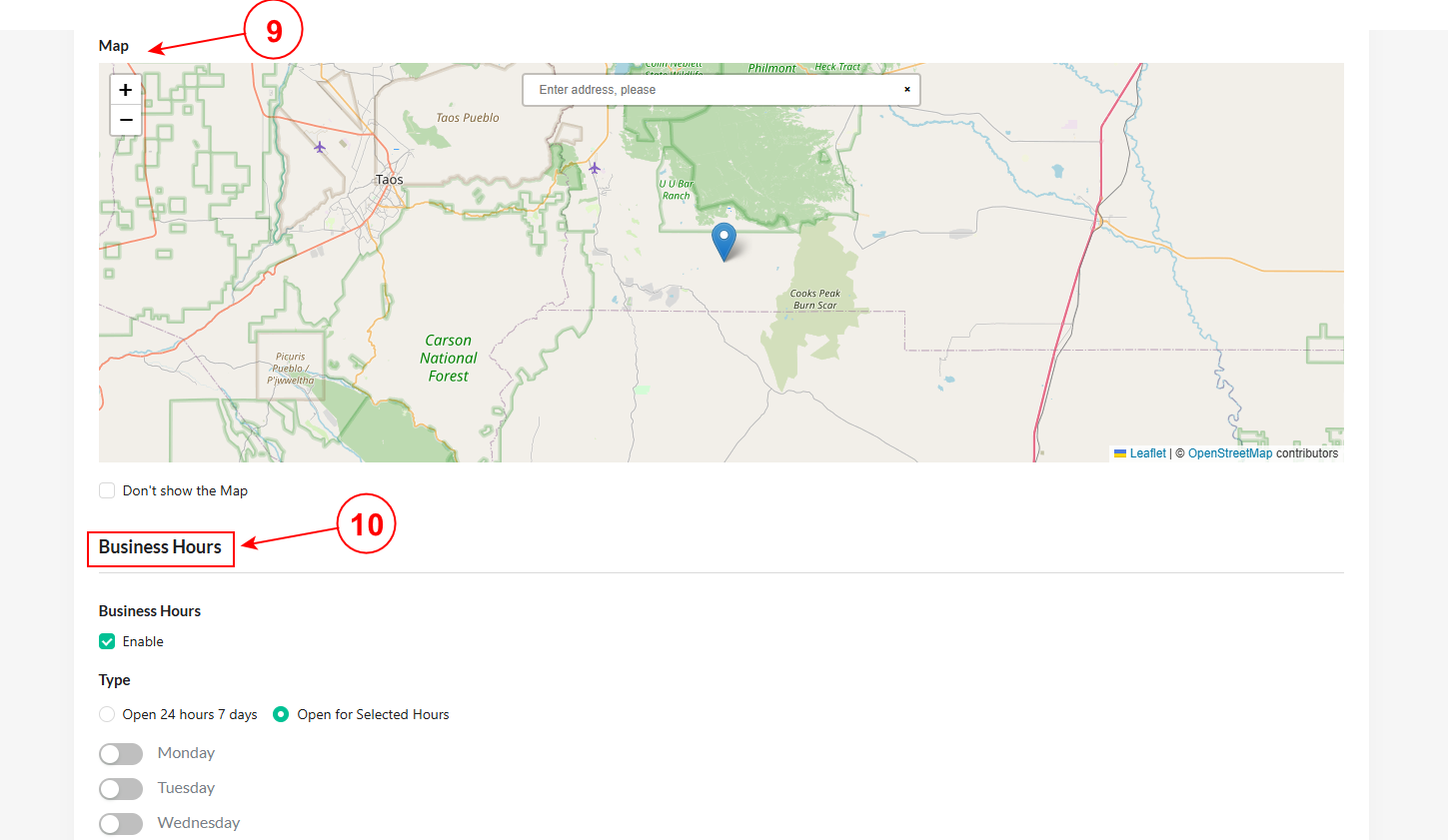
9) Map: Set an exact map for your listing location.
10) Business Hours: You can customize the business hours according to your preferences.
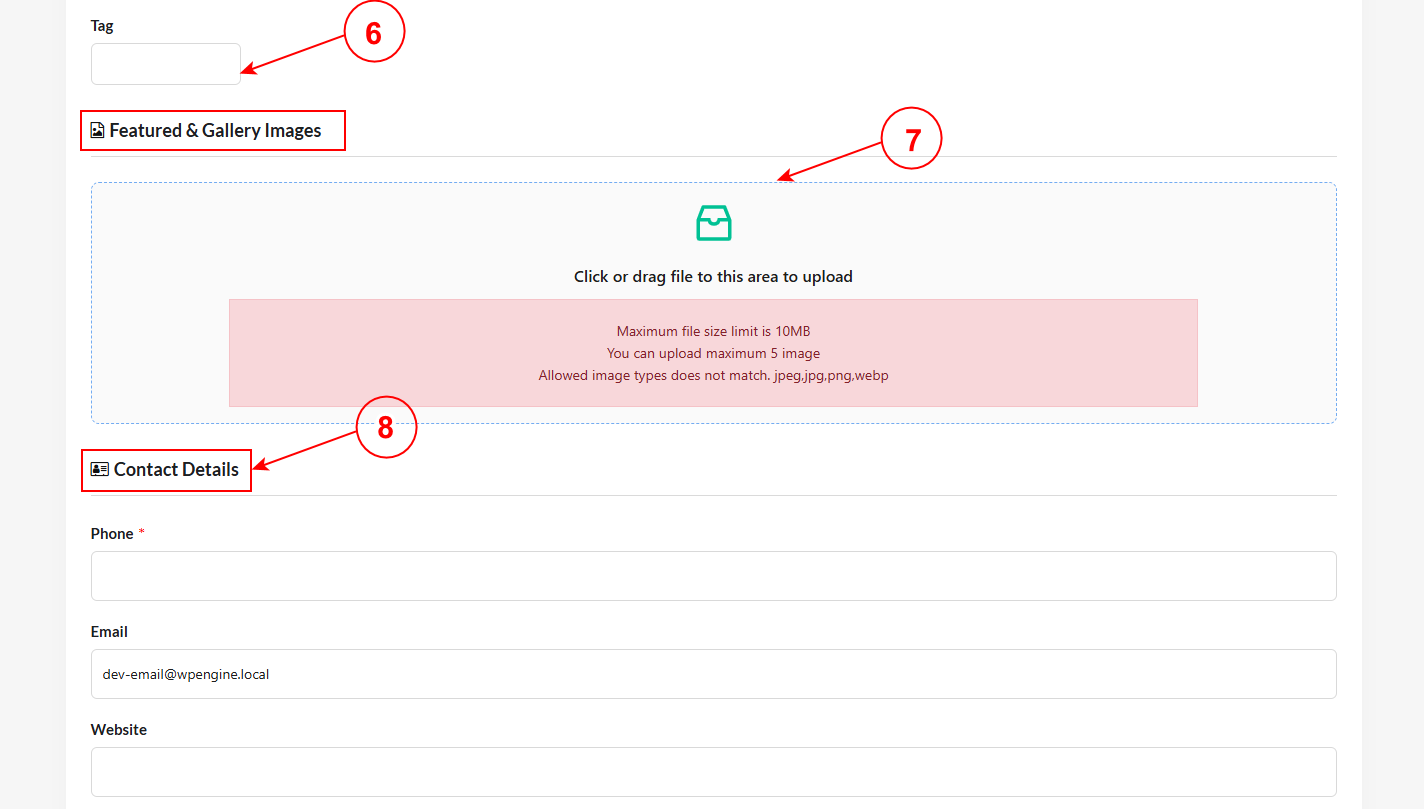
11) Social Profiles: You can select your preferred social profiles from the dropdown.
After filling up all the listing information, you can check the box by agreeing to the terms and conditions and privacy policy.
Lastly, you can hit the “Submit” button and complete your listing submission.