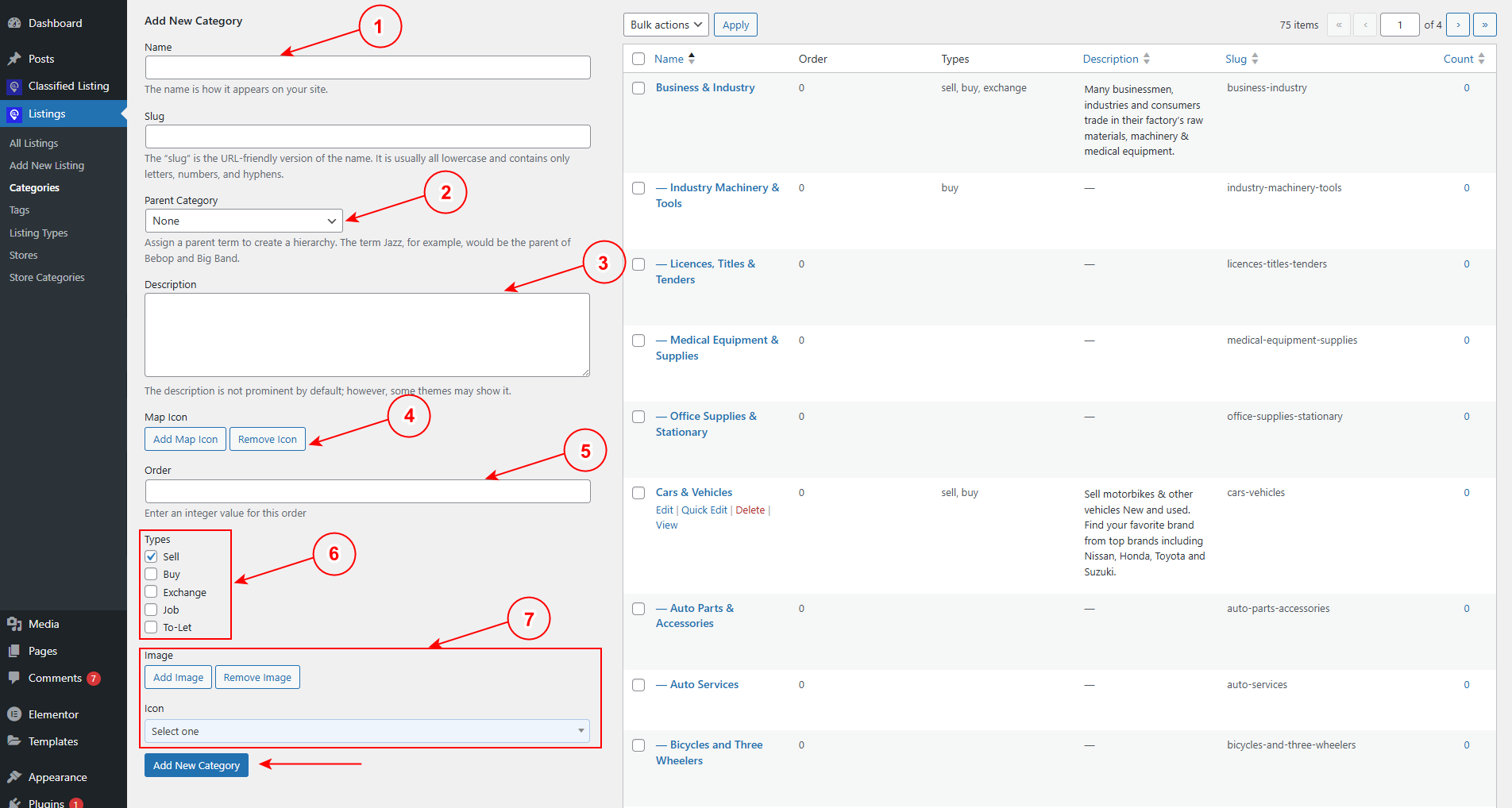
To add or edit a category, go to Listing > Categories menu.
1) Name: Add Category Name
2) Parent Category: Set parent category if any, or don’t select anything
3) Description: Write category description. However, it is not in use in the front end for now.
4) Map Icon: You can add a map icon from here.
5) Order: Set category order in integer value.
6) Types: Set category type, such as Sell/ Buy/ Exchange/ Job/To Let. The in-ad submission form category depends on these ad types.
7) Image & Icons: You can set the category image, Map image, and icon from here.