On This Page
Running a service-based business without online booking is like keeping a shop open but hiding the door. According to recent industry data, over 70% of customers now prefer booking appointments online, and businesses that offer self-scheduling see up to 40% fewer no-shows thanks to automated reminders.
Whether you run a hair salon, dental clinic, yoga studio, consulting firm, or any appointment-driven business, the right WordPress booking plugin can automate your entire scheduling workflow, accept payments, sync calendars, and send confirmations without you lifting a finger.
But here is the challenge: there are hundreds of booking plugins in the WordPress ecosystem, and choosing the wrong one means wasted time, frustrated clients, and lost revenue.
To save you from that headache, we have tested, researched, and compared the best WordPress booking and appointment plugins. This guide covers free and premium options with real feature comparisons, honest pros and cons, and clear pricing so you can pick the one that fits your business perfectly.
Quick Comparison: Best WordPress Booking Plugins at a Glance
Before we dive into detailed reviews, here is a snapshot of every plugin covered in this guide.
| Plugin | Best For | Free Version | Premium From | Rating | Active Installs |
| BookingPress | All-round service businesses | Yes | $99/yr | 4.5/5 | 50,000+ |
| Amelia | Multi-staff & events | Yes (Lite) | $49/yr | 4.6/5 | 100,000+ |
| Booknetic | Service businesses that need a complete appointment booking system. | Yes, via official website | $45/year | 4.91/5 from 471 reviews | 20,000+ paid customers |
| Booktics | Service-based businesses and consultants. | Available | $63 | 4.2 (WordPress) | 700+ |
| Bookly | Deep customization | Yes (Lite) | $89 one-time | 4.5/5 | 70,000+ |
| LatePoint | Beautiful UI/UX | Yes (Lite) | $49/yr | 4.9/5 | 10,000+ |
| Simply Schedule Appts | Simplicity & speed | Yes | $99/yr | 4.9/5 | 60,000+ |
| Booking Calendar | Legacy & full-day | Yes | $47.40/yr | 4.4/5 | 60,000+ |
| MotoPress Appt | Small businesses | Yes (Lite) | $59/yr | 4.5/5 | 10,000+ |
| Bookings for Woo | WooCommerce stores | Yes | $99/yr | 4.3/5 | 6,000+ |
| Salon Booking System | Salons & spas | Yes (Free trial) | $69/yr | 4.2/5 | 7,000+ |
| WooCommerce Bookings | WooCommerce native | No | $249/yr | 3.8/5 | N/A |
What to Look for in a WordPress Booking Plugin
Before committing to any booking solution, make sure it checks these essential boxes. A plugin that looks great on the surface but lacks core functionality will cost you time and money down the road.
- Ease of use: Both the admin dashboard and the client-facing booking form should be intuitive. If your clients struggle to book, they will go elsewhere.
- Calendar sync: Two-way integration with Google Calendar, Outlook, or Apple Calendar prevents double bookings and keeps your team aligned.
- Payment processing: Built-in support for Stripe, PayPal, or WooCommerce lets you collect payments and deposits upfront, reducing no-shows.
- Automated notifications: Email, SMS, and WhatsApp reminders should be configurable for confirmations, reminders, follow-ups, and cancellations.
- Multi-staff support: If you have a team, each staff member needs their own schedule, services, and availability settings.
- Customization: The booking form should match your brand. Look for color, font, field, and layout controls without needing custom code.
- Responsive design: Over 60% of bookings now happen on mobile devices. A mobile-first booking form is non-negotiable.
- Page builder compatibility: Whether you use Elementor (check our list of best Elementor addons), Gutenberg, Divi, or WPBakery, the plugin should integrate cleanly with your builder.
RadiusBooking
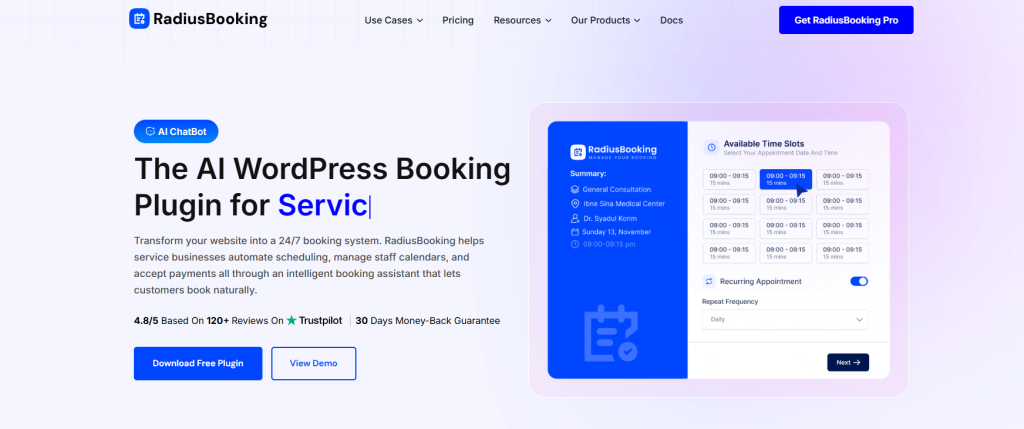
RadiusBooking is an AI-powered WordPress appointment booking plugin developed by RadiusTheme. What makes this plugin stand out is its built-in AI chatbot. It allows customers to book appointments through natural conversation instead of filling out traditional forms.
This WordPress booking plugin is designed for a wide range of service businesses, including salons, spas, medical practices, fitness studios, consultants, coaches, tutors, and event organizers. It lets you create unlimited services with custom pricing, durations, and buffer times, manage unlimited staff members with individual schedules, and accept online payments — all from your WordPress dashboard.
The plugin plays nicely with the tools you already use. It comes with built-in Elementor widgets, Gutenberg blocks, and shortcode support for embedding the booking form anywhere. The free version includes Google Calendar sync and PayPal payments, while the Pro version adds Stripe, Apple Calendar/iCloud sync, Google Meet and Zoom integrations.
Key Features
- AI-powered booking assistant that understands natural language requests like “haircut with Emily on Friday”.
- Unlimited services and staff members with individual working hours, days off, and holiday schedules.
- Customizable booking form with live preview, custom fields, and brand color matching.
- Google Calendar sync (free) and Apple Calendar/iCloud sync (Pro).
- Payment processing via PayPal (free) and Stripe (Pro) with deposit and full payment options.
- Automated email reminders and notifications to reduce no-shows.
- Google Meet and Zoom integration for automatic video meeting link generation (Pro).
- Customer dashboard for clients to view and manage their appointments.
Pros
- Built-in AI chatbot enables conversational booking — a unique feature not found in most WordPress booking plugins.
- Generous free version with Google Calendar sync, PayPal payments, and unlimited services.
- Three-layer no-show prevention: automated reminders, deposit options, and one-click rescheduling.
Cons
- Newer plugin compared to established options like BookingPress and Bookly.
- Advanced features like Google Meet/Zoom integration and analytics are locked behind premium.
Pricing
Freemium: free version available on WordPress.org. Pro plans start at $39/year for 1 site. Lifetime plans available starting at $74 (one-time payment).
1. BookingPress
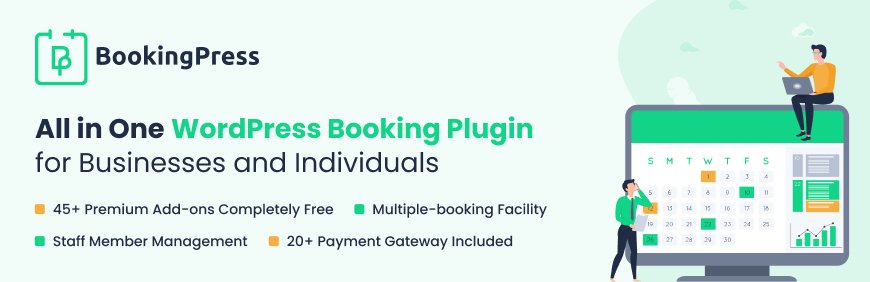
If you need one plugin that handles everything from appointment scheduling to payment collection across virtually any service industry, BookingPress is the strongest contender. It is trusted by over 50,000 businesses and has earned multiple industry awards for its clean design and feature depth.
The plugin provides a step-by-step booking wizard on the frontend that guides clients through selecting a service, choosing a staff member, picking a date and time, and completing payment. On the backend, admins and staff members each get their own dashboard with calendar views, appointment management, client records, and payment tracking.
Key Features:
- Unlimited services, staff members, and bookings with no per-transaction fees
- 60+ premium add-ons included free with any paid license (no upsell fatigue)
- 20+ payment gateways: Stripe, PayPal, Razorpay, Mollie, Square, Klarna, and more
- Two-way Google Calendar and Outlook sync
- Automated email, SMS, and WhatsApp notifications
- Recurring appointments and group bookings
- Multi-location support for businesses with multiple branches
- Built-in coupon codes, deposit payments, and extras/upsell options
- Custom booking form fields with conditional show/hide logic
- REST API and developer hooks for advanced integrations
- Works with Gutenberg, Elementor, WPBakery, and Divi
Pros:
- Massive feature set at a single flat price with no per-addon costs
- Clean, modern admin dashboard with separate staff portal
- Extensive payment gateway coverage including regional options
- Active development with frequent updates and responsive support
Cons:
- Free version has limited features compared to premium
- Large number of settings can feel overwhelming for very simple use cases
Pricing: Free version available. Premium starts at $99/year (single site) with all 60+ add-ons and 20+ gateways included. Professional plan at $199/year for 3 sites, Enterprise at $499/year for unlimited sites.
Best For: Salons, clinics (see our guide on creating a medical website in WordPress), gyms, consulting firms, repair shops, cleaning service businesses, and any business that wants a complete, all-in-one booking system.
2. Amelia
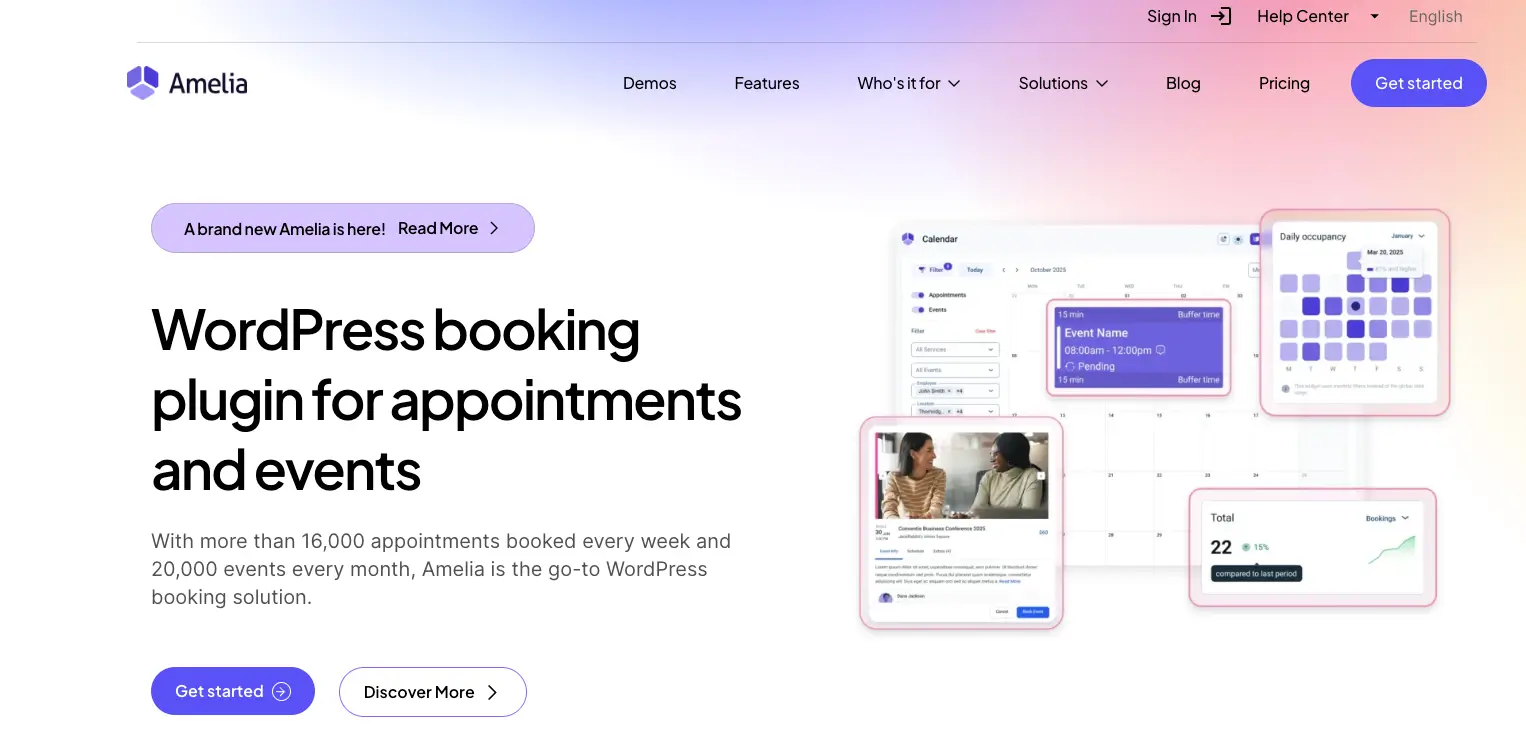
Amelia stands out as a dual-purpose plugin that handles both appointment booking and event management in a single solution. It is built for businesses with multiple employees, locations, and service categories, making it a favorite among spas, healthcare providers, fitness studios, and agencies.
The plugin offers a polished, conversion-optimized step-by-step booking wizard and a comprehensive admin dashboard with KPI widgets, revenue charts, and workload metrics. Amelia also supports service packages (bundled appointments at a discount), recurring appointments, custom service durations per employee, and resource management.
Key Features:
- Appointment booking + event management in one plugin
- Employee and customer front-end panels for self-service management
- Service packages and bundled appointment discounts
- Recurring appointments (daily, weekly, monthly, yearly)
- Custom service durations with different prices per employee
- Multi-location and resource management
- Payments via Stripe, PayPal, WooCommerce, Mollie, Razorpay, and Square
- Automated notifications via email, SMS, and WhatsApp
- Two-way Google Calendar and Outlook sync, Zoom and Google Meet integration
- Multilingual support and customizable booking forms
- REST API and webhooks for developer integrations
- Divi 5 and Elementor integrations with AI-powered features
Pros:
- Combined appointment and event booking eliminates the need for two plugins
- Beautiful dashboard with business intelligence and KPI tracking
- Strong employee management with individual working hours, days off, and special days
- Highly rated by photographers, salons, and healthcare providers after years of use
Cons:
- The free Lite version is quite limited in features
- Premium pricing can be steep for very small businesses or solopreneurs
- SMTP email setup can be confusing initially (support helps resolve)
Pricing: Free Lite version available. Annual plans start from $49/year. Lifetime licenses also available. 15-day money-back guarantee.
Best For: Best For: Multi-employee businesses like salons, law firms, healthcare clinics, photography studios, gyms and fitness centers, and event organizers.
3. Booknetic
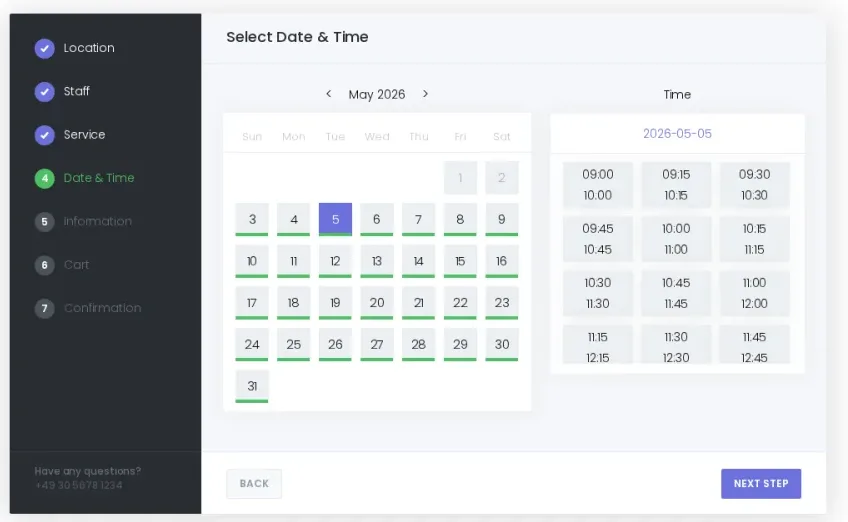
Booknetic is a WordPress appointment booking plugin built for service businesses that need online scheduling, staff management, payments, calendar sync, and automated notifications in one system.
It works well for salons, clinics, consultants, coaches, fitness studios, repair services, legal consultants, education businesses, and other appointment-based websites. The booking panel is modern, mobile-friendly, and easy for customers to use. They can choose a service, staff member, date, time, and payment option without a confusing booking flow.
Booknetic is also strong on integrations. It supports 50+ integrations and add-ons, including Google Calendar, Outlook Calendar, Zoom, Google Meet, WhatsApp, Telegram, webhooks, WooCommerce, and 10+ native payment gateways. This makes it useful for businesses that want their booking system to connect with the rest of their workflow.
The plugin has been in the market for 7+ years, has 20,000+ paid customers, and holds a 4.91/5 rating from 471 reviews. That makes it a mature option for businesses that want a serious WordPress appointment scheduling solution rather than a basic booking form.
Key Features:
- Modern appointment booking panel with real-time availability
- Staff, service, location, and customer management
- Google Calendar and Outlook Calendar sync
- 10+ native payment gateways
- WooCommerce integration
- Deposit payments
- Recurring appointments
- Group appointments
- Custom fields and booking forms
- Automated email, SMS, WhatsApp, and Telegram notifications
- Zoom and Google Meet integrations
- Webhooks and workflow automation
- Coupons, gift cards, invoices, and taxes
- Reports and appointment analytics
- Free version available from the official Booknetic website
Pros:
- Clean and mobile-friendly booking experience
- Strong payment and calendar integration options
- Good fit for many service business types
- Supports deposits, recurring bookings, and group appointments
- Works with WooCommerce payments
- Large integration ecosystem
- Mature product with 20,000+ paid customers
Cons:
- Some advanced features may require higher plans or add-ons
- Very small businesses may not need all of its advanced tools
- It is not listed on WordPress.org, so public active-install data is not shown there
Pricing:
Free version available from the official Booknetic website. Paid plans start from $45/year.
Best For:
Service businesses that want a complete WordPress appointment booking system with payments, staff schedules, calendar sync, automated notifications, and advanced booking workflows.
4. Booktics
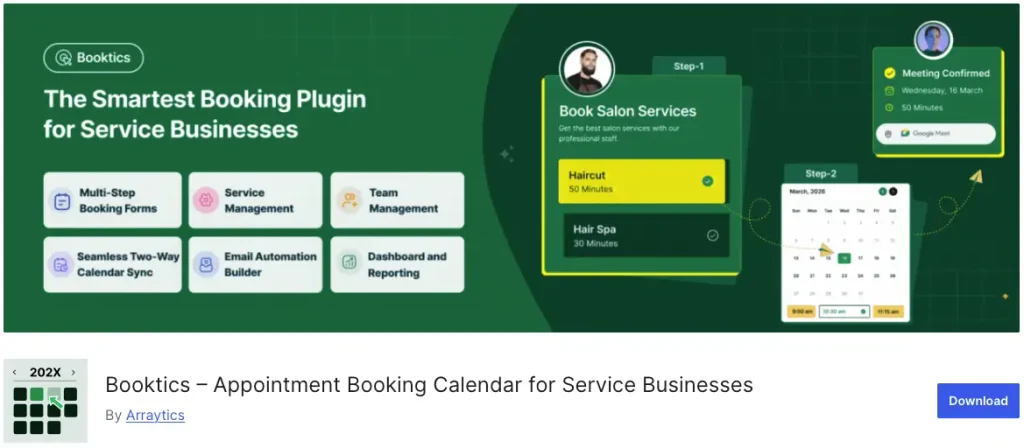
Booktics is a WordPress appointment booking plugin that helps businesses create and manage online booking systems directly from their WordPress websites. It allows service providers to automate appointment scheduling, manage availability, and let customers book appointments without manual communication.
Designed for businesses that rely on scheduled services, Booktics provides essential booking tools to organize appointments, collect customer information, and simplify the overall scheduling process.
Key Features
- Online appointment booking system for WordPress websites
- Customizable booking forms to collect customer information
- Service and schedule management
- Availability and appointment tracking
- Staff and booking management options
- Automated appointment workflow
- User-friendly booking experience for customers
Pros
- Easy-to-use appointment booking solution for WordPress websites
- Helps reduce manual appointment scheduling tasks
- Suitable for different service-based businesses
- Keeps booking management within the WordPress dashboard
- Provides a simple booking experience for customers
Cons
- May not be suitable for businesses looking for highly advanced enterprise-level scheduling features
- Advanced integrations and automation options may depend on future updates
Pricing
- Booktics version available.
- Starter: $63
- Professional: $109
- Agency: $149
Best for: Service businesses, consultants, coaches, agencies, and professionals needing simple appointment scheduling.
5. Bookly

Bookly has been one of the most popular WordPress booking plugins for years, used by over 70,000 businesses worldwide. Its modular approach means you start with a solid free core and extend functionality by adding only the specific add-ons your business needs.
Key Features:
- Fully customizable multi-step booking form
- Automated email and SMS notifications
- Online payments via PayPal, Stripe, 2Checkout, and more (Pro)
- Zoom integration for virtual appointments (add-on)
- Google Calendar two-way sync (add-on)
- Mobile-friendly responsive booking form
- Group bookings, recurring appointments, and waitlists (add-ons)
- Chain appointments (book multiple services in sequence)
- Staff management with individual schedules and services
Pros:
- Highly modular: pay only for the features you need
- Mature, battle-tested plugin with a large user community
- Excellent booking form customization options
- Mobile-responsive design out of the box
Cons:
- Add-ons can get expensive quickly if you need many features
- Free Lite version is very limited (single staff, no payments)
- The modular approach can be confusing for beginners deciding what to buy
Pricing: Free Lite version. Bookly Pro starts at $89 (one-time). Individual add-ons range from $29 to $89 each.
Best For: Businesses that want granular control over which features they pay for, and developers who appreciate a modular architecture.
6. LatePoint
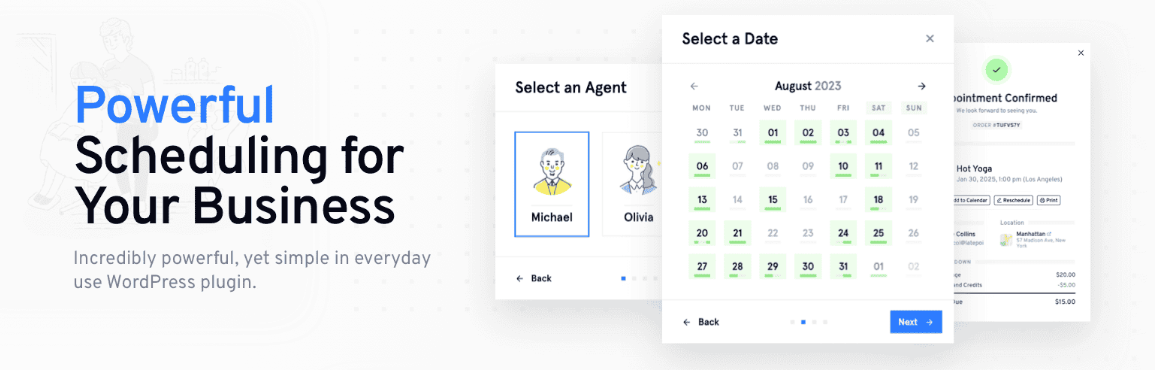
LatePoint is the plugin you choose when you want your booking system to look and feel premium without spending hours configuring it. It is widely praised for having the most intuitive admin dashboard and the most visually polished booking forms among all WordPress booking plugins.
Key Features:
- Stunningly designed admin dashboard with daily, weekly, and monthly calendar views
- Multiple booking methods: shortcodes, block elements, or trigger buttons
- Stripe payment integration for online payments
- Responsive design that works beautifully on all devices
- Flexible appointment management with drag-and-drop rescheduling
- Customer and agent portal for self-service
- Highly extensible architecture for custom add-ons
- Discord community for peer support and quick answers
Pros:
- Best-in-class UI/UX that impresses both admins and clients
- Quick setup with minimal configuration needed
- Very developer-friendly with extensible hooks and add-on architecture
- Active community on Discord for fast troubleshooting
Cons:
- Fewer payment gateways compared to BookingPress or Amelia
- The free version is relatively new with limited features
- Smaller ecosystem of add-ons compared to Bookly
Pricing: Free Lite version available on WordPress.org. Premium starts at $49/year for a single site.
Best For: Businesses that prioritize design and user experience, agencies building client sites, and anyone who wants a beautiful booking system with minimal setup.
7. Simply Schedule Appointments
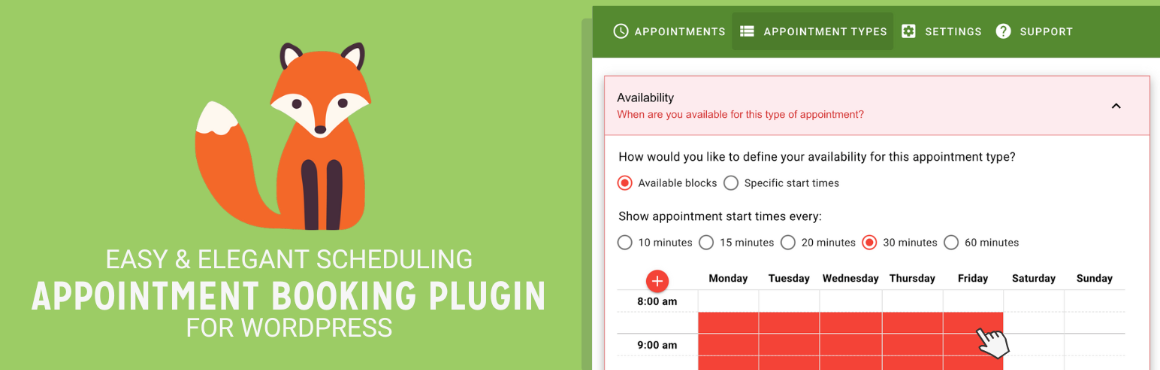
Simply Schedule Appointments (SSA) lives up to its name. It is built for small businesses, coaches, consultants, and solopreneurs who want a fast, no-fuss booking calendar that works right out of the box. Loved by over 60,000 businesses with a near-perfect 5-star review average, SSA proves that simplicity and power can coexist.
Key Features:
- Unlimited booking calendars even on the free plan
- Setup wizard that gets you accepting bookings in under 5 minutes
- Automatic timezone detection for international clients
- Customizable email notifications
- Advanced scheduling: buffer times, blackout dates, booking windows
- Google Calendar sync to prevent double bookings (premium)
- Group and team bookings (premium)
- Payments via PayPal and Stripe (premium)
- Compatible with Elementor, Divi, Beaver Builder, and Gutenberg
Pros:
- Extremely easy to set up and use with zero learning curve
- Generous free plan with unlimited calendars
- Excellent 5-star support team known for fast response times
- Lightweight and fast with minimal impact on site performance
Cons:
- Payments and calendar sync require the premium plan
- Not ideal for complex multi-staff or multi-location operations
- Fewer advanced features compared to BookingPress or Amelia
Pricing: Free Basic edition. Premium starts at $99/year (renews at $129/year).
Best For: Solo consultants, coaches, therapists, tutors, and small service providers who want a clean, fast booking system without complexity.
8. Booking Calendar
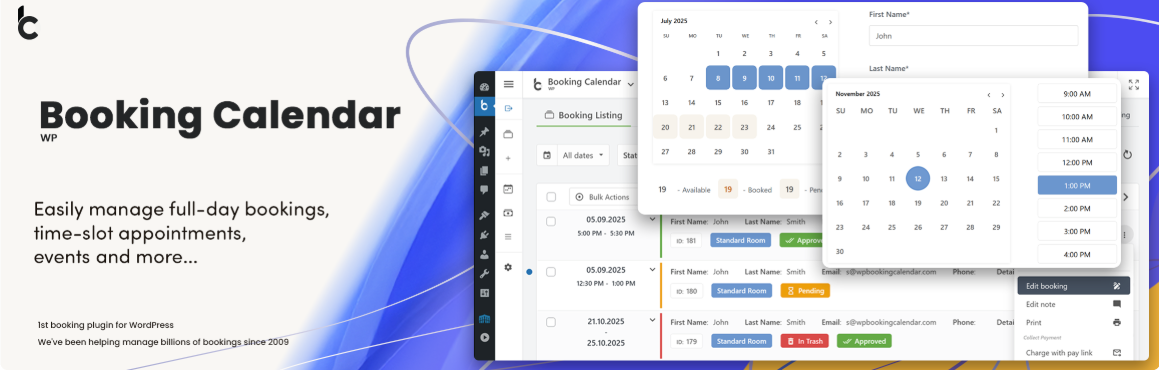
Booking Calendar is the original WordPress booking plugin, powering thousands of websites since 2009. If you need a proven, stable solution for managing full-day bookings, time-slot appointments, or event reservations, this veteran plugin has been refined over more than 15 years of continuous development.
Key Features:
- Full-day bookings, time-slot appointments, and changeover multi-day bookings
- Setup Wizard for quick configuration in under 3 minutes
- Responsive calendar with customizable appearance
- Booking sync with external services to avoid duplicates
- Customizable booking form fields and email notifications
- Multi-resource booking for managing multiple properties or services (Pro)
- Season-based pricing and availability rules (Pro)
- Online payments via PayPal, Stripe, and more (Pro)
Pros:
- One of the most mature and stable booking plugins available
- Generous free version for basic booking needs
- Excellent for property rental and accommodation bookings
- Extensive documentation and video tutorials
Cons:
- The admin interface feels dated compared to newer competitors
- Advanced features require premium upgrades
- Not primarily designed for service appointment booking (better for rentals and events)
Pricing: Free version available. Premium plans start from $47.40/year (Personal) up to $299.40/year (Multi-site Business).
Best For: Property owners, vacation rentals, event venues, and anyone who needs full-day or multi-day booking management.
9. WordPress Appointment Booking by MotoPress

MotoPress Appointment Booking is a clean, WordPress-native scheduling plugin designed for service businesses that want a lightweight yet fully functional booking system. It is particularly well-suited for beauty salons, barbershops, therapists, and small teams that need multiple locations, services, and staff members.
Key Features:
- Wizard-like responsive booking form with clean UX
- Multiple locations, services, categories, and staff members
- One-to-one and group booking capacity
- Schedule multiple appointments within a single booking
- Individual service availability calendars
- Setup wizard for quick-start configuration
- Approve or deny bookings automatically or manually
- Online payments with Stripe, PayPal, and more (premium)
- Google Calendar sync and email notifications
- Developer-friendly with code reference and style kit
Pros:
- Lightweight and fast with native WordPress feel
- Excellent for multi-location businesses
- Comprehensive video guide library (25+ tutorials)
- Clean, modern booking form design
Cons:
- Smaller user base means fewer community resources and third-party tutorials
- Fewer integrations compared to BookingPress or Amelia
- Some advanced features locked behind the premium version
Pricing: Free Lite version. Premium starts at $59/year for a single site.
Best For: Small salons, barbershops, therapists, tutors, and any small business that values a lightweight, WordPress-native booking experience. It also works well for real estate websites where property viewing appointments need to be managed online.
10. Bookings for WooCommerce Pro

Bookings for WooCommerce by WP Swings transforms standard WooCommerce products into fully bookable services. If your business already runs on WooCommerce and you want bookings integrated directly into your store checkout flow, this plugin provides the tightest integration without requiring a separate booking ecosystem.
If you are building a WooCommerce-based business, pairing this plugin with one of the best WooCommerce themes and WooCommerce variation swatches will create a professional, conversion-ready storefront.
Key Features:
- Converts WooCommerce products into bookable services
- Booking calendar with time-slot reservations
- People types support (adults, kids, seniors) for flexible pricing
- Calendar listing view for managing all reservations
- Booking duration regulation and availability controls
- Confirm or reject bookings with one click
- External calendar sync with Booking.com and Airbnb
- Booking cancellation management
- Uses WooCommerce native checkout for payments
Pros:
- Deep WooCommerce integration using native checkout and payment gateways
- Supports external platform sync (Booking.com, Airbnb)
- People-type pricing is great for tours, activities, and hospitality
- Free version covers basic booking needs well
Cons:
- Requires WooCommerce (not a standalone solution)
- Interface is less polished than dedicated booking plugins
- Learning curve for WooCommerce beginners
Pricing: Free version. Premium (Bookings for WooCommerce Pro) starts at $99/year.
Best For: WooCommerce store owners in hospitality, tours, equipment rental, and service businesses already using WooCommerce for payments.
11. Salon Booking System

Salon Booking System is purpose-built for the beauty and wellness industry. Since 2015, it has been the go-to booking solution for hairdressers, barbershops, beauty salons, spas, therapists, and health care centers. Unlike general-purpose plugins, every feature is designed with salon workflows in mind.
For more on building a complete beauty business online, check out our salon website templates roundup and our detailed guide on setting up an online salon booking system.
Key Features:
- 24/7 online booking designed specifically for salon workflows
- Dedicated mobile staff app for managing appointments on the go
- Customizable booking forms with service-specific options
- Multi-location support for salon chains
- Automated appointment reminders to reduce no-shows
- Loyalty programs and customer retention tools
- 40+ integrations including payment gateways and marketing tools
- Same-day appointment support
- Individual time-based reservation management
Pros:
- Tailor-made for the beauty industry with salon-specific features
- Mobile staff app is a standout feature for on-the-go management
- Loyalty programs built in for customer retention
- Trusted by hundreds of salons since 2015
Cons:
- Too niche for non-salon businesses
- Free version is a trial, not a permanent free tier
- Smaller plugin ecosystem compared to general-purpose alternatives
Pricing: Free trial available. Premium plans start at $69/year.
Best For: Hair salons, barbershops, beauty spas, nail studios, and any beauty or wellness business that needs industry-specific booking tools.
12. WooCommerce Bookings and Appointments

For businesses that live and breathe WooCommerce, the WooCommerce Bookings & Appointments extension offers the most seamless native integration. It supports single-day bookings, hourly appointments, multi-day rentals, and recurring sessions, all managed through the familiar WooCommerce product interface.
Key Features:
- Multiple booking types: single-day, hourly, multi-day, and recurring
- Dynamic cost calculation based on duration, guests, services, or custom rules
- Additional services and resource management
- Full WooCommerce checkout integration with all supported payment gateways
- Booking availability calendars on product pages
- Multi-person and group booking support
Pros:
- Deepest WooCommerce integration available since it uses native products
- Dynamic pricing based on complex rules is very powerful
- Works with any WooCommerce-compatible payment gateway
- Ideal for rentals, tours, accommodations, and services
Cons:
- No free version available
- Premium pricing is significantly higher than alternatives
- Requires WooCommerce knowledge to configure effectively
Pricing: Premium only. Starts at $249/year.
Best For: WooCommerce power users running rental businesses, tour companies, accommodation providers, or multi-service operations that need dynamic pricing.
How to Choose the Right WordPress Booking Plugin for Your Business
With solid options to choose from, here is a simple decision framework based on your specific situation.
Choose BookingPress if you want the most features at a single flat price with no per-addon costs.
Choose Amelia if you need combined appointment and event booking with multi-staff management.
Choose Bookly if you want a modular approach where you only pay for exactly the features you need.
Choose LatePoint if design and user experience are your top priorities.
Choose Simply Schedule Appointments if you are a solopreneur who wants the simplest, fastest setup possible.
Choose Booking Calendar if you need full-day or multi-day bookings for rentals and properties.
Choose MotoPress if you run a small business and want a lightweight, WordPress-native plugin.
Choose Bookings for WooCommerce if you already use WooCommerce and want bookings inside your store.
Choose Salon Booking System if you run a salon, spa, or beauty business and want industry-specific tools.
Choose WooCommerce Bookings if you need dynamic pricing and deep WooCommerce product integration.
Choose Booknetic if you prefer a one-time payment or need SaaS multi-tenant capabilities for your agency.
Frequently Asked Questions (FAQ)
For most service businesses, BookingPress (free version) or Simply Schedule Appointments (free) are the best starting points. If you need full-day or rental bookings, Booking Calendar is the strongest free option. Each offers enough core functionality to get started without paying a cent.
Yes. Most plugins on this list support Stripe and PayPal at minimum. BookingPress leads with 20+ payment gateways, while Amelia supports Stripe, PayPal, WooCommerce, Mollie, Razorpay, and Square. Some plugins offer payment only in their premium versions.
All plugins in this guide work with Gutenberg (the default WordPress editor). BookingPress, Amelia, Bookly, LatePoint, and Simply Schedule Appointments also provide dedicated Elementor widgets or blocks. Most are also compatible with Divi and WPBakery.
Through automated reminders (email, SMS, WhatsApp), deposit and prepayment requirements, and cancellation policies. Plugins like BookingPress, Amelia, and Bookly allow you to send multiple reminder sequences before an appointment and collect deposits that discourage last-minute cancellations.
Yes. BookingPress, Amelia, Bookly, LatePoint, Simply Schedule Appointments, and MotoPress all offer Google Calendar integration (two-way sync in most cases). This ensures your availability stays accurate across all your calendars.
Salon Booking System is built specifically for the beauty industry with features like a mobile staff app and loyalty programs. However, BookingPress and Amelia are also widely used by salons and offer broader feature sets if you might expand beyond beauty services.
No. Most plugins on this list work as standalone solutions. Bookings for WooCommerce and WooCommerce Bookings & Appointments are the only ones that require WooCommerce. Plugins like BookingPress and Amelia offer optional WooCommerce integration if you want it.
Yes. BookingPress, Amelia, Bookly, LatePoint, MotoPress, and Salon Booking System all support multiple staff members with individual schedules. BookingPress, Amelia, and MotoPress also support multiple business locations.
Final Verdict: Which WordPress Booking Plugin Should You Choose?
There is no single best booking plugin for everyone because every business has different needs, team sizes, and budgets. But based on our research and testing, here are our top picks for specific scenarios:
Best overall: BookingPress delivers the most complete feature set at a single price point, making it the safest all-round choice for most service businesses.
Best for multi-staff and events: Amelia excels when you need sophisticated employee management combined with event booking capabilities.
Best for simplicity: Simply Schedule Appointments is unmatched for solopreneurs and small teams who want to be booking clients in under 5 minutes.
Best for design: LatePoint has the most visually stunning interface for both admins and clients.
After installing your booking plugin, take a few minutes to optimize your WordPress website for speed and performance. Fast booking pages convert better. If you plan to collect reviews from your clients, our list of WordPress review plugins pairs perfectly with any booking system. And for the best foundation, make sure you are on a reliable managed WordPress hosting plan.