


On This Page
Are you looking to start an eCommerce business but can’t invest funds into inventory? You can realize this dream.
Having to manage inventory forces you to deal with warehousing, manufacturing, and other production expenses. The upfront costs can be a big burden for an entrepreneur with a low budget. The best way to deal with this problem is to bypass inventory altogether.
In this article, we’ll look into how to start an eCommerce business without inventory. We will also examine the various eCommerce models that don’t require inventory and help you choose your best match. We will also take you step-by-step through the process of starting your own zero-inventory online business.
The Top 5 Online eCommerce Business Models Without Inventory
There are a few eCommerce business models that don’t need inventory. Each holds different upsides and downsides. Examine them to make an informed decision.
1. Dropshipping
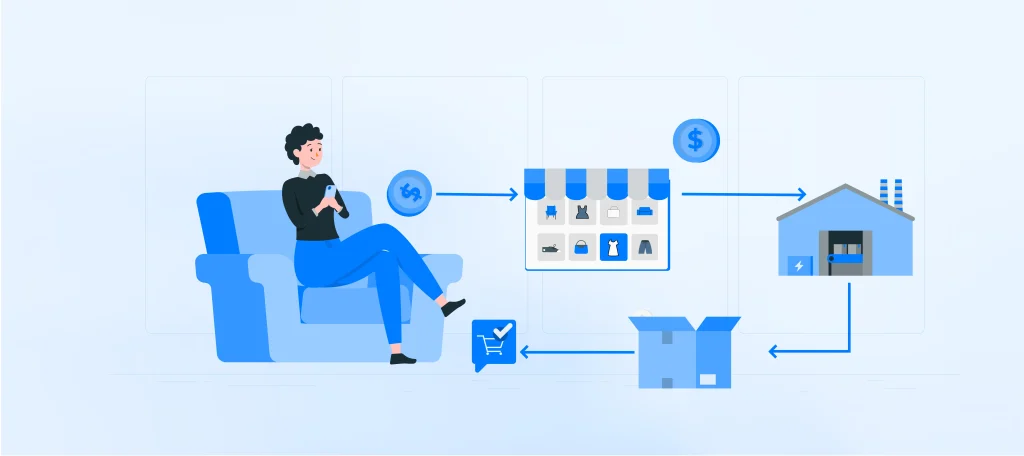
Shopping is an inventory-free eCommerce model in which you sell products from suppliers without holding the stock. This allows you to experiment with various products with minimum risk.
Here’s what the model promises:
- Simplicity in managing inventory, deliveries, and order returns – the supplier handles it.
- Flexibility in handling products from multiple suppliers and niches.
- Low capital requirements since there are no inventory purchase or management costs.
- Location flexibility because all you need is an internet connection
The challenges of this model include the following:
- Obtaining reliable suppliers may be difficult
- You have less control over shipping and inventory
The freedom this model offers is very appealing despite its challenges.
2. Print on Demand

Print on demand is a model that allows you to create custom items and sell them online without handling physical inventory. All you have to do is partner with a supplier who prints on demand.
You need to create images of designs for caps, T-shirts, sweatpants, hoodies, and tote bags. The next step is to post them on your shop for users to buy. Your supplier then prints the design on the white-label item upon purchase, fulfills the order, and ships it.
It has several benefits, including the following:
- Low startup costs
- Little demand for physical presence; thus, location flexibility
- No handling of inventory
The biggest challenge is the model’s requirement for design skills. Outstanding designs are essential for commanding high prices. Explore creative Online Clothing Business Ideas to complement your eCommerce journey and find inspiration for starting a successful inventory-free store.
3. Affiliate Marketing

With an affiliate store, you promote products from various vendors on your website. They give you affiliate links for the products. You earn a commission each time a sale is made through your affiliate link.
Its advantages include:
- Can display products from multiple vendors to give customers variety
- Passive income is possible after you implement solid marketing strategies
- Minimal investment requirements
Affiliate marketing has one noteworthy challenge. There’s a dire need for a lot of search engine optimization and strong marketing strategies.
4. Teach an Online Course

Teaching a course online is a brilliant way of making money and utilizing your skills. The most significant requirements of this model are passion, skills, experience, and a target audience. If you have these, you can begin by doing the following:
- Scrutinize your course idea to ensure its market viability
- Develop comprehensive course material and a course outline
- Choose the best course material format for the course and your learners
- Set up a learning management system website (we will give details on this later)
There are many advantages to adopting this model. These include generating revenue from your passion and establishing yourself as an expert in your field. The only considerable issue is the intensive preparation needed to create a helpful course.
5. Third-party Logistics
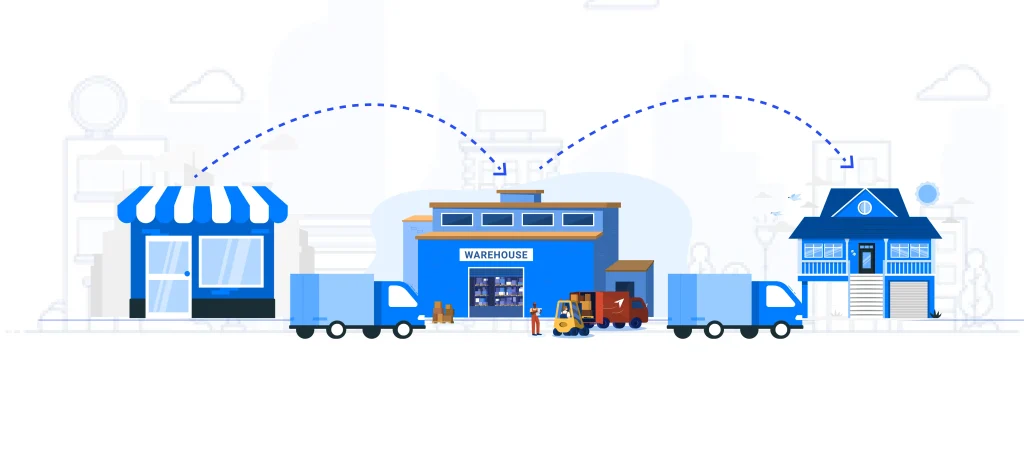
As the name suggests, third-party logistics (also known as 3PL) involves outsourcing all logistical operations, including warehousing, inventory management, and shipping. Specialized 3PL providers can be very beneficial.
- The resources and expertise of 3PL providers can enhance customer satisfaction and streamline operations
- Saves on staff and shipping expenditure
- Makes it easy to scale up and down with demand fluctuations
- Saves time you’d need to spend implementing and managing logistics technology
Despite its advantages, 3PL may require you to shoulder extra costs like those incurred in returns and exchanges. However, you can negotiate on such issues with your 3PL service provider.
Which is the Best eCommerce Model for You?
You need to evaluate various key factors to find the best inventory-free eCommerce model. Let’s take a quick look at these aspects.
- Investment required: The financial investment needed to start your shop differs from model to model. You should also consider the amount of time each model requires you to invest. Take what you can handle.
- Creative freedom: If you want to express yourself through your business venture, weigh how much creative autonomy each model offers. For instance, print on delivery would suit a creative mind better than dropshipping.
- Technical demands: Some models may require some technical expertise. For instance, you can choose to teach an online course using videos. You may have to hire an expert video editor if you don’t have the necessary expertise or software.
- Scalability potential: The model you choose should align with your growth aspirations. Weigh its viability as you craft your business plan.
How to Start Your Online Business with No Inventory
Having a zero-inventory business sounds like a lofty ambition. However, its feasibility and advantages are enough to make it your main revenue source.
The models we’ve listed for you have many similarities in their execution. Regardless of your choice, you can follow the following steps to start your inventory-less eCommerce shop.
Step 1: Choose a Niche and Products
The first and most consequential step in creating an online business is choosing a niche. Start by considering the niches you’re already familiar with, including your skills, hobbies, interests, and passions. For instance, print on demand is an excellent path if you love drawing and creating designs.
The same criterion is ideal for choosing products. A sports fan can print sports memorabilia and designs. When selecting products to deal in, you can feel free to experiment. Most models allow you to modify your offerings to adapt for profitability. Once you’ve chosen your niche and products, it’s time to conduct in-depth research on your potential market.
Step 2: Conduct Market Research
You need to understand the market you’re entering. Familiarize yourself with your potential competition, their products, marketing, reputation, and influence. You can also look at their social media to gauge customer interactions.
You must also understand who you’re designing products for – your target audience. Start by defining your ideal target customer, their interests, age, and location. Understand their purchasing behavior, needs, and pain points before figuring out ways of providing solutions.
This in-depth comprehension of your market and target audience will help you satisfy their demands. It will also be a guide to your potential pricing plans.
Step 3: Organize Your Product Offerings

After identifying your market, audience, and product, you can start organizing your product offerings. You should base your potential offerings on the audience’s needs and the available products. You can start with just a few offerings. For instance, if you’re selling an online course, begin with just one.
For better chances of success, choose a supplier with excellent customer service. If your model requires you to provide top-tier customer service, adequately prepare yourself. Ensure your supplier consistently offers high-quality products.
Customize your product offerings to suit your customers and promote your brand. Although this can drive incredible brand loyalty, it demands a deep understanding of your target market. Prepare various designs in advance for models like print-on-delivery.
You may need to organize a delivery system depending on your model of choice. Partner with shipping and logistics companies where applicable. It’s easier than it sounds: you can have DoorDash or UberEats delivery services assist your delivery system.
Step 4: Create Your eCommerce Website
Next on your to-do list is to create a robust website to attract customers. Here’s what you need to create a powerful and functional website:
- Choose a Domain Name
Choose a domain name that suits your business and brand. It should be unique and easy to remember. For an easy illustration, our URL is https://www.radiustheme.com. Our domain name is radiustheme, while .com is our domain extension. Here are more details on your choice of a domain name:
- Search for domain generators and use them to generate domain name ideas
- Shortlist your favorites and check whether they’re taken or available
- Incorporate niche=relevant keywords
- Don’t use numbers or special characters
- Ensure it isn’t a registered trademark
- Keep it short and virtually impossible to misspell or mispronounce
- Ensure that corresponding social media handles are available
- Choose .com as your extension
- Consider purchasing the versions of your domain name with other extensions
You can then register your domain name with a domain name registrar like HostGator or GoDaddy. Such domain name registrars offer pre-installed versions of WordPress.
- Choose a Web Host and Plan
A web host stores your website’s data and avails it online and live. Some web hosts like HostGator are also domain registrars. This simplifies your site creation process. Here are some factors to bear in mind when choosing a web hosting and plan.
- Decide the hosting type (e.g., Shared, VPS, Cloud, etc.) and pricing plans based on budget and preferences.
- Select a host with high storage and bandwidth
- Beware of hosting that promises 100% uptime—it is impossible to achieve. It shouldn’t be lower than 99.8% since that means poor performance.
- Choose providers with regular and automatic backups
- Check the additional features that each provider and plan offers, including emails and SEO tools
- Thoroughly browse through customer reviews to know the shortfalls of different providers and plans
There are different hosting providers available. Hostinger and HostGator are great choices, considering the factors above.
- Choose WordPress as Your Content Management System
A content management system (CMS) is the platform on which you build your website. Hosting providers like HostGator provide pre-installed WordPress versions. Apart from being preferred on 43.6% of all live websites, WordPress has some clear advantages over other CMSs.
WordPress offers tens of thousands of free and premium plugins and themes. They make it easy to create websites easily and with minimum expertise requirements. WordPress has a user-friendly interface, and other top features that make it popular.
- Install and Activate the ShopBuilder Plugin
ShopBuilder is an outstanding plugin that brings in everything you need in an eCommerce shop. The plugin is rich in variety, from shop, product, cart, and checkout page layouts to social share, image gallery sliders, AJAX paginations, and flash sale countdown timers. Here’s how to get his robust tool on your site:
From your WordPress admin dashboard, click Plugins 🡪 Add New Plugin.

On the next page’s search bar, type ShopBuilder and find the result that reads ShopBuilder—Elementor WooCommerce Builder Addons. Click Install Now on this result.

Hit the Activate button that replaces the Install Now button.

Once you have the ShopBuilder plugin, you can choose from its many page templates or create them from scratch. You will also have to choose a WordPress theme to complete your site.
- Choose a WordPress Theme
The WordPress theme you choose will define the appearance and operation of your site. There are a few WooCommerce WordPress themes based on ShopBuilder to choose from. Elektra is for Electronics stores, OMart for organic stores, Décor for furniture stores, Eleganz for fashion stores, and Partshop for auto part shops. Markeet and Easyshop suit any shop for which you choose them.
These themes are all premium but are the best you can choose. You will have to download them before uploading and installing them to your website. Here’s how to add your favorite theme to your website.
Click the Themes option under the Appearance item on the admin dashboard.

Here, you can search for, install, and activate any free theme following the same steps as you did for ShopBuilder above. For high-quality premium themes, click the Add New Theme option at the top of the window.

Click on Upload Theme and then Choose File to select the zip folder of the premium theme you already downloaded.

Next is to install and activate following the intelligent installation wizard you’ll get. You can review the layouts and other features your chosen theme offers. Customize as much as you want to come up with the appearance that suits your preferences.
Step 5: Create a Business Plan
Next, you should create an action plan for executing your business. It should include details of the resources you will need and their allocation. A business plan should analyze the risks your business faces and lay out possible solutions.
This meticulous plan should provide a long-term reference point for your business. It will guide you through its contents, which should include the following:
- An overview of your business and its goals
- A detailing of your niche market and target customers
- A list of your products
- An outline of your intended financial management
- Your marketing strategy
You need to keep your business plan up to date. Ensure that it reflects changes such as your marketing strategy and the list of the products you offer. This is the only way for it to function as a compass and mirror: a guide and reminder of where you’re headed.
Step 6: Register Your Business
Registering your business is crucial for operating it legally. You may have to thoroughly study all relevant laws and regulations in your area of operation. Alternatively, you can hire a lawyer to break it down and advise you accordingly.
A lawyer will also help you analyze partnership agreements before signing them. Form a limited liability company (LLC) to shield your assets from frivolous litigations and fines. Ensure you have all the licenses and permits necessary for your business model.
Step 7: Promote Your Store
You can only profit from an eCommerce store if you promote it effectively. You can start by preparing a sturdy marketing strategy to get the word out on your business. The aim is to get as many eyes on your website and brand as possible. You’re also going for a stellar reputation.
Social media is a powerful marketing tool. Create business profiles on the most popular social platforms among your target audience. Share your products and offers with relevant tags and engage with commenters. You can also pay influencers to advertise your brand and products.
Create YouTube videos that directly or indirectly promote your products. Break down your creative process into videos and share them on TikTok, Instagram, X, and YouTube where possible. This tactic endears you to your potential and existing customers.
You can give away or sell merchandise with your branding and site links to drive traffic. Paid ads on websites that your target demographic frequents are an excellent tactic. The more people see and interact with your branding, the more customers you gain.
Step 8: Monitor Your Performance and Optimize Accordingly
Once your website is online, you need to monitor its performance and progress. You can observe these two in two ways.
- Website data: You can view various data points to understand how your site is performing. Look at traffic, product page bounce rates, conversion rates, average order value, and similar metrics. Then, adjust your practices to enhance performance where necessary.
- Customer feedback: You can gauge your site’s standing through customer surveys, social media interactions, and customer service queries. This is the best indicator of your progress since customers often pinpoint specific shortcomings, making it easier to make amends.
Always be receptive to constructive criticism. Being too set in your ways can cause unimaginable losses. Instead, change and adapt to your customers’ preferences.
Frequently Asked Questions
How Do You Sell Something Without Inventory?
Several online shop models don’t require inventory. Sellers can adopt drop shipping, third-party logistics, print on demand, digital products, and affiliate marketing models.
How Do You Sell a Product Online Without Dealing with Order Fulfillment?
Partnering with third-party logistics providers allows you to sell online products without handling order fulfillment. These companies handle dealing with order fulfillment by partnering with third-party logistics providers. These companies cater to all logistical operations, including warehousing, inventory management, and shipping.
How Much Inventory Must You Have Before Starting an Online Shop?
None. It is possible to start an online shop without inventory. You can adopt eCommerce shop models like dropshipping, affiliate marketing, print on demand, and affiliate marketing.
Plan Adequately, Choose Wisely, and Work Hard
Starting an eCommerce business without inventory can be your best decision. Provided you plan adequately and execute painstakingly, your chances of turning a profit are high. Be sure to choose a model that resonates best with your talents and disposition.
Although it may take some work to start, it is much less stressful than managing a regular business with inventory. Let your creativity and business acumen merge – start your eCommerce business with inventory today.



