On This Page
It’s 7 p.m. The fridge is empty, and nobody wants to drive to the store. So your customer picks up a phone and opens the first grocery site that loads fast.
Is that site yours, or a big chain’s?
This moment now happens millions of times a month. In September 2026, nearly 64% of US households bought groceries online, a new record. Online orders also reached 20.9% of all grocery spending that quarter.
You don’t need a developer or a big budget to get your share. You need the right template, and most lists won’t tell you what a template can’t do.
Quick answer: The best grocery website templates in 2026 are Bacola, WoodMart, Nest, Zilly and Canopy. Bacola is the best pick for most stores. Nest is best for local delivery. Canopy is best if you want Shopify and sell thousands of items.
Below, you’ll see how they compare, where each one falls short, and how to launch your store step by step.
Compare the top 5 at a glance
| Template | Platform | Price (USD) | Sales and rating | Best for |
| Bacola | WooCommerce | $47 | 3,410 sales, 4.88/5 | Most small and mid-size grocery stores |
| WoodMart | WooCommerce | $69 | 110,000+ sales | Stores that also sell non-food items |
| Nest | WooCommerce | $49 | 1,814 sales, 4.77/5 | Local delivery and multi-seller markets |
| Zilly | WooCommerce | $49 | 573 sales, 4.69/5 | Stores that plan to add a mobile app |
| Canopy | Shopify | $420 once | 95% positive, 171 reviews | Large catalogs on Shopify |
Prices and sales were checked on November 3, 2026. They can change, so confirm them before you buy.
What a grocery website template must do in 2026
A grocery template must help people fill a big basket fast on a phone. Fashion shoppers may buy one item. Grocery shoppers often buy 20 items from a list, so every extra tap adds up.
Check for these features before you buy:
- Add to cart from the shop page. Shoppers should not have to open each product. Grocery is list shopping, so quick add matters most.
- Fast search. Results should appear as the shopper types.
- Clear pack sizes. Show 500 g, 1 kg or a 6-pack without extra clicks.
- A mobile layout built for thumbs. Look for a sticky cart and a bottom menu.
- Delivery area checks. Shoppers should learn early if you deliver to them.
- Easy reorders. People buy the same staples each week. A wishlist or buy-again list saves them time.
- Stock labels. Low stock and out-of-stock labels help avoid refunds.
What changed since older template lists
Many older lists praise pretty homepages. Today, the work behind the page matters more.
- Local delivery comes first. Themes now ship with location filters. Nest even sets delivery charges by distance.
- Ordering by chat is common. Nest and Bacola both support ordering on WhatsApp.
- AI helps with product text. Bacola can draft product descriptions using OpenAI. Always check the facts, mainly ingredients and allergens.
- Security needs regular care. WoodMart issued an urgent update in October 2026. A theme you never update puts customer data at risk.
HTML template or store theme?
Choose a WooCommerce or Shopify theme if you don’t code. An HTML template is only the front of a website. It needs a developer to connect the products, payments and orders.
This is a key change from older lists. Many of them offered HTML templates to people who wanted to avoid code. For a real store, that advice leads to a dead end.
The 5 best grocery website templates
We chose these five based on sales, reviews, recent updates and grocery features. Each one was updated in the last two months.
1. Bacola
Best for most grocery stores.
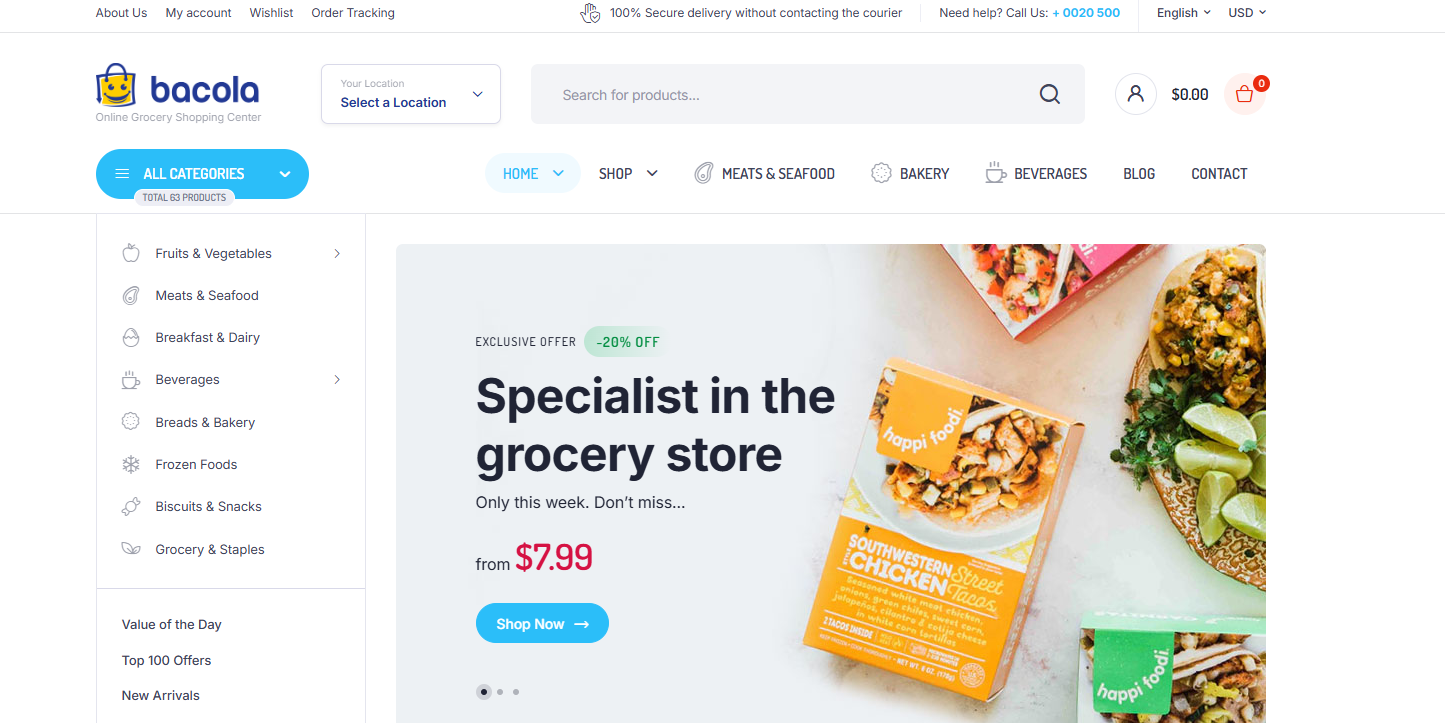
Bacola is one of the top sellers in the ThemeForest grocery category. It was built for food stores, so you change less after setup.
- Why it works: A quantity box on each product lets shoppers add items without leaving the page. It also has a location filter, a mobile bottom menu and order tracking.
- Good extras: WhatsApp ordering, a free shipping bar, minimum order amounts, right-to-left language support and Contact Form 7.
- Watch out for: It has no built-in delivery time slots listed. Plan to add a plugin.
- Choose it if: You run one grocery store and want a proven theme at a low price.
2. WoodMart
Best for stores that sell more than food.
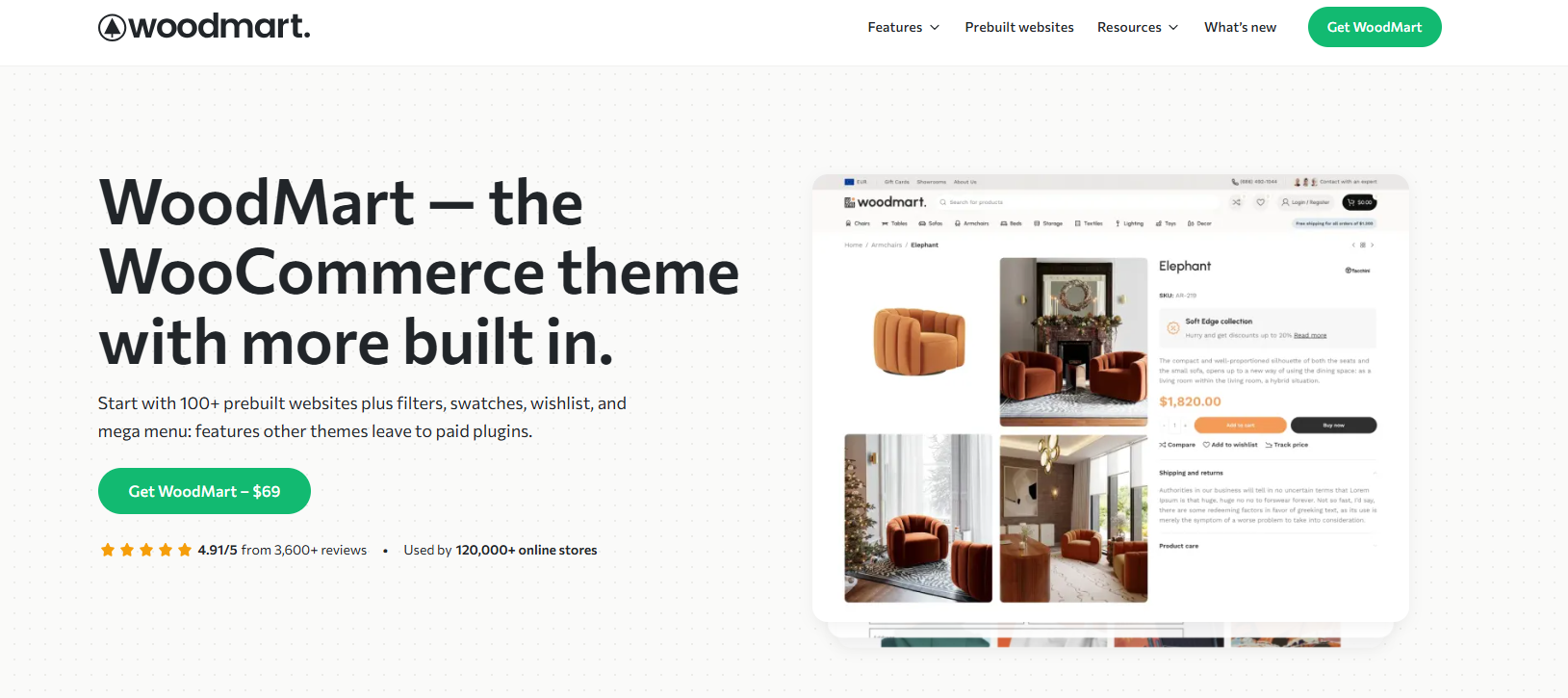
WoodMart is a multipurpose theme and a long-time WooCommerce best seller. It offers a grocery prebuilt site you can import, and it rated 4.91/5 at last check.
- Why it works: Recent updates focused on faster page loading. It suits stores that may add home goods or kitchen items later.
- Good extras: Layouts for stores, portfolio sites and company sites, plus a header builder and ongoing updates.
- Watch out for: Its popularity makes it a target, and it has had several patched security flaws. Run updates right away. The regular price also rose to $69 on September 1, 2026.
- Choose it if: You want room to grow beyond groceries and you will keep the site updated.
3. Nest
Best for local delivery and marketplaces
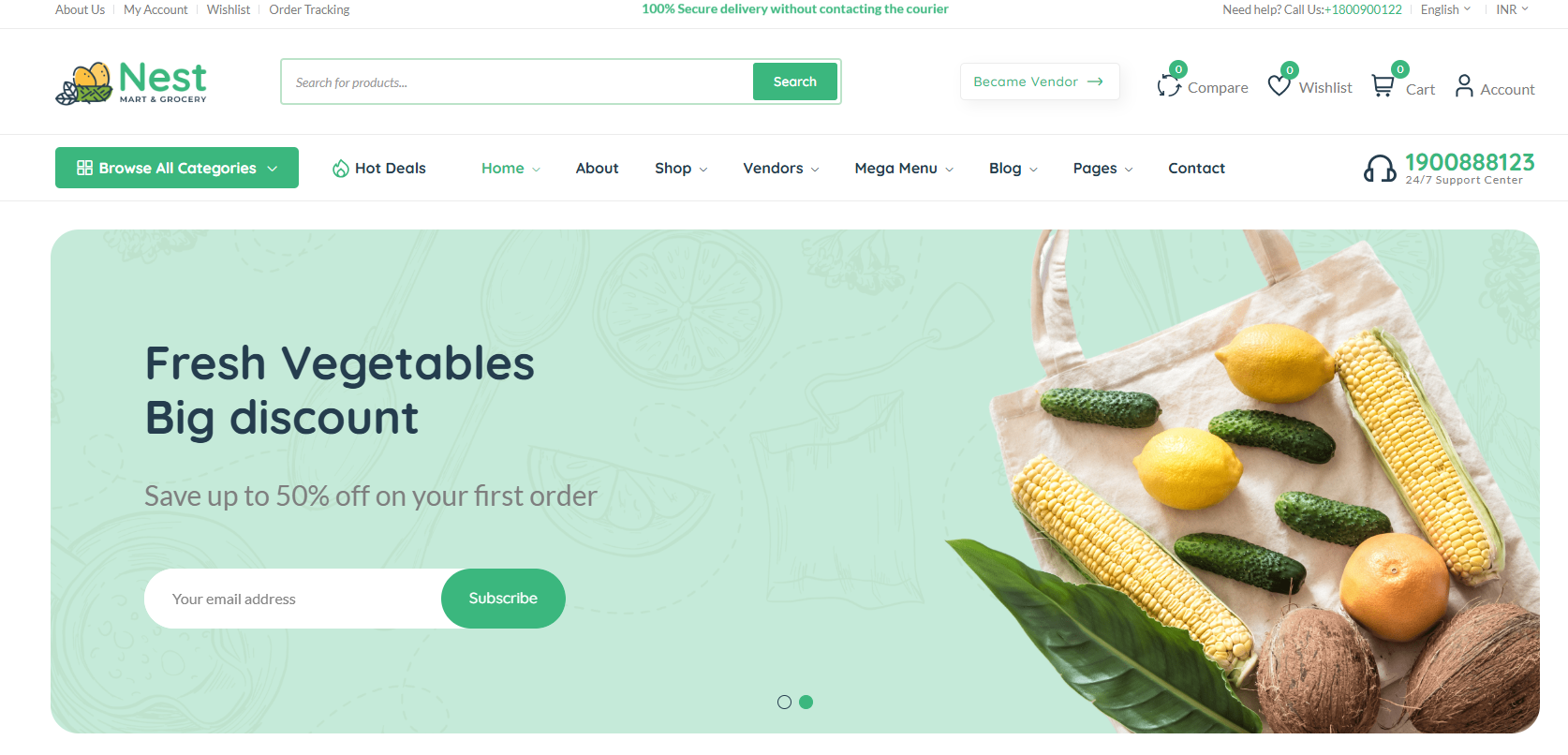
Nest is the most delivery-focused theme on this list. It solves a common problem: orders from people outside your delivery area.
- Why it works: Its GPS filter hides products that can’t reach the shopper. It can also change the delivery fee based on distance.
- Good extras: WhatsApp ordering, built-in SEO settings, a popup builder, MailChimp newsletter signups and nine demos, including neighborhood grocery and supermarket styles.
- Watch out for: The seller’s sales claims are its own, so test the demo yourself. GPS filtering also needs customers to share their location.
- Choose it if: You deliver within a set area, or you want many local sellers on one site.
4. Zilly
Best for stores planning a mobile app
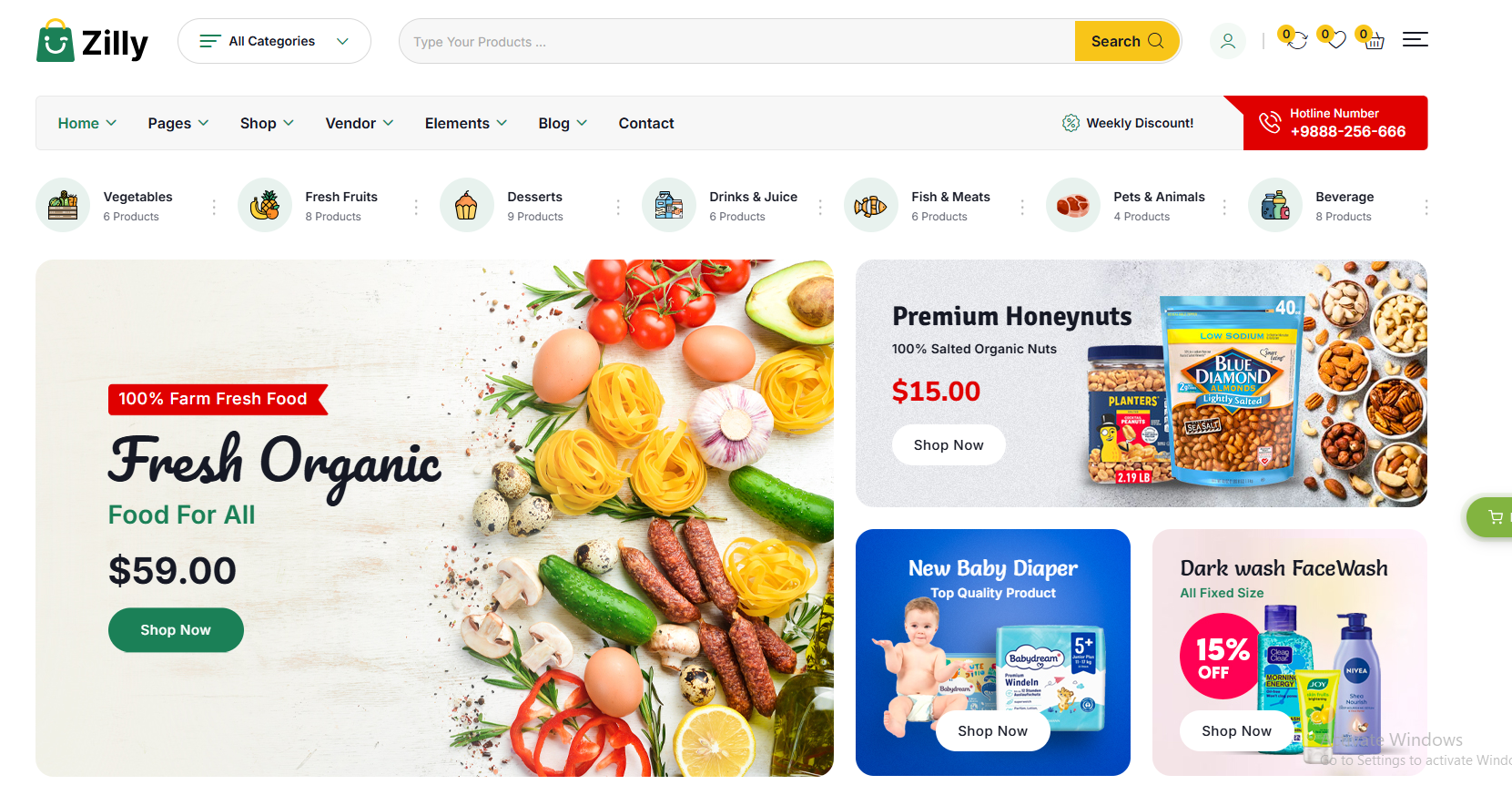
Zilly is the RadiusTheme grocery theme, so we know it well. It runs on Bootstrap 5 and works with Elementor, a drag-and-drop page builder.
- Why it works: You get 7 homepages, 20 product page options and 8 headers. Its Ajax filters let shoppers narrow results without reloading the page.
- Good extras: ShopBuilder, variation swatches and an image gallery plugin are included at no extra cost. You also get Google Web Font support and blog layouts, much like a bootstrap blog template, for recipes and store news. A separate Flutter mobile app is sold on its own.
- Watch out for: It has fewer sales and reviews than Bacola, so you will find fewer community tips.
- Choose it if: You want a website now and a branded app later.
5. Canopy
Best for large catalogs on Shopify
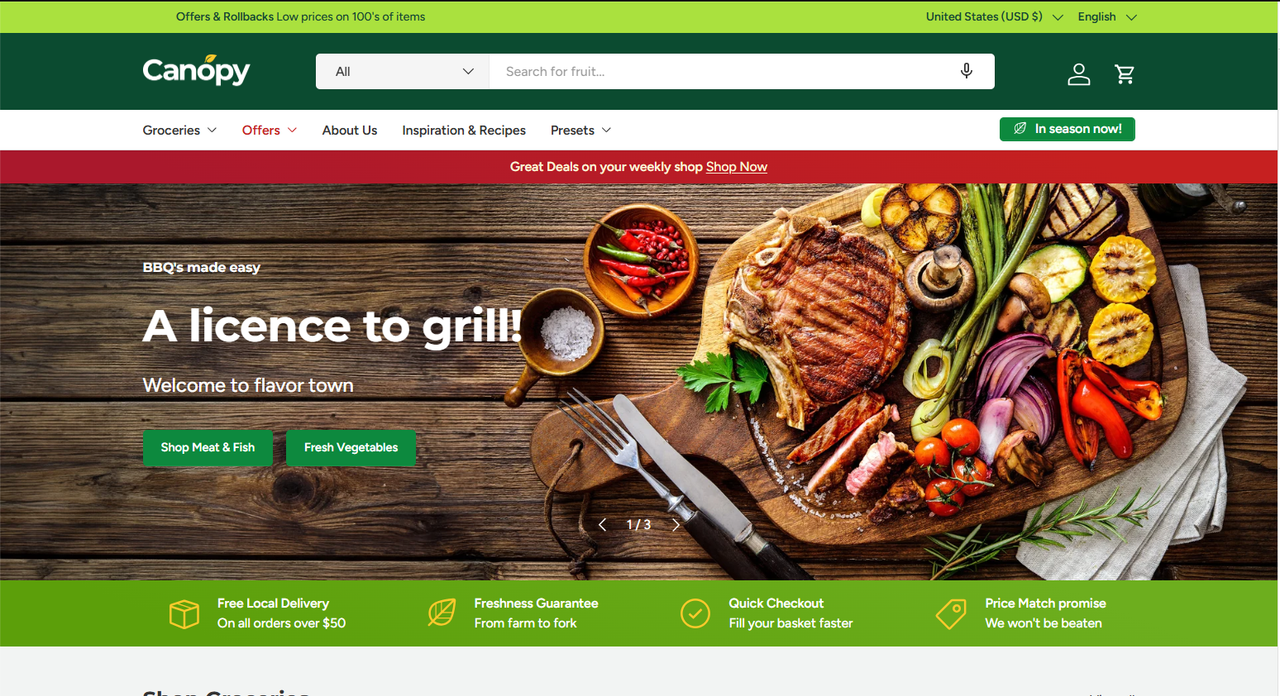
Canopy is a Shopify theme made for big carts and big inventories. Its maker calls it Amazon-inspired, with search placed front and center.
- Why it works: It has a quick order list, an optional always-visible cart, in-store pickup and a stock counter.
- Good extras: A Mega Menu, back-in-stock alerts, an ingredients and nutrition display, and right-to-left support.
- Watch out for: It costs $420 once, plus the monthly Shopify plan. Shopify says you only pay when you publish, so test it first.
- Choose it if: You sell thousands of items and don’t want to manage hosting or updates.
Which one should you pick?
| Your situation | Best pick |
| One store, tight budget | Bacola |
| Grocery plus other product types | WoodMart |
| Delivery within a set radius | Nest |
| Several sellers on one site | Nest |
| Website now, mobile app later | Zilly |
| No hosting work, big catalog | Canopy |
| Just testing the idea on Shopify | Taste, a free theme |
How to launch a grocery website with a template
You can launch a simple grocery store by following these 8 steps. Set your delivery rules before you pick a theme, because they shape every choice after that.
- Set your delivery rules. Write down your delivery area, hours, minimum order and fees. Start small. One area done well beats a whole city done badly.
- Pick your platform. Choose WooCommerce if you want more control and lower software costs. Choose Shopify if you want hosting and updates handled for you.
- Try the demo on your phone. Search for an item, add five products and go to checkout. If it feels slow or clumsy, skip that theme.
- Buy a legal copy. Use the official marketplace or the seller’s own site. This gets you updates and support.
- Import the demo. Most themes offer one-click import. Then swap in your logo, colors and store details.
- Add your products. Start with your top 100 sellers, not your full stock. Use clear names, such as “Basmati Rice 5 kg.” Add real photos, pack sizes and prices.
- Set up delivery and payments. Add delivery zones and a time slot tool. Turn on the payment methods your customers use most.
- Place test orders. Order on a phone from start to finish. Check the emails, the stock count and the delivery fee. Then ask a friend to try it without help.
Add what the template doesn’t include
Most themes handle the look of your store, not the daily work behind it. You may need these add-ons:
| Need | What to add |
| Delivery time slots on WooCommerce | Order Delivery Date or a similar plugin, with free and paid versions |
| Delivery time slots on Shopify | A delivery date app, such as Stellar Delivery |
| Live stock from your shop till | A link between your point-of-sale system and your site |
| Items priced by weight | A weight-pricing plugin, or fixed packs such as 500 g and 1 kg |
| Item swaps when stock runs out | A note field at checkout, then a call or message to the customer |
Stock matters most. If your site shows yesterday’s stock, you will sell items you no longer have. If you can’t link your systems yet, update fast-selling items by hand each morning.
What it costs to start
| Cost | WooCommerce | Shopify |
| Template | $47 to $69, one time | Free to $420, one time |
| Platform | Free plugin, plus paid hosting | $39 a month, or $29 with yearly billing, on Basic |
| Delivery slots | Free or paid plugin | App, free or paid |
| Theme support | 6 months included, extension costs extra | Comes from the theme maker |
Also budget for a domain, payment fees and good product photos.
6 mistakes that hurt new grocery sites
Most new grocery sites struggle because of daily operations, not design. Avoid these common mistakes:
- Using a cheap copy of a paid theme. Sites sell copies of top themes for about $5. These copies get no official support, and the WoodMart team says such sales are illegal. They can also carry hidden security risks.
- Skipping updates. Back up your site, then update your theme and plugins often. Old code is an easy way in for attackers.
- Promising more delivery than you can handle. Without limits on slots and areas, riders get overloaded and orders run late. Set a cap on orders per slot.
- Installing too many plugins. Each one adds weight and can clash with others. As your catalog grows, cheap hosting can slow your store too. Compress your photos and turn on Lazy Load so images load only as shoppers scroll.
- Using stock photos for fresh food. Shoppers can’t touch the produce. Real photos build trust, and a simple team page shows the people behind your store.
- Hiding the rules until checkout. Show your delivery area, fees and minimum order on the homepage. Surprises at checkout lose sales.
What about Google and AI search?
An SEO friendly theme will not rank your store on its own. It only gives you a clean starting point. To get found, try these steps:
- Write your own product and category text. Don’t keep the demo text.
- Create a page for each delivery area, but only if you really serve it.
- Add your hours, address and delivery zones in plain words so search engines and AI tools can read them.
- Add product schema. This is code that tells search engines the price and stock of each item. Nest generates it for you, and plugins can do it on other themes.
- Keep your Google Business Profile up to date.
- Test your site in PageSpeed Insights on mobile. Then use basic speed optimization steps to fix what it flags.
Frequently asked questions
What is the best grocery website template?
Bacola is the best choice for most stores. It costs $47, is built for food stores and has strong reviews. Pick Nest for local delivery, or Canopy for a large Shopify store.
Can I build a grocery website without coding?
Yes. WooCommerce and Shopify themes let you import a demo, then edit it with visual tools. You don’t need to write code for a basic store. Avoid HTML templates unless you have a developer.
Is WooCommerce or Shopify better for a grocery store?
WooCommerce gives you more control and a lower upfront theme price, but you manage hosting and updates. Shopify costs more each month and handles those jobs for you. Choose based on who will maintain the site.
How much does a grocery website cost?
A basic store can start at under $100 for a theme, plus hosting and a domain. On Shopify, expect $29 to $39 a month for the Basic plan, plus any paid theme or apps.
Can a template handle delivery time slots?
Usually not on its own. Most themes need a plugin or app for time slots. Check the feature list before you buy, and test it in the demo if you can.
Can I use one theme on two websites?
Usually not. A ThemeForest regular license covers one site. Buy a license for each new store.
Are free grocery templates good enough?
They can work for a small test. Shopify’s free Taste theme suits a small catalog. Paid themes usually add more grocery tools and support, which helps once orders grow.
Can I add a mobile app later?
Yes. Some themes have a companion app. Zilly offers a separate Flutter app for WooCommerce stores. A fast mobile website is enough for most new stores.
Your next step
Open the demos for your top two templates on your phone. Search for an item, fill a cart with five products and go to checkout. The one that feels easiest is your winner.
Then write down your delivery area and start with your 100 best sellers. You can be ready to take test orders much sooner than you think.
Want to see a theme built for grocery stores? Try the Zilly live demo.