


On This Page
When you want to uniquely display your team members on your WordPress website to make a powerful impact, you feel the urge to use the best team member plugin.
However, it gets complicated as you opt to select one from a list of the best WordPress team member plugins. Many options confuse you, and without the proper guidelines, you choose the wrong one.
Thus, to avoid falling into this kind of situation, we encourage you to read this article from top to bottom and follow everything shared.
What Is a WordPress Team Member Plugin?
A WordPress team member plugin is a simple tool that helps you exhibit your team members on your WordPress website. The best team plugin lets you add and update team information easily and keeps your site up-to-date.
Usually, this kind of plugin features diverse layouts to display team photos, job titles, team member experience, skills, social media profiles and more. As a result, as an employer, you can professionally showcase your staff on your website.
In a word, a team member plugin is a tool that enables you to display your team members the way you want on your website. We think you now understand what a WordPress team member plugin is. Let’s now explore some.
Best WordPress Team Member Plugins
Here, we’ll list out all the best team member plugins – both free and paid. Hence, we encourage you to jump to sections that you prefer to read first.
Best WordPress Team Member Plugins Free
Let’s begin this list with all the fantastic team member plugins that are available in both free and paid versions.
1. Team – Team Members Showcase Plugin
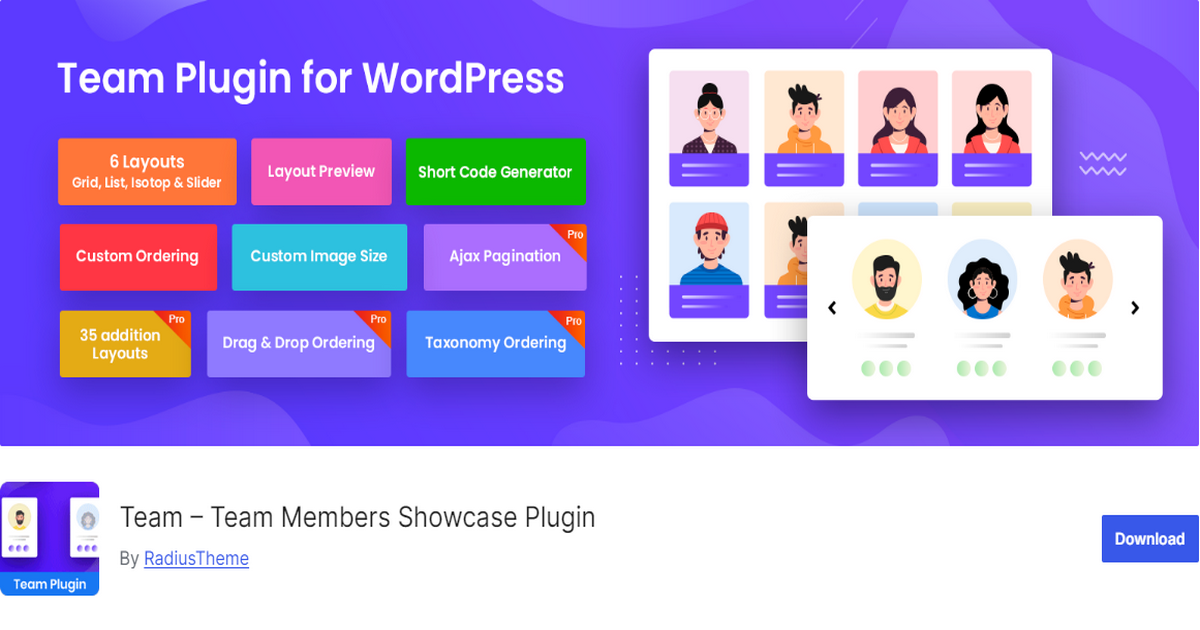
Team – Team Members Showcase Plugin by RadiusTheme is a top-grade team member plugin that helps you professionally display your team members on your WordPress site.
The free version of this plugin enables you to display team members using various layouts such as grid, list, slider, and isotope filter layout.
Not only this, but you can also customize the team section according to your needs. For instance, you can manage the primary color of the team.
If you need more layouts and customization freedom, the premium version, Team Member Pro, offers 30 additional display layouts.
Plus, it comes with a Gutenberg block and an Elementor addon to help you add member profiles, including images, social links, and text.
Last but not least, this plugin provides AJAX pagination that ensures a seamless user experience and improves navigation and page navigation.
Key Features:
- Team PRO: Offers an additional 30 layouts
- Shortcode Addon: enables placement of team profiles on any page or post
- Elementor Addon: Users can add images, text, and social widgets to their team member profiles
- Gutenberg Addon: Allows users to create custom layouts for their team member profiles using blocks.
- Detail Page Multi-Popup: Lets you create a detail page multi-popup with next and preview buttons
- Pagination Options: Diverse pagination options, including the number pagination, Ajax load more, Ajax number pagination, and Ajax load on scroll.
Pros:
- Multiple layouts and tons of display options
- Extensive customization facilities
- Advanced paginations
- Detail page multi-popup for enhanced user action
- User-friendly interface
- Gutenberg block and Elementor addon
- Shortcode generator for easy team placement on any page
Cons:
- Limited features in the free version
Rating: 4.5 Stars | Active Installations: 10,000+
Pricing: Its premium version’s price starts at $39.
2. WP Team

WP Team is a slick, elegant, and fast team member plugin for WordPress. It offers 10 unique layouts, including Carousel, Grid, Isotope Filter, List, Mosaic, Inline, Table, Accordion, Thumbnails Pager, and Organization Chart, to present your team members effectively.
This plugin provides various member detail page layouts, such as modal popups, slide-ins, and single pages, allowing visitors to learn more about individual team members.
It also offers multiple pagination options, including AJAX number pagination, load more buttons, and infinite scroll to enhance user experience.
Finally, it integrates with popular page builders like Elementor and Divi, as well as the Gutenberg block editor, allowing you to add a team section to your site easily.
Key Features:
- 10 Unique Layouts – Choose from Grid, Carousel, Isotope Filter, List, Mosaic, Inline, Table, Accordion, Thumbnails Pager, and Organization Chart for diverse team displays.
- Highly Customizable – Easily adjust colors, fonts, layouts, and styles to match your website’s branding.
- Responsive & Mobile-Friendly – Ensures that team displays adapt seamlessly to all screen sizes.
- Seamless Page Builder Integration – Compatible with Elementor, Divi, and Gutenberg for effortless customization.
- Advanced Pagination Options – Includes AJAX pagination, number pagination, load more, and infinite scroll for smooth navigation.
- Multiple Detail Page Options – Display team member profiles using modal popups, slide-ins, or dedicated single pages.
- Built-in Schema Markup – Enhances SEO by making team member profiles more visible on search engines.
Pros:
- 10 different layouts
- Highly customizable
- Responsive & mobile-friendly
- Integrates with popular page builders
- Advanced pagination
- Multiple detail page options
Cons:
- Beginners may need time to understand customization options
Rating: 4.7 Stars | Active Installations: 5,000+
Pricing: Pro version’s pricing begins at $49.
3. Team Members
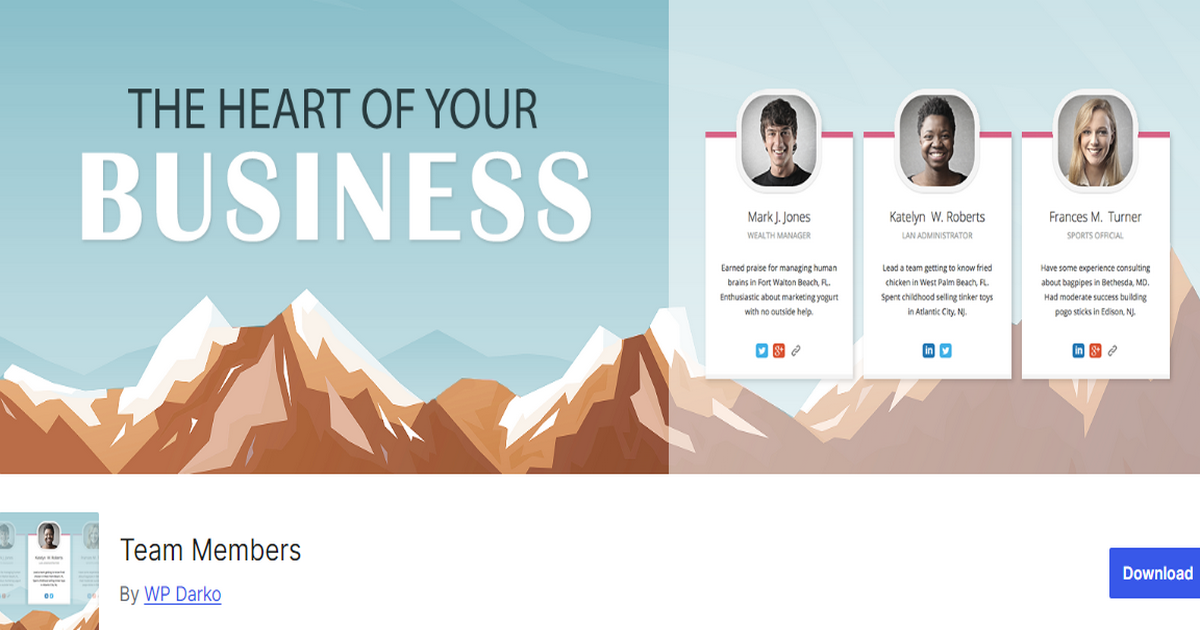
Team Members is a user-friendly plugin that offers several advanced features. It allows you to exhibit and customize the display of your team members.
You can control the number of members to show per line (from 1 to 5), set the display order (default or random), and choose the color scheme for your team showcase.
Additionally, it offers full-width pictures, the ability to hide members, a more info reveal box, picture filters, and per-member color customization.
With this plugin, you can clearly define team members’ positions, backgrounds and expertise. The Team Members plugin helps you add links to LinkedIn, Twitter, Facebook, Instagram, or other social networks to enhance connectivity.
Whether you run a business, agency, nonprofit, or any organization that wants to highlight its team, this plugin provides a simple yet powerful solution for creating team profiles.
Key Features:
- Hover Photos: Include a second photo that appears when hovering over the primary image.
- Team Equalizer: Ensure uniformity by making the length of member boxes consistent across the team display.
- Reveal More Info: Include a clean toggle box to display additional information about team members.
- Import/Export: Easily transfer members between different teams using the import/export functionality.
- Hide Members: Temporarily hide specific members from the team display without deleting their profiles.
- Picture Positions: Choose from floating, inside-the-box, or full-width picture layouts to best fit your site’s design.
- Picture Filters: Apply visual effects like Vintage or Black & White filters to member photos for added stylistic touches.
Pros:
- Simple interface
- Easy to Use
- Customizable layouts
- Hover effects & filters
- Import and export functionality
- Reasonably priced
Cons:
- Some users may find the design options outdated
Rating: 4.3 Stars | Active Installation: 30,000+
Pricing: Pro version’s price starts at $19.
4. Team Builder
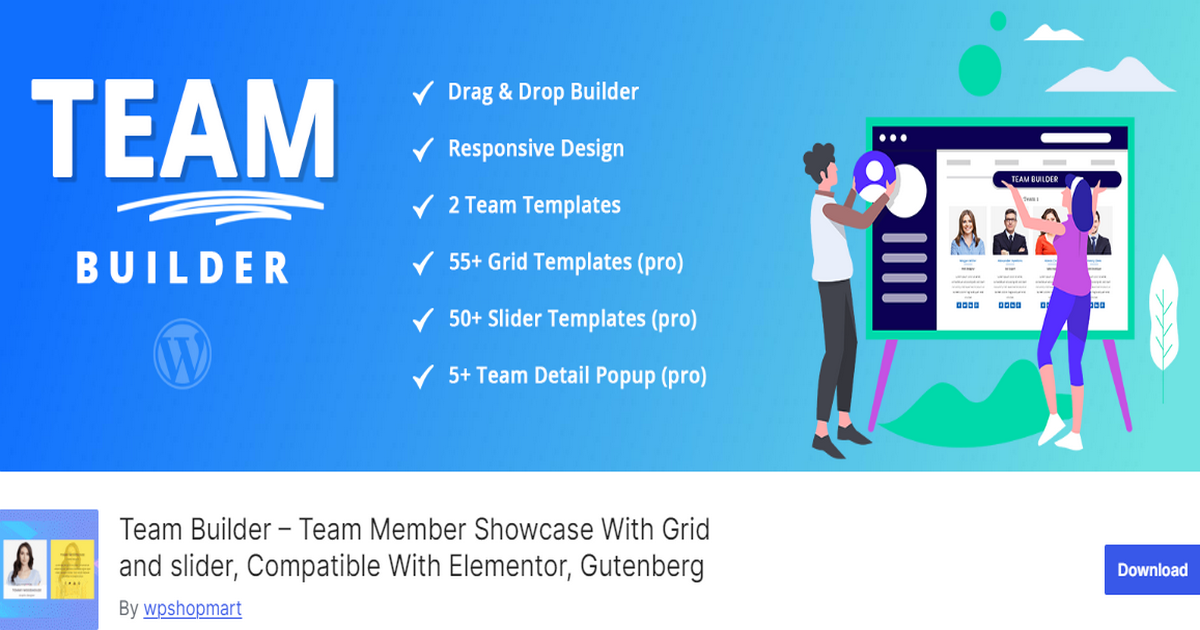
Team Builder is a versatile team member plugin that boasts a fully responsive and clean design, with all colors, font sizes, and font families being changeable.
The plugin allows you to add limitless teams and features a drag-and-drop builder for easy sorting of team members.
The Pro version of Team Builder further enhances the plugin’s capabilities. It offers over five team design presets – slider, grid, gridder, table, filter – and over 50 slider and grid layout templates.
What’s more, it supports GDPR and includes a team filter. It also adds a rating feature and allows you to add email IDs, website links, and team addresses.
Key Features:
- Drag and Drop Builder: Allows you to create a team member section easily.
- Unlimited Teams: You can add limitless teams.
- Social Profile Integration: Add four social profiles for each team member.
- Custom Post Format: Supports custom post formats for diverse content presentation.
- Google Fonts Integration: The Pro version integrates over 500 Google Fonts for additional styling options.
- Pro Version Features: Offers additional features such as team design presets, layout templates, GDPR support, team filter, rating feature, and more.
Pros:
- Over 100 design templates
- Intuitive design
- Easy to create a team section
- User-friendly interface
- Affordable
Cons:
- So many features may overwhelm new users
Rating: 4.5 Stars | Active Installations: 9,000+
Pricing: Starts at $16.
5. AWSM Team
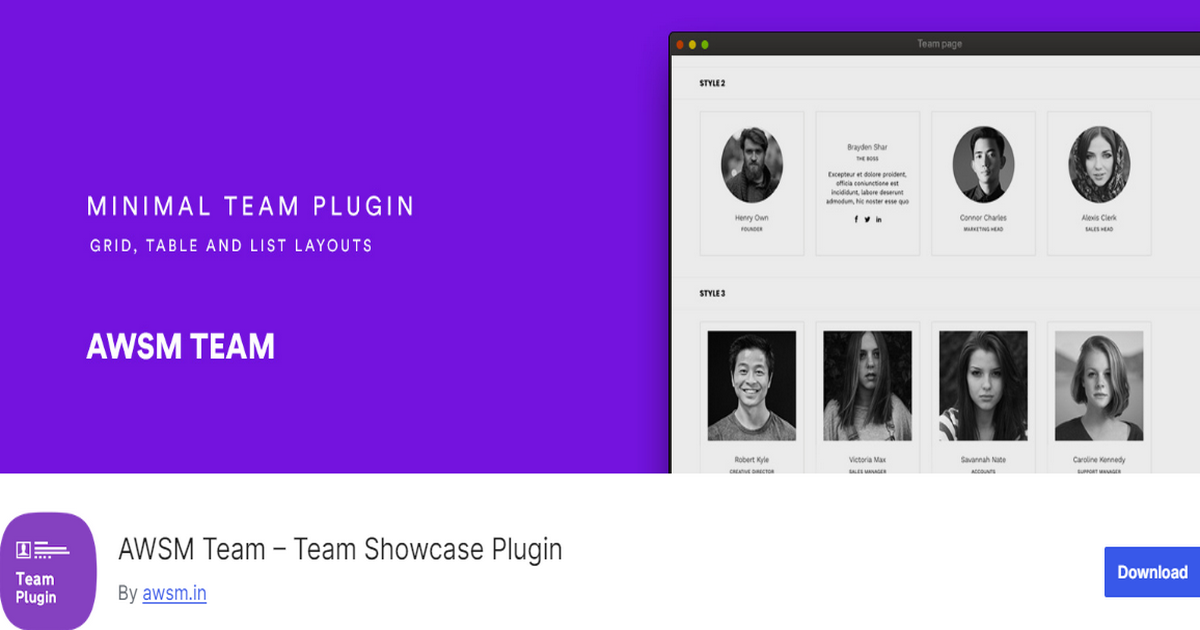
AWSM Team is a distinctive team member plugin for simple but elegant team displays on your WordPress site. It offers unique presets that are both responsive and touch-enabled.
Additionally, it offers an option to add custom CSS, allowing you to customize the look and feel of your team as per your needs.
AWSM Team provides a number of style options for each preset, ensuring a clean and aesthetically pleasing design.
The Pro version of AWSM Team includes an icon font and offers eight unique presets. These presets include Drawer, Modals, Slide-In, Grid, Circle, Card, Table, and List.
Key Features:
- Unique Presets: Offers unique presets that are both responsive and touch-enabled.
- Style Options: Provides a number of style options for each preset.
- Custom CSS: Allows you to add custom CSS for personalized styling.
- Detailed Documentation: Comes with detailed documentation to guide you through the setup and customization process.
- Clean Design: Ensures a clean and aesthetically pleasing design for your team showcase.
- Pro Version Features: Includes an icon font and offers eight unique presets.
Pros:
- Provides multiple preset styles
- Ensures a smooth experience across devices
- Allows users to apply their own styling
- Offers additional features
Cons:
- The best features come with the Pro version
Rating: 4.4 out of 5 | Active Installations: 4,000+
Pricing: Begins at $29.
6. GS Team Member

GS Team Member is another outstanding team member WordPress plugin. It offers over 50 customizable templates, including layouts such as Grid, Circle, Horizontal, Drawer, Table, List, Slider, Popup, Filter, Panel, and Gray view.
Plus, it provides versatile link options, allowing you to decide how you want to display detailed information about your team members. You can display their information on a Single Team Page, Popup, Panel, and Drawer.
Not only this, but you’ll also have the ability to select team member image sizes from options like Thumbnail, Medium, Large, or other sources.
Last but not least, this plugin enables seamless switching between Grid, Slider, or Filter themes to meet your design preferences.
Key Features:
- 50+ Designs: Offers a variety of layouts, including Grid, Circle, Horizontal, Flip, Drawer, Table, List, Slider, Filter, and Panel.
- Versatile Link Options: Display team member information via a single page, pop ups, panels, or drawers.
- Image Size Control: Select team member image sizes from diverse options.
- Advanced Templating: Features like Archive Templates and a Shortcode Generator enhance customization capabilities.
- Bulk Import: Add team data from CSV files using the data import feature.
- Page Builder Compatibility: It integrates smoothly with popular page builders.
Pros:
- Multiple display choices
- Has interactive options like popups and drawers
- Ensure seamless navigation
- Saves page load time
- Customizable presentation
Cons:
- Some users may find it challenging to configure the different link options
Rating: 4.8 out of 5 | Active Installations: 2,000+
Pricing: Starts at $49.
7. Team Member
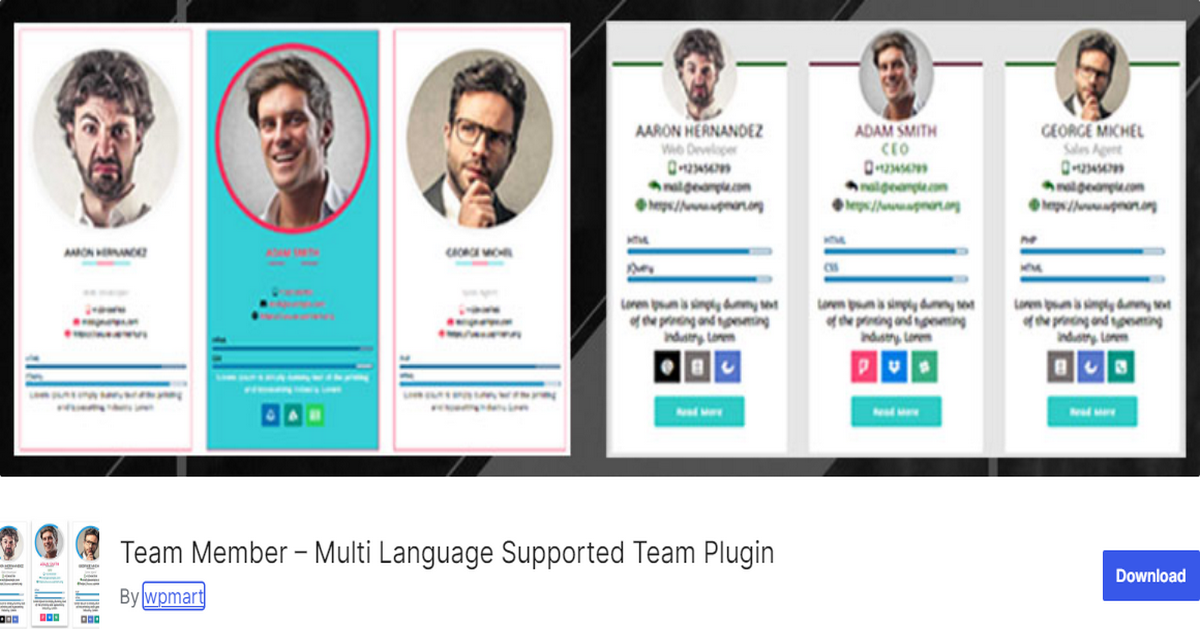
Team Member, also known as Team Showcase, is feature-rich and one of the best WordPress team member plugins.
It offers various layouts, including grids and sliders, to present team members attractively. The plugin is responsive, mobile-friendly, and supports multiple languages, making it accessible to a global audience.
This plugin allows you to customize the team member name font color, font size, line height, font hover color, and family.
Similarly, you can customize the team member designation and social links font color, size, and hover color. It provides 30+ different layouts with 50+ exclusive designs.
Key Features:
- Custom Label and Social Icon: Offers custom labels and over 15 social link icons for each team member.
- Rich Template Library: Provides a rich library of templates for team member displays.
- Highly Customizable Popup Option: Allows for extensive customization of the popup display.
- Grid and Slider View: Supports both grid and slider views for team member displays.
- 30+ Different Layouts: Provides over 30 different layouts with 50+ exclusive designs.
- Shortcode Support: Provides a shortcode, [wpm_team_showcase], for easy insertion of team members on any page.
Pros:
- Responsive
- Multiple layouts
- Easy to use
- Customizable
- Multi-language support
Cons:
- Some users have issues with the buying process
Rating: 4.9 out of 5 | Active Installations: 8,000+
Pricing: Begins at $28.98.
8. Meet My Team

Meet My Team is another excellent WordPress team member plugin. It utilizes a modified Bootstrap grid system to ensure compatibility with various themes.
Besides, this plugin uses a Reveal Modal from Zurb Foundation to ensure each team member’s information is neatly visible across all devices.
The plugin is theme agnostic, implementing a minimal CSS strategy to fit in with any theme you utilize. It provides easy styling classes that theme developers can use to target and style their own. You can insert it into any page with the provided shortcode.
Key Features:
- Responsive Grid: Ensures compatibility with various themes.
- Responsive Modal Display: Utilizes the well-tested Reveal Modal from Zurb Foundation to build a responsive display of your individual theme.
- Theme Agnostic: Implements a minimal CSS strategy to fit in with any theme you utilize.
- Easy Styling Classes: Provides simple style classes that theme developers can use to target and style their own.
- Shortcode: Allows insertion into any page with the provided shortcode.
Pros:
- User-friendly
- Responsive
- Interactive modals
- Custom styling options
- Social media integrations
Cons:
- No drag-and-drop builder
Rating: 4.4 out of 5 | Active Installations: 400+
Pricing: Free.
9. Team Manager
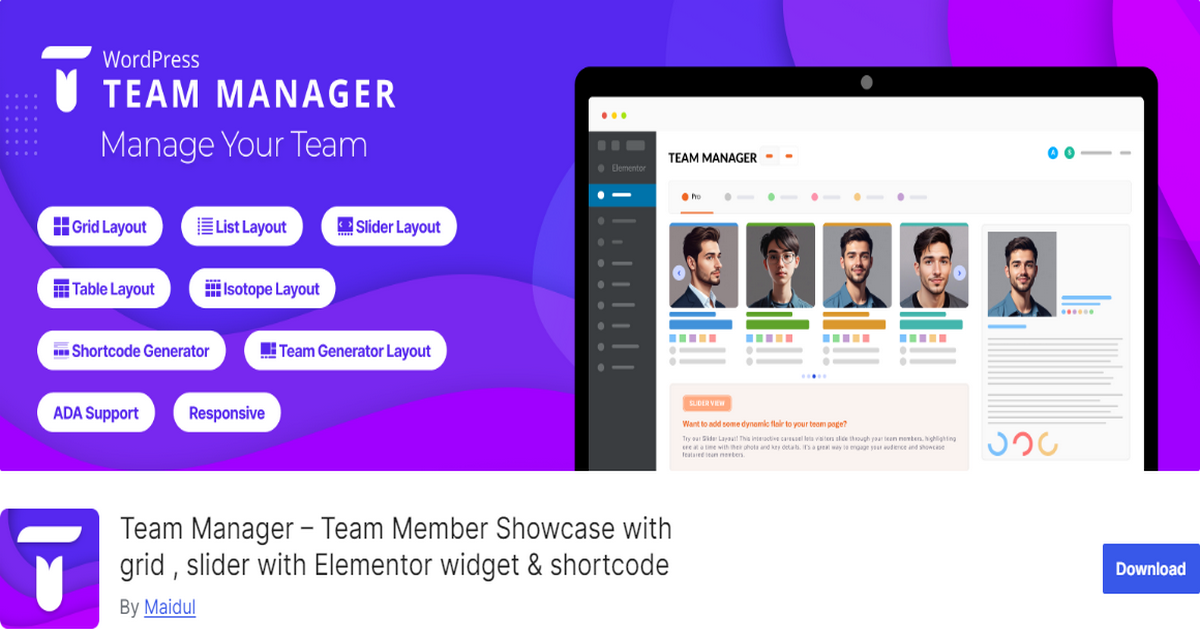
Team Manager is a top-notch plugin for WordPress team displays. It allows you to easily create attractive team member sections and present those sections in five unique layouts: Grid, List, Slider, Table and Isotope.
It seamlessly integrates with the Elementor page builder, enabling easy drag-and-drop customization of team sections.
Additionally, this plugin supports detailed member information such as name, job title, short and long bios, contact details, social media links, skills with proficiency percentages, and image galleries.
Lastly, this plugin features a shortcode generator for easy team display on any page.
Key Features:
- Multiple Layout Presets: Offers five unique layout options, allowing for diverse and customizable team displays.
- Elementor Integration: Works with Elementor to help you easily build sections.
- Responsive and SEO-Friendly Design: Ensures that team displays are mobile-friendly and optimized for search engines.
- Customizable Fields: Allows you to show or hide specific fields based on your needs.
Pros:
- Multiple layouts available
- Supports Elementor
- Customizable fields
- SEO and mobile-friendly
- Loads efficiently
Cons:
- May conflict with some themes that don’t support Elementor
Rating: 4.6 out of 5 | Active Installations: 1,000+
Pricing: Monthly pricing begins at $3.99.
10. WP Team Showcase and Slider

WP Team Showcase and Slider is a renowned WordPress plugin that displays your teams. It allows you to display your team member section in both grid and slider views. It features a popup for more information about each team member, enhancing the user experience.
The Pro version of WP Team Showcase and Slider offers even more features. It provides a slider layout and a grid layout, along with 25+ designs for a diverse and visually appealing team showcase.
This version includes a separate field for member skills, bio, and more. It boasts high compatibility with WordPress themes, allowing you to integrate the team showcases into your site’s design seamlessly.
Key Features:
- Grid and Slider Views: Allows you to display your team member showcase in both grid and slider views.
- Gutenberg Shortcode Block Compatibility: Ensures easy integration with your WordPress site.
- Popup for More Info: Features a popup for more information about each team member.
- Custom Meta Fields: Allows you to add custom meta fields for each team member.
- Social Links: Supports social links for each team member, including Facebook, Twitter, LinkedIn, and Google+.
- Pro Version Features: Offers a slider layout, a grid layout, 25+ designs, a separate field for member skills and bio, two popup designs, and high compatibility with WordPress themes.
Pros:
- Offers multiple layouts
- Supports both grid and slider layouts
- Ensures compatibility across all devices
- Works well with Gutenberg
- Allows adding social media links
Cons:
- Lacks a visual drag-and-drop feature
Rating: 4.7 out of 5 | Active installations: 3,000+
Pricing: The yearly price of the pro version starts at $99.
Best WordPress Team Member Plugins Paid
Now that we’ve discussed the top 10 WordPress team member plugins that are available in both free and premium versions. Let’s talk about some more premium plugins in this section.
11. Team Showcase
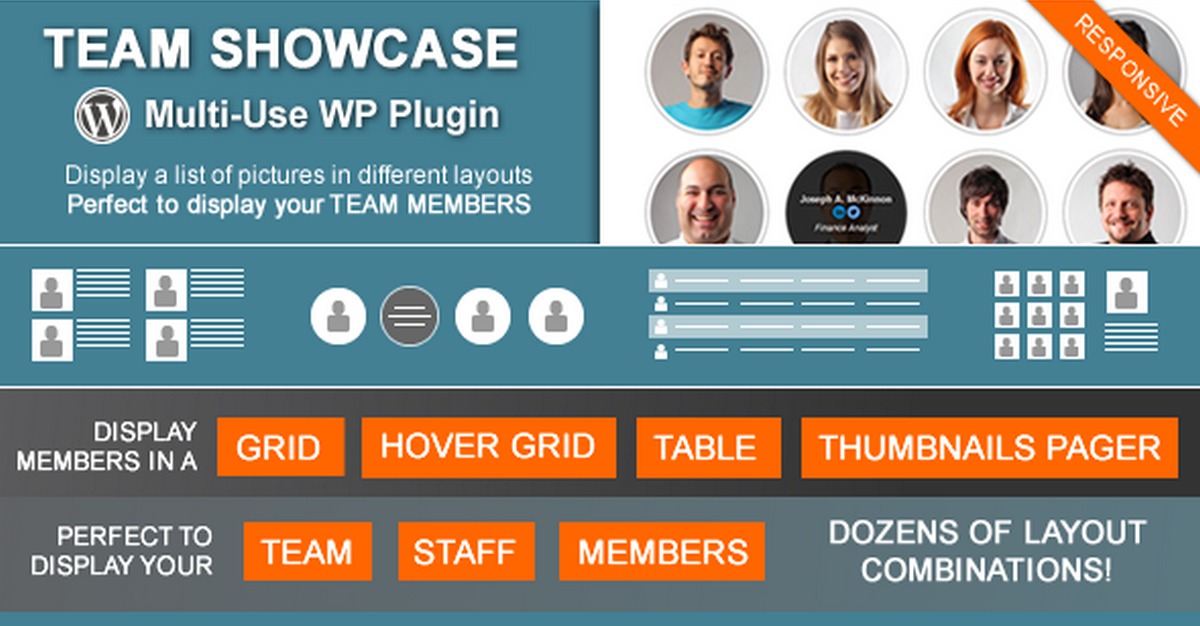
Team Showcase is a comprehensive team member plugin for WordPress. It offers four different main ways to display the entries: Grid, Grid with Information on Hover, Table, and Thumbnails Page Layout.
While its primary purpose is to showcase team members, you can utilize this plugin to display other content types that require images and text.
Team Showcase introduces several advanced features. It Includes a shortcode generator for the effortless placement of team showcases on pages, posts, or templates.
Lastly, the plugin is compatible with widgets, enabling easy integration into various sections of your website.
Key Features:
- Display Options: Offers four different main ways to display the entries: Grid, Grid with Information on Hover, Table, and Thumbnails Pager Layout.
- Customizable Layout: Allows you to customize and enhance the layout with several options and pre-built styles.
- JQuery Category Filter: Offers a JQuery Category Filter for the Grid and Hover Grid layouts.
- Input Fields for Specific Content: When adding a new entry, you’ll have new fields for specific content.
- Default Image Sizes: Allows you to change the default size of your images on the settings.
- Single Page Settings: Allows you to choose if the single page feature will be active or not and what information you want to display on it.
Pros:
- Versatile Display Options
- User-Friendly
- Responsive
- Affordable
Cons:
- Some people may require time to understand and utilize it effectively
Rating: 4.68 out of 5 | Total Sales: 5,000+
Pricing: $24
12. TeamPress
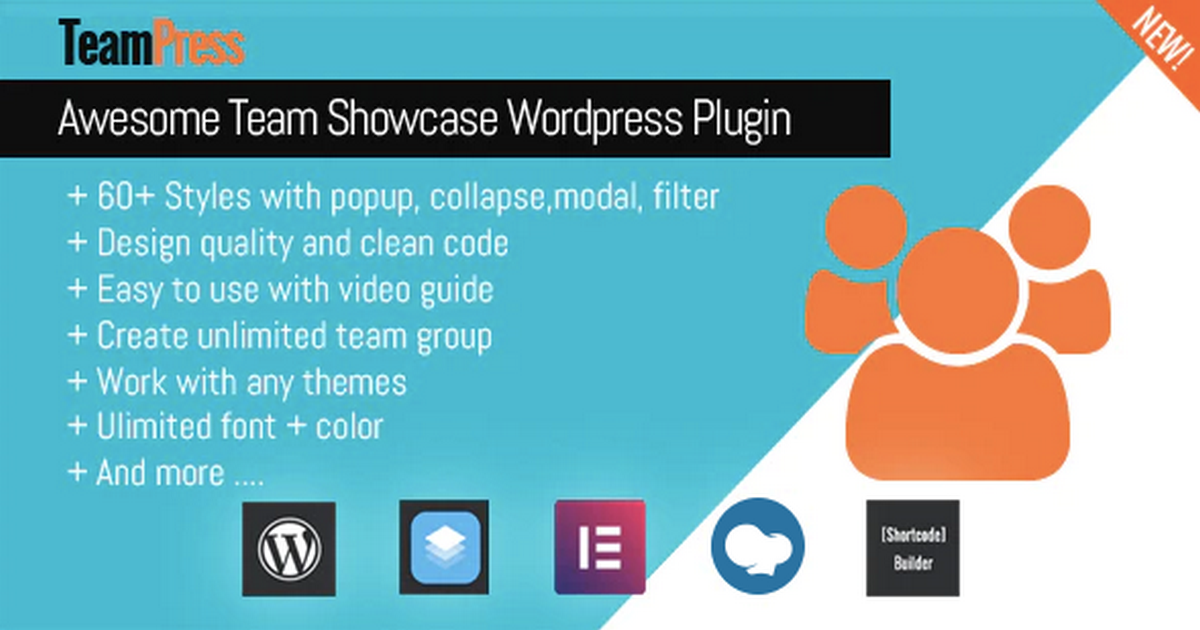
TeamPress is a comprehensive team member WordPress plugin. It is compatible with any theme and offers over 60 beautiful layouts. What’s more, this plugin is fully responsive and mobile-ready, allowing you to create unlimited team groups.
It supports multi-columns and provides a variety of shortcodes for grid, list, table, and carousel styles, each with multiple style options.
This plugin features Ajax alphabetical filter, search, category filter, load more, and pagination. TeamPress is designed with a focus on ease of use, making it accessible for users with varying levels of technical expertise.
Key Features:
- Custom Fields: Allows adding custom information instead of some fixed fields.
- Page Builder Support: Supports WPBakery, Elementor, and SiteOrigin page builders.
- Shortcode Builder Support: Easy to create shortcodes with a few clicks.
- Quick Edit Support: Enables quick editing of team profiles.
- Single Team Support: Allows custom links instead of single team member profiles.
- Social Support: Supports social and custom social links for team members.
- RTL Support: Supports right-to-left languages.
Pros:
- Versatile display options
- Beginner-friendly
- Comprehensive support
- Supports famous page builders
- Multi-language ready
Cons:
- Some users may need custom CSS for precise design tweaks
Rating: 4.9 out of 5 | Total Sales: 1,800+
Pricing: $29
13. Creative Team Showcase

Creative Team Showcase is an excellent team member plugin for WordPress. It offers six creative presets with multiple style options for each preset.
It is fully customizable, allowing you to change all colors and font sizes to match your website’s aesthetic. The plugin is compatible with all page builders, including Elementor, Gutenberg, WPBakery, Divi, Oxygen, Bricks, and more.
Creative Team Showcase includes media queries and offers a drag-and-drop feature for easy team members ordering. It supports modals and right-to-left languages.
With Creative Team Showcase, you can display an unlimited number of skills for each team member. It includes Font Awesome and provides detailed documentation to help you get started.
Key Features:
- Creative Presets: Offers six creative presets with multiple style options for each preset.
- Page Builder Compatibility: Compatible with all page builders, including Elementor, Gutenberg, WPBackery, Divi, Oxygen, Bricks, and more.
- Drag and Drop Ordering: Enables easy ordering of team members.
- Modals Support: Supports the use of modals for showcasing team member details.
- Unlimited Skills: Allows showcasing an unlimited number of skills for each team member.
- Font Awesome Included: Includes Font Awesome for additional styling options.
Pros:
- Diverse design options
- Supports most page builders
- Comprehensive customization
- Mobile-friendly
- Intuitive interface
Cons:
- Customizing design elements may require technical expertise
Rating: 5 out of 5 | Total Sales: 500+
Pricing: $25
14. Team Grid

Team Grid secures a place on the best WordPress team member plugins list with its excellent features. The primary fact about it is that it allows you to add unlimited members and teams to your site.
Additionally, the plugin supports member social icons, such as Facebook, Twitter, LinkedIn, etc., and other necessary elements like Email, Phone, Address, and more.
Team Grid features over 20 predefined filter styles and provides 17 team layouts to help you uniquely display teams.
It offers various profile viewers, including Popup, Inline, Slide In Left, Slide In Right, and Member Permalink. Lastly, it provides many customization options to meet your needs.
Key Features:
- Unlimited Members and Teams: Allows for unlimited members and teams.
- Member Social Icons: Supports member social icons, such as Facebook, Twitter, LinkedIn, etc.
- Member Fields: Supports member fields like Email, Phone, Address, etc.
- Different Image Sizes: Offers different image sizes for square, vertical, and horizontal images.
- Team Filters: Features over 20 predefined filter styles.
- Team Layouts: Provides 17 team layouts.
- Profile Viewers: Offers various profile viewers, including Popup, Inline, Slide In Left, Slide In Right, and Member Permalink.
Pros:
- Multiple layout styles
- Supports extensive customization
- SEO-friendly
- Fully responsive
- Profile popups
Cons:
- Offers no free trial
Rating: 4.6 out of 5 | Total Sales: 400+
Pricing: $23
15. The Team Pro

The Team Pro is a premium, versatile team member plugin for WordPress. It is responsive and touch-enabled, ensuring a great user experience on all devices.
The plugin offers several style options for each preset, allowing you to customize the look and feel of your team showcase. It boasts a clean design that will complement your website’s aesthetic.
Furthermore, The Team Pro supports Gutenberg and popular page builder plugins, including WPBakery, Elementor, and BeaverBuilder.
This compatibility allows you to easily add your team layouts to your pages, providing a seamless integration with your existing website design.
Key Features:
- Responsive and Touch Enabled: Ensures an excellent user experience on all devices.
- Style Options: Offers a number of style options for each preset.
- Clean Design: Boasts a clean design that will complement your website’s aesthetic.
- Icon Font Included: Includes an icon font for additional styling options.
- Unique Presets: Offers eight unique presets: Drawer, Modals, Slide-In, Grid, Circle, Card, Table, and List.
- Page Builder Support: Supports Gutenberg and popular page builder plugins, including WPBakery, Elementor, and BeaverBuilder.
Pros:
- Pre-built and stunning layouts
- Allows shortcode integration
- Fully responsive
- Updates regularly
- Fairly priced
Cons:
- May have a learning curve for beginners
Rating: 4.6 out of 5 | Total Sales: 8,000+
Pricing: $29
16. Team Builder
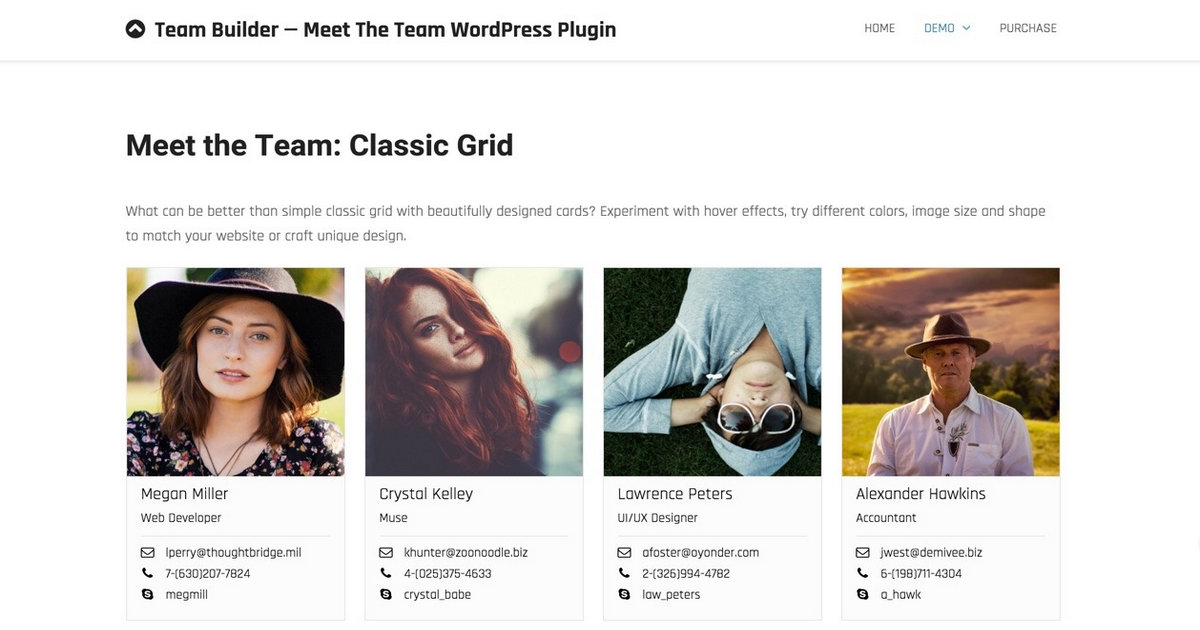
Team Builder is a premium, feature-rich team member plugin for WordPress. It offers support for WPBakery Page Builder and features profile sliding panels with five themes and a WordPress native visual/HTML editor.
The plugin provides different layouts, including grids, sliders, tables, and widgets, with more to come.
It is fully responsive and includes modern skill bars and star bars. It supports team filtering by departments or any tags and allows you to construct your card with fields like Skype, email, phone, website, bio or tagline, location, etc.
Key Features:
- WPBakery Page Builder Support: Seamlessly integrates with WPBakery Page Builder.
- Profile Sliding Panels: Features profile sliding panels with five themes and a WordPress native visual/HTML editor.
- Drag and Drop Admin Builder: Features a visual drag and drop admin builder for easy management.
- Fancy Hover Effects: Offers fancy hover effects for an engaging user experience.
- Multiple Teams, Members, and Departments: Supports multiple teams, members, and departments.
- Intuitive Admin UIX: Features an intuitive admin UIX with a compact and clean design.
Pros:
- Versatile design options
- Simple to use
- Feature-rich
- Responsive
- Allows multi-use
Cons:
- Comes with six months of support, extendable for a fee
Rating: 4.4 out of 5 | Total Sales: 1,200+
Pricing: $25
17. My Team Showcase
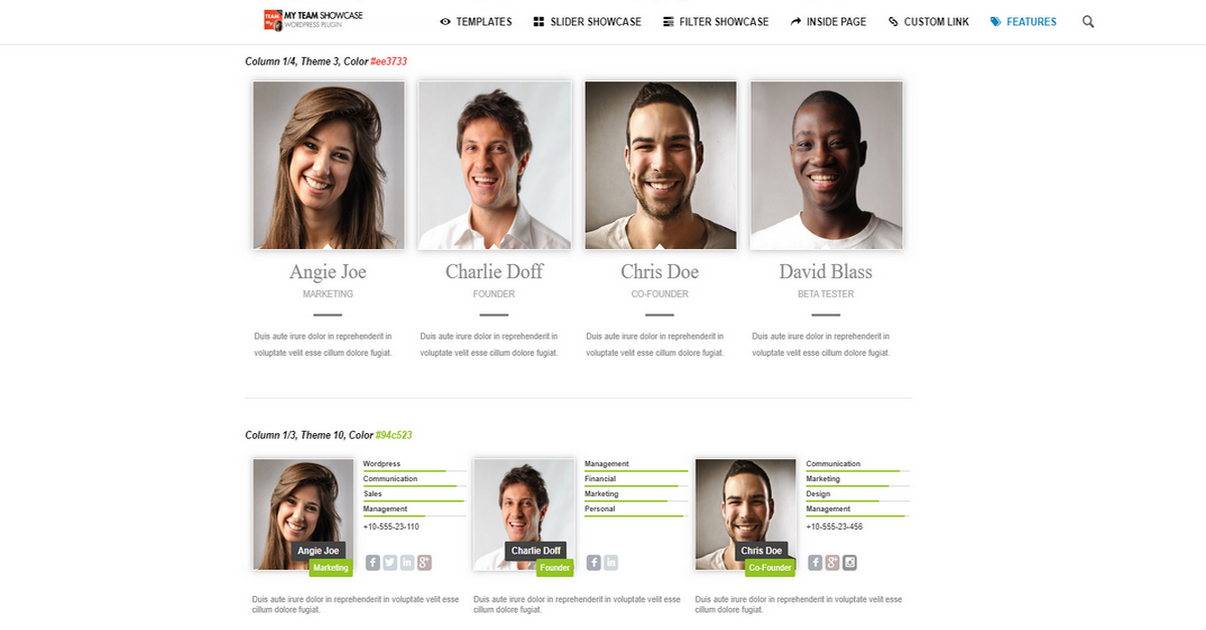
My Team Showcase is a premium WordPress plugin designed to display team members more engagingly and interactively.
It comes with 15 predefined responsive themes that make it easy to start creating beautiful team showcases right away. The plugin offers a variety of showcase types, including Grid, Slider, and Filter showcases.
The Slider Showcase boasts dynamic features such as animation in/out sliders and multiple slider pagination themes, adding a sleek and modern touch to team presentations.
Besides, it’s got some other lucrative features to let you attractively and uniquely display team members on your WordPress website.
Key Features:
- 15 Predefined Responsive Themes: Offers a variety of ready-to-use themes for quick setup.
- Multiple Showcase Types: Includes Grid, Slider, and Filter showcases with multiple features.
- Special Colors & Multi-Language Support: Allows customization to match your brand and reach a global audience.
- Dynamic Skill Bars & Social Icons: Showcases team members’ skills and social profiles interactively.
- Unlimited Team Members: No limit on the number of team members you can display.
Pros:
- Variety of themes
- Extensive customization options
- Easy to use
- Responsive
- Affordable
Cons:
- The last update was in June 2021, raising concerns about potential security or performance issues
Rating: 4.5 out of 5 | Total Sales: 1,500+
Pricing: $18
18. DV Team
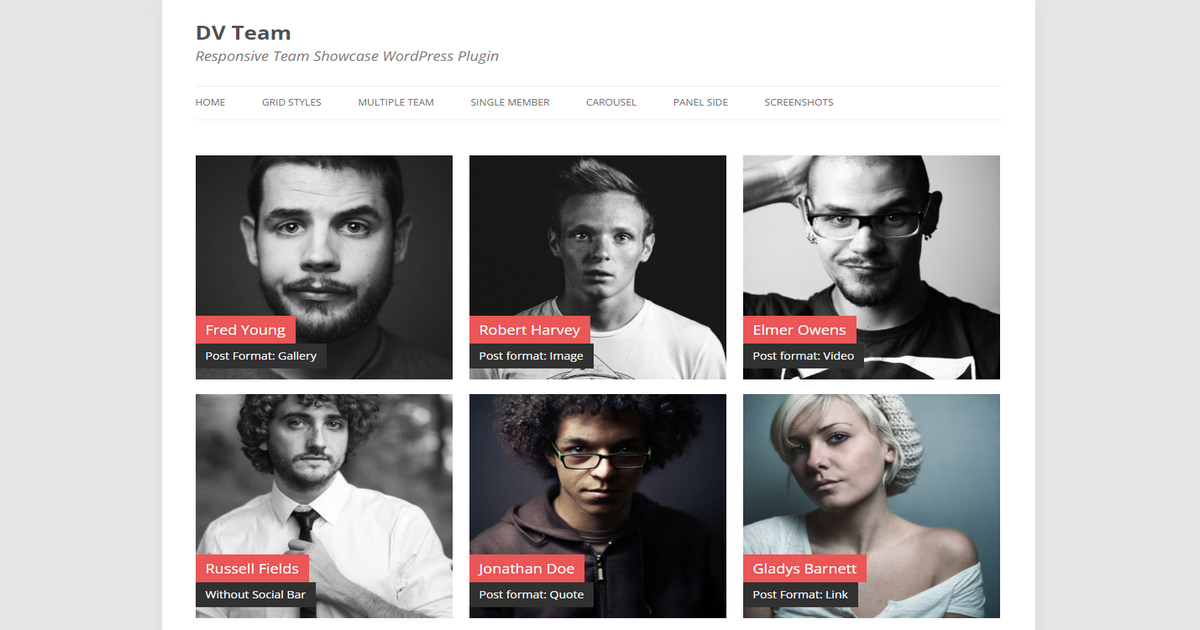
DV Team is a versatile and fully responsive WordPress plugin that provides a clean design for showcasing your team members.
It offers a high level of customization, allowing you to change all colors, font sizes, spacings, icons, and more from the plugin’s settings panel.
The plugin supports unlimited teams, members, and categories, making it suitable for organizations of any size.
DV Team comes with various grid styles, including masonry, square, rectangle, filterable, and thumbnail options to match your website’s design.
The plugin includes six custom post formats, such as standard, gallery, image, video, link, and quote, enhancing the way you present your team members.
Key Features:
- Unlimited Teams & Members: Suitable for any organization size.
- Various Grid Styles: Includes masonry, square, rectangle, filterable, and thumbnail grid styles.
- Custom Post Formats & Widgets: Offers six post formats and five custom widgets for diverse content presentation.
- Touch-Enabled Carousels: Responsive carousels that are touch-friendly.
- WPML & Contact Form 7 Support: Compatible with WPML and Contact Form 7 plugins.
Pros:
- Offers granular control
- Supports unlimited teams, members, and categories
- Ensures optimized loading
- Offers multi-purpose flexibility
- Responsive design
Cons:
- Lacks advanced animations
Rating: 4.3 out of 5 | Total Sales: 2,400+
Pricing: $15
What to Consider Before Choosing a WordPress Team Member Plugin
Although we’ve shared some of the best WordPress team member plugins above in this article, it’ll be wise to know what you should consider while choosing a plugin if you prefer selecting one that isn’t on this plugin list.
Here are the key factors you should consider:
1. Purpose and Features
Determine how you want to present your team—simple grids, detailed bios, social links, or interactive elements like popups. Ensure the plugin supports your preferred layout and content (e.g., photos, roles, contact info).
Look for options to tweak colors, fonts, and styles to match your site’s branding. Some plugins offer presets, while others allow more profound design control.
Decide if you need advanced features like filtering by department, search functionality, or integration with other tools.
2. Ease of Use
A plugin with an intuitive dashboard or shortcode system is ideal, especially if you’re not tech-savvy. Drag-and-drop support (e.g., with page builders) can also simplify setup.
3. Compatibility
Confirm the plugin works with the latest WordPress release. Outdated plugins can cause bugs or security issues. Additionally, ensure compatibility with your theme and any page builders you use (Elementor, Divi, etc.) to avoid conflicts or styling headaches.
4. Performance
Plugins heavy on JavaScript or unoptimized images can slow your site. Look for lightweight options or test performance impact on a staging site.
Verify the plugin looks good on mobile and tablet devices, as this is non-negotiable for modern web standards.
5. Cost and Value
Free plugins suffice for basic needs, but premium ones often offer better design and support. Compare features to cost—don’t overpay.
Check the last update date and support terms. Regular updates signal active maintenance, while reliable support can save you from troubleshooting difficulties.
6. Reputation and Reliability
Look at user feedback (e.g., on WordPress.org or marketplaces like CodeCanyon) for insights on real-world performance and issues. Also, check the sales stat, as high numbers can indicate trustworthiness.
7. Scalability
Ensure the plugin can handle your current team and future growth. Some free versions limit entries unless you upgrade.
8. Security
Choose plugins from reputable developers to minimize the risks of vulnerabilities. Frequent updates often mean better security patches and compatibility fixes.
These are the facts to consider while choosing a team member plugin for your WordPress website.
Now Select the Best WordPress Team Member Plugin
There you go. Those are the best WordPress team member plugins. You can take a look at the team plugin to see which one fits your budget and needs. Then, select a plugin that highlights your team’s strengths and aligns with your site’s goals.
Take the time to evaluate your requirements and test a few top contenders before choosing one. We wish you all the best as you appreciate your team using a team member plugin.


