

On This Page
- SEO Optimization for Directory Websites
- 1. Technical SEO: Getting the Basics Right
- 2. On-Page SEO: Making Each Page Count
- 3. Local SEO: Your Directory’s Secret Weapon
- 4. Off-Page SEO: Building Your Directory’s Reputation
- 5. Schema Markup: Helping Search Engines (and AI) Understand Your Data
- Answer Engine Optimization (AEO) for Directory Websites
- Generative Engine Optimization (GEO) for Directory Websites
- LLM Optimization (LLMO) Tips & Tricks for Directory Websites
- 1. How to Write Content That LLMs Love
- 2. Technical Tricks for Better LLM Visibility
- 3. Content Strategy for Getting Noticed by AI Models
- Frequently Asked Questions
- Wrapping Up
If you run a directory website (a site that lists businesses, services, or places), you already have a huge advantage. Your site is full of the kind of organized, factual content that both search engines and AI tools love. Business names, addresses, phone numbers, reviews, categories. It is all structured data that machines can easily read and use.
But here is the problem. The way people search for information is changing fast. Google now shows AI-generated answers right at the top of search results. Millions of people ask ChatGPT, Perplexity, and other AI tools for business recommendations instead of typing into Google. Voice assistants like Siri and Alexa pull answers from the web without ever sending users to a website.
If your directory is not set up to work with these new systems, you are leaving a lot of traffic, and money, on the table.
In this post, you will learn how to optimize your directory for four key areas: traditional SEO (getting found on Google and Bing), AEO (getting your content picked as the direct answer), GEO (getting cited by AI tools like ChatGPT), and LLMO (making your content easy for AI models to read and recommend). No jargon. No fluff. Just things you can actually do.
👉 If you haven’t built a directory website yet, check it: How to Build a Free Directory Website with WordPress
SEO Optimization for Directory Websites
SEO (Search Engine Optimization) is still the starting point for everything. It is how Google and Bing find your pages, understand what they are about, and decide whether to show them to searchers. Even AI tools like ChatGPT rely on indexed web pages, so if your SEO is weak, your AI visibility will be weak too.
1. Technical SEO: Getting the Basics Right
Technical SEO is the behind-the-scenes work that makes sure search engines can actually find, read, and index your pages. Think of it as building a strong foundation before you decorate the house.
How to Structure Your Directory Site
A directory typically has a homepage, category pages (like “Restaurants” or “Plumbers”), subcategory pages (like “Italian Restaurants”), and individual listing pages for each business. Keep this structure clean and simple. Every listing should be reachable within three clicks from the homepage.
- XML Sitemaps: These are files that tell search engines about all the pages on your site. Create sitemaps that update automatically whenever you add or remove a listing. Submit them to Google Search Console and Bing Webmaster Tools. If you have a large directory, split your sitemaps by category.
- Robots.txt: This file tells search engines which pages they can and cannot visit. Make sure you are not accidentally blocking your category or listing pages. Also check that you are not blocking AI crawlers like ChatGPT’s bot, ClaudeBot, or Google’s Gemini crawler.
- Internal Linking: Add breadcrumb navigation (Home > Restaurants > Italian > Mario’s Pizza) to every page. Link category pages to their top listings, and link listings back to their parent categories. This helps search engines understand how your site is organized.
- Canonical Tags: If the same listing appears in multiple categories, use a canonical tag to tell Google which version is the “main” one. This prevents duplicate content issues.
- Pagination: If a category page has so many listings that it spans multiple pages, set up proper pagination so search engines can crawl through all of them.
Page Speed: Make Your Site Fast
Slow websites frustrate users and get penalized by Google. Shrink your images, reduce the amount of JavaScript on your pages, use a CDN (Content Delivery Network) to serve files faster, and try to load listing pages using server-side rendering instead of relying on JavaScript to build the page in the browser. Google now measures how quickly your site responds to clicks and taps (a metric called INP, or Interaction to Next Paint). Aim for under 200 milliseconds.
Mobile-Friendly Design
Google looks at the mobile version of your site first when deciding how to rank it. Make sure your directory looks good and works well on phones and tablets. Test your listing pages, search filters, maps, and navigation on multiple screen sizes.
HTTPS (The Padlock Icon)
Every page on your site should load over HTTPS, which means the connection between your site and the user is encrypted. This is especially important if your directory accepts form submissions, user accounts, or payments. Google also gives a small ranking boost to HTTPS sites.
Beginner Tip: If you are not sure where to start, sign up for Google Search Console (it is free). It will show you exactly which pages Google can see, which ones have errors, and what you need to fix.
2. On-Page SEO: Making Each Page Count
Title Tags and Meta Descriptions
Every page needs its own unique title tag. For listing pages, a good format is: [Business Name] – [Main Service] in [City] | [Your Directory Name]. For example: “Mario’s Pizza – Italian Restaurant in Chicago | FoodFinder.” The meta description is the short summary that appears below the title in Google. Keep it under 160 characters and include the location, main services, and a reason for someone to click.
Headings: Organize Your Content Clearly
Each page should have one H1 heading (the main title, usually the business name or category name). Use H2 headings for major sections like “Services,” “Contact Info,” “Reviews,” and “FAQ.” Use H3 headings for smaller subsections. This structure helps both readers and search engines scan your pages quickly.
Write Detailed Listing Descriptions
This is where most directories fail. Thin, copy-paste descriptions with barely a sentence or two are almost worthless for SEO. Push business owners to write at least 200–300 words describing what they do, what makes them different, and who they serve. If they will not do it, write short editorial summaries yourself. Fill in structured fields like business hours, price ranges, payment methods, parking info, and accessibility details. Every unique piece of information adds SEO value.
Image Optimization
Ask businesses to upload clear, high-quality photos. Compress images so they load fast (tools like TinyPNG or ShortPixel make this easy). Add alt text to every image. Describe what the image shows and include the business name. Use modern image formats like WebP, and turn on lazy loading so images below the fold do not slow down the initial page load.
Reviews and User-Generated Content
Customer reviews are gold for directory sites. They add fresh, keyword-rich content to your pages and build trust with both users and search engines. Encourage reviews, make the review process simple, and display them prominently. If your platform allows Q&A (where users ask questions about a business), even better. These create long-tail content that matches very specific search queries.
💡Beginner Tip: Create a simple checklist for businesses submitting listings: minimum word count for descriptions, at least 3 photos, complete address and hours, and correct category selection. This keeps your content quality high across the board.
3. Local SEO: Your Directory’s Secret Weapon
Directory websites and local SEO go hand in hand. Most people searching for businesses are looking for something nearby.
- NAP Consistency: NAP stands for Name, Address, Phone Number. Every listing on your site should display this information in a consistent format. If a business is listed as “123 Main St” on one page and “123 Main Street, Suite A” on another, it confuses search engines.
- Location Pages: Build dedicated pages for each city or area your directory covers. Include a short write-up about the area, an embedded map, and links to the most popular listings in that location. This helps you rank for searches like “best [service] in [city].”
- Google Business Profile: If your directory focuses on a specific area, claim your own Google Business Profile. This helps your directory show up in the map pack when people search for “business directory near me.”
- Local Keywords: Optimize your category pages for searches that include a city or neighborhood name. Tools like Google Keyword Planner (free), Ahrefs, or SEMrush can help you find the most popular local search terms.
👉 Tips: How to Choose a Domain Name for Your Directory Website
4. Off-Page SEO: Building Your Directory’s Reputation
Off-page SEO is about what happens outside your website. The more other trustworthy sites link to yours, the more search engines see your directory as an authority.
- Create Link-Worthy Content: Publish things other sites want to link to, such as local business reports, “best of” lists, industry surveys, or useful guides. A report like “The 50 Fastest-Growing Small Businesses in Austin” will get picked up by local blogs and news sites.
- Partner With Local Organizations: Chambers of commerce, trade groups, and business associations often have websites with high authority. A link from their site to yours carries a lot of weight.
- Get Press Coverage: When your directory launches in a new city or hits a big milestone, send a press release or pitch the story to local news outlets. Links from news sites are extremely valuable.
- Stay Active on Social Media: Social media links do not directly boost rankings, but they drive traffic and get people searching for your brand name, which indirectly helps SEO.
👉 Good Read: Tips to Find Advertisers for Your Directory Website
5. Schema Markup: Helping Search Engines (and AI) Understand Your Data
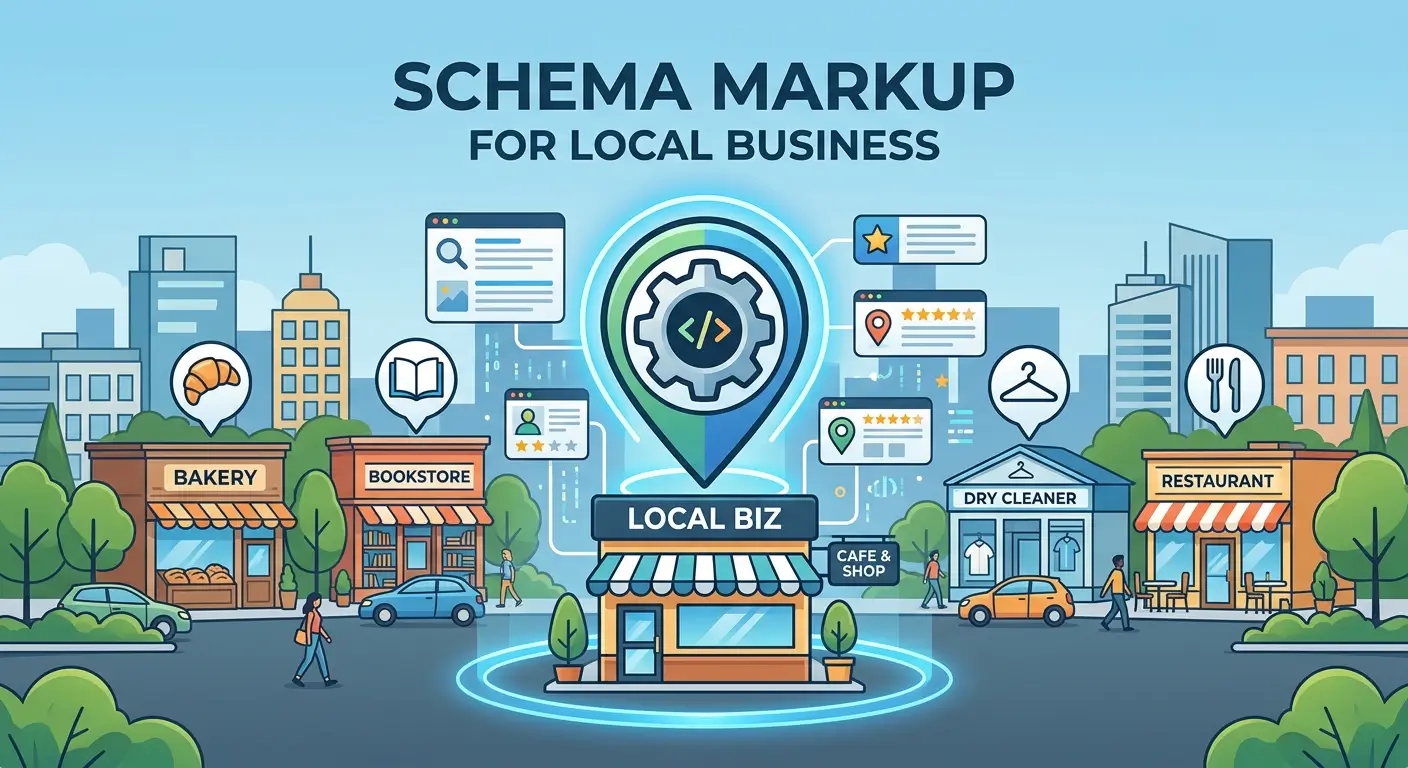
Schema markup is a special code you add to your pages to tell search engines exactly what each piece of information means. Without it, Google has to guess. With it, Google knows for certain that “555-1234” is a phone number, “9 AM – 5 PM” is a business hour, and “4.8 stars” is a rating. Schema also enables rich results. Those are the enhanced Google listings that show star ratings, hours, and photos right in the search results.
Key Schema Types Every Directory Should Use
| Schema Type | Where to Add It | What It Tells Search Engines |
| LocalBusiness | Each listing page | Business name, address, phone, hours, location, and ratings |
| Organization | Your homepage | Your directory’s name, logo, website, and social links |
| BreadcrumbList | Every page | The navigation path (Home > Category > Listing) |
| FAQPage | Pages with FAQ sections | Question-and-answer pairs that can appear in Google |
| Review / AggregateRating | Listing pages with reviews | Average rating, number of reviews, best possible score |
| ItemList | Category pages | An ordered list of listings (helps with “best of” rankings) |
| GeoCoordinates | Listing pages with maps | Exact latitude and longitude of the business |
Use JSON-LD format for your schema. It is the format Google recommends. It sits in a script tag in your page’s head section and does not touch your visible content. After adding schema, test it with Google’s free Rich Results Test tool to make sure everything is set up correctly.
📝 Beginner Tip: If coding schema by hand feels scary, use a free tool like Merkle’s Schema Generator or the Google Structured Data Markup Helper. You fill in the fields, and it gives you the code to paste into your pages.
Answer Engine Optimization (AEO) for Directory Websites
AEO stands for Answer Engine Optimization. It is about making your content easy for AI-powered tools to pick up and use as a direct answer. Think about what happens when you ask Google a question and the answer appears right at the top of the page, before any website links. Or when you ask Siri or Alexa a question and get a spoken answer. That answer came from a website somewhere. AEO is how you make that website yours.
1. Why Should Directory Owners Care About AEO?
More and more, people get answers without clicking on any website. Google shows AI-generated summaries. ChatGPT gives direct answers. Voice assistants read out a single response. This is called “zero-click search.”
For directory owners, this is actually a big opportunity. When someone asks “What are the best coffee shops in Brooklyn?”, the AI has to pull that answer from somewhere. If your directory has well-organized, accurate listings with good reviews and clear data, you are exactly the kind of source these tools want to use.
2. How to Optimize Your Directory for AEO
Write Content That Directly Answers Questions
On every category page, include a short editorial section that answers the most common questions about that category. Put the answer right after the question. Do not bury it in a long paragraph. AI tools scan for this pattern and pull out these direct answers.
Example for a “Dentists in Miami” page: Include a short paragraph like “Miami has over 2,400 dental practices. The most popular specialties are cosmetic dentistry, orthodontics, and pediatric care. A first visit typically costs $150 to $350 depending on the dentist and your insurance.”
Add FAQ Sections to Your Most Important Pages
FAQs are one of the easiest and most powerful things you can add. Write 6–10 real questions that people ask about the category or service, and give short, clear answers below each one. Mark them up with the FAQPage schema so AI tools can read them. To find the right questions, look at Google’s “People Also Ask” box, or use free tools like AnswerThePublic or AlsoAsked.
👉 Tips: How to Add FAQ Schema in WordPress
Think About How People Talk (Voice Search)
When people use voice assistants, they ask full questions in everyday language: “Who is the best-rated electrician near me?” or “What time does the top bakery in Portland open?” Write your content the way people actually talk. Keep answers short, put the most important info first, and use natural phrasing.
Keep Your Information Accurate and Fresh
Nothing kills your AEO faster than outdated information. If a business moved locations, changed its phone number, or updated its hours, your directory needs to reflect that. Set up a process to verify listings on a regular basis. Show a “Last verified” date on each listing so both users and AI tools know the info is current.
Make Sure Your Directory Shows Up on Other Platforms Too
AI tools do not just look at your website. They also pull information from Google Business Profile, Yelp, Apple Maps, Bing Places, and other platforms. Make sure your directory’s own brand is listed on these platforms with consistent information (same name, same address, same phone number everywhere).
Remember: AEO works on top of SEO, not instead of it. You need a well-built, fast, crawlable website before AEO can make a difference. Get your SEO basics right first, then layer in AEO.
Generative Engine Optimization (GEO) for Directory Websites
GEO stands for Generative Engine Optimization. It is about getting your directory mentioned and cited when AI tools like ChatGPT, Google AI Overviews, Perplexity, Claude, or Microsoft Copilot generate answers for users.
Here is the difference between AEO and GEO in simple terms: AEO is about being the answer in a search result box. GEO is about being one of the sources that an AI chatbot references in its full response. When ChatGPT says “According to [source], the top-rated plumbers in Dallas are…” GEO is what makes your directory that source.
1. How Do AI Tools Pick Which Sources to Cite?
Most AI search tools follow a two-step process. First, they search the web (just like Google does) to find pages related to the user’s question. Second, they read through those pages and combine the best information into a single answer, picking which sources to mention.
This means your directory pages need to do two things well: (1) be easy to find in web searches, and (2) be written in a way that the AI can easily pull out useful facts and give your directory credit. Studies have shown that pages with clear data, statistics, and cited sources get picked 30–40% more often by AI tools.
2. GEO Strategies That Work for Directories
Publish Data That Nobody Else Has
This is your biggest advantage as a directory owner. You sit on top of a mountain of data: how many businesses are in each category, what the average rating is, what the price ranges look like, how many new businesses listed this quarter. Package this data into useful reports and pages. AI tools love citing unique data because they cannot get it anywhere else.
Put the Most Important Info at the Top of Each Section
AI tools often grab the first few sentences of a section to build their answers. So do not start with background or context. Lead with the key fact or takeaway. This is sometimes called BLUF (Bottom Line Up Front). For example, instead of “The plumbing industry has evolved over decades…”, start with “The average cost of hiring a plumber for a home repair is $150–$400, depending on the job and your location.”
Build a Hub-and-Spoke Content Structure
Think of this like a wheel. The hub is a big, detailed guide page (like “How to Find the Right Contractor: A Complete Guide”). The spokes are smaller, specific pages that link back to the hub, such as city-specific listing pages, pricing guides, and how-to articles. When AI tools see that your directory has a deep, connected web of content on one topic, they trust you more as an expert source.
Make Sure AI Bots Can Actually Visit Your Pages
This sounds obvious, but it is the number one mistake people make. Many websites accidentally block AI crawlers through their robots.txt file or their hosting settings. Some hosting and CDN providers (like Cloudflare) now block AI bots by default. Check your server logs to see if bots like ChatGPT-User, ClaudeBot, and PerplexityBot are visiting your site. If they are not, your content will never show up in AI answers.
Update Your Content Regularly
AI tools strongly prefer fresh content. If your guide or data page has not been touched in months, AI tools will start ignoring it in favor of newer sources. Set a schedule to update your most important pages, quarterly at minimum. Add new data, fix outdated details, and always update the “Last updated” date on the page.
Get People Talking About Your Directory
Here is something interesting: AI tools do not just look at links to your site. They also notice when people mention your directory’s name across the web, in Reddit threads, forum posts, blog articles, or social media, even without a clickable link. The more your brand name shows up in relevant conversations online, the more AI tools see you as a trusted, well-known source.
Beginner Tip: Create an llms.txt file for your site. This is a new, simple text file (like robots.txt) that tells AI crawlers where to find your best content. Not every AI tool supports it yet, but setting it up early puts you ahead of most competitors.
LLM Optimization (LLMO) Tips & Tricks for Directory Websites
LLMO stands for Large Language Model Optimization. LLMs are the AI models that power tools like ChatGPT, Gemini, Claude, and Copilot. While GEO is the big-picture strategy, LLMO is about the specific, hands-on tweaks that make your content easier for these AI models to read, understand, and recommend.
1. How to Write Content That LLMs Love
Write Clearly and Simply
LLMs work best with content that is clear, factual, and well-organized. Avoid salesy language, buzzwords, and keyword stuffing. Write the way you would explain something to a smart friend who does not know the topic yet. Short sentences. Plain words. Straight to the point.
Use Questions as Your Headings
Instead of vague headings like “Our Services” or “About This Category,” use the actual questions people ask. Examples: “How much does a plumber cost in Chicago?” or “What should I look for when choosing a dentist?” When an AI tool gets a similar question from a user, it will look for pages that match, and a heading with that exact question is a strong signal.
Start Each Section With a Direct Answer
After every heading, open with a sentence or two that directly answers the question. Make this opening sentence something that could stand on its own as a complete answer. Then add more detail below for readers who want it. AI tools often grab just the first line or two, so make those lines count.
Back Up Your Claims With Numbers and Sources
Studies consistently show that pages with real data, statistics, and links to credible sources get cited by AI tools far more often than pages without them. If your directory tracks review data, pricing trends, or business counts, publish those numbers. Link to your data sources. This builds trust with both readers and AI models.
2. Technical Tricks for Better LLM Visibility
Use Proper Schema Markup (Yes, Again)
We covered schema earlier, but it is worth repeating because it matters so much for LLMs too. Structured data is like a cheat sheet that helps AI models instantly understand what your page is about. Prioritize LocalBusiness, FAQPage, Review, and BreadcrumbList schema on your directory pages.
Use Meaningful HTML Tags
Instead of wrapping everything in generic <div> tags, use HTML tags that describe what the content is: <article> for main content, <section> for content groups, <header> for page tops, <nav> for navigation, and <footer> for page bottoms. These tags help AI models understand the structure and purpose of each part of your page.
Build a Strong About Page
Your About page might seem unimportant, but LLMs use it to figure out who you are and whether you are trustworthy. Include your mission, your team’s background, how your directory works, what standards you follow for listings, and how users can contact you. This builds what Google calls E-E-A-T (Experience, Expertise, Authoritativeness, and Trustworthiness).
Do Not Forget About Bing
ChatGPT and Microsoft Copilot both pull information from Bing’s search index, not just Google’s. Many directory owners only submit their sitemaps to Google and forget about Bing entirely. Sign up for Bing Webmaster Tools (it is free), submit your sitemaps, and make sure your pages are being indexed there too.
Set Up an llms.txt File
This is a simple text file you place at the root of your website (like yoursite.com/llms.txt). It lists your most important pages and briefly describes what each one covers. Think of it as a table of contents for AI crawlers. It is still a new idea and not every AI tool reads it yet, but early setup costs almost nothing and can give you an edge.
3. Content Strategy for Getting Noticed by AI Models
Go Deep on One Topic Instead of Wide on Many
If your directory covers home services, do not just create one thin page about plumbing. Build a full cluster of content: how to hire a plumber, average plumbing costs by region, what licenses plumbers need, common plumbing scams to watch out for, and so on. When an AI model sees that you have covered a topic from every angle, it treats you as the go-to expert.
Share Data That Only You Have
Your directory is sitting on unique data: total listings by category, average review scores, most-searched business types, regional trends. Turn this into published content. AI models love to cite unique data because they literally cannot get it from anyone else. A simple page titled “How Many Restaurants Are Listed in New York? Our Latest Numbers” can become an AI-cited source.
Keep Your Best Content Up to Date
Show a clear “Last updated” date on every important page. AI tools tend to prefer recently updated content over old pages. When you refresh a page with new data or fixed details, update that date. Set a reminder to review your top content every few months.
Use Reviews and Q&A to Your Advantage
User reviews and Q&A sections add natural, everyday language to your pages, the same kind of language people use when asking AI tools questions. Keep these sections clean and moderated, but let real users express themselves naturally. AI models notice when a page has helpful, genuine user feedback, and they are more likely to reference it.
💡 Beginner Tip: Want to see if AI tools are already sending traffic to your site? In Google Analytics 4, check your referral traffic for sources like chat.openai.com, perplexity.ai, and copilot.microsoft.com. This tells you which pages AI tools are already pointing people toward.
Frequently Asked Questions
Add schema markup (structured data) to your pages. It helps Google understand your listings, shows rich results like star ratings in search, and makes your content readable by AI tools. It is the one thing that helps SEO, AEO, GEO, and LLMO all at once.
SEO is still the foundation. AI tools like ChatGPT and Perplexity pull their information from web pages that are already indexed by search engines. If your SEO is poor, AI tools will not find your content either. Start with SEO, then add AEO, GEO, and LLMO on top.
Check your referral traffic in Google Analytics 4. Look for sources like chat.openai.com, perplexity.ai, and copilot.microsoft.com. You can also test manually by typing relevant questions into ChatGPT or Perplexity and seeing if your directory shows up in the response.
It is a simple text file you place on your website that lists your most important pages for AI crawlers. Think of it like a table of contents for AI bots. It is not required yet, but it is easy to create and gives you an early edge over competitors who have not set one up.
Review your most important pages (category guides, hub pages, and data reports) at least every few months. AI tools prefer fresh content and tend to skip over outdated pages. Also, verify listing details like hours, phone numbers, and addresses on a regular basis so your data stays accurate.
Wrapping Up
You do not need to do everything in this guide overnight. The smartest approach is to start with the basics and build from there.
First, get your technical SEO in order. Fix broken links, speed up your site, and make sure search engines can crawl your pages. Second, add schema markup to your listings and category pages. This one step helps with SEO, AEO, GEO, and LLMO all at once. Third, start writing better content: detailed descriptions, FAQ sections, and data-driven articles. Finally, make sure AI bots can visit your site and start tracking the traffic they send you.
The directory owners who start this work now will keep pulling further ahead over time. Every page you optimize, every FAQ you add, and every data report you publish adds up. Competitors who wait will find it harder and harder to catch up.



