On This Page
Bricks Builder has earned its reputation for clean code, exceptional performance, and complete design freedom. But freedom comes with a trade-off: every new project often begins from scratch.
Agencies and freelancers end up building the same UI components, and writing custom animation code again and again. Those repetitive tasks quietly consume valuable development time.
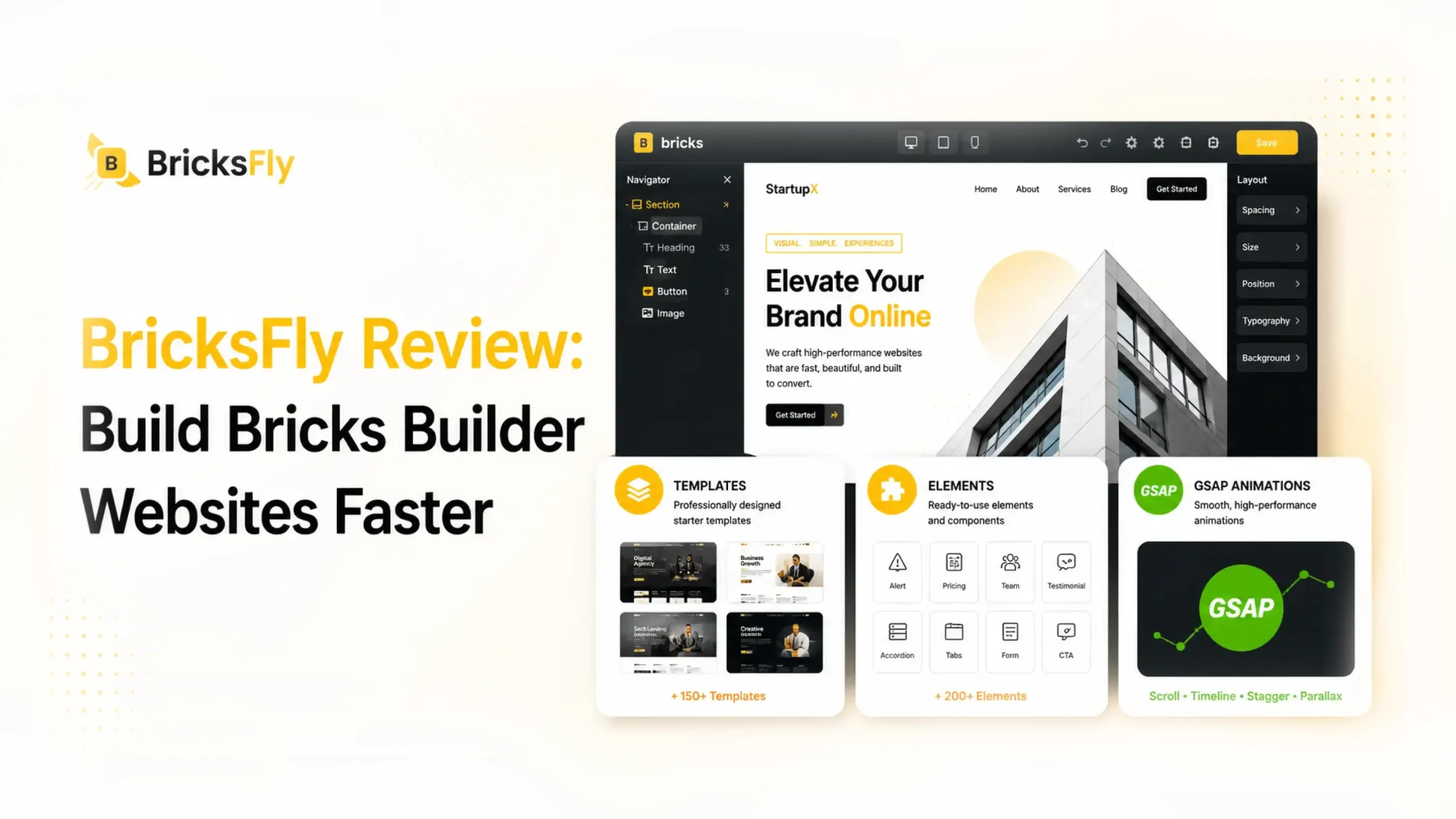
That’s exactly where BricksFly comes in. Instead of adding unnecessary complexity, BricksFly extends Bricks Builder with professionally designed templates, powerful elements, workflow-enhancing extensions, and a complete no-code GSAP animation engine.
The result is a faster, more efficient workflow that helps you launch polished, animated websites without sacrificing performance or creative control.
Quick Answer: BricksFly is a complete Bricks Builder toolkit. It combines 30+ full website templates, 500+ premium sections, 30+ Elements, 17+ Extensions, and a no-code GSAP animation engine in one plugin. It helps freelancers, agencies, and designers build premium animated Bricks websites faster, without starting every project from scratch or writing custom JavaScript for animation.
👉 Good Read: Best Free WordPress Page Builders
What Is BricksFly?
BricksFly is a complete Bricks Builder toolkit for WordPress. It provides users 30+ full website templates, 500+ premium sections, 30+ extra Elements, 17+ Extensions, and a visual GSAP animation system, all in one plugin.
It was built by the team behind Animation Addons for Elementor. The background matters as the team already built and launched a production GSAP animation product for WordPress.
BricksFly takes that proven animation engine, brings it to the Bricks ecosystem for the Bricks users. It provides a full website-building workflow, from importing a template to adding scroll effects without writing custom JavaScript.
BricksFly Lifetime Deal is Live For 72 Hours.
(From today until 31st July)
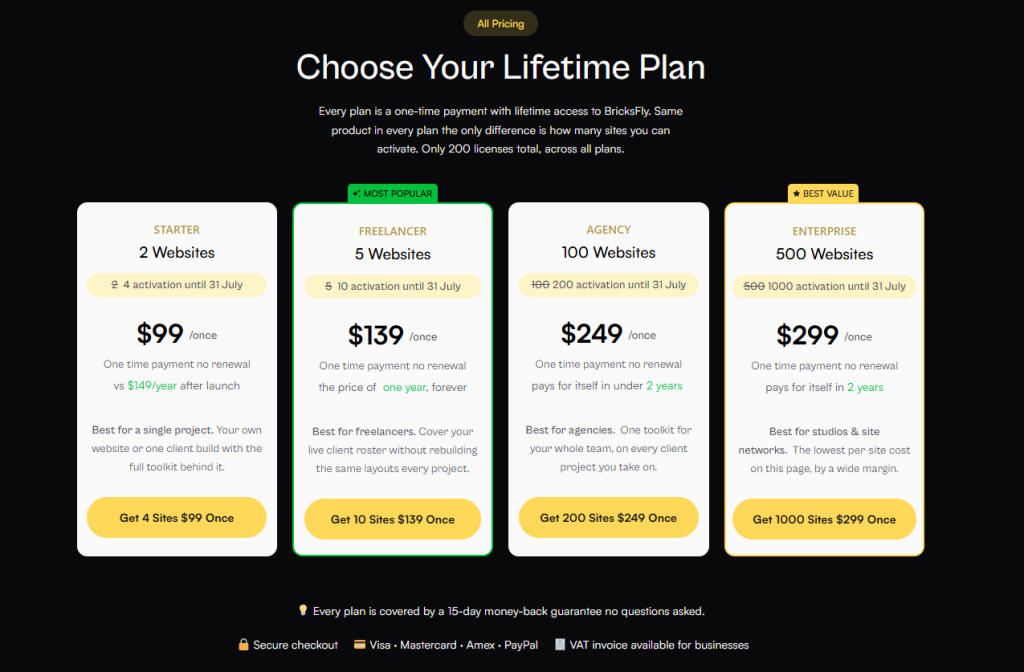
There are 200 licences that exist across all plans. When 72 hours are up, the offer closes forever.
Hurry up. Grab the deal before it ends.
BricksFly at a Glance
| Feature | What You Get |
| Full website templates | 30+ complete templates with inner pages |
| Premium sections | 500+ ready-made sections |
| Elements | 30+ extra Bricks Elements |
| Extensions | 17+ Bricks Extensions |
| Animation | No-code GSAP engine |
| Built for | Bricks Builder |
The Core Problem BricksFly Solves
Most Bricks users do not have a “which builder” problem. They have a speed and consistency problem. Three patterns cause it.
Start Every Site From Scratch
A blank Bricks canvas is flexible, but flexibility is slow. You build the header, then the hero, then the services grid, then the pricing table, then the footer, and you do it again on the next project. Even with your own reusable blocks, assembling a full multi-page site by hand takes real time you cannot always bill for.
GSAP Animation Requires Code
GSAP is the standard for high-quality web animation and it is one of the reasons premium sites feel premium. But GSAP runs on JavaScript. To add a ScrollTrigger reveal, a SplitText heading, or a pinned section in Bricks, you normally write and debug custom scripts. For a designer or a non-developer freelancer, that is a hard wall. For a developer, it is repetitive work that eats into margins.
Multiple Addons
To cover templates, extra Elements, and animation, most builders install several plugins. Each one has its own license, its own update cycle, and its own settings. When two of them conflict, you are the one debugging it at 11 PM before a launch. More plugins mean more surface area for things to break.
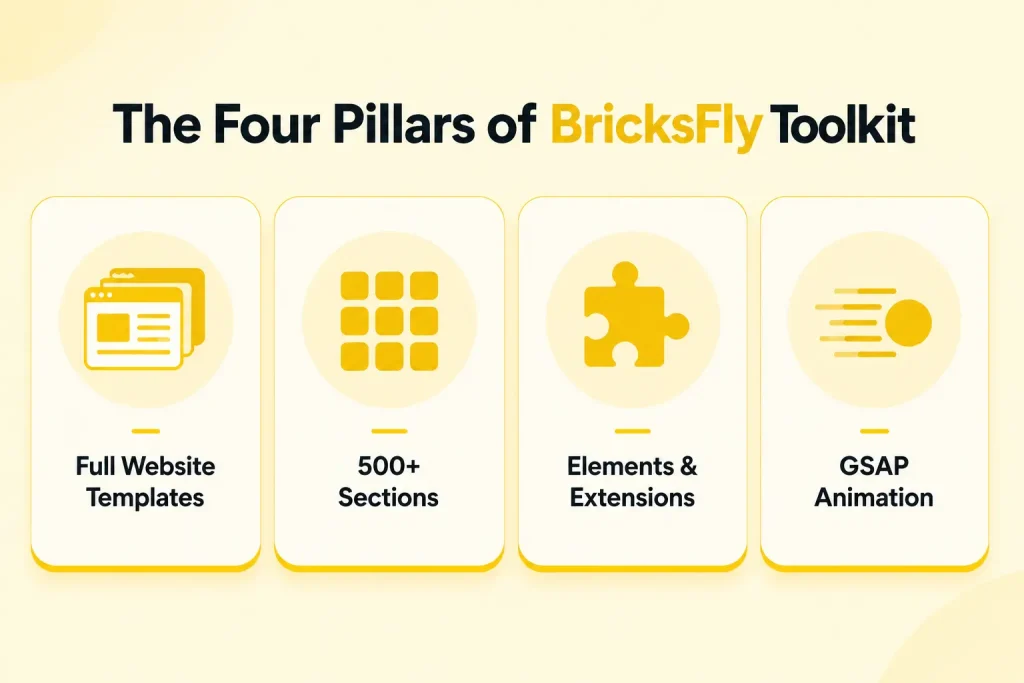
The Four Pillars of BricksFly Toolkit
BricksFly is built around four pillars that map to the actual stages of building a site: start with a template, fill gaps with sections, extend functionality with Elements and Extensions, then add motion with animation. The rest of this review walks through each one in that order.
30+ Complete Website Templates
BricksFly includes 30+ full website templates. The word “full” is doing real work here, and it is the first thing worth understanding.
What “Complete” Means (Inner Pages Included)
A lot of template packs give you a homepage and call it a day. You import a beautiful landing page, then realize you still have to build the About page, the Services page, the Contact page, and the blog layout from nothing. The design consistency breaks the moment you leave the homepage.
BricksFly templates ship with the inner pages included. When you import one, you get the homepage and the supporting pages designed to match. That means you customize content and branding rather than rebuilding structure.
NOTE: Complete website vs. single-page template. A single-page template saves you the homepage. A complete website template saves you the entire site structure, which is where most of the real time goes.
Template Categories
The templates span the site types freelancers and agencies actually get hired to build:
- Agency
- SaaS
- Portfolio
- Business
- Startup
- Creative
How Import Works
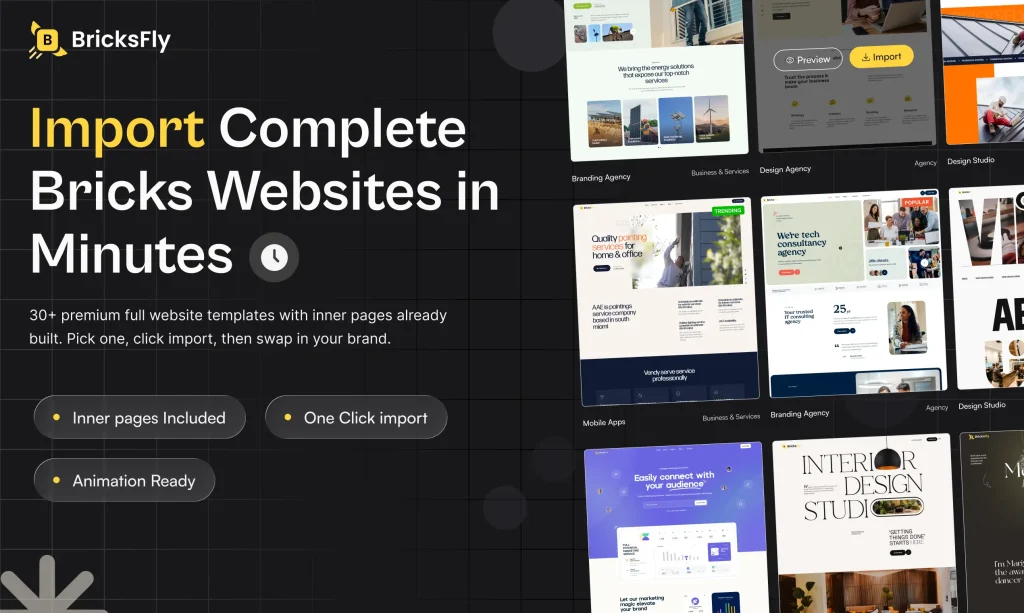
The import is a one-click demo import. You browse the template library, pick a design, and import the full website into your Bricks install. From there you replace copy, swap images, and adjust the brand colors. The structure, spacing, and layout logic are already done.
500+ Ready-Made Sections
Templates give you a starting site. Sections give you the parts to extend and customize it. BricksFly includes 500+ premium sections, which is where day-to-day page building speeds up.
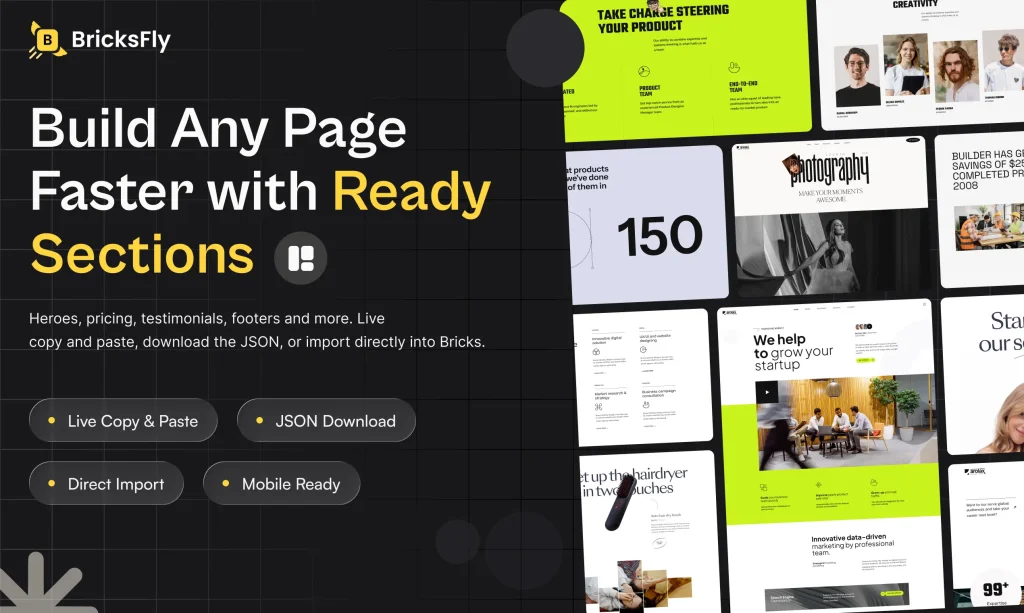
A section is a pre-built, self-contained block: a hero, a pricing table, a testimonial row, a CTA band, a footer, a services grid, and so on. When a client wants “a comparison table under the pricing,” you drop one in instead of building it.
Three Ways to Add a Section
BricksFly gives you three ways to get a section into your site, which matters because different workflows call for different methods.
| Method | Best For | How It Works |
| Live copy and paste | Fastest, mid-build | Cross-domain copy from the library, paste directly into your Bricks editor |
| JSON download and import | Version control, handoff | Download the section as JSON, import it into Bricks manually |
| Direct import | Bulk or first-time setup | Import sections straight into your install |
The cross-domain live copy and paste is the standout for speed. You are browsing the section library in one tab and pasting into your live editor in another, with no download step in between.
30+ Elements and 17+ Extensions
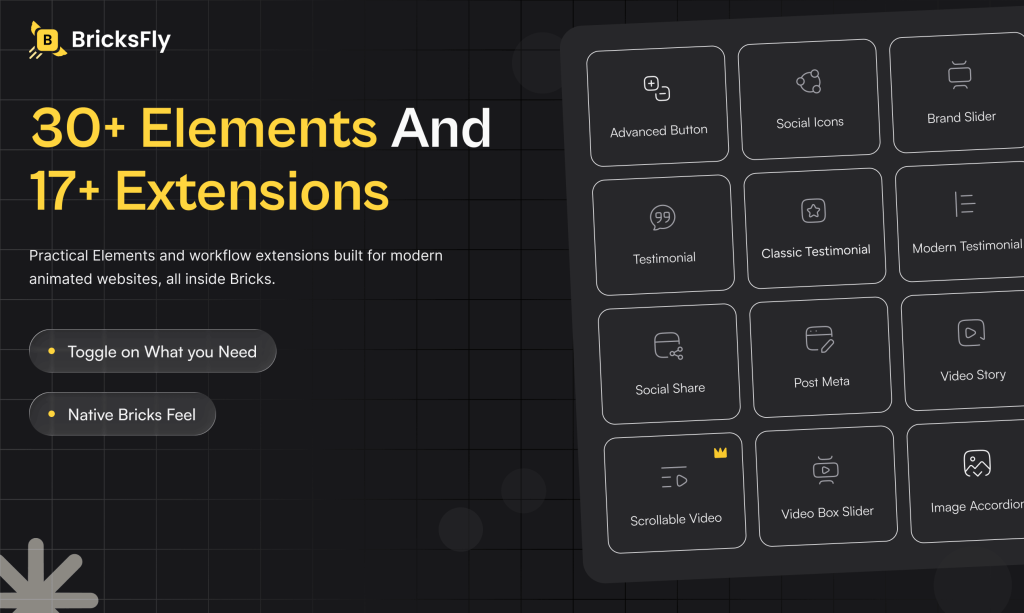
Beyond templates and sections, BricksFly extends what Bricks Builder can do natively with 30+ Elements and 17+ Extensions.
What the Extra Elements Add
Elements are the building blocks you drag onto the canvas in Bricks. BricksFly adds ones that Bricks does not ship natively, covering common needs like advanced buttons, image comparison sliders, timelines, hotspots, Lottie support, and creative headings. These save you from rigging up custom code or hunting for a single-purpose plugin every time a design calls for something beyond the default set.
What the Extensions Do
Extensions add functionality and workflow behavior rather than a draggable block. In BricksFly, they cover the animation and interaction layer, things like sticky and pin behavior, scroll effects, and cursor interactions that apply to Elements you already have.
How This Differs From Native Bricks Elements
Bricks Builder ships with a strong native Element set, and BricksFly does not replace it. It fills the gaps. Think of the native Elements as the foundation and the BricksFly Elements and Extensions as the layer that handles the “we need something more advanced here” moments without a code detour.
| Elements | Extensions | |
| What it is | A block you drag onto the canvas | A behavior or feature applied to existing Elements |
| Examples | Advanced button, image compare, timeline, Lottie | Sticky/pin, scroll effects, cursor interactions |
| When you use it | You need a new type of content block | You need to add behavior to what is already on the page |
NOTE : A terminology note for Bricks users. Bricks calls these “Elements,” not “Widgets.” BricksFly follows the same convention, so everything lines up with the native Bricks interface you already know.
Visual GSAP Animations Without Complex Coding
This is the pillar that separates BricksFly from a standard template library, so it is worth spending time on.
What GSAP Is and Why It’s Hard in Bricks Normally
GSAP (the GreenSock Animation Platform) is a JavaScript animation library used across the professional web for smooth, controllable motion. It is what makes high-end sites feel high-end. The catch is that GSAP is code. To use it in Bricks natively, you write JavaScript, wire it to your Elements, and debug it across breakpoints.
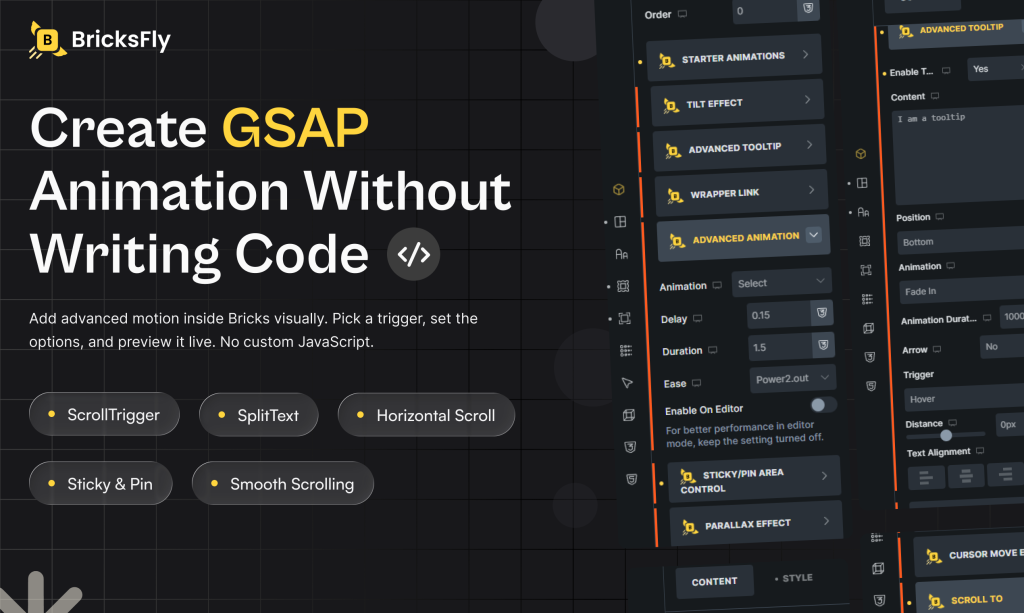
BricksFly puts that engine behind a visual interface. You get the GSAP output without writing custom JavaScript for each effect.
The Animation Types You Can Create
BricksFly covers the effects that clients actually ask for and that normally require scripting:
- ScrollTrigger: animations that fire as the user scrolls to a point on the page
- SplitText: headings that animate letter by letter or word by word
- Horizontal scroll: sideways scrolling sections, common for portfolios
- Sticky and pin elements: hold a section in place while the page scrolls past
- Parallax: background and foreground moving at different speeds for depth
- Smooth scrolling: eased, controlled page scrolling
- Image and text animation: reveals, fades, and movement on content
- Advanced button animation: hover and interaction states beyond CSS defaults
How the No-Code Workflow Works
You select an Element, open the animation controls, and configure the effect visually. You set the trigger, the timing, and the behavior through the interface rather than in a script file. The GSAP engine handles the JavaScript underneath.
NOTE: The wording here is deliberate. GSAP itself runs on JavaScript under the hood, so BricksFly’s value is that you do not write custom JavaScript, not that zero code exists anywhere in the stack.
Animation Type Comparison
| Animation Type | Best For | Difficulty Without a Tool | BricksFly |
| SplitText | Hero headings | Hard | Yes |
| ScrollTrigger | Scroll-based reveals | Hard | Yes |
| Horizontal scroll | Portfolio sections | Hard | Yes |
| Sticky / pin | Product storytelling | Hard | Yes |
| Parallax | Visual depth | Medium | Yes |
| Smooth scroll | Whole-page feel | Medium | Yes |
A Real Workflow: From Blank Page to Animated Site
Here is how the four pillars come together on an actual project. Say you are building an agency site for a client.
- Pick a template. Choose an agency template from the library. You get the homepage plus the inner pages (About, Services, Contact) designed to match.
- Import it. Run the one-click demo import. The full site structure lands in your Bricks install.
- Customize. Replace the copy and images with the client’s content, swap in their brand colors, and drop in any extra sections you need from the 500+ library.
- Animate. Open the animation controls, add a SplitText reveal on the hero, a ScrollTrigger fade on the services, and a pinned section for the case study. Configure it all visually.
The site that would have taken days of building and scripting comes together in a fraction of the time, and the client gets the animated, premium feel they were paying for.
Who Benefits Most
BricksFly helps anyone building Bricks sites, but the payoff is sharpest for four groups.
Freelancers
If you work solo, your time is your entire margin. BricksFly lets you take on animated, premium-looking projects that used to require a developer, and finish them faster, so you can either raise your rates or take on more work.
Agencies
Agencies live and die by repeatable production. Standardizing on a template library and a shared section set means every team member starts from the same base, and quality stays consistent across projects and people.
Designers
Motion is often where designers hit a wall, because it turns into a development dependency. Configuring GSAP effects visually means you control the final feel of the site yourself, without handing it off and waiting.
Developers
You did not get into development to rebuild the same footer for the hundredth time. BricksFly handles the repetitive layout and animation setup so you can spend your hours on the custom functionality that actually needs you.
How BricksFly Compares to Single-Purpose Add-ons
The honest way to frame BricksFly is not “better than everything else.” It is “different in scope.”
The Bricks ecosystem has strong specialist tools. Bricksforge and Motion.page are genuinely deep animation tools. BricksExtras is a well-respected Elements add-on. Frames and Brixies have large, polished template and section libraries. If your only need is one of those things, a specialist may serve you well, and often with more depth in that single area.
BricksFly’s argument is different. It covers all four needs in one toolkit. You trade some of the extreme depth of a dedicated tool for the convenience of one plugin, one license, and one update cycle that takes you from blank page to finished animated site.
| Capability | Elements Add-on | Template Library | Animation Tool | BricksFly |
| Extra Elements | Yes | No | No | Yes |
| Full website templates | No | Sometimes | No | Yes |
| Section library | No | Yes | No | Yes |
| No-code GSAP animation | No | No | Yes | Yes |
| Complete site workflow | Limited | Limited | Limited | Yes |
So the real question is not “which single tool is the deepest.” It is “do you want to assemble and maintain a stack of specialists, or run one toolkit that covers the whole build.” For freelancers and agencies shipping regularly, the second option usually wins on time and overhead.
Pricing, Launch Offer, and Lifetime Deal
BricksFly offers two annual products and one lifetime option, each with 1-site, 5-site, and 500-site license tiers.
Builder Toolkit is the animation-and-Elements plan for builders who design their own layouts. It includes 45+ Elements and Extensions, the full GSAP animation engine, smooth scrolling, ScrollTrigger, SplitText, sticky and pin, horizontal scroll, and advanced container and image animation. It does not include the templates or the section library.
All Access Toolkit is the complete package and the most popular plan. It includes everything in Builder Toolkit plus the 30+ full website templates with inner pages, the 500+ section and page templates, one-click demo import, and cross-domain live copy and paste.
Lifetime All Access is a one-time payment with no renewals, priced flat at $299 across every tier. It covers 1,000 website activations, everything in All Access, lifetime access to all future templates and sections, lifetime updates, priority support, and a 15-day money-back guarantee.
| Plan | 1 Site | 5 Sites | 500 Sites | Includes |
| Builder Toolkit | $39/yr | $69/yr | $129/yr | Elements, Extensions, full GSAP engine (no templates/sections) |
| All Access Toolkit | $49/yr | $79/yr | $149/yr | Everything in Builder + 30+ templates + 500+ sections |
| Lifetime All Access | $299 | $299 | $299 | All Access, forever, + all future templates/sections + 1,000 activations |
Note: The Lifetime Deal. $299, one time, no renewals ever. 1,000 website activations. Every future template and section included. Lifetime updates and priority support. 15-day money-back guarantee. For an agency or a studio running many client sites, this replaces years of recurring plugin fees with a single payment.
For most freelancers and agencies, the All Access Toolkit is the plan that matches how BricksFly is designed to be used because the templates and sections are half the value. If you build enough Bricks sites to keep the plugin installed long-term, the Lifetime All Access removes the renewal question entirely.
Final Thoughts
Bricks Builder gives you control. BricksFly gives you speed on top of that control. Instead of starting every project from a blank canvas, wiring up custom GSAP scripts, and maintaining a stack of separate add-ons, you run one toolkit that carries a site from template to finished animation.
For freelancers, that means taking on premium animated projects without a developer. For agencies, it means repeatable, consistent production. And for anyone weighing the long-term cost, the Lifetime All Access turns years of recurring plugin fees into a single payment.
If you build Bricks websites for a living, BricksFly is worth a serious look.
CTA BOX: Ready to build Bricks sites faster? Explore BricksFly and see the templates, sections, Elements, Extensions, and no-code GSAP animations in one toolkit. The launch Lifetime Deal is available now at $299 one time.
FAQs
Does BricksFly work with Bricks Builder?
Yes. BricksFly is built specifically for Bricks Builder, not adapted from another page builder. Its Elements, templates, sections, and animation controls are designed to work inside the native Bricks editor and follow Bricks terminology and conventions.
Do I need to know how to code to use the GSAP animations?
No. BricksFly puts the GSAP animation engine behind a visual interface. You configure effects like ScrollTrigger, SplitText, and parallax through settings rather than writing custom JavaScript. The engine handles the code underneath, which runs on JavaScript as all GSAP does.
What is the difference between the Builder Toolkit and All Access?
The Builder Toolkit gives you the Elements, Extensions, and the full GSAP animation engine, aimed at builders who design their own layouts. All Access adds the 30+ full website templates and the 500+ section library on top. If you want the template and section speed-up, you want All Access.
Is the Lifetime Deal worth it?
It depends on your volume. At $299 one time with 1,000 activations and all future templates and sections included, it pays off quickly for anyone who builds Bricks sites regularly and plans to keep the plugin long-term. The 15-day money-back guarantee lowers the risk of trying it.
Will BricksFly slow down my website?
BricksFly is built for the Bricks workflow, and GSAP is a lightweight, performance-focused animation library. As with any animation, the impact on speed depends on how much you use and how you configure it. Keep effects purposeful, test on mobile, and respect reduced-motion settings for the best results.
Who should not buy BricksFly?
If your only need is extreme depth in one narrow area, for example the deepest possible animation control or the single largest template library, a dedicated specialist tool may suit you better. BricksFly’s strength is covering all four needs in one toolkit, not out-specializing a single-purpose plugin.