


On This Page
Want to build world-class news websites like Forbes, CNN, or The New York Times? They are all hosted in WordPress. Actually, 43.4% of the websites on the internet run on WordPress.
Appearance and functionality play a major role in attracting readers. Rather than designing a news website from scratch, you can choose from numerous website themes.
The problem is choosing the best themes from the crowd. To save your time, we’ve enlisted the best news WordPress themes.
Without coding knowledge, these themes can help you design an impressive news website. Let’s get started!
Why Choosing The Right WordPress News Theme is Important?
Don’t be under the wrong idea that operating a news site is as similar as running a blog site. Standard themes are ok for basic blog sites. But a news blog site should have more advanced features.
So, a good news theme keeps visitors scrolling with clean grids, featured sliders, and responsive elements. It also plays nicely with plugins like Yoast for SEO or AMP for mobile speed. Skip this, and your site might load slowly or bury key stories.
We prioritized themes with built-in tools for these needs, ensuring you get performance without extra hassle.
Important Features Every News Theme Must Have
When you’re choosing a theme for the best newspaper WordPress site, don’t get overwhelmed by the lot of options. Search for these “under-the-hood” essentials:
Fast loading Performance: The theme should have optimized code, lazy loading, and compatibility with caching/CDN for fast loading performance.
Different Home Page Layout: For different news formats, you should utilize the Grid, list, masonry, and category-based sections.
Ads Integration: It’s helpful to have built-in ad slots for banners, native ads, and sponsored content.
Schema Markup: The newspaper or magazine theme should automatically generate the “Article” or “NewsArticle” schema. In this way, you can appear in the “Top Stories” carousel on Google.
Breaking News Ticker & Progress Bar: These are essential features of a news site. They keep visitors engaged with real-time reporting.
Responsive & Mobile-friendly Design: The theme should provide a smooth reading experience across mobile, tablet, and desktop devices.
Top Professional & Premium News Themes
These themes are designed for high-traffic news and magazine sites. Although they require deep customization and professional-grade editorial functionality, you don’t need to use any third-party plugins.
Neeon – WordPress News Magazine Theme

| Total Sales | Rating | Support | Price |
| 2,900+ | 4.70 | 12 Hours Real TimeSupport | $39 |
Neeon is one of the top WordPress news magazine themes. It is developed by RadiusTheme and is designed for online newspapers, blogs, magazine sites, and content-heavy sites.
This theme is highly preferred due to its aesthetic design and versatile functionalities. It is fully compatible with Elementor and Gutenberg page editors.
Also, the typography and navigation system of this theme is quite exceptional. People often read the news on their phones. Neeon prioritized this factor and developed a mobile-friendly layout. It is also fully responsive for seamless viewing on different devices.
Key Features:
- Fully Customizable Layout: Neeon provides 18+ pre-made homepages and 5+ pre-built category page layouts. The 4 header styles and 3 footer variations are quite versatile and beautiful. Also, you get 48+ custom elements to utilize.
- Elementor & Gutenberg Ready: The theme supports the world’s most popular page builder (Elementor). So, you can enjoy maximum flexibility. You can explore the default WordPress Block Editor, Gutenberg.
- Readability Features: The infinity scroll and progress bar help users on the content navigation system and keep them engaged
- Dark Mood & Sticky Sidebar: The easy-to-toggle Dark Mode provides readers a unique user experience. The sticky sidebar gives users access to some news elements as they scroll down a news piece.
- Category-Specific Coloring: Enhance your site’s appearance with category-wise coloring (e.g., Red for Breaking News, Green for Tech). This will help users to locate your content interactively.
- Responsive & SEO-optimized: The theme is fully responsive on different devices. Also, you’ll get the Review & Structure Data Schema plugin (value$29) to boost the site’s SEO performance.
- WooCommerce & RTL Support: Neeon is compatible with WooCommerce and supports multilingual/RTL.
- Advanced Features: You can utilize the AMP demo version by using QR Code Scan. Also, upgrade the site’s appearance with the Image Blend Mode Option.
Drawbacks:
- Sometimes you may need to add complex functionality to your news site. For this, you need to install a third-party plugin, which may seem complex and make your site heavy.
- Although the theme supports Gutenberg, many of the creative features are locked in Elementor.
- Neeon offers advertising options, but it lacks the “Intelligent Ad System” found in higher-end themes.
Newspaper (tagDiv)
| Total Sales | Rating | Support | Price |
| 154,000+ | 4.80 | Top ProfessionalSupport | $59 |
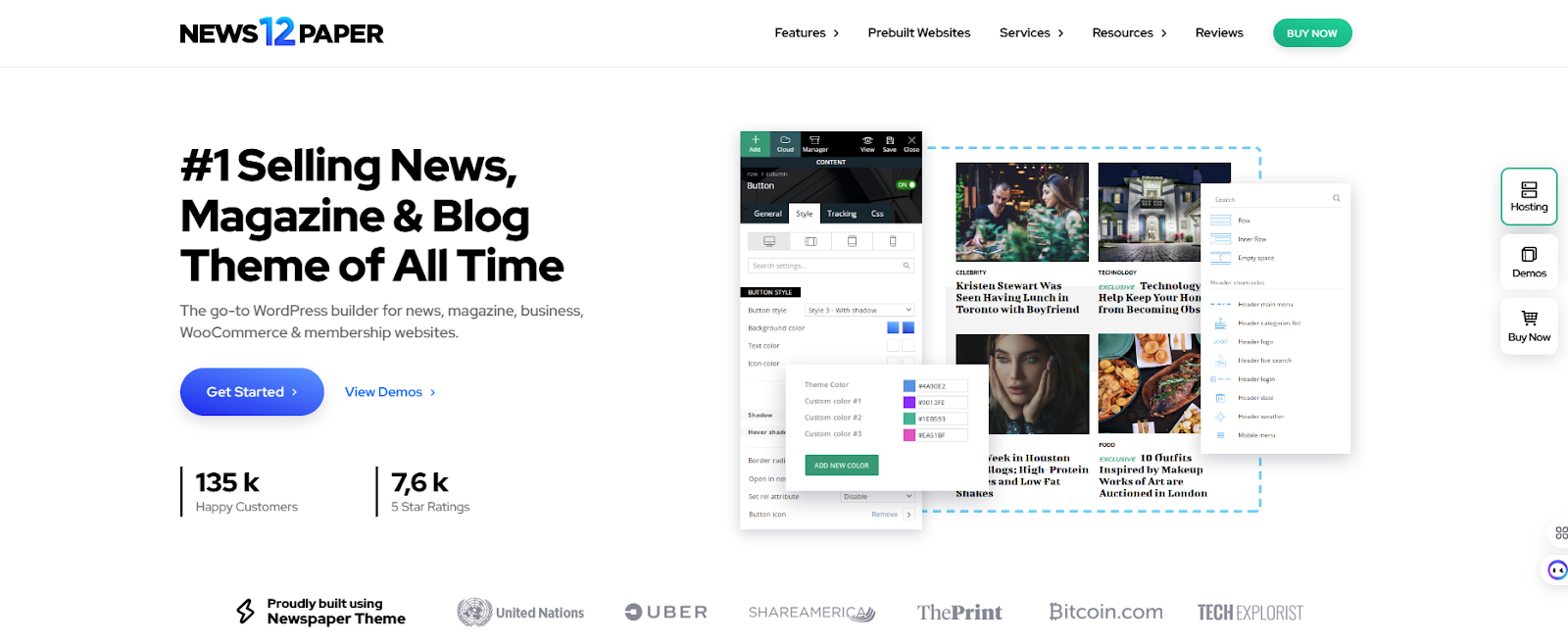
Newspaper by tagDiv is considered the #1 best-selling newspaper theme of all time. This theme is specially designed for high-traffic news portals, digital magazines, and professional blogs.
So, what makes it a must-have for so many people?
Publishers can create complex, content-rich websites without using a single line of code. Also, this theme provides professional layouts, fast performance, advanced monetization, and an easy customization process.
Key Features
- tagDiv Composer: Create and customize every part of your website with tagDiv Composer. This live visual drag-and-drop builder helps you to design custom news layouts without coding.
- tagDiv Cloud Library: You’ll get 120+ pre-built websites and 1,300+ pre-built templates, layouts, sections, headers, and footers for customization. You can also import them with one click.
- Mobile-first Design: It has a dedicated ‘Mobile Theme’ plugin. So, the smartphone users will get a lightweight, lightning-fast version of your site.
- Advanced Ad System: The built-in ad management supports Google AdSense, banner ads, custom ads, and “inline” article ads. So, you can boost your revenue in different ways.
- Opt-In Builder & Paywalls: With this tool, you can create memberships, lead generation forms, and “locked content”.
- SEO & Speed Optimized: Schema markup and clean HTML assist in boosting the search visibility. The theme is also optimized for Core Web Vitals and WebP image support.
Drawbacks:
The theme is plugin-heavy. So, poorly managed website hosting may slow down your website’s performance.
SmartMag
| Total Sales | Rating | Support | Price |
| 21,000+ | 4.76 | Reliable Support | $59 |
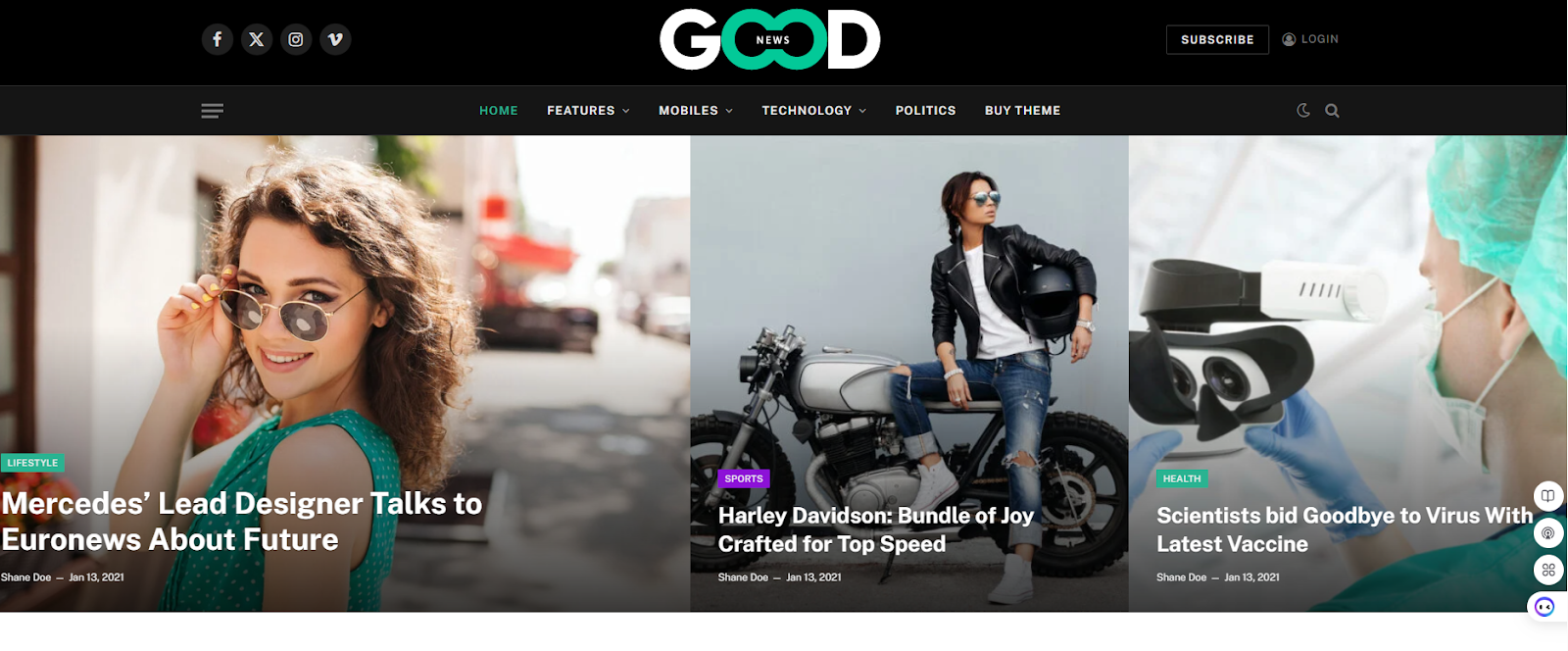
Smartmeg is a high-performing and vigorously tested WordPress theme. It is specifically built for newspapers, magazines, news portals, blogs, and content-heavy sites. This theme is considered to be a ‘future-proof’ theme due to its sophisticated design and lightweight backend.
Smartmeg is optimized for SEO and maintains elite scores for Google’s Core Web Vitals. So, readers will get a premium user experience.
This theme has a strong focus on speed, SEO, monetization, and readability. It is the first choice of professionals who want fast-loading, visually appealing sites without heavy coding.
Key Features:
- Smart Studio: You’ll get access to over 58+ professionally designed demos and 100+ pre-built “blocks”. Users can set them up easily with a one-click demo import.
- Autoload Next Post: This is an excellent engagement-increasing feature that reduces the bounce rate. When a user finishes reading a post, it automatically loads the next post.
- Google Schema Data & SEO: To rank better, the theme used lightweight code with schema support. As a result, you’ll get better search visibility.
- Unique Dark Mood: To value user preferences, the theme includes a highly customizable native dark mode toggle. You can set specific colors for the dark mood in the live customizer and page builder.
- Built-in Review System & Ratings: You can include a professional-grade rating system with unlimited criteria. This is ideal for tech and product news sites, where users look for pros/cons with star rating snippets.
- Mega Menus & Advanced Header/Footer Builder: SmartMag has 37+ prebuilt smart headers along with a dedicated builder for mobile headers and mega menus. Customizable navigation, sticky options, and flexible layouts ensure a better user experience.
- Ad Management & Monetization Tools. The theme includes intelligent ad spots, lazy loading, WooCommerce/bbPress integration, and revenue-focused features.
Drawbacks:
- Due to feature overload and complex settings and options, the process may affect your initial setup and decision-making.
- The basic setup is easy, but the theme option panel is incredibly tough. So, users may feel overwhelmed at first.
Soledad
| Total Sales | Rating | Support | Price |
| 58,000+ | 4.87 | Dedicated Support | $59 |
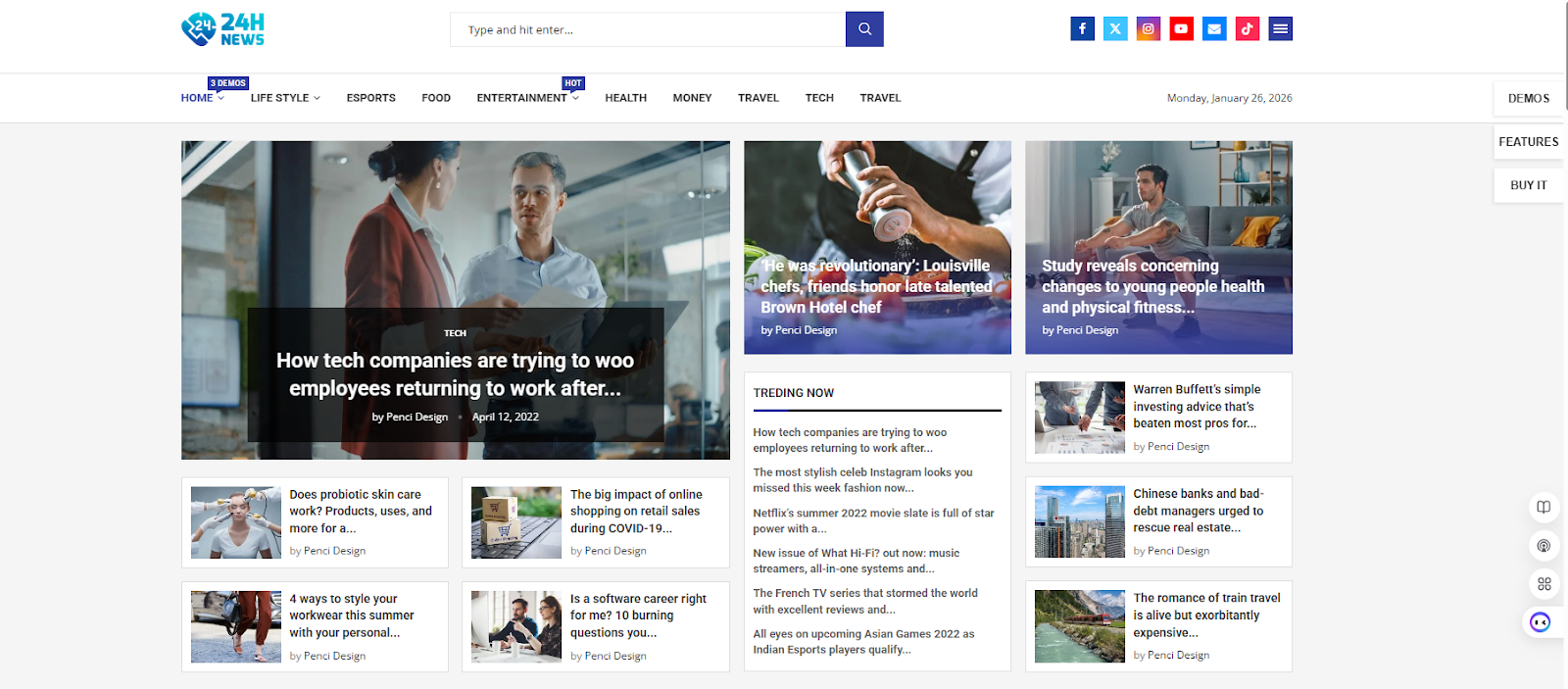
Soledad is a purpose-oriented theme ideal for various magazines, blogs, and news functions. This theme is famously known for its “massive” library of design possibilities.
The layouts of this theme are remarkable. Publishers love this theme because it’s a multi-concept powerhouse. The core theme has advanced AI tools and niche-specific plugins (like Podcast and Finance tools).
If you want a content-heavy site with flexibility, fast loading, and monetization options, then pick this theme without any doubt.
Key Features:
- Huge Demo Library: With over 6000+ prebuilt templates, 220+ prebuilt websites and demo import options, Soledad is one of the most customizable themes on WordPress. This makes sure that your site won’t look like a carbon copy of other news sites.
- Penci AI SmartContent Creator: Soledad provides an exclusive, free, and powerful plugin named ‘Penci AI SmartContent Creator. It is created with the support of OpenAI. By giving keywords, you can generate high-quality, unique content.
- Text to Speech Integration: Give your readers a unique experience by implementing text-to-speech features. Readers just need to press the button to listen to the article instead of reading it.
- In-house Premium Plugins: In addition to the Penci plugin, the theme offers plugins for Paywalls, Live Blogging, Finance (Stock/Crypto tickers), and Podcasting. This will save you a lot of subscription fees.
- Exclusive Header/Footer Builder: You’ll get unlimited header and footer layouts. You can apply different header footer layouts for the homepage, single posts/pages, archive pages or all pages.
- WooCommerce Ready & Advanced Ad Management: Utilize the monetization tools, smart ad placement, and e-commerce support for selling products or services.
Drawbacks
- With thousands of demos and complex settings panels, beginners may find it difficult to get started with the setup process.
- If you don’t optimize the site properly, the rich features and updates may slow down your site.
JNews
| Total Sales | Rating | Support | Price |
| 29,000+ | 4.82 | Dedicated Support | $59 |
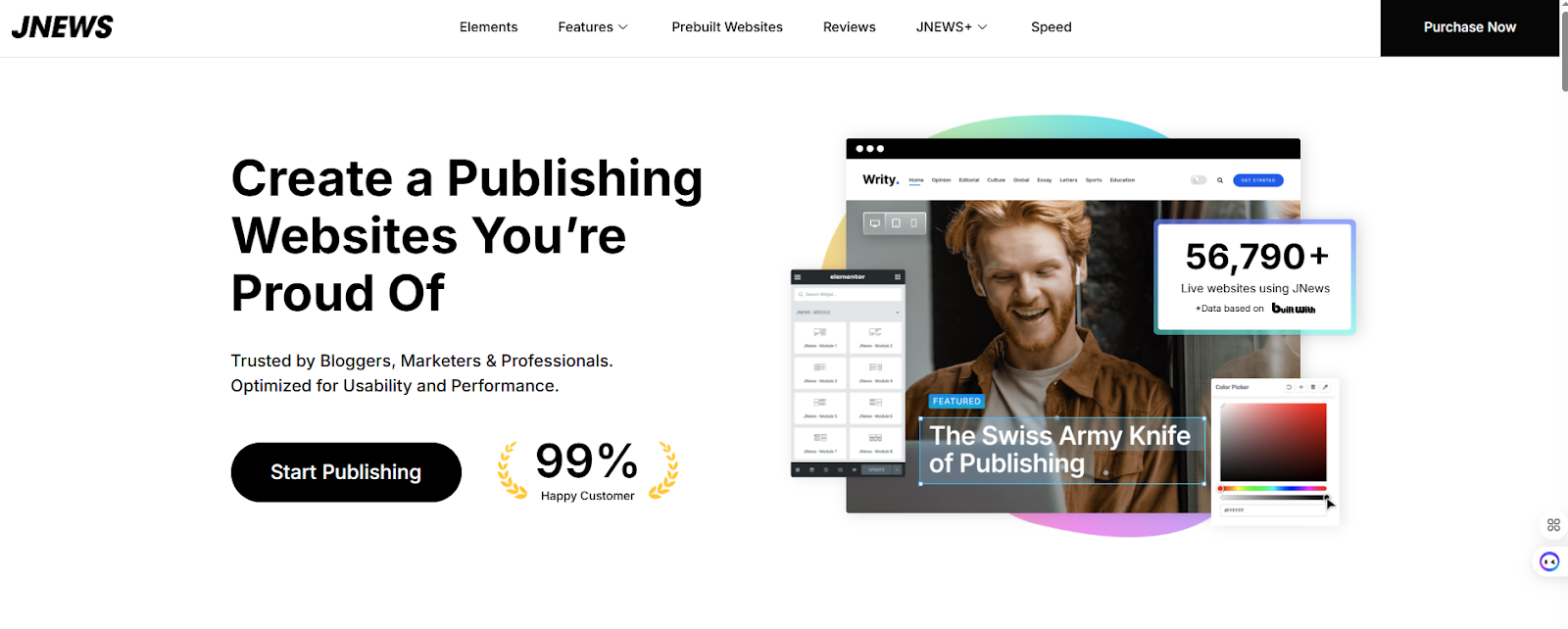
JNews is one of the most interactive and convenient WordPress Themes. For digital publishers, it provides a complete ecosystem. The theme is well known for its “monetization-first” approach.
Without any external plugins, the theme has built-in tools for subscriptions, pay-per-post, and advanced advertising.
JegAI Assistant is integrated with the theme to utilize AI and SEO optimization. This Gutenberg-ready theme has some very admirable features that are worth a look.
Key Features:
- JegAI Assistant: This exclusive AI toolkit will assist you in creating a content outline, summarizing long content for social media post formats, and optimizing meta tags to get the best search results.
- Customization Freedom: JNews incorporates two premium WordPress page builders. You can edit your fonts, colors, and backgrounds better and faster with WPBakery Page Builder and Elementor Page Builder. With incredible header and footer builders, you can drag and drop elements with a live preview.
- Built-in Paywall & Subscription System: The theme has a professional ‘locked-in’ content system. So, you can set membership options and charge readers for premium content.
- Pay Writer Structure: Streamline your payment process for writers with our JNews+ Pay Writer. You can track the payment relationship management tools to simplify the process.
- Video & Podcast Support: JNews offers a native podcast player and video-centric layouts. So, it’s easy to make your own podcast website.
- Prebuilt Websites: You can choose from 72+ customizable website templates with more than 260+ homepages. So, you’ll get multiple options to meet your needs.
- Google Web Stories: With captivating web stories from JNews, capture the attention of your visitors. You’ll get 8+ style options, which are very easy to customize.
Drawbacks:
- Beginners may feel overwhelmed with the extensive features and updates. This may also affect the setup time.
- JNews is a plugin-dependent theme to unlock the full potential. This can lead to a slightly cluttered WordPress dashboard.
Top Performance & Lightweight News Themes
These themes prioritize raw speed and clean code. This ensures your site achieves “Green” scores on Google’s Core Web Vitals. They are the ideal choice for SEO-focused publishers who want a lightning-fast user experience.
Sydney
| Total Sales | Rating | Support | Price |
| 100,000+ | 5.00 | Dedicated Support | $199/Per Year |
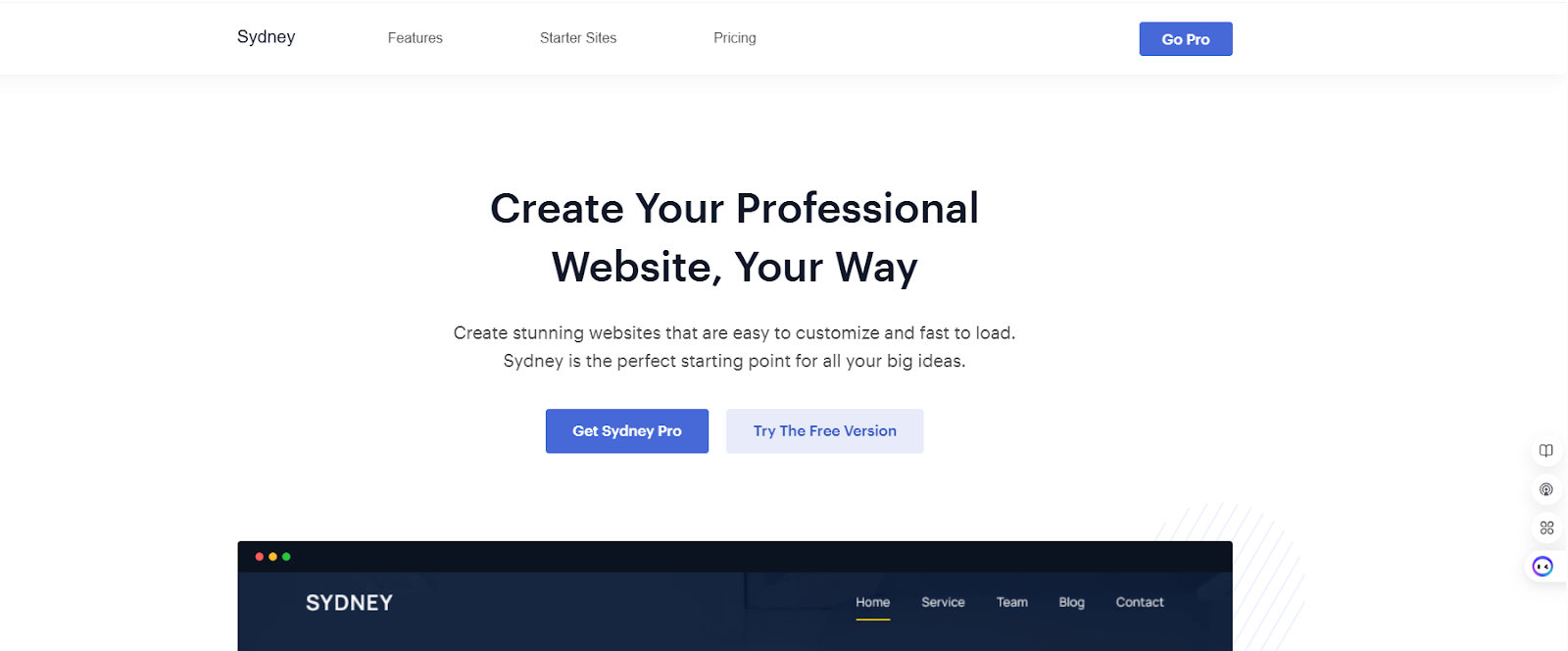
Sydney is a high-ranking multipurpose theme developed by aThemes. Though it’s not a news-first theme like Newspaper or Neeon, it is popular among publishers for its incredible speed and deep Elementor integration. It’s also helpful to build websites for technology companies.
If you want a clean, professional, and minimalist news layout without heavy code, then pick Sydney.
Key Features:
- Elementor Integration: Elementor officially recommends Sydney. It has custom widgets and sections. So, you can easily build a complex news site through drag-and-drop options.
- Custom Header & Footer Builder: You’ll get an intuitive header and footer builder along with different header presets.
- Super Fast Performance: The theme is built for speed. Sydney’s cutting-edge performance gives your site an edge, boosting your search rankings, traffic, and conversions.
- Advanced Blog Layout: For the post archive, you’ll get multiple layouts. This includes masonry post grids and classic list views. So, you can keep your newsfeed organized and clean.
- Sydney Studio: You’ll get a giant library of pre-defined layouts, elements and sections. It also comes with a preconfigured magazine layout featuring post sections and sidebars.
- WooCommerce Compatible: The theme is highly compatible with WooCommerce and has extra WooCommerce features. You’ll get built-in support for setting up an online store.
Drawbacks:
- Sydney isn’t specifically built for newspaper sites. So, it lacks some features like native “Breaking News” ticker, post-view counters, or “Review” rating systems.
- You must use Elementor to get the perfect look of a modern news portal.
Astra
| Active Installation | Rating | Support | Price |
| 1M+ | 5.00 | Dedicated Support | $69/Per Year |
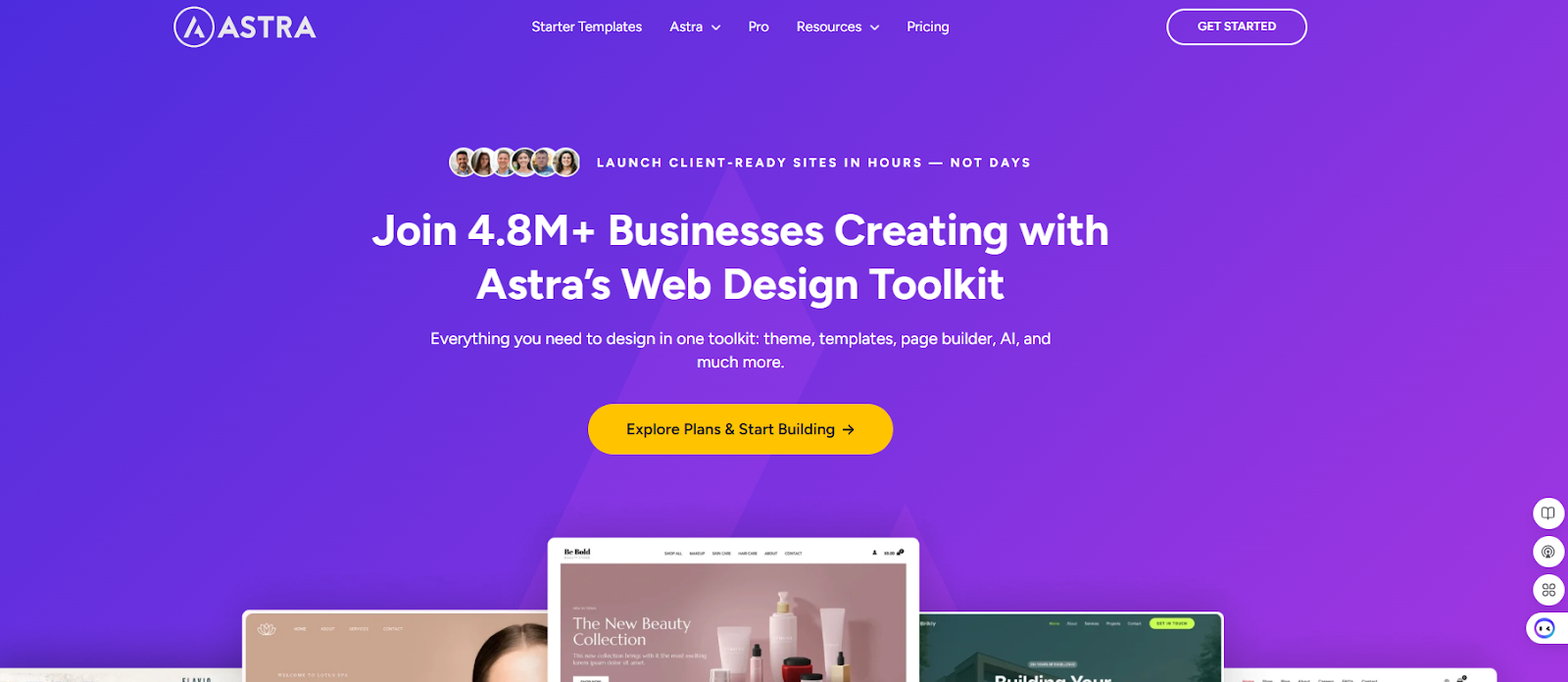
Astra is the most popular WordPress theme in the world. It has over one million active installations. Though it’s a multipurpose theme, its ‘News’ and ‘Magazine’ templates are incredibly effective for top performance.
This theme is built for Publishers who want lightning-fast performance and a perfect 100 score on Google PageSpeed Insights.
Key Features:
- Ultra Performance: Astra uses less than 50KB of resources and relies on Vanilla JavaScript rather than jQuery. This ensures your news site loads in under 0.5 seconds on a clean install.
- Starter Template Library: You’ll get access to over 250+ pre-designed templates. So, you can design high-conversion layouts for news blogs and magazines.
- Global Color & Typography Options: From one central location, you can change the entire look of your news site (fonts and brand colors). This ensures 100% consistency of your site.
- Page Builder Compatibility: This theme works perfectly with Elementor, Gutenberg, Spectra, Beaver Builder, and others.
- Self-hosted Google Fonts: You can automatically download and store fonts on your own server. This improves your site’s speed and GDPR Compliance.
- SEO & Built-in Schema: The theme includes Schema.org markup, is AMP-ready, and has a mobile-first, responsive design. This will help your site boost its ranking naturally.
Drawbacks:
- The free version of the Astra theme is pretty basic. To get the newspaper site features, you need to upgrade to Astra Pro.
- Many advanced features (forms, sliders, pop-ups) require third-party plugins. This leads to maintenance overhead.
OceanWP
| Active Installation | Rating | Support | Price |
| 500,000+ | 4.9 | Dedicated Support | Starts from $35/Per Year |
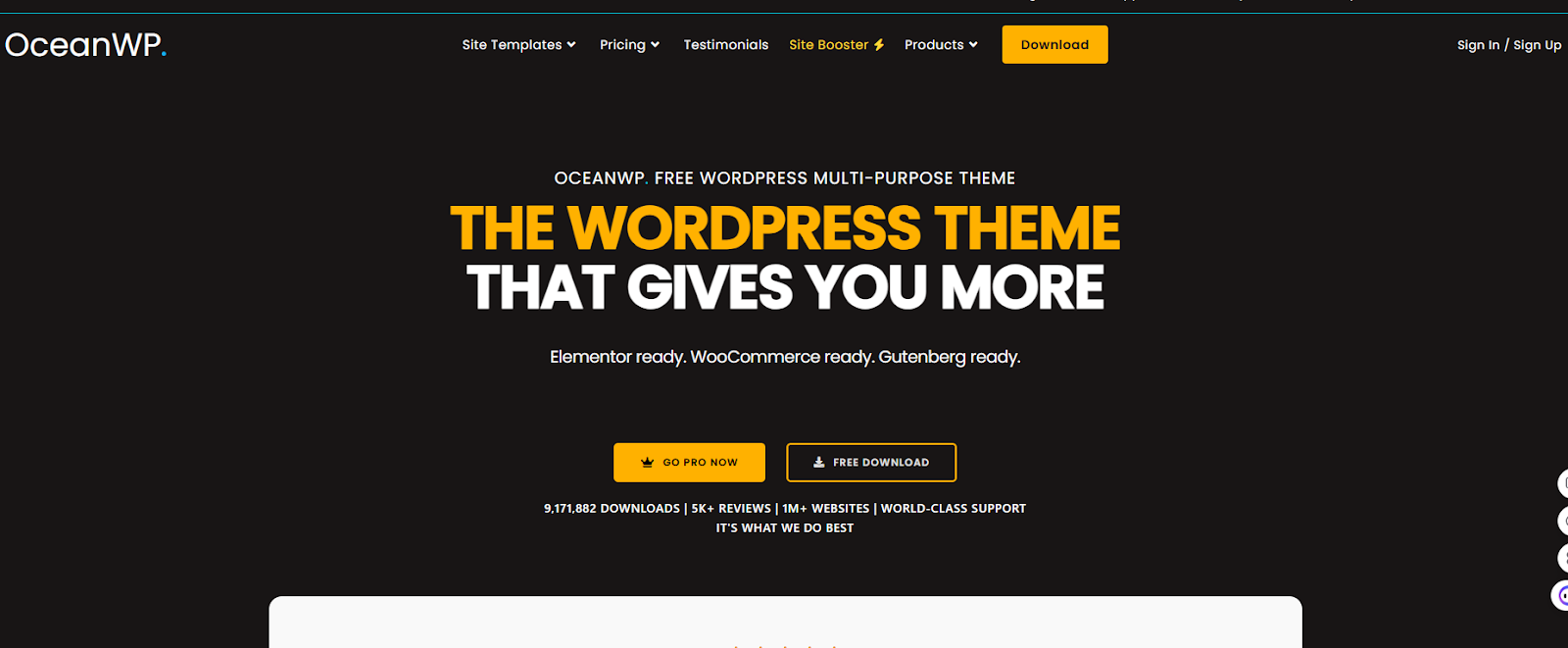
OceanWP is a highly versatile WordPress theme. It gains popularity for giving users more control in the free version than other multipurpose themes. This theme is ideal for blogs, business sites, portfolios, eCommerce stores, and even simple news/magazine setups.
News publishers preferred this theme for building custom magazine layouts with Elementor. Because they’ll get granular settings for every page, post, and archive.
Key Features:
- Extensive Customization: OceanWP offers more options in the WordPress Customizer than Astra or Sydney. Without any coding, you can tweak margins, paddings, and layouts for individual posts.
- Elementor Widgets: In the pro bundle, you’ll get a specialized set of Elementor widgets. These are specially designed for layouts such as post grids, carousels, and creative news lists.
- WooCommerce Integration: Along with news sites, you can sell merchandise or digital subscriptions to your customers. OceanWP’s e-commerce features (like the “Native Cart Popup”) are industry-leading.
- Global Typography & Color Options: Without any complex settings, OceanWP puts all typography—from H1 tags to fonts—in one structured section. This is very helpful for quick editing.
- 220+ Starter Site: You’ll get 220+ pre-built demos (free + Pro) for blogs, news, business, portfolio, eCommerce, and more. You can import them instantly with a one-click demo importer.
Drawbacks:
- OceanWP relies heavily on the Ocean Extra plugin to function. You need to install an extra 5-10 plugins to develop a news site.
- Many advanced features are available in the pro version. The core features, like sticky header, popups, additional demos, and the full WooCommerce builder, require paid extensions.
Best Free News Themes
These free themes provide high-quality, magazine-style layouts at zero cost. These are perfect for beginners or niche bloggers on a tight budget. Although they lack advanced free features, they offer reliable, widget-ready designs.
ColorMag
| Active Installation | Rating | Support | Price |
| 40,000+ | 4.9 | Better Support | Free Version Available |
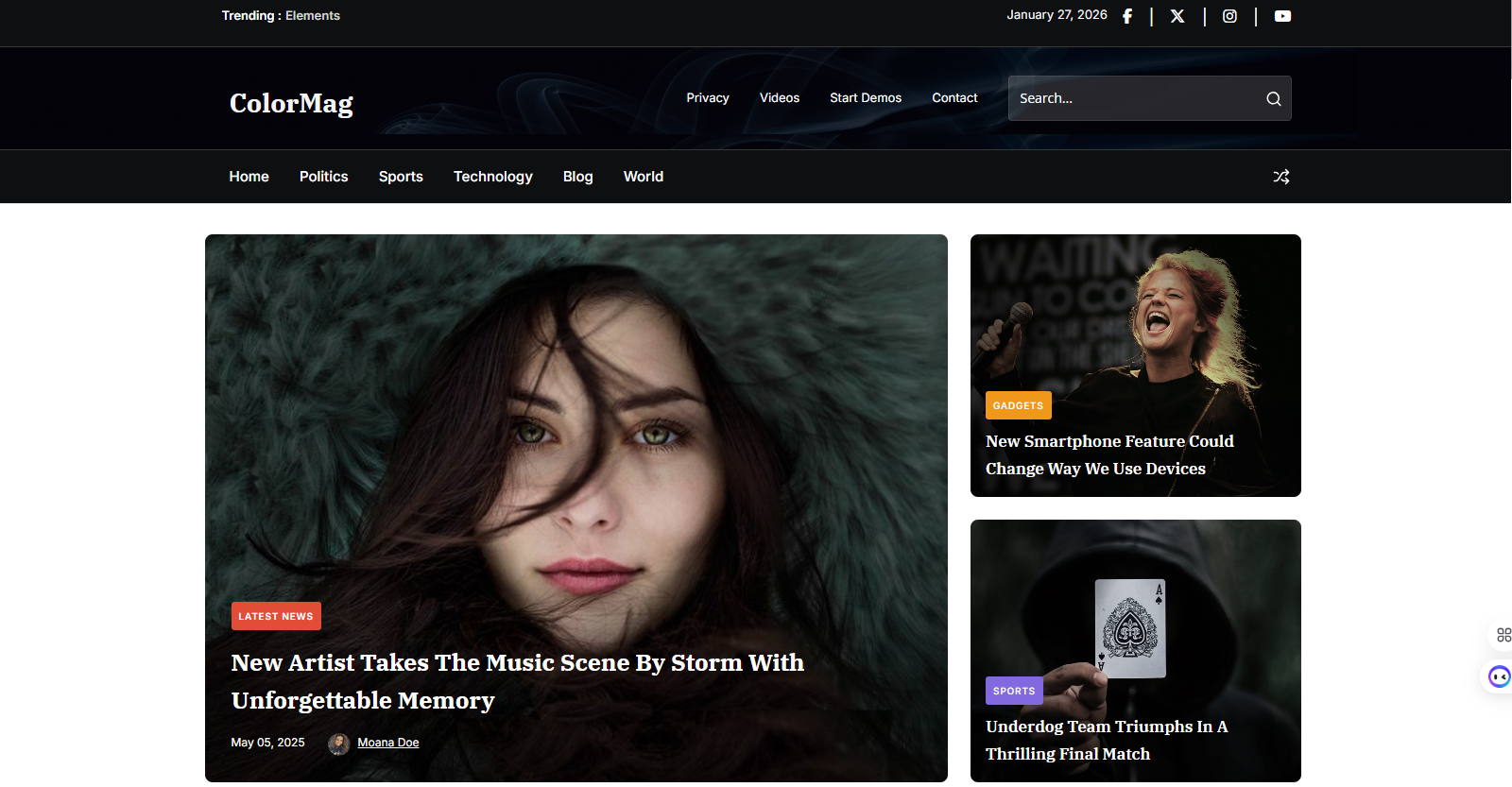
If you want a high-quality, “freemium”- style magazine layout, then ColoMag is the ideal choice for you. Developed by ThemeGrill, it is one of the most popular themes on WordPress.org.
This theme is specifically built for news, newspapers, and publishing sites. It helps to display a high volume of content in an organized, widget-based “magazine” style.
Key Features:
- Category Specific Color: You can assign unique colors to each news category (e.g., Blue for Tech, Red for Politics). These colors will label the categories across your site for better navigation.
- Magazine-Based Widgets: It’s easy to build a professional homepage with specialized custom widgets like “Featured Category Slider” and “Highlighted Posts”.
- Dedicated Ad Spaces: Utilize pre-configured areas for 728×90 and 300×250 ad banners. These are strategically designed to maximize click-through rates without annoying readers.
- Unique Post System: A unique backend feature. This ensures that the same article doesn’t appear twice on your homepage.
For example, the breaking news slider or the latest news grid won’t appear twice on a page. This system makes your website look clean and professional.
- Free Starter Demos: ColorMag has a smooth setup process with 25+ starter sites for various niches (magazine/news layouts for industries like health, sports, fashion, entertainment, and more).
Drawbacks:
- Compared to modern, minimalist themes like Neeon or SmartMag, ColorMag’s default design may feel outdated.
- Many important features—such as changing the footer copyright text, accessing advanced typography, or using a “Sticky Header”—are locked behind the Pro version.
CoverNews
| Active Installation | Rating | Support | Price |
| 7,000+ | 4.8 | Good Support | Free Version Available |
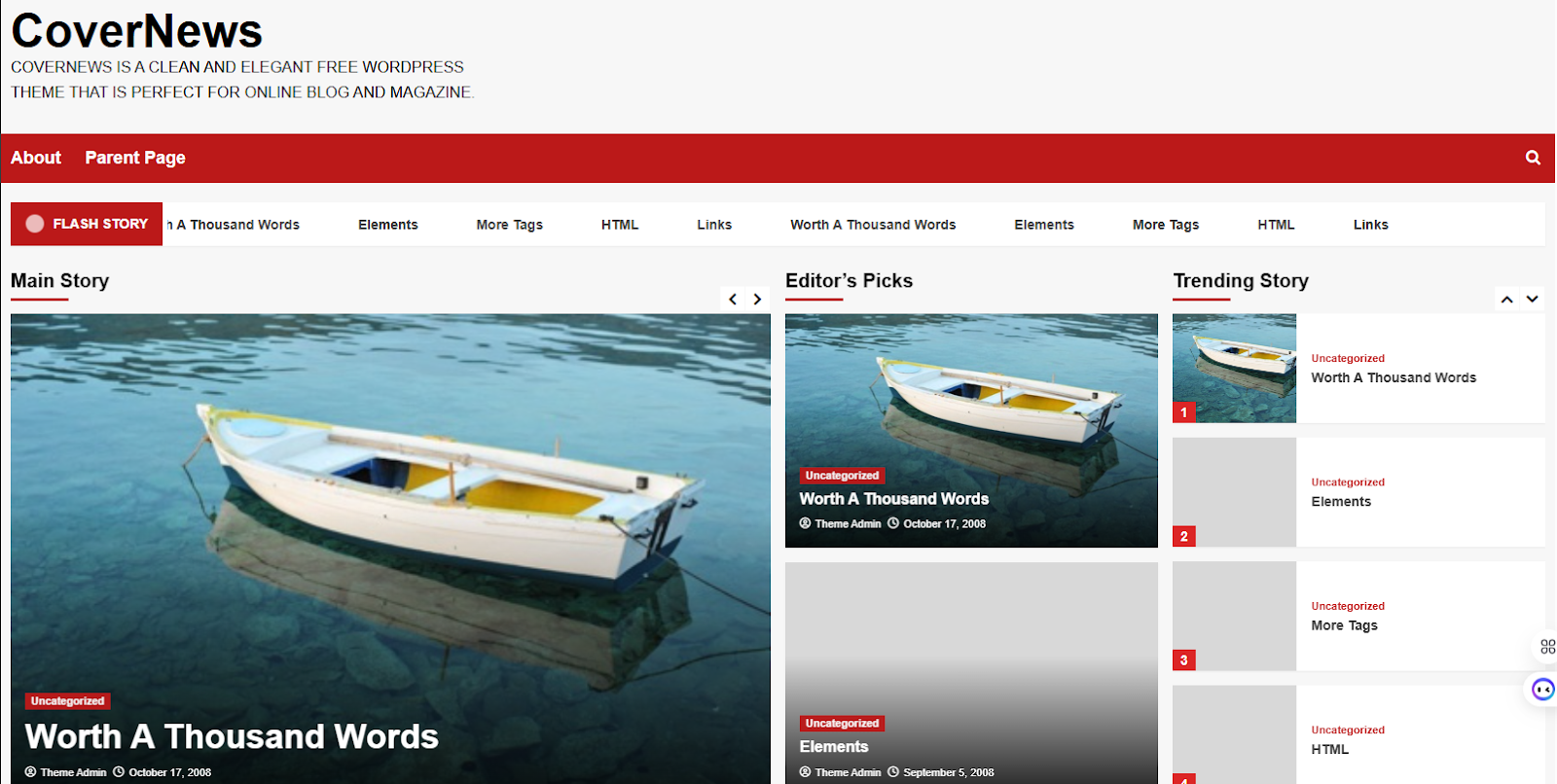
CoverNews is specifically designed for news portals, online magazines, and personal blogs. It’s become popular because of the “Block Patterns” and live customizer options.
The theme is fully compatible with Gutenberg, Elementor, and WooCommerce. So, you can upgrade your site from a simple blog to a full-scale media outlet with an integrated shop.
Key Features:
- Pre-designed Block Sections: You can utilize the ready-to-use block sections on any page. This allows instant creation of comprehensive news sites without a heavy page builder.
- Featured Banner Option: You can add multiple banner styles (Slider, Post Grid, or Trending Carousel). You can get immediate attention for your most important content.
- Custom Widgets: You’ll get 7+ specialized news widgets for sidebar and front-page placement, including “Post Single Column,” “Double Column Post List,” and social contact widgets.
- Live Customizer Preview: The built-in live WordPress Customizer ensures that changes you make to colors, fonts, or layouts are visible in real-time before you hit “Publish.”
- Category Color Management: You’ll get 3 to 7 different color options for your categories. This will visually enhance your site’s appearance for better navigation.
Drawbacks:
- In the free version, you’ll get limited typography options.
- The theme’s layouts rely heavily on high-quality featured images. If your post doesn’t contain consistent imagery, your homepage may look broken.
Comparison Table
To help you finalize your decision, here is a side-by-side comparison of the themes we’ve discussed. This table highlights their core strengths, best applicable areas and specialized features.
| Theme Name | Best For | Customization Tool | Unique News Feature |
| Newspaper | Large Scale Portals | tagDiv Composer | Dedicated Mobile Plugin |
| Neeon | Modern/Tech Sites | Elementor & Gutenberg | Dark Mode + Blend Modes |
| SmartMag | SEO & Performance | Elementor & Smart Studio | Auto-Load Next Post |
| Soledad | Niche Diversity | AI SmartContent Creator | 6,800+ Homepage Demos |
| JNews | Monetization | Elementor & WPBakery | Pay Writer System |
| Sydney | Business News | Elementor | Professional Studio Library |
| Astra | Raw Speed | Any Page Builder | Ultra-Lightweight (50KB) |
| OceanWP | Design Control | Elementor | Individual Post Settings |
| ColorMag | Classic Magazine | Customizer Widgets | Category-Specific Coloring |
| CoverNews | Modern Blogs | Block Patterns | Live Ticker & Flash Posts |
Frequently Asked Questions (FAQs)
Basically, it depends on your preference. Dedicated news themes like Neeon and JNews include built-in features such as “Breaking News” and “Review” systems. On the other hand, multipurpose themes like Astra give faster performance. But you need additional plugins to get the features.
You can monetize a News Site through display/banner ads (Google AdSense), sponsored content, and affiliate marketing.
Blog theme usually lists a number of posts in a single column. This is perfect for personal bloggers and small teams. But newspaper themes are built to manage a large amount of content. It usually consists of different categories to display articles in complex grid forms.
Blog theme usually lists a number of posts in a single column. This is perfect for personal bloggers and small teams. But newspaper themes are built to manage a large amount of content. It usually consists of different categories to display articles in complex grid forms.
Quick Summary: Which Theme Should You Choose?
Finding a suitable Newspaper theme depends on your unique needs. You can select an all-in-one features theme or a top performer theme. To ease your selection process, we’re giving the specialized recommendation.
If you want to make a news site like CNN/Forbes, then Newspaper theme is the gold standard. It’s the most powerful “all-in-one” choice.
Neeon is perfect for modern SEO and minimalistic design. It’s not as heavy as Newspaper, but it’s far more visually “clean” than Astra. Because of the dark mood and category-wise colouring, this theme is best suited for technology and fashion websites.
Lastly, if you want to monetize your site via memberships, paywalls, or paying freelance writers, then JNews is unbeatable.
Final Thoughts
With the numerous news and magazine sites, the problem is choosing the best themes from the crowd. Building a newsite in WordPress is not about publishing content; it’s about developing an efficient content-delivery machine.
It’s not necessary that the best theme will have the most features. But the chosen theme must match your specific technical skills and business goals. To save you the headache, we have analysed the best news WordPress theme.



