

On This Page
A schema markup generator is a tool that builds JSON-LD code for your web pages. You fill in a form, the tool writes the code, you paste it into your site. No coding skills needed.
This guide covers 4 of the best schema markup generators you can use right now. One is a full WordPress plugin with AI built in. Three are free online tools. Each one fits a different kind of user. By the end, you will know which to pick.
Why Schema Markup Matters?
Schema markup is no longer just an SEO trick. It is the language that search engines and AI tools use to read your pages. The numbers tell the story:
- 82.5% of pages cited in Google AI Overviews include schema markup (Stackmatix, 2026).
- 71% of pages cited by ChatGPT use structured data.
- Pages with schema are 3.7 times more likely to be cited by ChatGPT, Gemini, and Perplexity (Javadex, 2026).
- Pages with rich results get up to 30% higher click-through rates in Google search.
- Yet fewer than 30% of websites use schema correctly.
If you want Google rich results, AI Overview citations, or ChatGPT mentions, you need clean schema. A generator makes that fast and easy.
Quick Pick: Best Schema Generator for Each Need
- Best for WordPress sites: Schema Engine AI
- Best free online tool with most schema types: TechnicalSEO Schema Generator
- Best for developers and clean code: JSON-LD Generator (jsonld.com)
- Best for fast Google rich results: RankRanger Schema Generator
What to Look for in a Schema Markup Generator
Not all generators are equal. Here are the must-have features to check before picking one:
- JSON-LD output. This is Google’s preferred format. Skip tools that only output Microdata or RDFa.
- Required field validation. The tool should flag missing required fields before you copy the code.
- Number of schema types. A good free tool covers at least 8 to 10 common types (Article, Product, FAQ, HowTo, LocalBusiness, Recipe, Event, Review, Organization, Person).
- Built-in test link. One-click access to Google’s Rich Results Test saves time.
- No login required. The best online tools work without sign-up.
- Up-to-date with Schema.org. Schema rules change. Pick a tool that updates often.
The 4 tools below tick most of these boxes. The right pick depends on whether you run WordPress, code by hand, or just want quick code for a few pages.
The 4 Best Schema Markup Generators
1. Schema Engine AI (Best for WordPress Users)
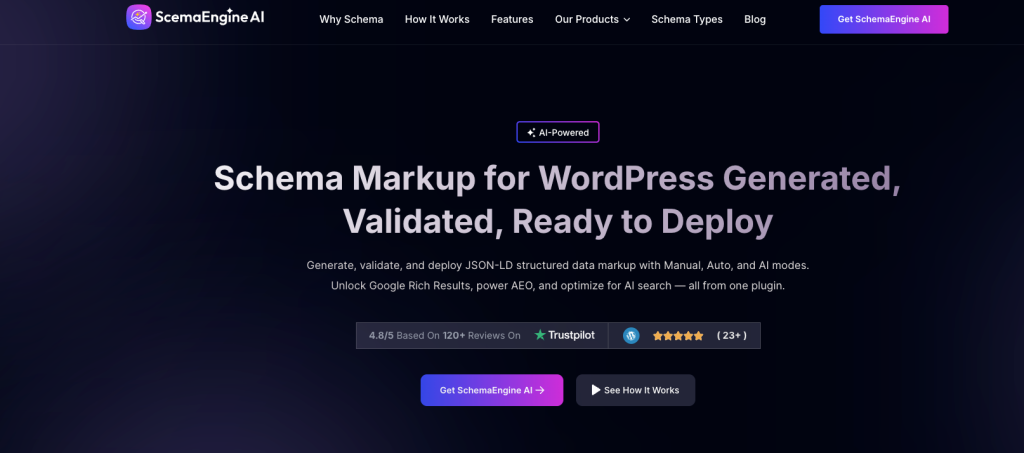
Type: WordPress plugin | Modes: Manual, Auto, AI | Schema types: 30+ | Rating: 4.8/5
Schema Engine AI is the only tool on this list built as a WordPress plugin with full AI support. It generates, validates, and deploys JSON-LD schema right inside your WordPress dashboard. You do not have to copy and paste code.
This tool stands out for one reason: it covers every step of the schema process in one place. Other generators stop at making the code. Schema Engine AI also tests it, fixes it, and adds it to your pages live.
Three ways it works:
- Manual mode: Pick the schema type, fill in the fields, save. Best for technical SEOs who want full control.
- Auto mode: Set rules once for posts, pages, products, and custom post types. The plugin applies schema across your whole site without manual work.
- AI mode: The AI reads your content and picks the best schema type, fills in the right fields, and deploys it. One-click setup.
Top features:
- 30+ supported schema types (Product, Article, FAQ, HowTo, Review, LocalBusiness, Event, Course, Recipe, Vehicle Listing, Real Estate Listing, Job Posting, Software App, and more)
- Real-time validation against Google’s Rich Results Test rules
- AI-powered FAQ generation that pulls questions from your content automatically
- Built-in review block with star ratings, pros and cons, images, and video
- Deep integration with WooCommerce and Easy Digital Downloads
- Works alongside Yoast SEO and Rank Math without conflicts
- Auto schema markup analysis to spot missing or broken code
- Merchant return policy and shipping details for product schema (a Google requirement since 2024)
Best for: Anyone running a WordPress site who wants schema set up across their whole site without touching code. Especially good for online stores, blogs with lots of posts, and local businesses.
Drawbacks: Only works with WordPress. Premium plugin (not free), but the time saved on setup pays back fast.
👉 Good Read: Best WordPress Plugins for Bloggers
2. TechnicalSEO Schema Markup Generator
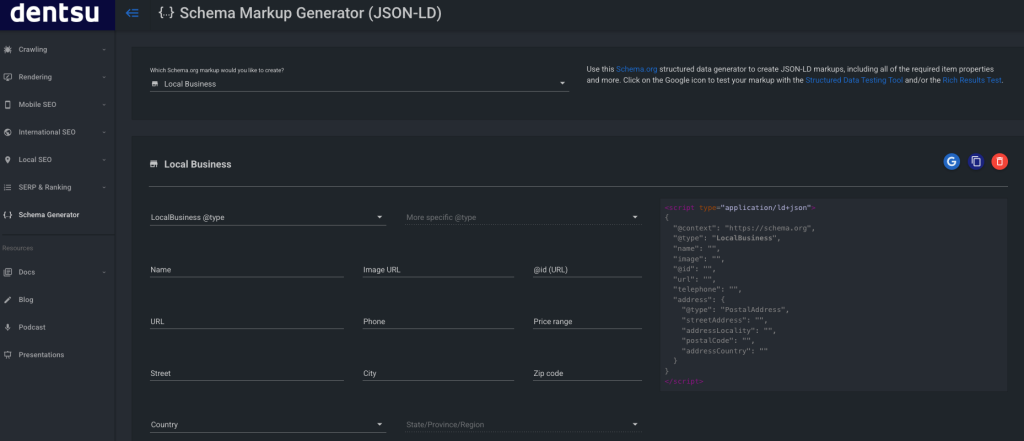
Type: Free online tool | Login: Not needed | Schema types: 9+ | Owner: Dentsu (Merkle)
TechnicalSEO.com Schema Markup Generator is the most-used free schema generator in the SEO world. It is built and maintained by Max Prin and owned by Dentsu, the same group that owns Merkle.
The tool is fast, clean, and covers the schema types most people need. You pick the schema type from a drop-down, fill in the fields, and copy the JSON-LD code from the right side of the screen. Real-time updates show your code as you type.
Schema types covered:
- Article
- Breadcrumb
- Event
- FAQ Page
- How-to
- Job Posting
- Local Business
- Organization
- Person
- Product
- Recipe
- Video
Why people pick this tool:
- No sign-up, no email, no paywall
- Works in dark mode and light mode
- Built by a respected SEO who keeps it updated
- Sits inside a full toolkit (robots.txt tester, AI bot access tester, hreflang checker, more)
- Covers an AI Bot Access Tester to see which AI crawlers can read your site
Drawbacks:
- Fewer schema types than Schema Engine AI or jsonld.com
- No built-in validation (you copy the code and test it elsewhere)
- No save feature (refresh the page and your form is gone)
Best for: Anyone who needs a fast, no-fuss schema generator for one page or a small site. Great for agencies that want a clean tool to share with clients.
👉 Good Read: How to Add Schema Markup in WordPress
3. JSON-LD Generator by jsonld.com
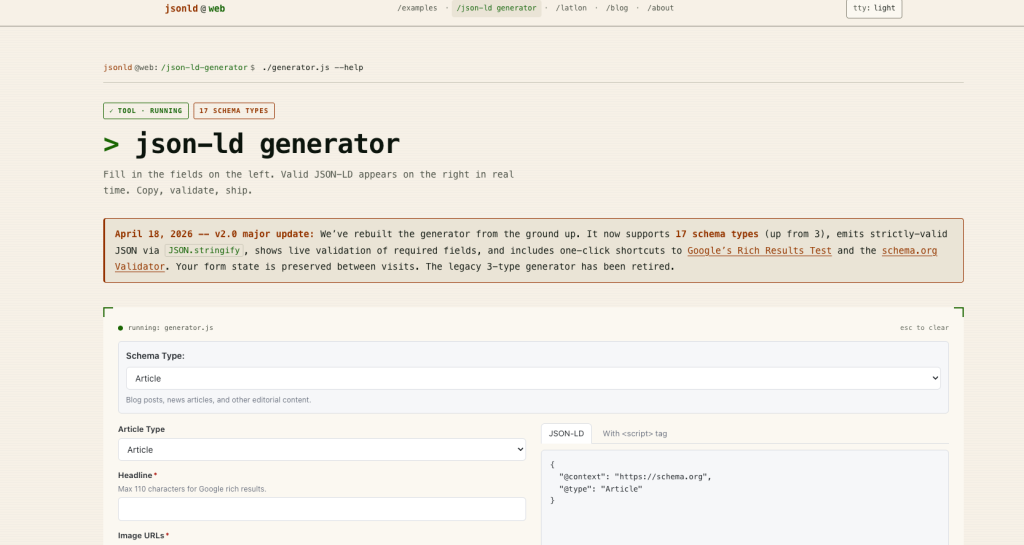
Type: Free online tool | Login: Not needed | Schema types: 17 | Updated: April 2026 (v2.0)
jsonld.com’s JSON-LD Generator had a major rebuild in April 2026. The new version supports 17 schema types (up from 3), validates required fields live, and saves your form state between visits. The clean terminal-style design appeals to developers who want a no-frills tool.
This is the most flexible free generator on this list. The Local Business type alone supports 100+ sub-types like Restaurant, Hotel, Dentist, and Plumber.
Schema types covered:
- Article, NewsArticle, BlogPosting
- Book
- Breadcrumb
- Course
- Event
- FAQ
- HowTo
- Job Posting
- Local Business (with 100+ sub-types)
- Organization
- Person
- Product (with offers, ratings, and reviews)
- Recipe
- Review
- Video
- WebPage
- WebSite (for Google Sitelinks Search Box)
Why people pick this tool:
- 17 schema types in the free version (most of any free tool)
- Live validation flags missing required fields as you type
- Form state saves between visits (no lost work on refresh)
- One-click test buttons for Google Rich Results Test and Schema.org Validator
- Companion tool to convert addresses into latitude and longitude for Local Business schema
- Examples library with real-world JSON-LD code for every type
- Strict JSON output (less likely to break)
Drawbacks:
- Developer-style interface may feel less friendly to beginners
- No mobile-first design
Best for: Developers, technical SEOs, and anyone who needs Local Business schema with deep sub-type support (like a chain of dental offices or restaurants).
4. RankRanger Schema Markup Generator
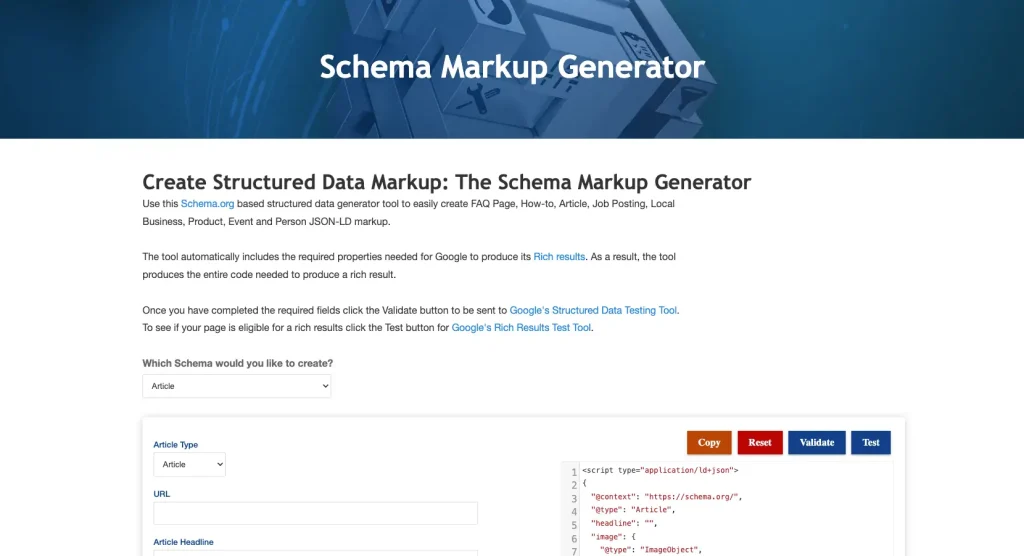
Type: Free online tool | Login: Not needed | Schema types: 8 | Owner: RankRanger (now part of Similarweb)
RankRanger’s Schema Markup Generator is built around one clear goal: getting your pages eligible for Google rich results. The tool only includes the schema types Google actually rewards with rich results, which keeps things simple.
It auto-includes all required Google fields for each type. That means less guesswork and fewer rejected pages.
Schema types covered:
- FAQ Page
- How-to
- Article
- Job Posting
- Local Business
- Product
- Event
- Person
- Special Announcement (great for sales, holiday hours, or short-term news)
Why people pick this tool:
- Only includes Google-supported types (no wasted effort on schema Google ignores)
- Auto-fills required properties to pass Google’s Rich Results Test
- Built-in Validate and Test buttons for quick checks
- Special Announcement schema is rare in other tools (good for time-limited info)
- Robust Local Business builder with social profiles, opening hours, and ID URL fields
- Detailed Product builder with reviews, ratings, conditions, and offer types
Drawbacks:
- Smaller schema list than jsonld.com
- No Recipe schema (a gap for food bloggers)
- Some fields use SEO jargon that beginners may not know
Best for: Site owners who care most about Google rich results. Especially good for local businesses, job boards, and event sites.
Side-by-Side Comparison
| Tool | Type | Schema Types | AI-Powered | Best For |
|---|---|---|---|---|
| Schema Engine AI | WordPress plugin | 30+ | Yes | Full WordPress sites |
| TechnicalSEO | Online tool | 12 | No | Quick free generation |
| JSON-LD Generator | Online tool | 17 | No | Developers, deep Local Business |
| RankRanger | Online tool | 9 | No | Google rich results focus |
How to Use a Schema Generator
The steps are the same for any tool on this list:
Step 1: Pick the schema type
Match your page to the right schema. A blog post uses Article. A product page uses Product. A page with questions and answers uses FAQPage.
Step 2: Fill in the form
Enter your page name, URL, image, author, price, or whatever the tool asks for. Match the values to what is visible on the actual page.
Step 3: Copy the JSON-LD code
The tool gives you a code block. Click Copy. The code starts with

Step 4: Paste it into your page
For WordPress with a plugin, the plugin handles this. For hand-coded sites, paste the script in the head of the page or right before the closing body tag.
Step 5: Test the markup
Run the page URL through Google’s Rich Results Test. Fix any errors. Done.
👉 Good Read: Best Schema Markup Plugins for WordPress
Schema Generator Mistakes to Avoid
These mistakes can cost you rich results and AI citations:
- Marking up content not on the page. If your schema says 4.7 stars but no rating shows on the page, Google calls this misleading and may block your rich results.
- Using the wrong schema type. A service page should not use Product schema. Match the type to the page topic.
- Skipping the test step. A single typo can break the whole code block. Always test before going live.
- Stacking too many types on one page. Use only the types that fit. More is not better.
- Forgetting to update schema after content changes. Old prices and outdated dates in your schema hurt trust. Update schema in step with content.
- Ignoring required fields. A generator may skip a required field if you do not fill it in. Check every required slot before you copy.
- Using schema on the wrong page type. Google ignores most schema on homepages. Save Product, Article, and FAQ schemas for the deep pages.
Frequently Asked Questions
What is a schema markup generator?
A schema markup generator is a tool that creates JSON-LD code for your web pages. You pick a schema type, fill in a form, and the tool writes the code. You then paste the code into your page or let a plugin do it for you.
Are free schema generators safe to use?
Yes. None of the tools on this list ask for login or store your data. The code they make is yours. You can also copy it, edit it, or delete it any time.
What is the best free schema markup generator?
TechnicalSEO Schema Generator is the most popular free tool. JSON-LD Generator (jsonld.com) covers more schema types. RankRanger is best if you only care about Google rich results.
Do I need a generator if I use Yoast SEO or Rank Math?
Yoast SEO and Rank Math add basic Article and Organization schema. For Product, FAQ, HowTo, Recipe, Event, and other advanced types, you may still need a generator or a tool like Schema Engine AI.
Can I use a generator with Shopify, Wix, or Squarespace?
Yes. The free tools work with any platform. You copy the code from the tool and paste it into your site’s custom code area or theme settings.
Will schema markup help me show up in ChatGPT or Google AI Overviews?
Yes. Schema markup is one of the strongest signals AI tools use to pick which pages to quote. The 2026 data shows 82.5% of AI Overview citations and 71% of ChatGPT citations come from pages with structured data.
How often should I update schema on my site?
Update schema any time the page content changes. Prices, dates, ratings, and stock status should match what is on the page. WordPress plugins update schema automatically. Hand-coded schema needs manual updates.
Which schema generator is best for product pages?
Schema Engine AI is best for full WordPress stores. RankRanger is best for one-off product pages because it auto-fills the Google-required fields like price, availability, and condition.
What is the difference between Schema Engine AI and a free generator?
Free generators only make the code. Schema Engine AI makes the code, validates it, deploys it across your site, and updates it when content changes. It also has AI tools that pick the best schema type and pull FAQs from your content.
Can I generate schema for a recipe blog?
Yes. Schema Engine AI, TechnicalSEO, and jsonld.com all support Recipe schema. RankRanger does not. For food blogs, the first three tools all work well.
Final Pick
If you run a WordPress site, Schema Engine AI is the strongest pick. It saves hours of work and covers SEO, AEO, and GEO from one dashboard.
If you want a free online tool, TechnicalSEO is the safest first stop. It is fast, clean, and trusted by SEOs around the world.
For developers and deep schema needs, JSON-LD Generator has the widest type list and the cleanest code output.
For a Google rich results focus, RankRanger trims the noise and gives you only the schemas Google actually rewards.
You do not need all four. Pick one that fits your platform, your skill level, and your goals. Then ship the code and test it. The traffic and AI citations follow.



