







Trusted by 3K+ Active Users

WordPress Restaurant Menu Plugin with Online Food Ordering

Food Menu is a WordPress food menu plugin that displays your menu in 20+ layouts and takes online orders through WooCommerce — with visual table reservations, pickup & delivery, and QR table ordering. Set up in minutes, no coding. Trusted by 3,000+ restaurants.

Excellent

4.7/5 based on 120+ reviews on

We’re Featured On:

• v6.0.0
Big Update
UPDATE

Front-End Dashboard, New Admin, Custom Order Statuses, Order Timeline / Tracking, QR Table Ordering, Timed Products, Custom Checkout Fields, Order Bumps, POS Printing, SMS & WhatsApp Notifications, Checkout Extra Fields and more Released Jun 24, 2026

Food Menu is a powerful WordPress restaurant menu plugin that transforms your website into a complete online restaurant. Display stunning food menus with 20+ layouts, accept orders through WooCommerce integration, manage visual table reservations, and offer flexible pickup and delivery options. Trusted by 3,000+ restaurants worldwide, this all-in-one solution works with Elementor and Gutenberg for effortless setup without coding.

The big reasons to switch

Everything a restaurant needs, running
on your own site

Start with a beautiful menu today. Turn on ordering when you’re ready — then add the kitchen,
floor and stockroom tools that replace three other subscriptions.

Online Food
Ordering

Multiple Food

Menu

Visual Table

Reservation

Food Pick-up

and Delivery

Order

Notification

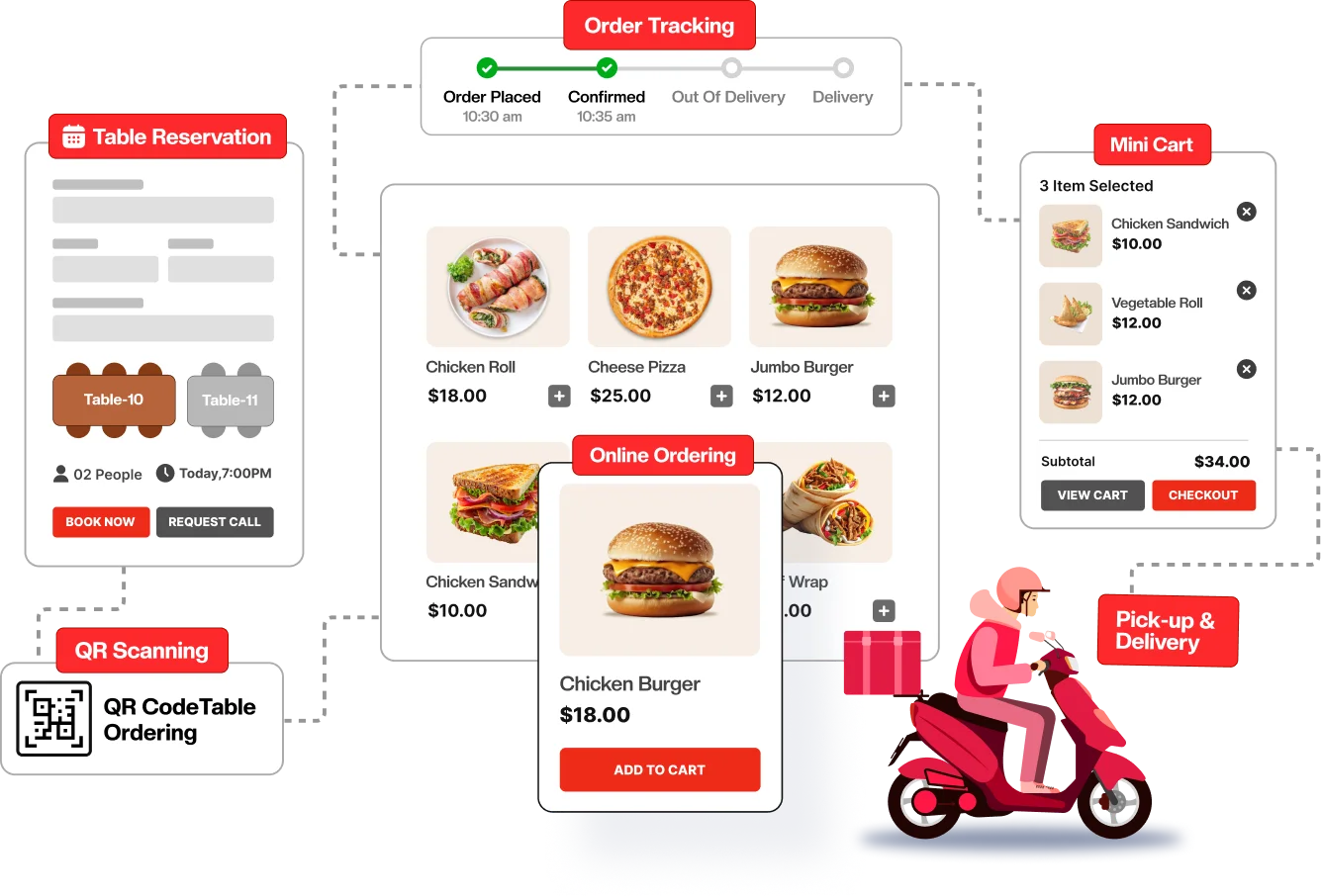
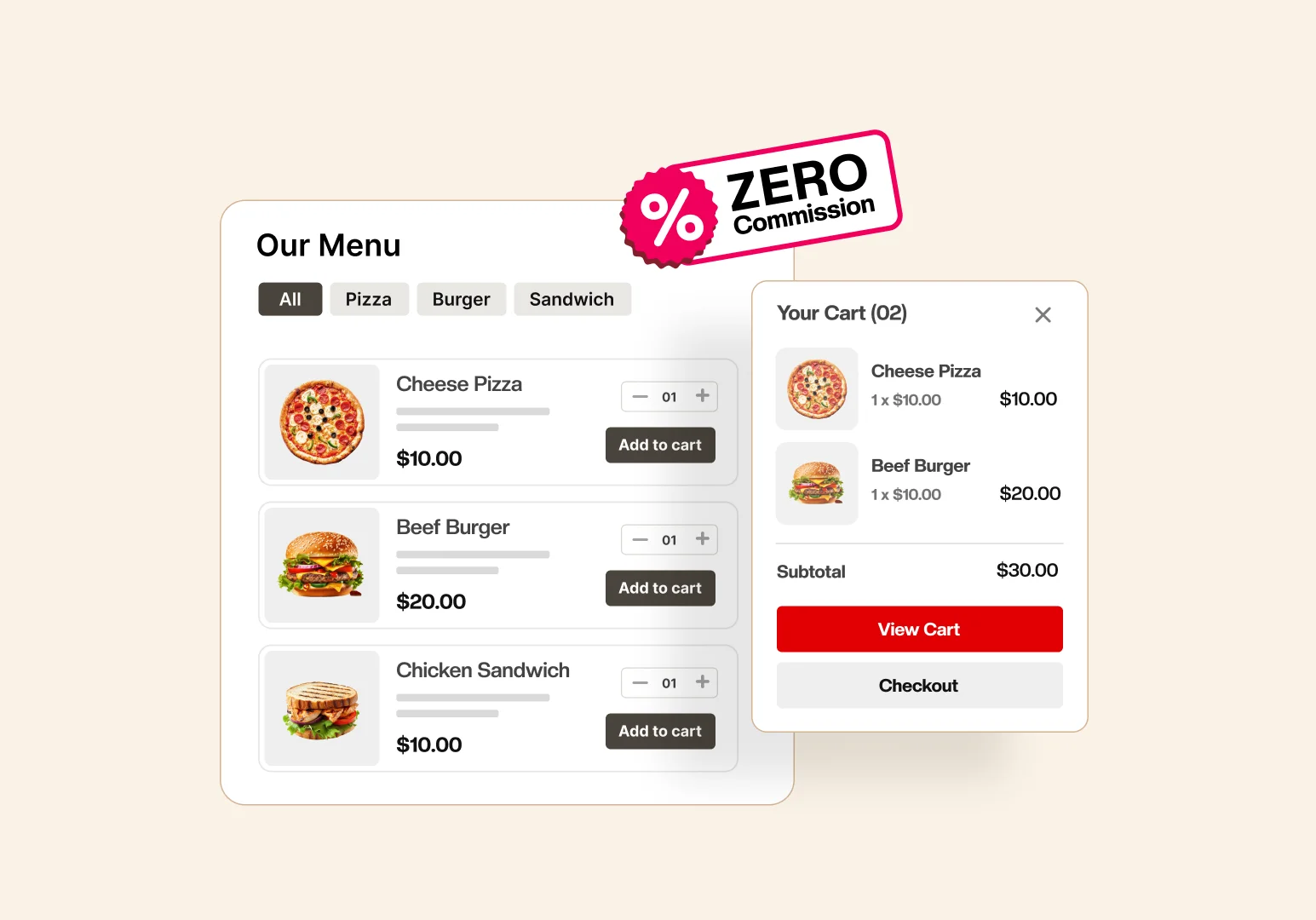
Online Ordering using WooCommerce

AJAX add-to-cart runs on your own WooCommerce checkout and payment gateways — so you keep 100% of every order.

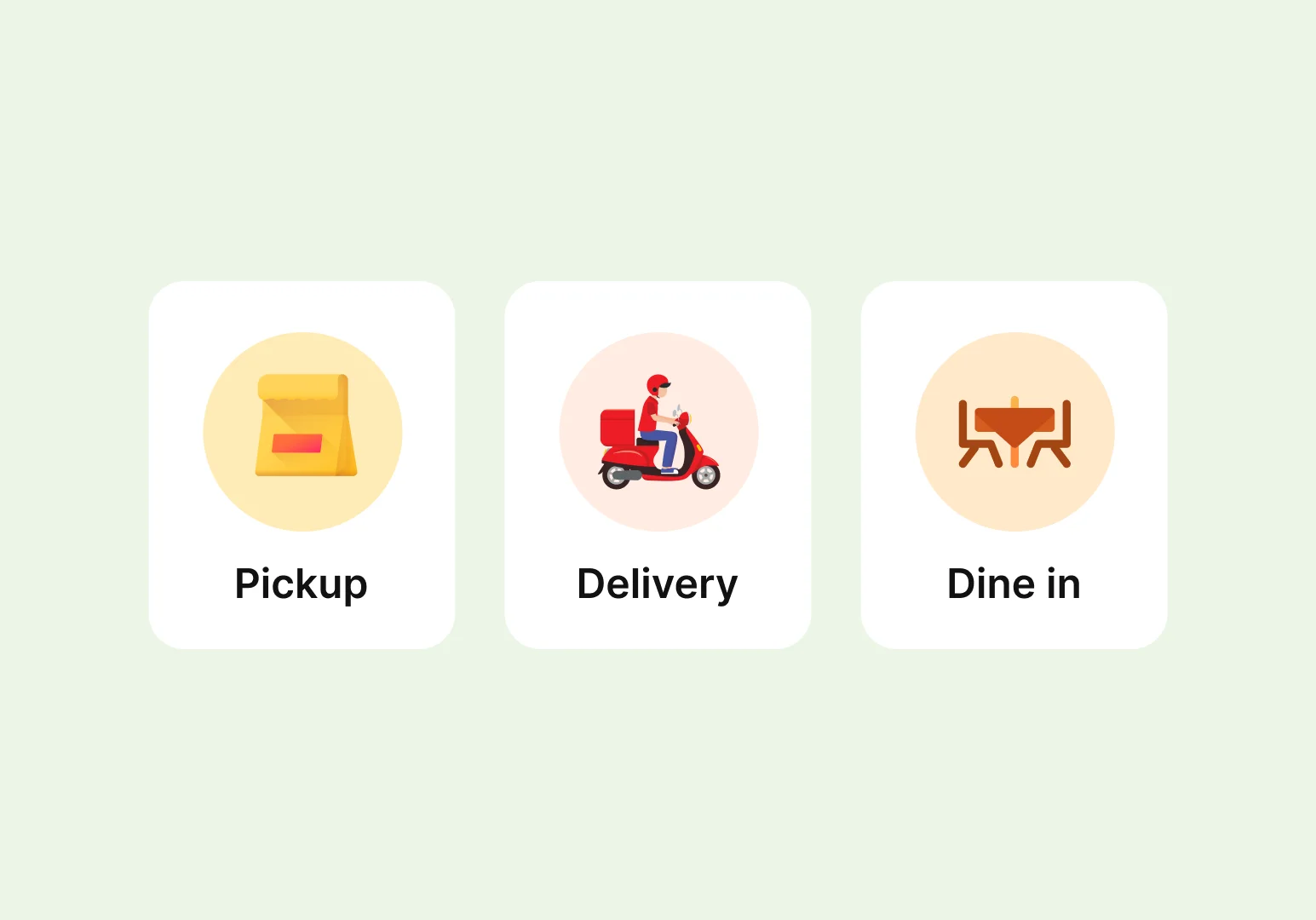
Pickup, delivery & dine-in

Three complete order types, each with its own rules — so every service runs exactly how your restaurant works.

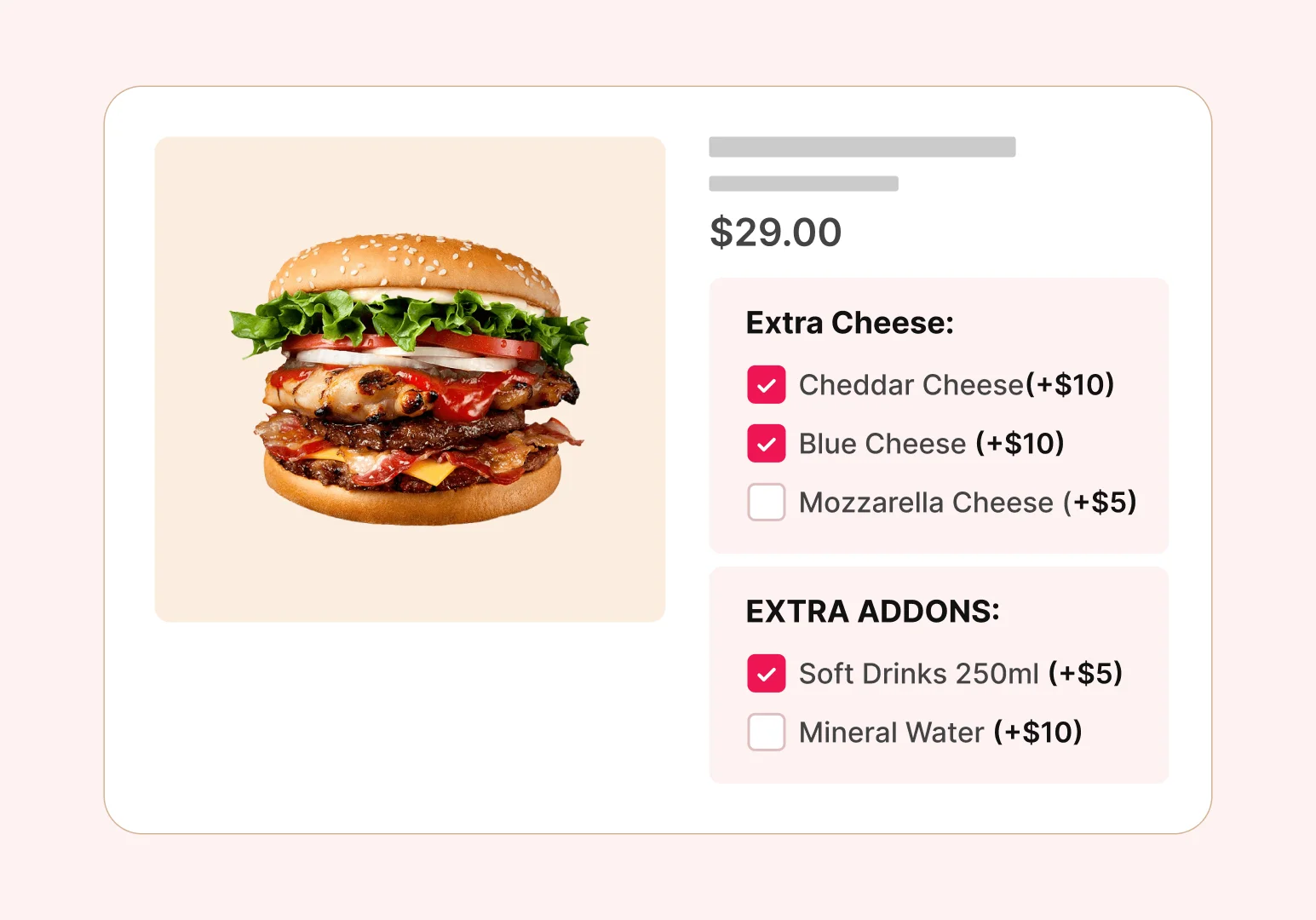
Product add-ons

Turn every dish into an upsell — extra cheese, sides, sizes — with unlimited add-on groups that lift average order value.

Table reservation

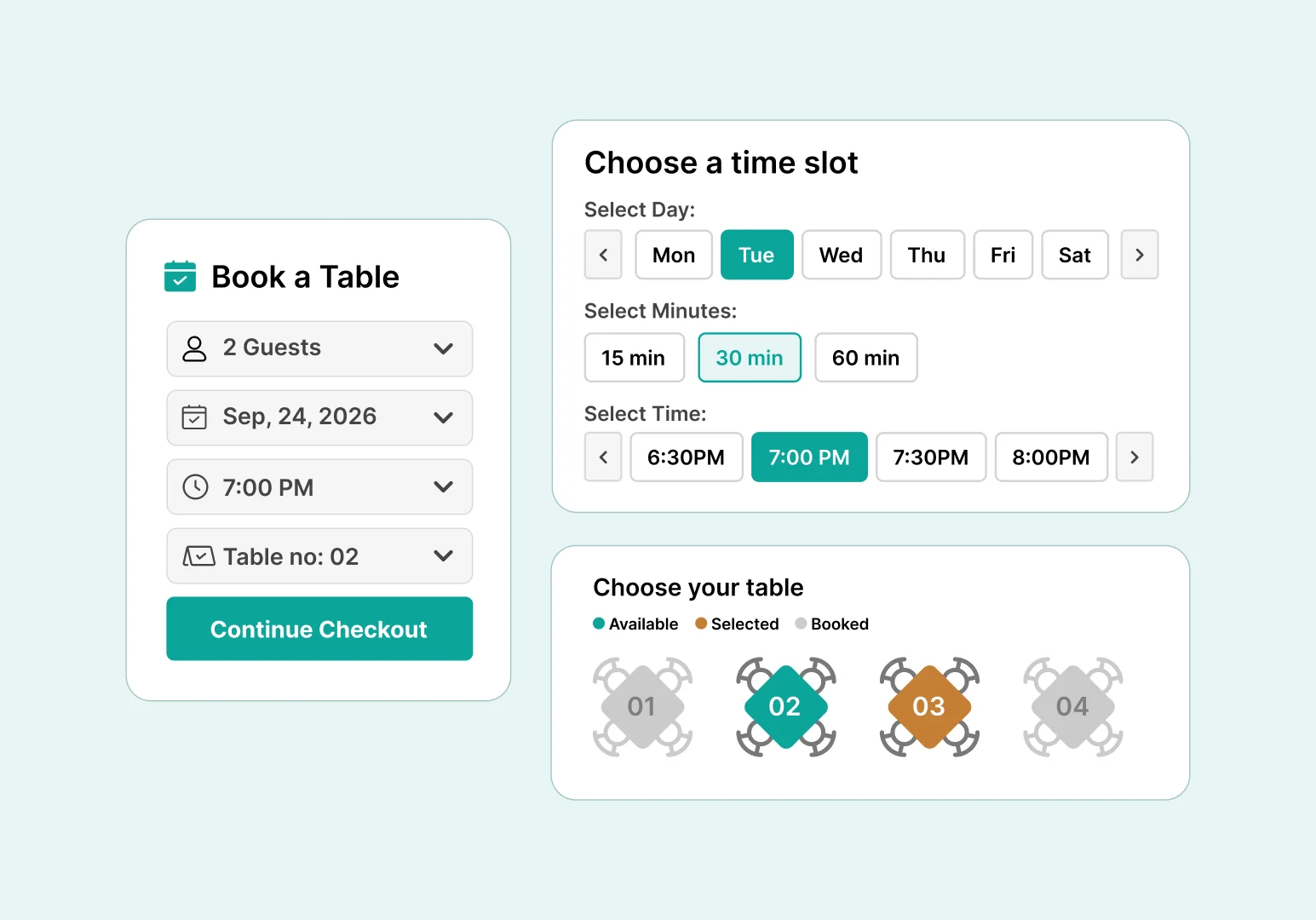
Take bookings on your own site instead of paying per cover — now free, with automated email flows.

QR code table ordering

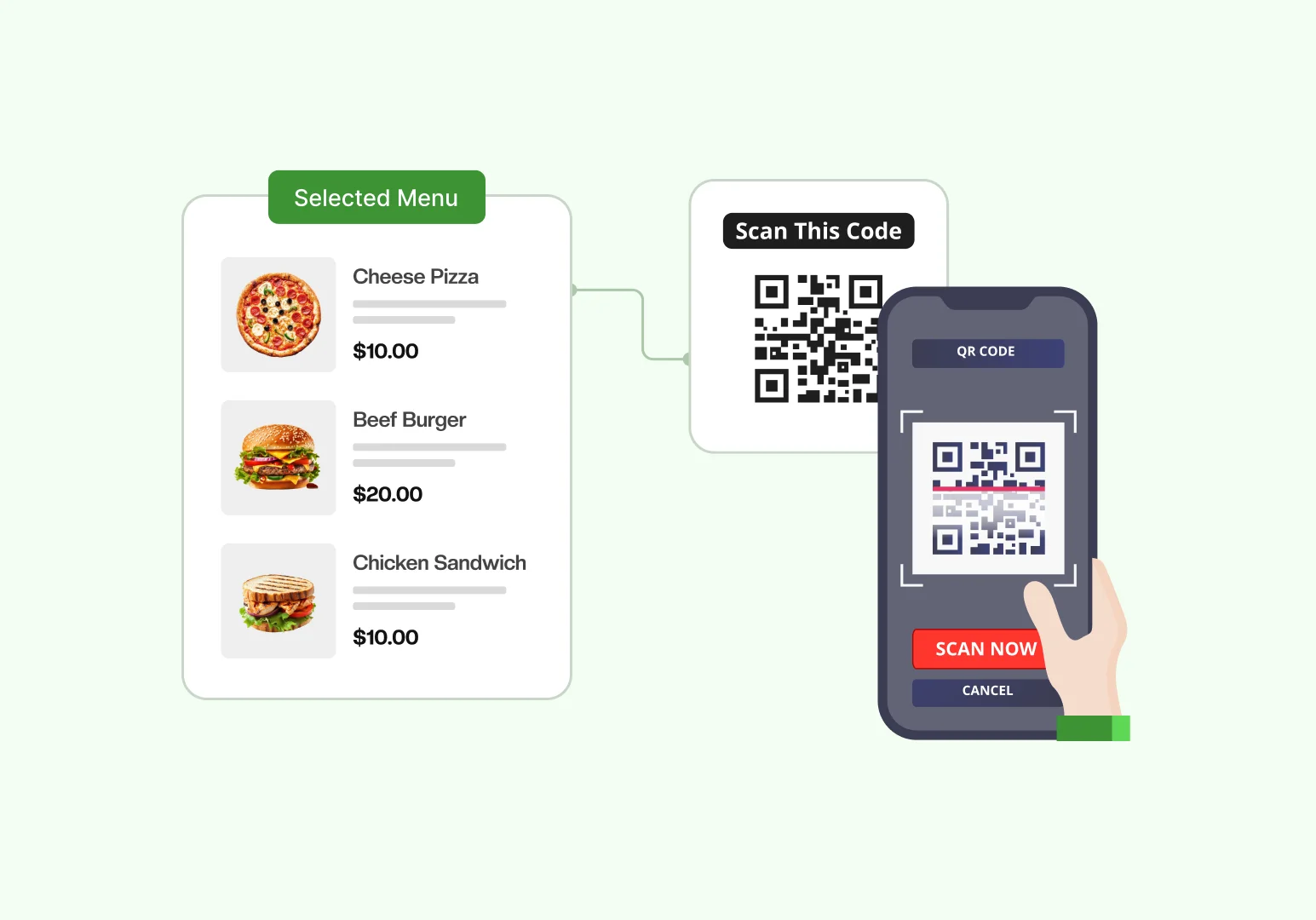
One code per table turns any dine-in seat into an ordering station — contactless, with zero hardware.

Multi-location branches

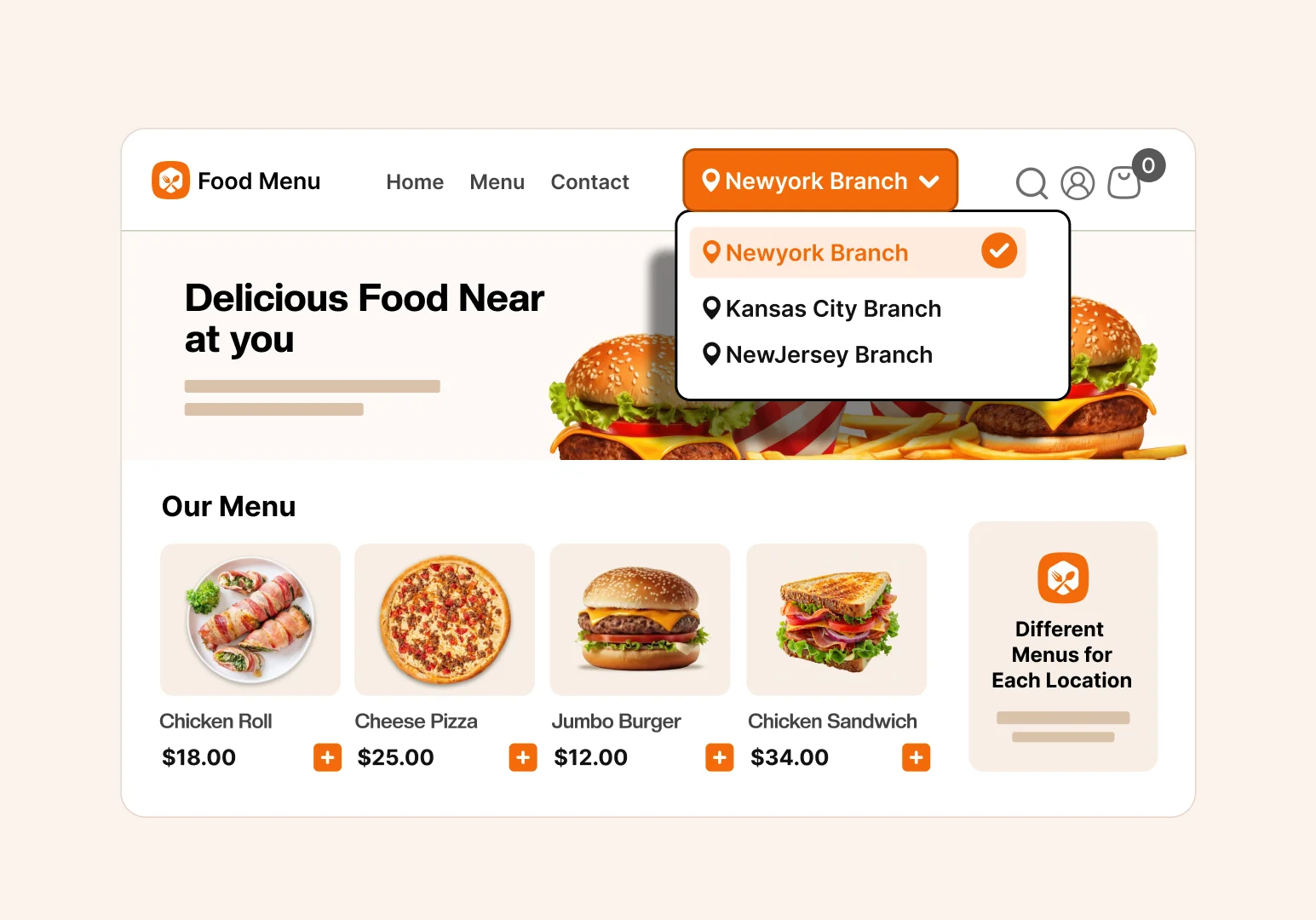
Run every outlet from one WordPress site, with menus and orders that always know which branch they belong to.

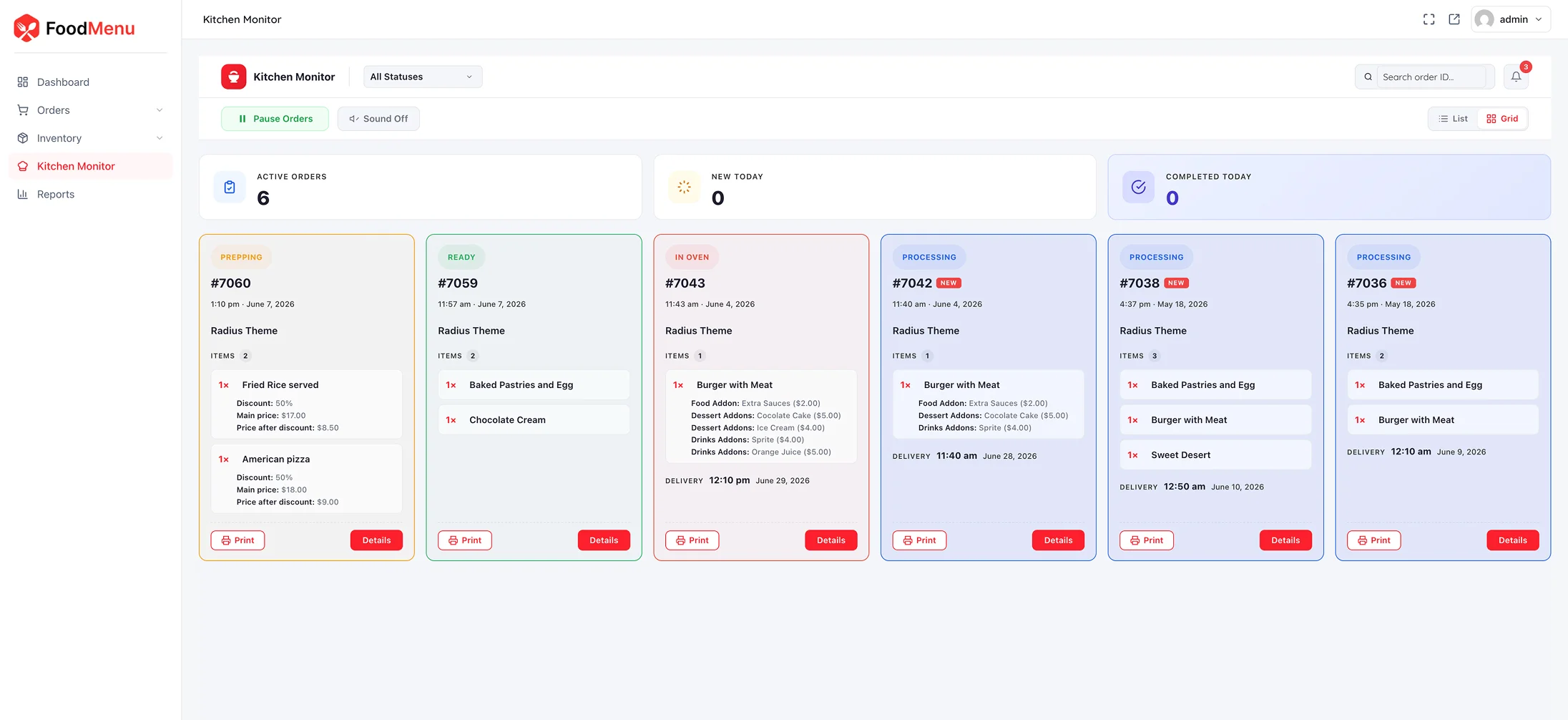
Live kitchen monitor

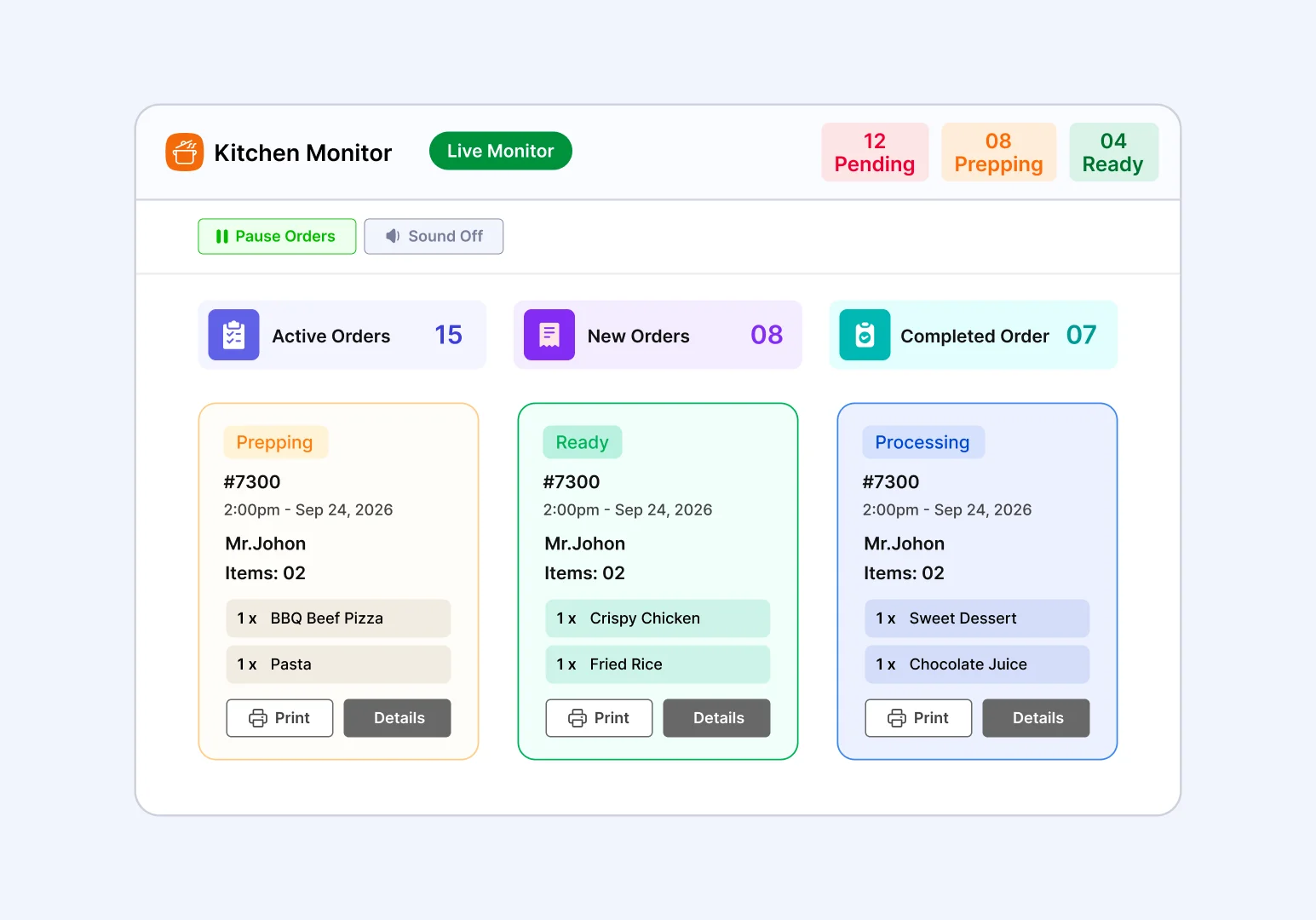
A real-time order board built for the pass — no tablet app, no extra subscription, no second screen to pay for.

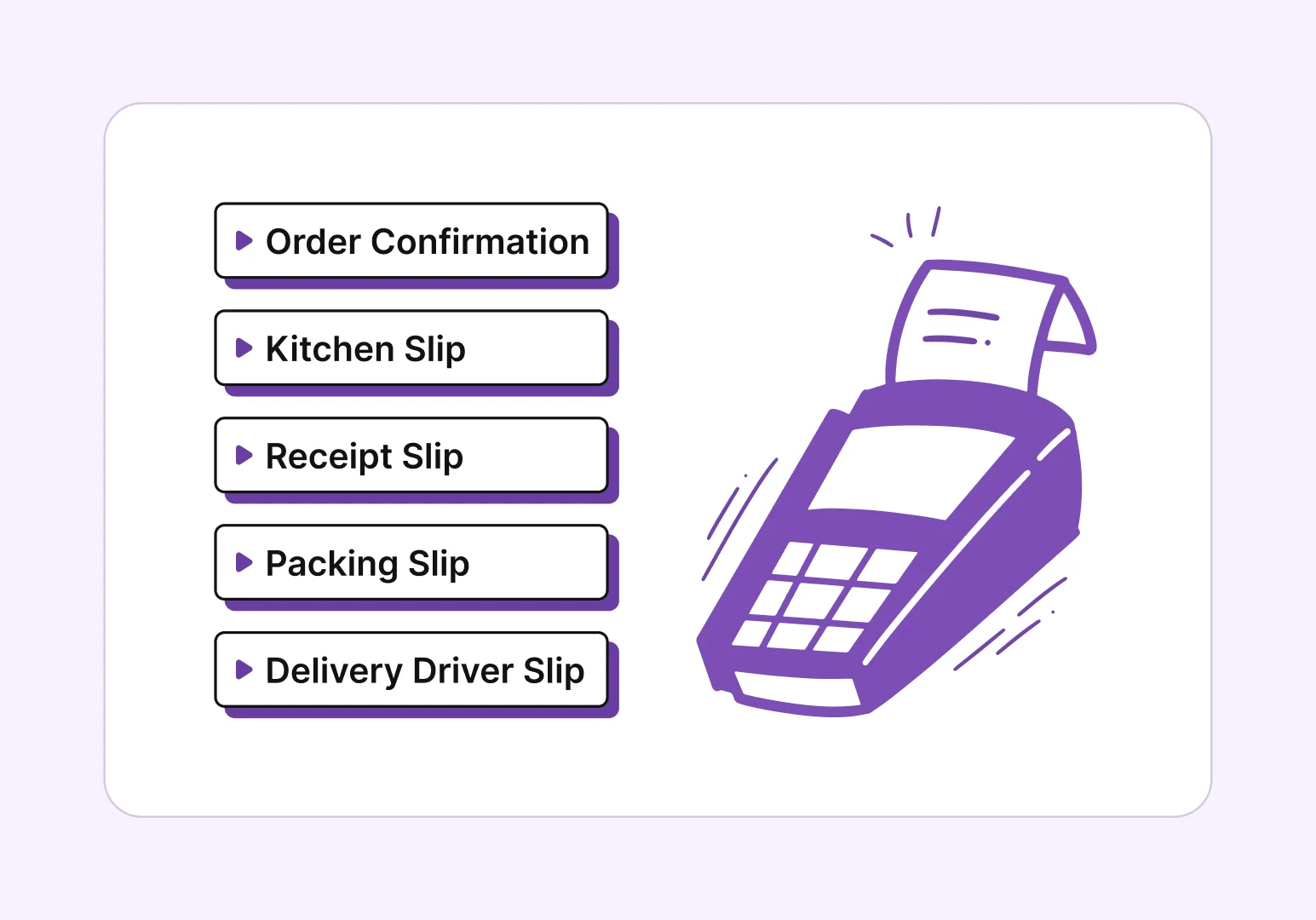
POS printing, five slip types

Everything the floor and kitchen need on paper — thermal-printer friendly, one click from admin or the dashboard.

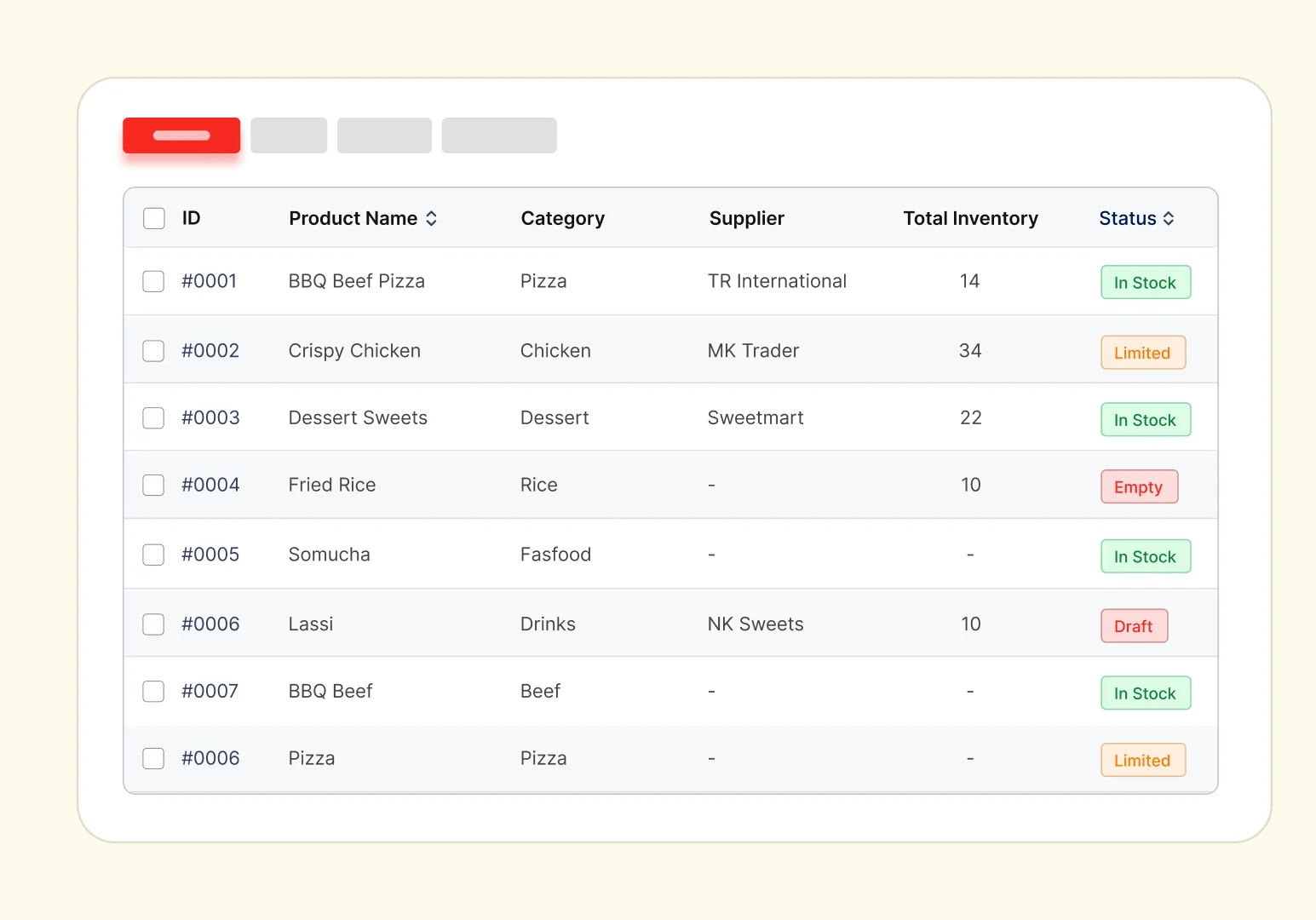
Inventory built for a kitchen

Real stock control for a kitchen, not a warehouse — with reports built from actual orders, never estimates.

Front-end dashboard manager

Run the whole operation from
the front end

Manage your entire restaurant operation from the front end — no need to
touch the WordPress admin panel.

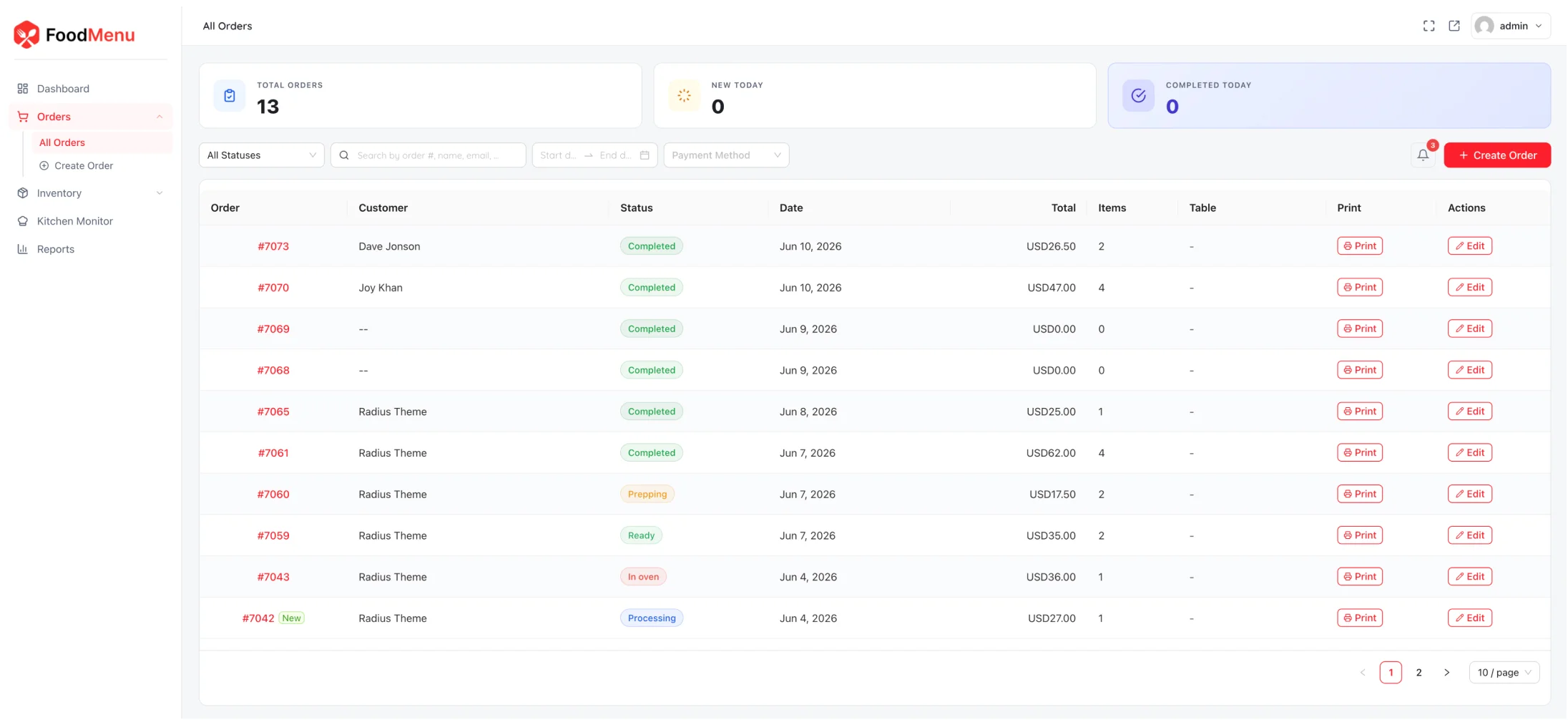
Order Management

A live, staff-facing order screen outside wp-admin — see every incoming order, create phone and walk-in orders, and update status in a tap.

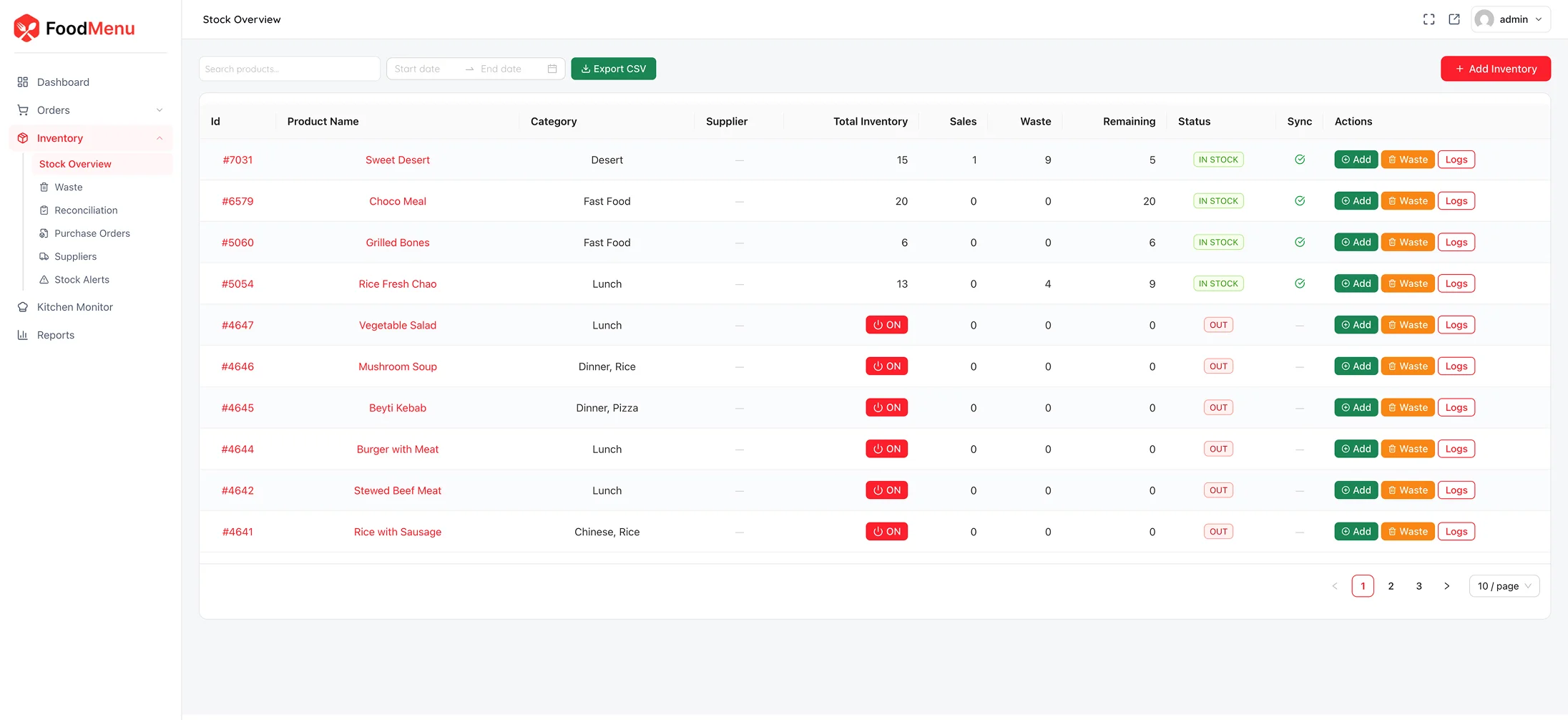
Inventory Management

Track stock the way a kitchen actually works — auto-deduct on sale, restore on refund, log wastage, and read reports built from real orders.

Kitchen Monitor

A real-time order board for the pass with per-item check-off, audio alerts and one-tap status changes — no tablet app or subscription.

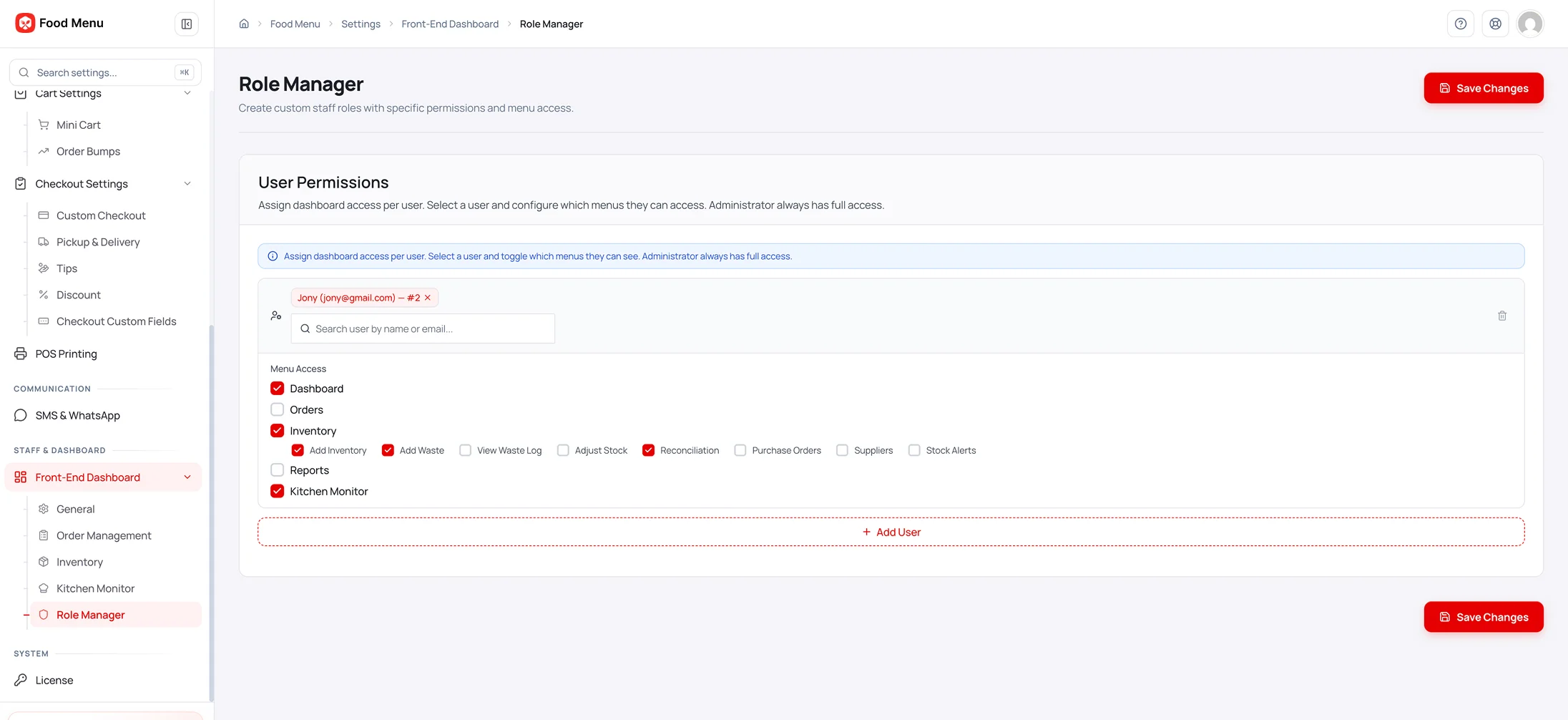
Role Manager

Give cashiers, kitchen and delivery staff exactly the access they need — role-based permissions across orders, inventory and the kitchen monitor.

More ways to sell & run

Advanced features that make it effortless

Beyond the flagship tools, a deep toolkit that lifts average order value and keeps
the whole operation moving.

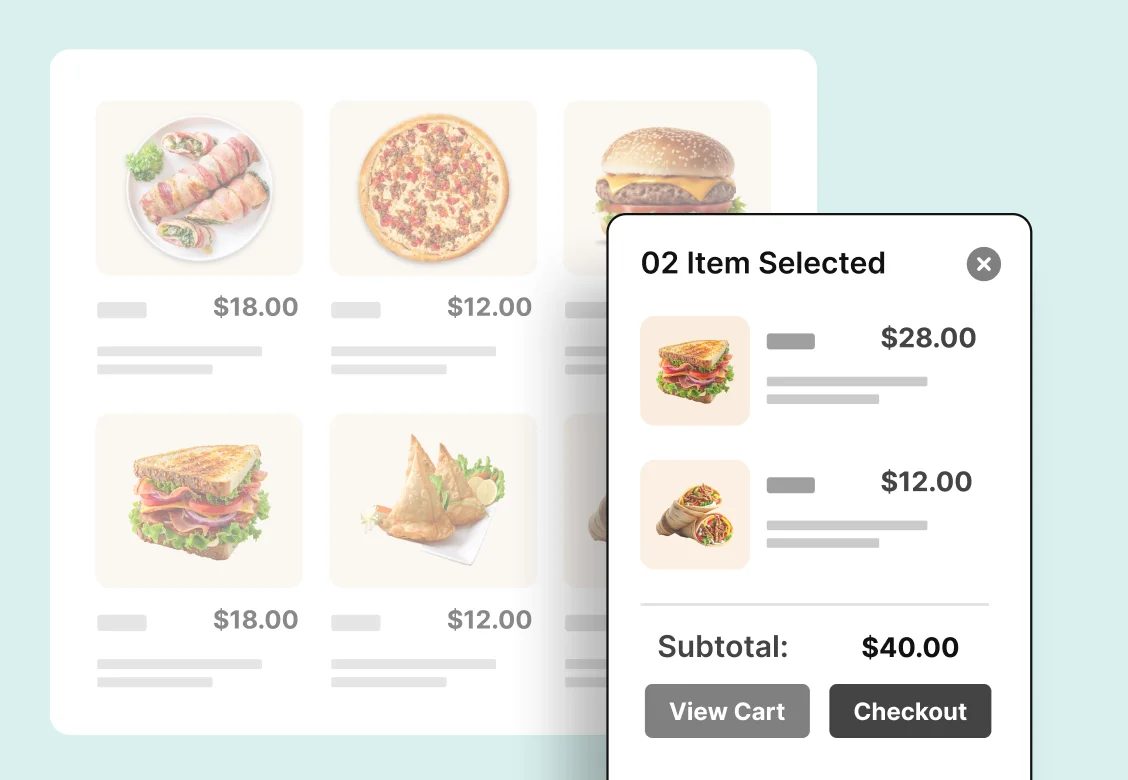
Floating mini cart

A slide-in drawer customers can see at a glance, with auto-open, coupon form and full color theming — a strong lever on completion.
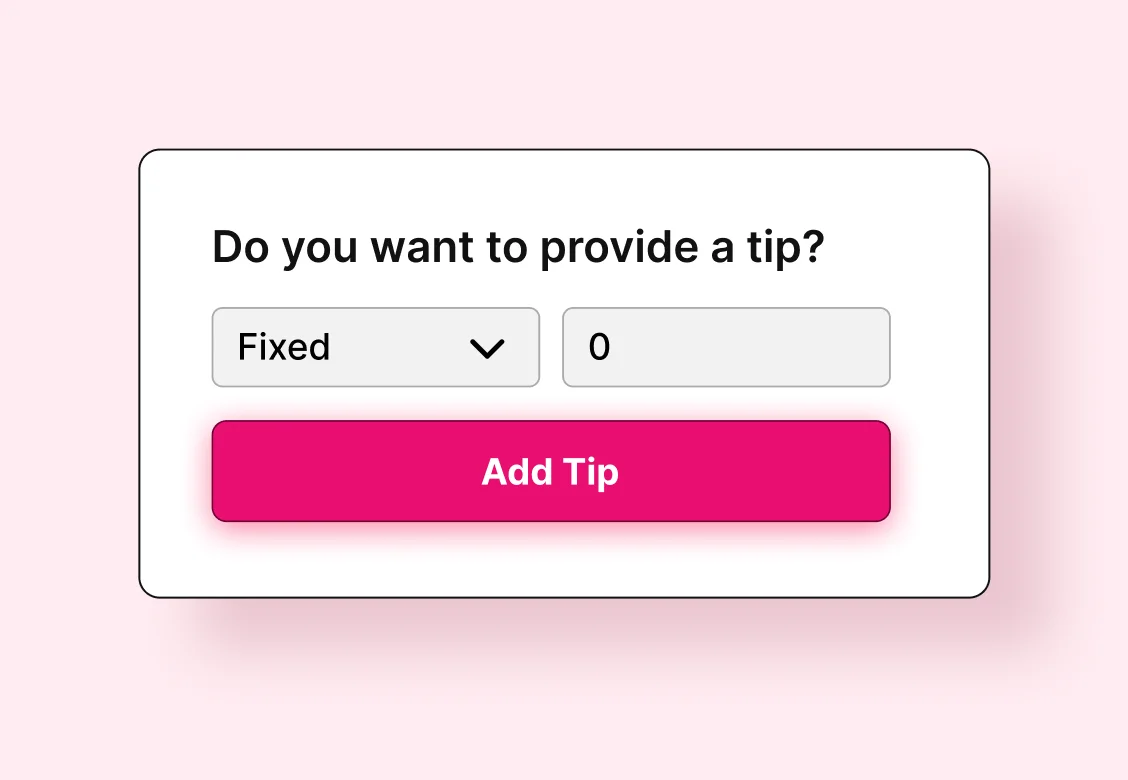
Tipping at checkout

Fixed or percentage tips shown in the cart, checkout or both — inline on order totals, and on the WooCommerce Blocks cart too.
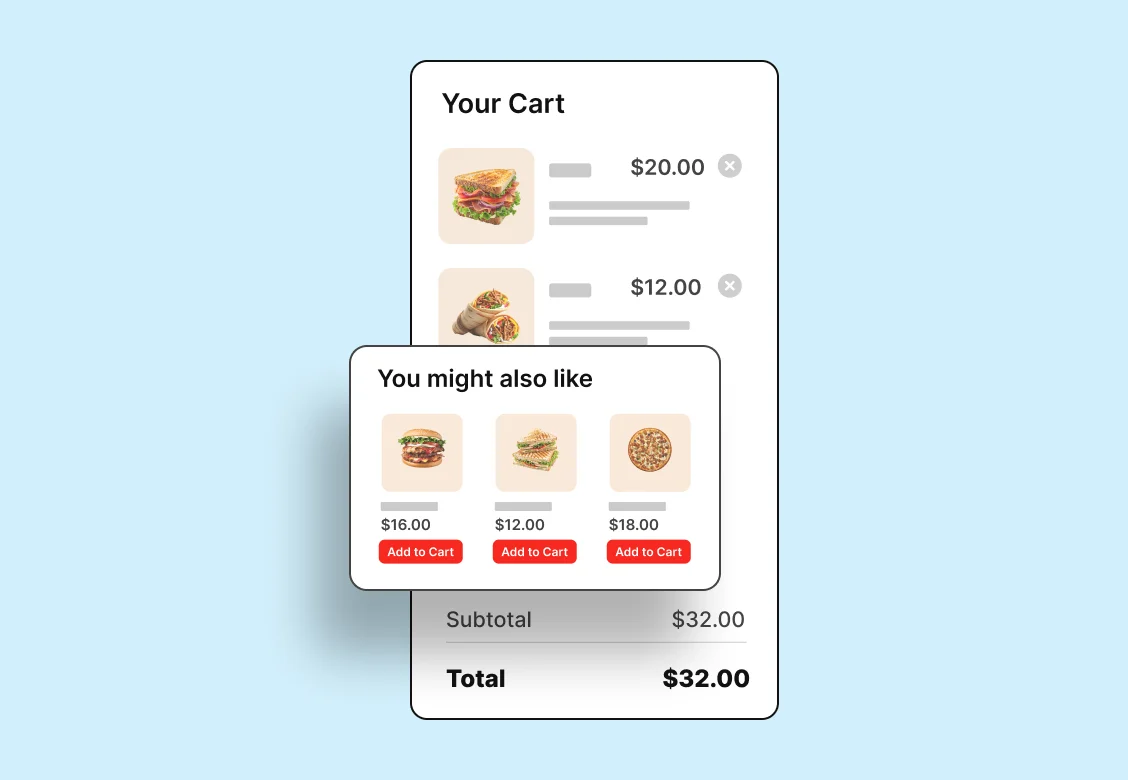
Order bumps

A cross-sell carousel inside the mini cart, right before checkout — full slider control with autoplay and pause-on-hover.
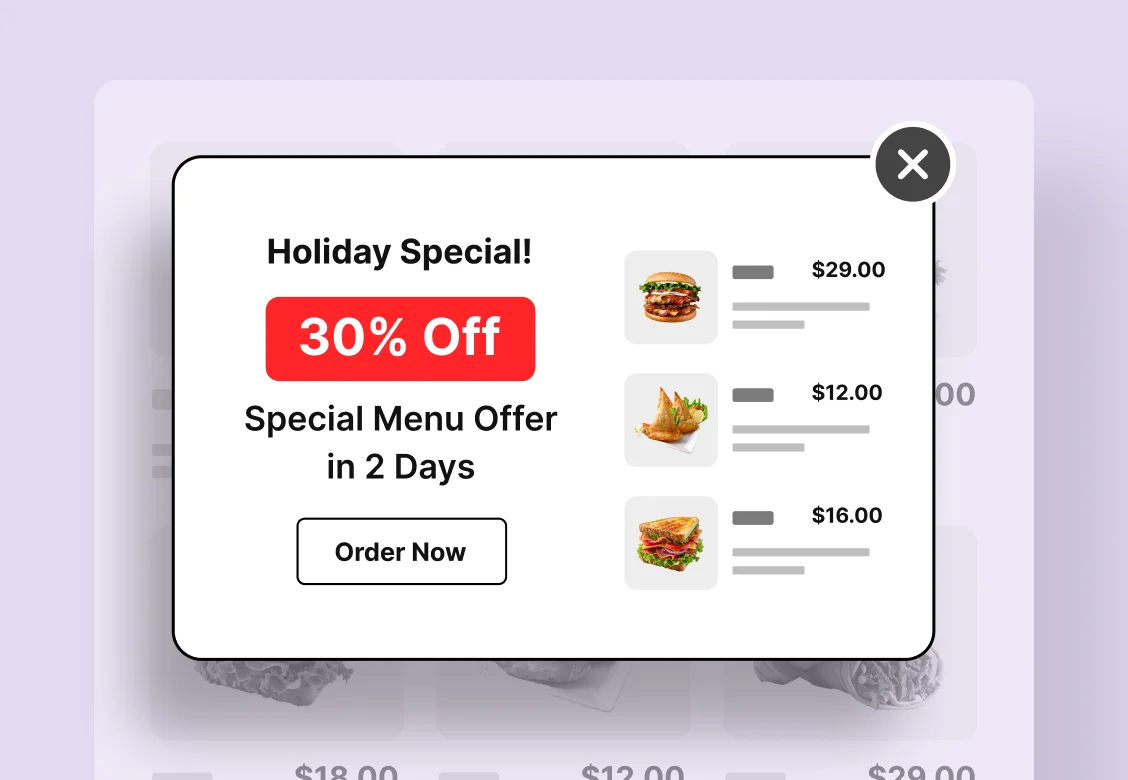
Discounts & special offers

Automatic percentage and fixed discounts, menu- and category-scoped, plus a scheduled special-menu popup.
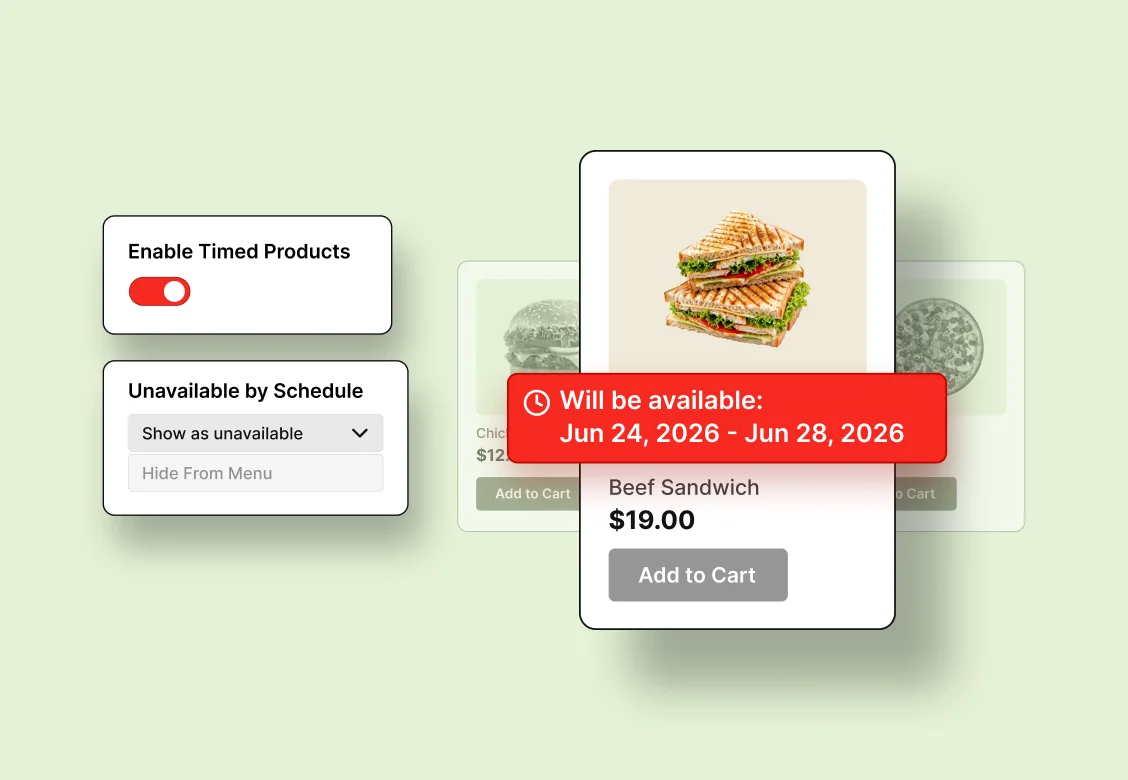
Timed products

Schedule when each dish appears — breakfast, lunch and dinner menus that switch themselves, timezone-aware.
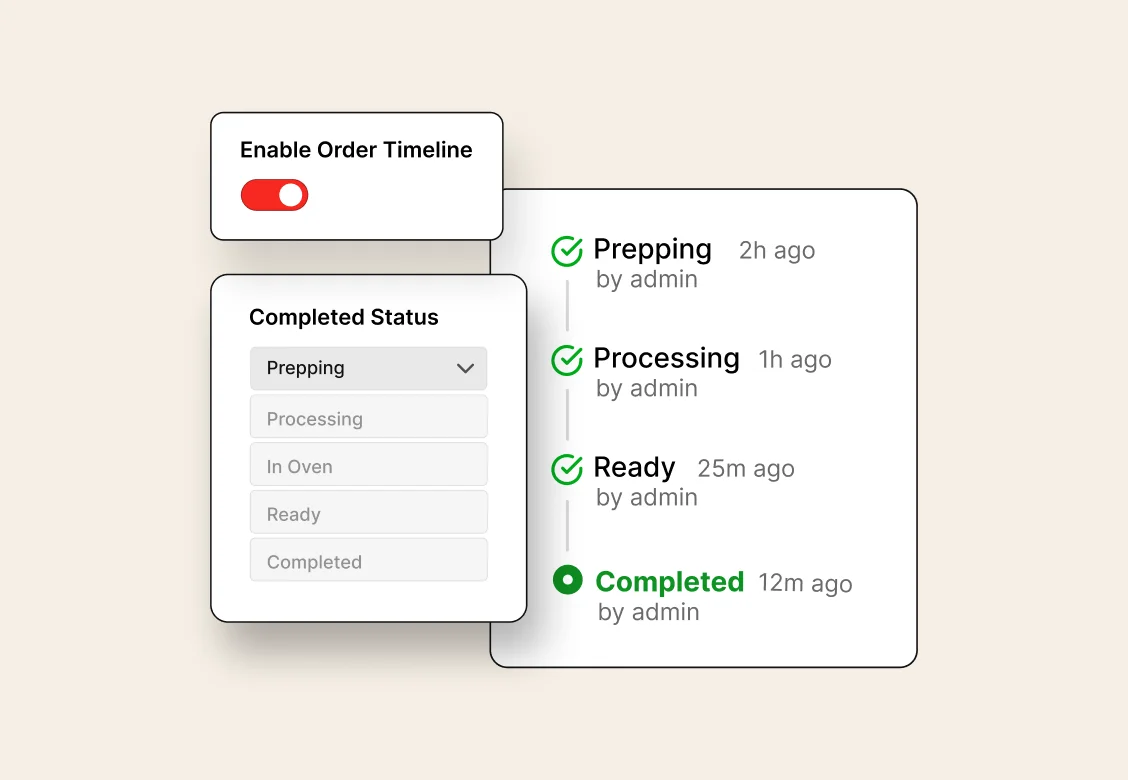
Order timeline & tracking

A full status-change history and a public tracking page customers check with order ID and email.

SMS & WhatsApp updates

New-order and status-change messages via Twilio, with rich placeholders — run SMS only, WhatsApp only, or both.
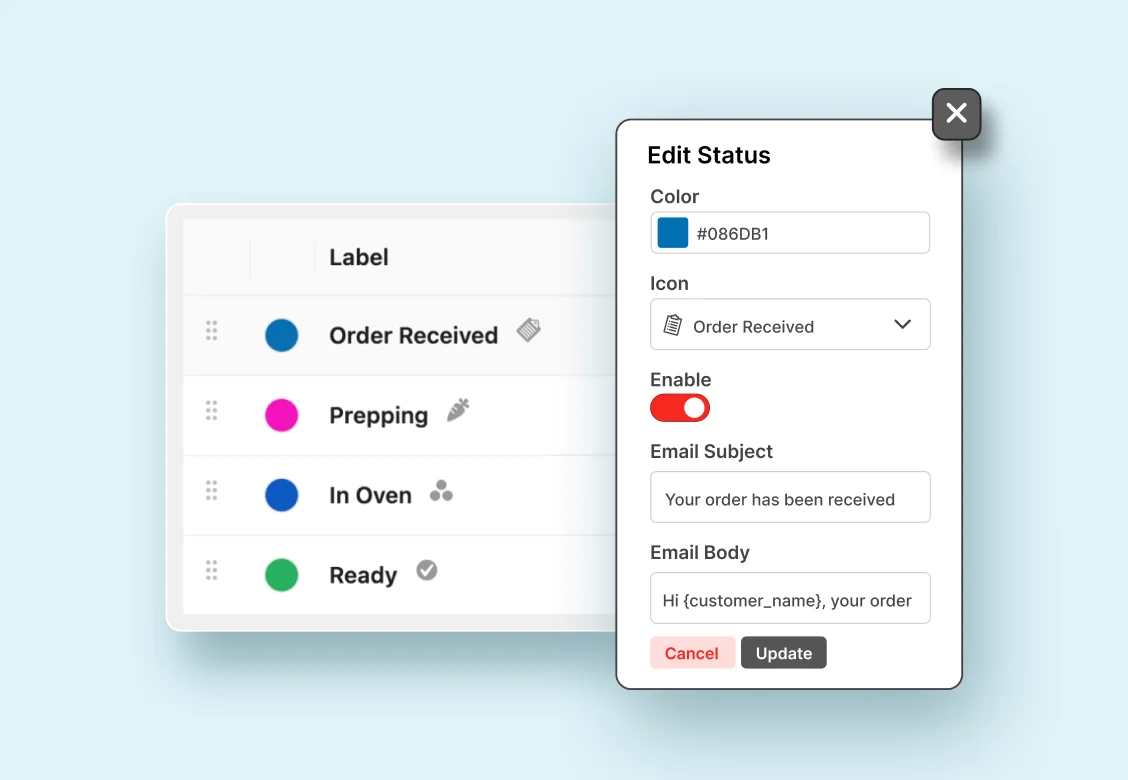
Custom order statuses

Model your real kitchen workflow — “Preparing”, “Out for delivery” — each with a color, icon and its own notifications.
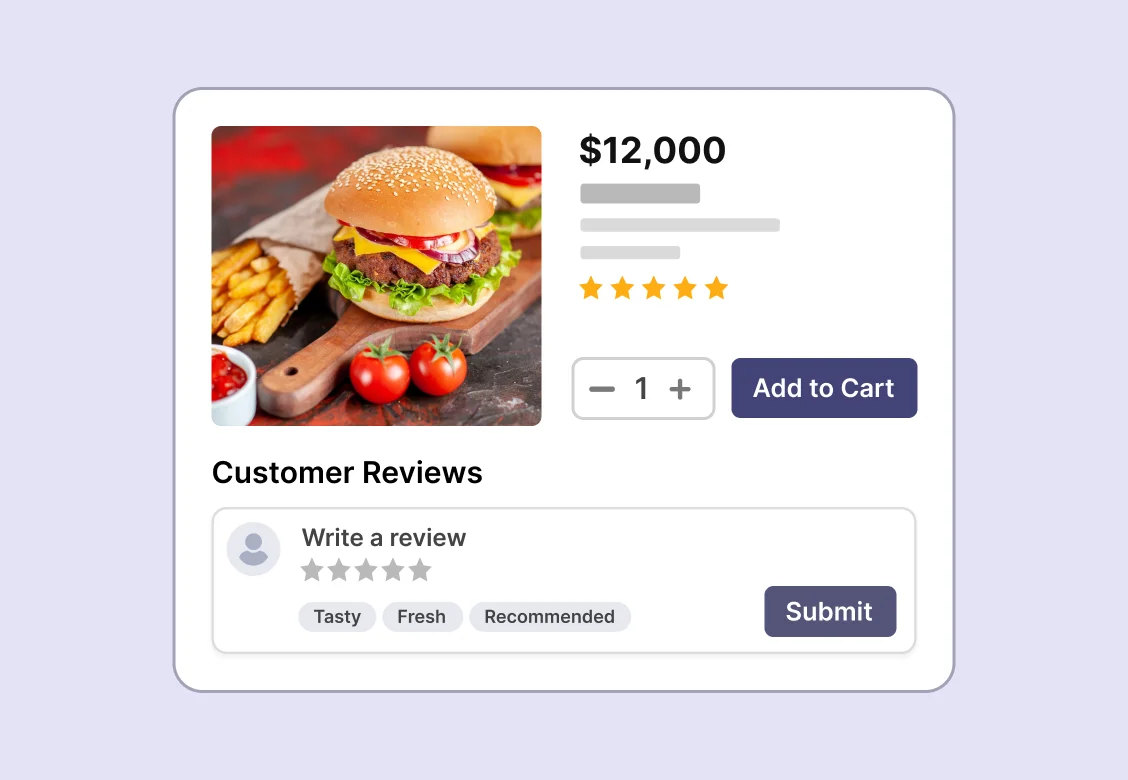
Reviews & star ratings

Collect food reviews and star ratings, submitted right from the quick-view popup with no page reload, plus food tags to help diners choose.
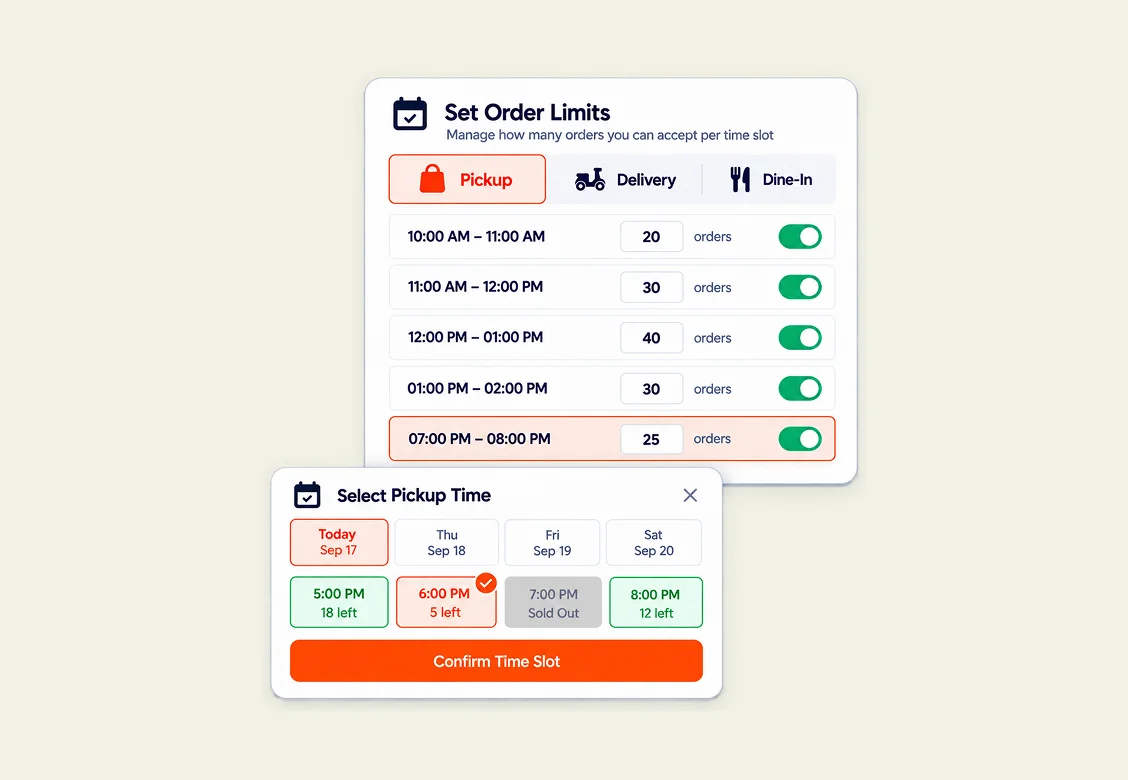
Time-slot order limits

Cap orders per pickup, delivery and dine-in slot so the kitchen never gets buried at 7pm — enforced across three gates.
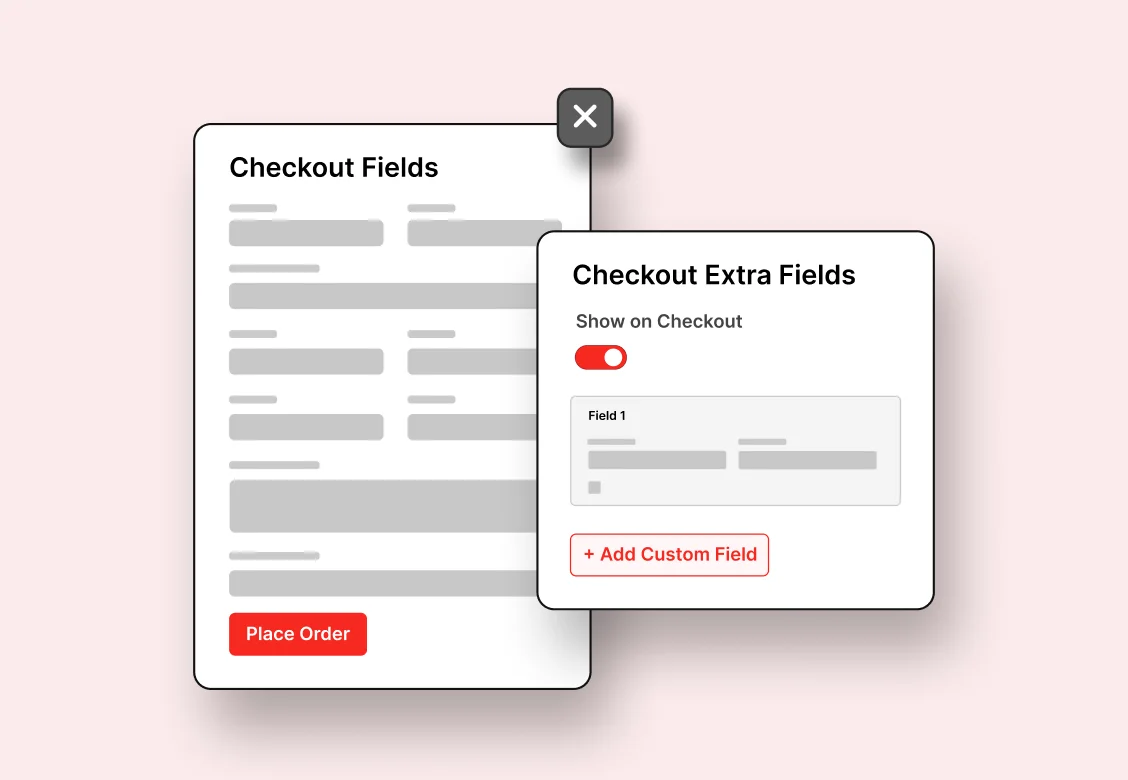
Custom checkout

A purpose-built, section-controlled checkout for food ordering — fewer fields, fewer drop-offs, with custom heading and button text.
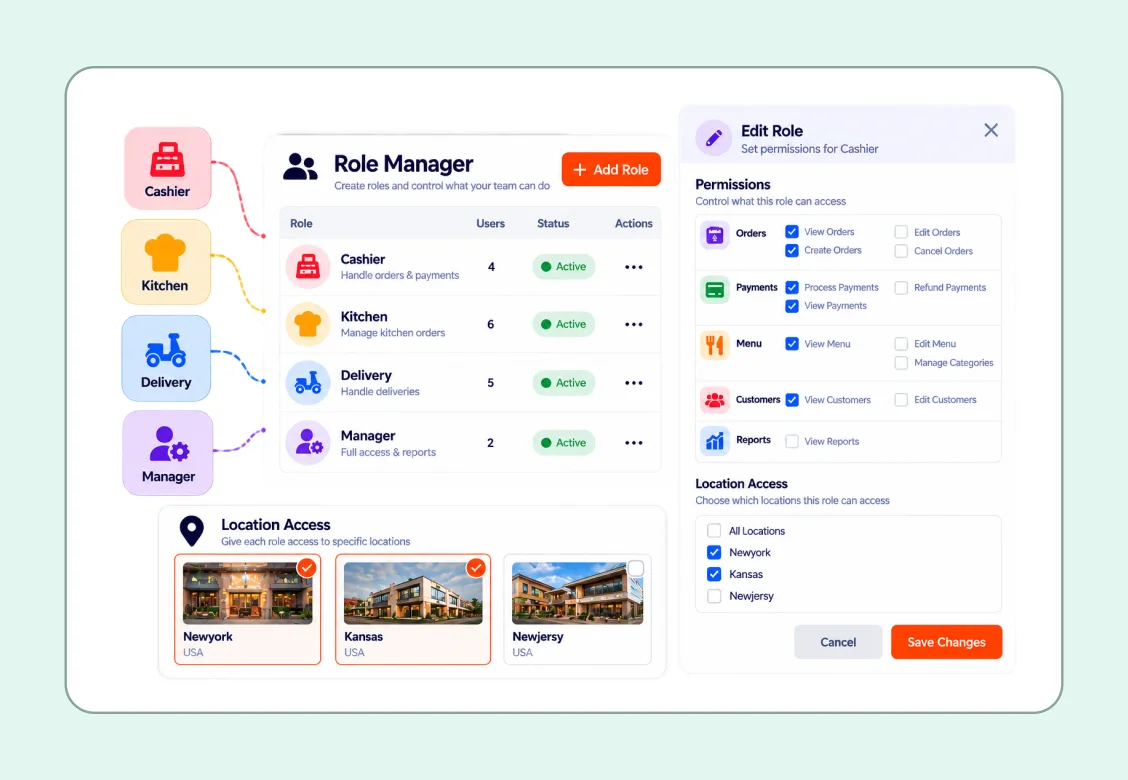
Role manager

Create cashier, kitchen, delivery and manager roles with granular permissions and per-location access control.


The full depth

And a hundred details that add up

Menu & display

Rich menu data

Ordering & fulfillment

Operations & kitchen

Offers & conversion

Built for real sites

Who it’s for

One plugin that scales from a
café to a chain

Restaurants

Neighborhood eateries to multi-location chains — categories, filters and per-branch menus scale with you.

Cafés & coffee shops

Beverages, pastries and light meals in layouts built for frequent seasonal changes.

Cloud kitchens

Delivery-first operations with slot limits, a live kitchen monitor and driver slips.

Fast food & QSR

High volume, minimal checkout and a live kitchen board that keeps the line moving.

Catering companies

Packages, pricing tiers and specialty menus with variable pricing.

Dine-in venues

QR table ordering, visual table reservation and table-aware kitchen slips.

Built to be trusted

Own the whole thing — data,
orders and all

Keep 100% of the order

No per-order fees, no third-party platform. Payments run on your own WooCommerce gateways.

Staff never need a login

The front-end dashboard is the restaurant — orders, kitchen and printing without wp-admin.

Real data, not estimates

Every report is built from actual orders. Anything that can’t be computed is left blank, never guessed.

Pricing

Select the perfect pricing plan for your
restaurant management

Now includes 3 premium Envato themes — Foodymart, Panpie and Redchili with Bundle.

Coming from ThemeForest? 👋

Since July 1, 2026, Envato retains about 60% of every ThemeForest sale- making it difficult to provide premium support and ongoing updates.

Excluded from the envato license:

  • × Priority Customer Support
  • × Full access to extensions
Explore More Options →

Food Menu — 1 Site

Regularly $59 Save $10
$49 / Yearly
Renewal at $47
  • Food Menu Pro Plugin
  • 1 Domain License
  • Online Ordering by Woocommerce
  • Reservation Management
  • Pick-up & Delivery
  • Mini Cart
  • Product Add-ons
  • Visual Table Reservation
  • Live Order Management New
  • Advanced Inventory Management New
  • 1 Year Updates & Support
30-day money-back guarantee
Big update 6.0.0 now Live

Food Menu — Unlimited Sites

Regularly $199 Save $40
$159 / Yearly
Renewal at $159
  • Food Menu Pro Plugin
  • Unlimited Domains License
  • Online Ordering by Woocommerce
  • Reservation Management
  • Pick-up & Delivery
  • Mini Cart
  • Product Add-ons
  • Visual Table Reservation
  • Live Order Management New
  • Advance Inventory Management New
  • 1 Year Updates & Support
30-day money-back guarantee
Big update 6.0.0 now Live

Bundle Unlimited Sites

Regularly $399 Save $80
$319 / Yearly
Renewal at $209
Food Menu Pro, Plus
  • FoodMenu Pro + All Restaurant Themes
  • License for Unlimited Sites
  • All 4 Restaurant Themes (Foodymart, Panpie, Redchili and Foodcart)
  • SchemaEngine AI Plugin Restaurant Schema
  • Future Restaurant Theme
  • 1 Year of Updates & Support
30-day money-back guarantee
Big update 6.0.0 now Live

Food Menu —1 Site

Regularly $179 Save $36
$143 / One-time
Pay once — no renewal, ever
  • Food Menu Pro Plugin
  • 1 Domain License
  • Online Ordering by Woocommerce
  • Reservation Management
  • Pick-up & Delivery
  • Mini Cart
  • Product Add-ons
  • Visual Table Reservation
  • Live Order Management New
  • Advance Inventory Management New
  • Lifetime Updates & Support
30-day money-back guarantee
Big update 6.0.0 now Live

Food Menu — Unlimited Sites

Regularly $599 Save $120
$479 / One-time
Pay once — no renewal, ever
  • Food Menu Pro Plugin
  • Unlimited Domains License
  • Online Ordering by Woocommerce
  • Reservation Management
  • Pick-up & Delivery
  • Mini Cart
  • Product Add-ons
  • Visual Table Reservation
  • Live Order Management New
  • Advance Inventory Management New
  • Lifetime Updates & Support
30-day money-back guarantee
Big update 6.0.0 now Live

Bundle Unlimited Sites

Regularly $799 Save $160
$639 / One-time
Pay once — no renewal, ever
Food Menu Pro, Plus
  • FoodMenu Pro + All Restaurant Themes
  • License for Unlimited Sites
  • All 4 Restaurant Themes (Foodymart, Panpie, Redchili and Foodcart)
  • SchemaEngine AI Plugin Restaurant Schema
  • Future Restaurant Theme
  • Lifetime Updates & Support
30-day money-back guarantee
Big update 6.0.0 now Live
Note: All prices are given in USD exclusive TAX/ VAT. TAX/ VAT will be charged depending on the destination country.

100% risk-free money-back guarantee

Customer satisfaction is our top priority. If you’re not satisfied with our product within 30 days of purchase, we’ll gladly provide a full refund. Learn more about Our Refund Policy.

Mamunur Rashid

Founder & CEO, RadiusTheme LLC

Trusted by WordPress experts &
community leaders

  • ★
  • ★
  • ★
  • ★
  • ★

Absolutely Perfect – and Pro Version Great Price

I recently built a site for a local cafe and compared several menu systems. This was ideal for the requirements and was very easy to use. The paid version is also extremely well priced (affordable) and has just the right amount of features.

Martin Koss
wordpress.org
  • ★
  • ★
  • ★
  • ★
  • ★

Straightforward and useful plugin

I am using this plugin to make a woocommerce shop with categories in a tabbed list. It was quick and easy and it pulled data from WooCommerce just as expected. Very functional.

jgoethals
wordpress.org
  • ★
  • ★
  • ★
  • ★
  • ★

Absolutely Perfect – and Pro Version Great Price

I recently built a site for a local cafe and compared several menu systems. This was ideal for the requirements and was very easy to use. The paid version is also extremely well priced (affordable) and has just the right amount of features.

Martin Koss
wordpress.org
  • ★
  • ★
  • ★
  • ★
  • ★

Straightforward and useful plugin

I am using this plugin to make a woocommerce shop with categories in a tabbed list. It was quick and easy and it pulled data from WooCommerce just as expected. Very functional.

jgoethals
wordpress.org
  • ★
  • ★
  • ★
  • ★
  • ★

Super plugin and customer support

I had a fantastic experience with customer support! They were incredibly responsive and addressed my issue quickly and professionally. I’m really impressed with how efficiently they resolved my concern.

markchan
wordpress.org
  • ★
  • ★
  • ★
  • ★
  • ★

Special food

The Food Menu – Restaurant Menu & Online Ordering for WooCommerce plugin has great reviews for ease of use and WooCommerce integration. You can use it to enhance Macdonalds Delicious Food Stuffz by creating a seamless online menu and ordering system

wasikak
wordpress.org
  • ★
  • ★
  • ★
  • ★
  • ★

Super plugin and customer support

I had a fantastic experience with customer support! They were incredibly responsive and addressed my issue quickly and professionally. I’m really impressed with how efficiently they resolved my concern.

markchan
wordpress.org
  • ★
  • ★
  • ★
  • ★
  • ★

Special food

The Food Menu – Restaurant Menu & Online Ordering for WooCommerce plugin has great reviews for ease of use and WooCommerce integration. You can use it to enhance Macdonalds Delicious Food Stuffz by creating a seamless online menu and ordering system

wasikak
wordpress.org
  • ★
  • ★
  • ★
  • ★
  • ★

Awesome, amazing customer service

They responded immediately to my issue and emailed a solution to my issue. It is so rare these days to find this kind of support that I felt the need to review them. The plugin works very well. We are extremely happy with it.

dawnybelle
wordpress.org
  • ★
  • ★
  • ★
  • ★
  • ★

Absolutely Perfect – and Pro Version Great Price

I recently built a site for a local cafe and compared several menu systems. This was ideal for the requirements and was very easy to use. The paid version is also extremely well priced (affordable) and has just the right amount of features.

Martin Koss
wordpress.org
  • ★
  • ★
  • ★
  • ★
  • ★

Awesome, amazing customer service

They responded immediately to my issue and emailed a solution to my issue. It is so rare these days to find this kind of support that I felt the need to review them. The plugin works very well. We are extremely happy with it.

dawnybelle
wordpress.org
  • ★
  • ★
  • ★
  • ★
  • ★

Absolutely Perfect – and Pro Version Great Price

I recently built a site for a local cafe and compared several menu systems. This was ideal for the requirements and was very easy to use. The paid version is also extremely well priced (affordable) and has just the right amount of features.

Martin Koss
wordpress.org

Latest change logs

Version 6.0.5 ( Sep 8, 2026 )
New: Show or hide the "Free" badge on addon options, site-wide or per addon group
New: Report settings page to exclude order statuses from dashboard report totals
New: Set how many days the dashboard reports cover on first load
Improved: Even spacing between addon options in radio and checkbox groups
Improved: Role Manager users are collapsed by default, with an arrow to expand each one
Improved: Deleted users are flagged "Invalid user" in Role Manager instead of showing a bare ID
Improved: Moved "Statuses That Count As Sales" from Inventory to the new Report page
Improved: Cancelled, Failed, Refunded and Pending payment can no longer be removed from report exclusions
Improved: Order Timeline now shows the exact time of each status change
Improved: Order Timeline is now on by default, so order history is recorded from day one
Fixed: Order Timeline times followed the viewer's timezone instead of the store's
Fixed: Time slot order limits counted orders from every slot on older WooCommerce order storage
Fixed: Location filter and new-order counts ignored on older WooCommerce order storage
Fixed: Addon and grand totals stuck at zero when an option price was left non-numeric
Version 6.0.4 ( Aug 18, 2026 )
New: Choose which order statuses count as sales in the inventory reports
Improved: AJAX add to cart now works for every product type, without a page reload
Improved: Sales Amount card now shows the gross total including tax
Improved: Inventory popups now show the product name, regular price and sale price
New: Edit product and View product links in the inventory popups, opening in new tabs
Added: Sales report status setting under Front-End Dashboard settings (Pro)
Fixed: Unit cost price could be saved higher than the product selling price
Fixed: Excluded product types still appeared in the dashboard reports and inventory figures
Fixed: Dashboard and reports showed the wrong currency symbol and decimals
Fixed: On-hold orders were left out of sales reports, under-reporting revenue
Fixed: Report date picker calendar was unusable on mobile screens
Fixed: Variable and add-on products redirected to the product page for logged-out visitors
Fixed: Add to cart could pick up fields from another product's form
Version 6.0.3 ( Aug 16, 2026 )
New: Dine In order type with table selection, weekly schedule, time slots and slot limits
New: Dine In settings tab with a table list, optionally scoped per location
New: Order type, location, date and time fields on the Create Order screen
Improved: Dine In details on the orders list, quick view, order panel, POS slips, Kitchen Monitor and customer order page
Improved: New WhatsApp and SMS placeholders — {order_type}, {order_schedule}, {table_number}
Improved: Added food item check-off functionality to the Kitchen Monitor
Improved: Added customizable alarm settings for the Kitchen Monitor

Frequently asked questions (FAQs)

What is the Food Menu plugin for WordPress?
Food Menu is a WordPress food menu plugin that displays restaurant menus in 20+ layouts and accepts online orders through WooCommerce. It also handles visual table reservations, pickup and delivery, and QR table ordering — all without coding, and works with Elementor and Gutenberg.
Yes. As a WordPress food ordering plugin, Food Menu integrates with WooCommerce so customers can browse the menu, add items to a mini cart, customize orders with add-ons, and check out with tipping. You only need WooCommerce if you want ordering — menus alone work without it.
Yes. A free version is available on WordPress.org with core list and grid-by-category layouts. The Pro version adds 20+ layouts, WooCommerce online ordering, table reservations, pickup and delivery, QR ordering, and the front-end dashboard.
Yes. You can enable pickup and delivery with customizable time slots, weekly schedule management, and holiday or special-closure settings, giving customers flexible ordering choices.
Yes. Food Menu Pro includes a visual table reservation system with an interactive seating layout. Customers select specific tables, book single or multiple time slots, and the interface is fully mobile-friendly.
Yes. Food Menu Pro generates a unique QR code for each table, so dine-in guests can scan, browse the menu, and order directly from their phones — no app or staff terminal required.
No. You can display restaurant menus with Food Menu on its own. As a WordPress food ordering plugin, it uses WooCommerce only when you want online ordering, cart, and checkout — integrating with it to turn your menu into a full ordering system.
Yes. Food Menu Pro generates a unique QR code for each table, so dine-in guests can scan, browse the menu, and order directly from their phones — no app or staff terminal required.
Yes. The Multi-Location feature lets you manage menus for multiple branches from a single dashboard, and customers are automatically shown their nearest location.
Yes. The front-end dashboard lets your team handle order management, inventory, a kitchen monitor, and staff roles entirely from the front end, without accessing the WordPress admin panel.

Keep 100% of every order. Start
with Food Menu today.

No per-order fees, no third-party platform, no middleman —
just your menu, your ordering and your kitchen, on your own
WordPress site.