

Build Custom Account Fields Without Writing Code
Add-on for Classified Listing. Create unlimited custom account fields with an intuitive drag-and-drop builder. Collect additional user information on the registration form, front-end Account Details page, WordPress profile screens, and public author pages. Fully integrated with Classified Listing 6.0.0 or newer.
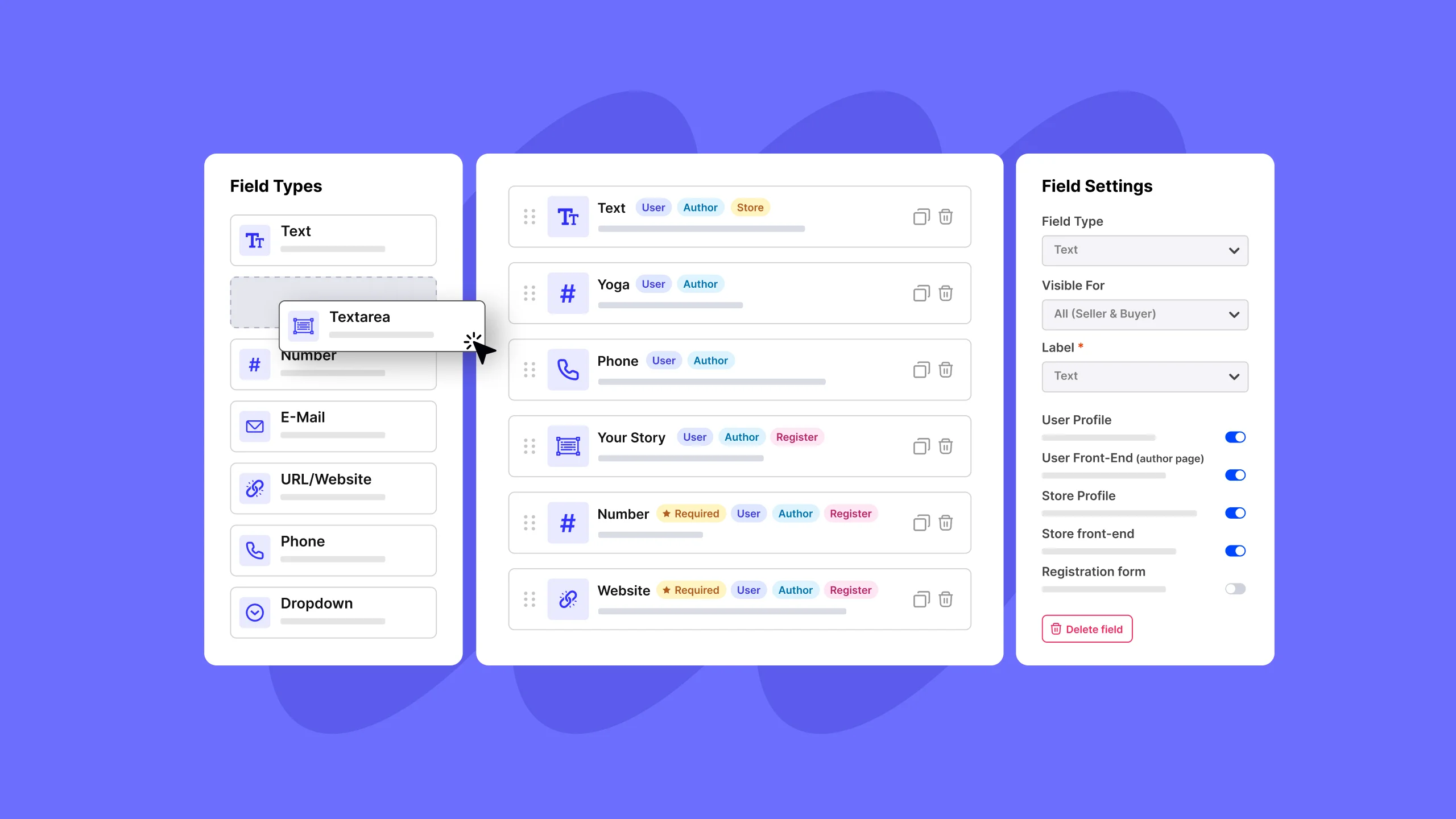
Account Fields Manager gives you complete control over the information users provide on your classified website. Using a visual drag-and-drop builder, you can create custom fields such as company name, website, social links, phone numbers, file uploads, checkboxes, and more—without writing a single line of code.
Each field can be configured with validation rules, visibility settings, and display options. Show fields only to buyers or sellers, collect them during registration, or display them on public author profiles. All data is securely validated, stored, and seamlessly integrated with the Classified Listing ecosystem.
Everything You Need to
Run Account Fields Manager
From placement to payment — all inside your WordPress dashboard.
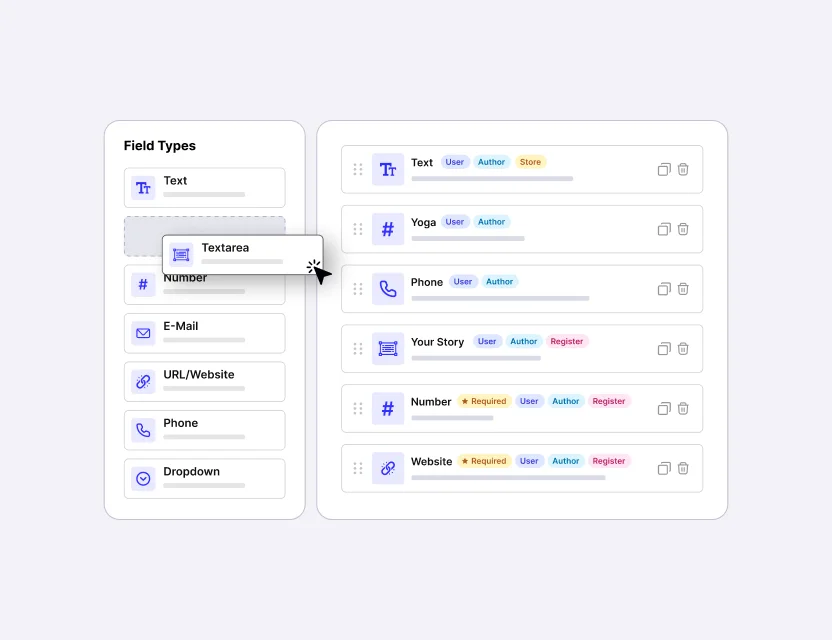
Visual Drag-and-Drop Builder
Design your fields in a live, three-panel builder. Drag any field type onto the canvas, reorder with a click, and edit everything in a settings panel. No code, no templates.
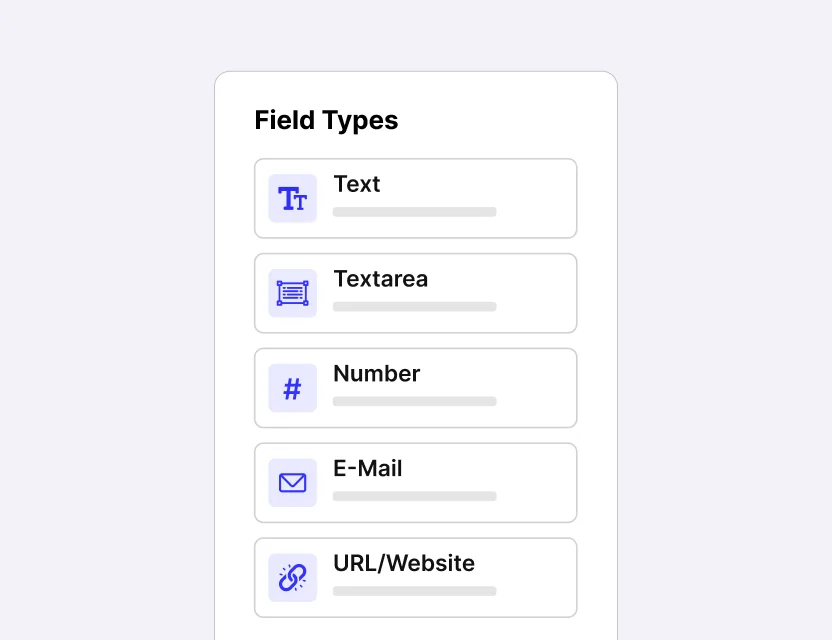
Eleven Flexible Field Types
From text, number, and email to dropdowns, switches, an international phone input, and secure file uploads. Collect exactly the information your marketplace needs.
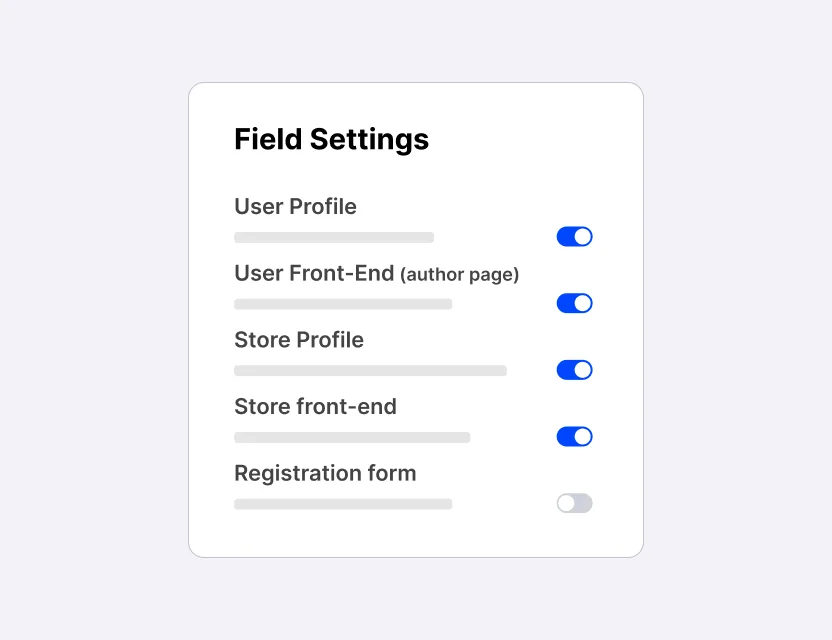
Show Fields Anywhere You Want
A single field can appear on the account page, registration form, WordPress profile screen, and public author page. It also has per-field control over visibility for Sellers, Buyers, or everyone.
Enable unlimited Account Fields Manager
at the best price
- Yearly
- Big SaveAll Addons Bundle
Coming from ThemeForest? 👋
Since July 1, 2026, Envato retains about 60% of every ThemeForest sale- making it difficult to provide premium support and ongoing updates.
Excluded from the envato license:
- × Priority Customer Support
- × Full access to extensions
1 Site License
- Only Account Manager Addon
- 1 Site or Domain
- 1 Year Support
- 1 Year Updates
- 30 Days Money Back Guarantee
- 20% Discount on Renewal
5 Sites License
- Only Account Manager Addon
- 5 Sites or Domains
- 1 Year Support
- 1 Year Updates
- 30 Days Money Back Guarantee
- 20% Discount on Renewal
Unlimited Sites License
- Only Account Manager Addon
- Unlimited Sites or Domains
- 1 Year Support
- 1 Year Updates
- 30 Days Money Back Guarantee
- 20% Discount on Renewal
Coming from ThemeForest? 👋
Since July 1, 2026, Envato retains about 60% of every ThemeForest sale- making it difficult to provide premium support and ongoing updates.
Excluded from the envato license:
- × Priority Customer Support
- × Full access to extensions
Bundle 1 Site Yearly
- Classified Listing Pro Plugin, all Add-ons & Themes
- 1 Site License
- All 20 Premium add-ons
- All 18 Listings & Directory Themes — including Envato themes (Classima, Homlisti, ListyGo, ListPress, Petslist)
- SchemaEngine AI (bonus)
- Future Add-ons & Themes
- 1 year of Updates & Priority Support
Bundle Unlimited Yearly
- Classified Listing Pro Plugin, all Add-ons & Themes
- Unlimited Sites License
- All 20 Premium add-ons
- All 18 Listings & Directory Themes — including Envato themes (Classima, Homlisti, ListyGo, ListPress, Petslist)
- SchemaEngine AI (bonus)
- Future Add-ons & Themes
- 1 year of Updates & Priority Support
Bundle 1 Site Lifetime
- Core Plugin, All Plugins and Themes
- 1 Domain License
- Lifetime Updates & Priority Support
- All 20 Addons Included
- All 18 Listings & Directory Themes — including Envato themes (Classima, Homlisti, ListyGo, ListPress, Petslist)
- SchemaEngine AI (Bonus)
- Future Add-ons & Themes
100% risk-free money-back guarantee
Customer satisfaction is our top priority. If you’re not satisfied with our product within 30 days of purchase, we’ll gladly provide a full refund. Learn more about Our Refund Policy.
Mamunur Rashid
Founder & CEO, RadiusTheme LLC


Frequently asked questions
Do I need to know how to code?
No. Everything is done through a visual drag-and-drop builder — no code required.
What kinds of fields can I create?
Eleven types: Text, Textarea, Number, Email, URL, Phone, Dropdown, Radio, Checkbox, Switch, and File Upload.
Can I show different fields to sellers and buyers?
Yes. Every field has a “Visible for” setting — show it to all users, only sellers, or only buyers.
Where do the custom fields appear?
In up to four places: the account page, registration form, WordPress profile screen, and public author page — you choose which.
Are file uploads safe?
Yes. Files are validated for type and size on the server and stored securely in the WordPress Media Library.
Last update and changes
Initial Released.