
Attract Foodies with Engaging Menu Designs

Why Multiple Menu Layout Designs Are Crucial
Your restaurant’s first impression isn’t just limited to taste. Creative menu design and food visuals play a crucial role in the overall online experience. Our menu layouts let you display your dishes with elegance, flexibility, and full WooCommerce integration.
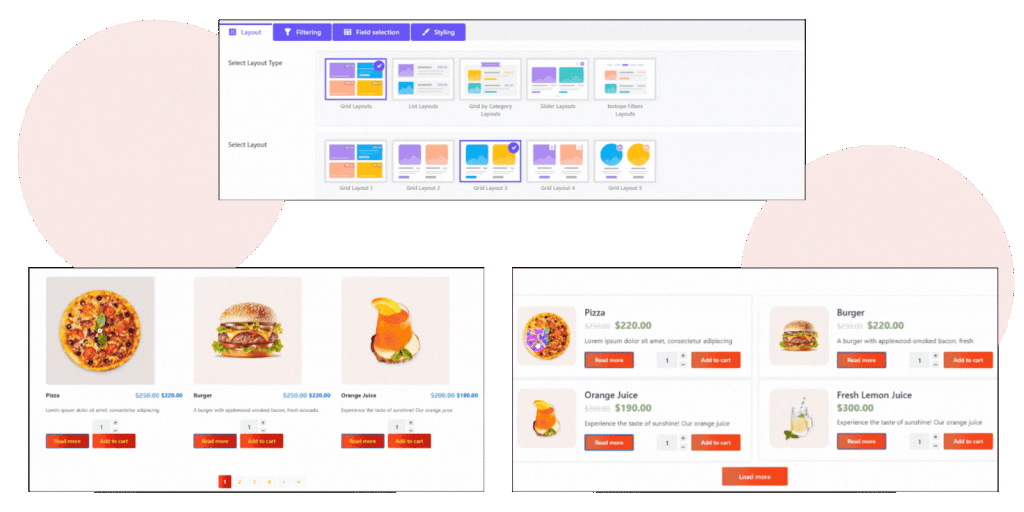
List & Grid Layouts
These layouts are perfect for classic menus. You can balance the images, titles, prices, and descriptions in a clean and organized way. Select single or multi-column options with customizable spacing and styling.
- Great for cafés, bistros, and quick-view menus.
- Mobile-friendly & retina-ready.
- Display with or without images.
Category-Based Layouts
You can showcase the food menu sorted by categories. Freely customize the headers, icons, and tabs. Ideal for large menus to stay tidy.
- Auto-categorization of WooCommerce products
- Accordion or tabbed style
- Enhances menu navigation

Slider Layouts
Craft a dynamic & engaging menu with slider layouts. Transform your menu into a visual story. You can highlight special or new dishes in an animated, user-friendly way.
- Eye-catching transitions & autoplay.
- Swipe support for mobile users.

Ready to Take Your Orders Like a Pro?
Your online menu deserves more than just views. Turn it into a profitable online business with a few clicks.
More Features
Some key features of The Post Grid Plugin.