
To configure Inventory, navigate to Food Menu → Settings → Front-End Dashboard → Inventory from your WordPress admin dashboard.
This page lets you track stock levels, waste, and inventory logs from the front-end dashboard.
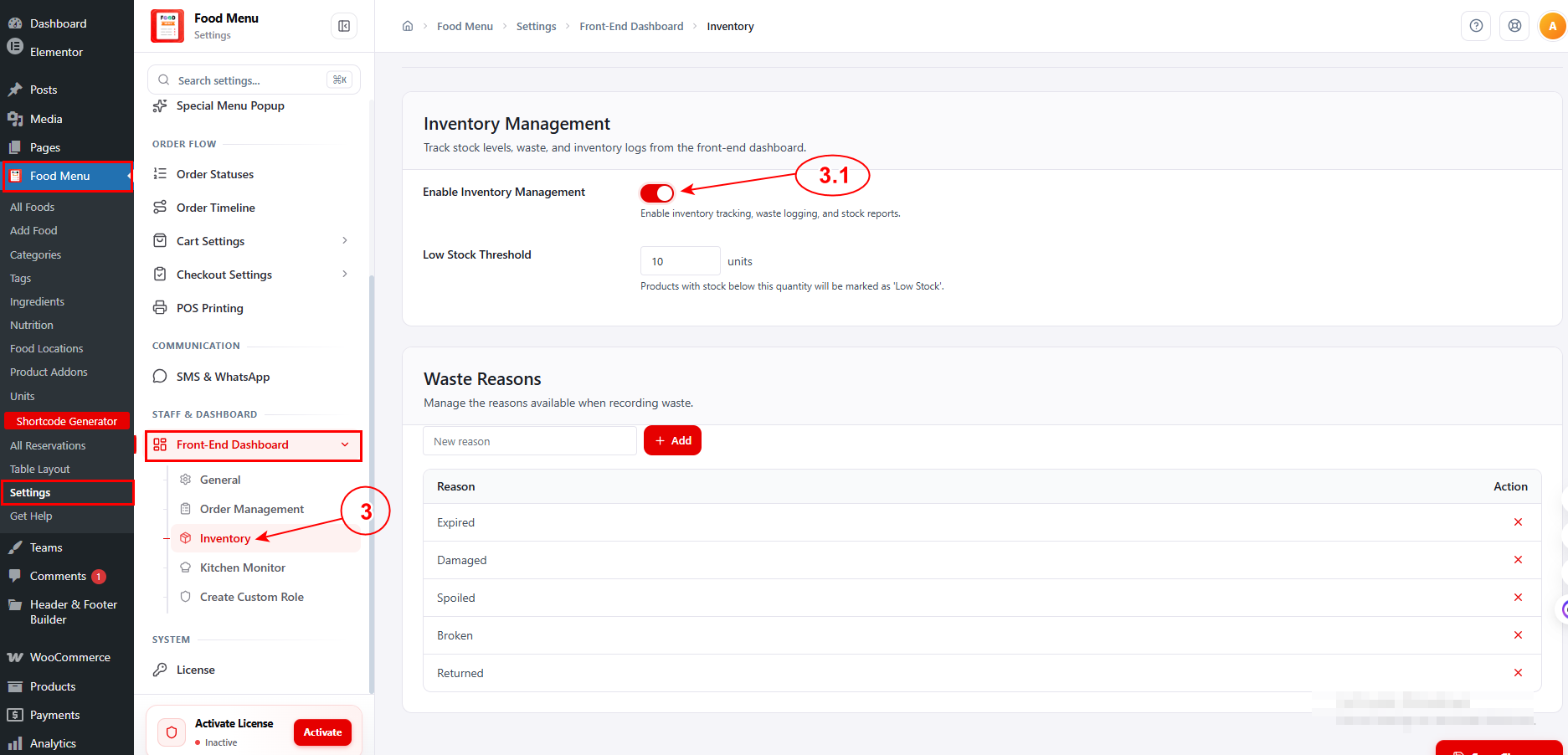
3.1 Enable Inventory Management #
Toggle this on to enable inventory tracking, waste logging, and stock reports.
Low Stock Threshold: Set the minimum stock quantity (in units) before a product is marked as “Low Stock” (e.g., 10 units).
Waste Reasons
Manage the predefined reasons available when staff record waste from the front-end dashboard.
The default reasons include: Expired, Damaged, Spoiled, Broken, and Returned. To add a new reason, type it in the input field and click + Add. To remove an existing reason, click the ✕ icon next to it.


