
The Field Selection tab controls which information fields appear for each food item in the menu layout.
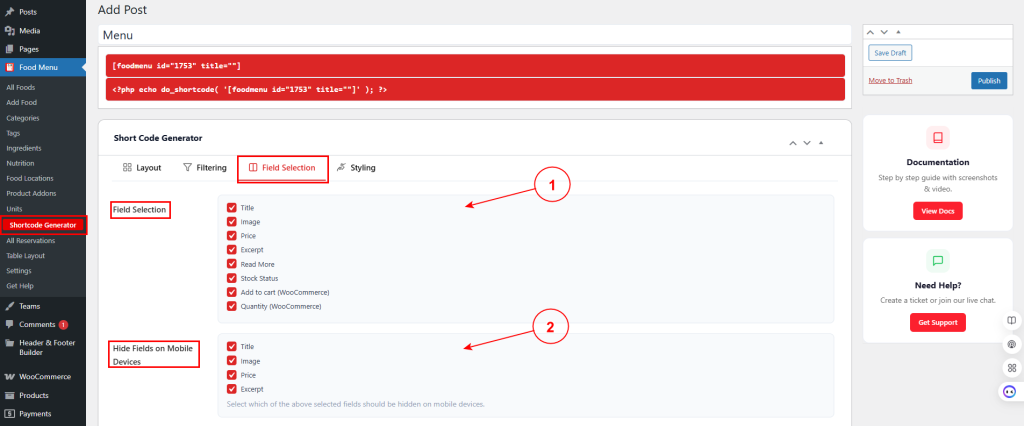
1. Field Selection #
Check the fields you want to display on each menu item:
- Title – Show the food item name.
- Image – Exhibit the featured image.
- Price – Showcase the item price.
- Excerpt – Disclose the short description.
- Read More – Show the read more button.
- Stock Status – Display stock availability.
- Add to cart (WooCommerce) – Show the add to cart button (WooCommerce only).
- Quantity (WooCommerce) – Display quantity selector (WooCommerce only).
2. Hide Fields on Mobile Devices #
Select which fields should be hidden on mobile devices for a cleaner mobile experience:
- Title – Hide title on mobile
- Image – Conceal image on mobile
- Price – Bury price on mobile
- Excerpt – Hide excerpt on mobile
This allows you to simplify the layout on smaller screens by hiding less critical information.


