


On This Page
When you plan to build a directory website on WordPress, you might encounter this step where you need to look for the best directory plugin. When you do so, you come across several plugins, among which the Business Directory might catch your attention.
Yes, it’s a popular plugin, and that’s why in this article, we decided to make a comparison between Classified Listing and Business Directory. We wanted to explore which one has more stunning features and allows users to build their website easily.
Hence, let’s read further to see what we figure out in this Classified Listing vs Business Directory content.
An Overview of the Classified Listing Plugin
Classified Listing is a WordPress plugin that lets you quickly create directory and classified ad websites. It offers an AI-powered directory builder, an easy-to-use form builder that lets you drag and drop, advanced search and filtering, and several methods to make money, such as premium listings and subscriptions.
You may use the plugin to administer sites on the go with a mobile app, and it works with popular payment systems. It features more than 18 add-ons and 12 responsive themes, so it’s a good choice for building job boards, service directories, real estate listings, and similar businesses.
An Overview of the Business Directory Plugin
You may use the Business Directory Plugin to construct business directory websites with WordPress. It enables individuals to build lists of local businesses, service providers, and professionals in other industries.
The plugin lets you submit listings from the front end, modify search filters, and see complete user profiles. You may also generate money with the Business Directory Plugin by selling paid listings and featured ads.
It doesn’t include AI integration, live chat, or support for mobile apps, but it’s a good choice for folks who want a simple, customizable directory solution. The plugin is excellent for companies that want to develop directories that are easy to find and manage.

Detailed Feature Comparison
From here, our exploration begins. Before moving forward, we encourage you to glance at the table below.
| Feature | Classified Listing | Business Directory Plugin |
| User Interface | Intuitive, beginner-friendly | Clean, but basic for advanced users |
| AI Integration | AI-powered directory creation | No AI integration |
| Form Builder | Drag-and-drop form builder | Basic form creation options |
| Search & Filtering | AJAX-powered, location-based | Quick search and sorting bar |
| Monetization | Paid listings, memberships, featured ads | Paid listings, featured ads |
| Listing Management | Frontend and backend submission | Frontend submission only |
| Live Chat | Real-time private chat with moderation | Not available |
| Add-ons | 18+ add-ons | Around 15 add-ons |
| Mobile App | Android and iOS apps are available | No mobile app support |
| Pricing | $44/year, $319 lifetime | $99/year, with additional costs for add-ons |
Free Version Availability
There are free versions of both the Classified Listing and Business Directory plugins. However, they don’t all work the same way. You may construct a simple classified ads or directory website with the free version of Classified Listing.
It contains all the essential functionality you need. Some of these are the ability to submit listings from the front end, search functions, and ways to make money.
Users have to pay for the premium version to receive more advanced features, such as support for mobile apps and additional revenue-generating options.
The Business Directory Plugin, on the other hand, includes a free version with basic features including customizable listing forms, frontend submission, and basic search. You can construct a working directory with the free version, but it doesn’t have some of the more advanced features that come with the paid version of the plugin.
These include better payment method integrations, more comprehensive search filters, and more. So, both plugins include free versions that are good for basic use. However, anyone who wants more powerful capabilities will have to pay for the premium versions.
User Interface
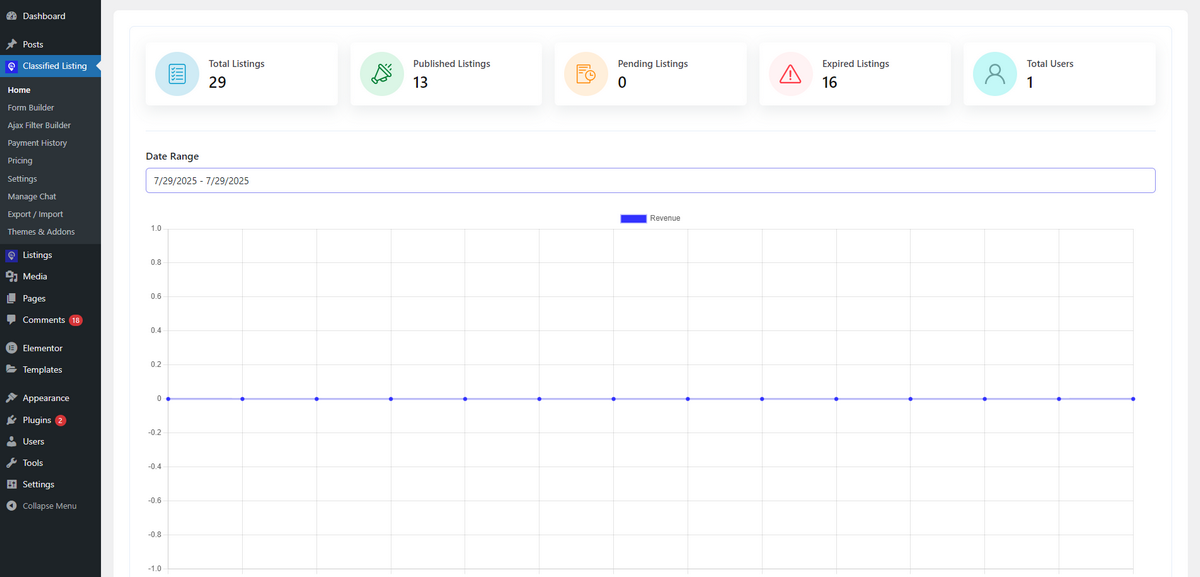
The Classified Listing plugin provides a simple, user-friendly interface that makes it easy for anyone, even those who aren’t very tech-savvy, to set up and run their website.
There are a variety of guides, videos, and live help available to ensure a smooth setup. The design is clean and simple, so users can easily manage listings, change categories, and update ads without any hassles.
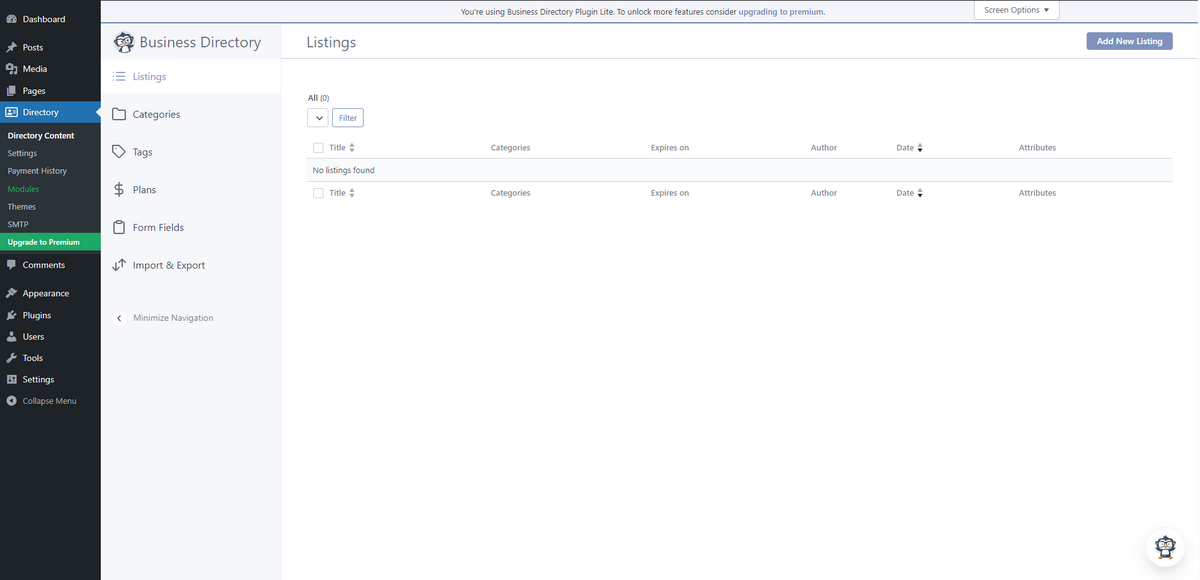
The Business Directory Plugin, on the other hand, offers a basic and clean interface, but you can’t change it as much as you can with the Classified Listing plugin.
The design is simple and easy to understand; however, it’s best for advanced users who know how to use WordPress.
It could require more work to change listings, fields, and filters by hand; therefore, it’s best for developers or users who have run directory sites before.
AI-Assisted Directory Building
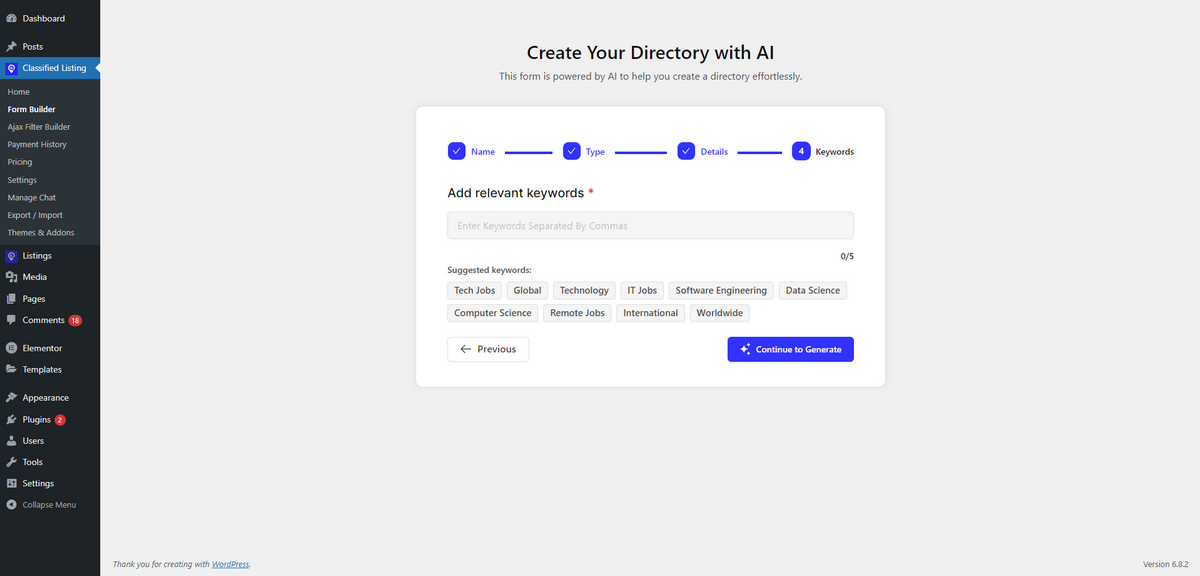
The Classified Listing plugin is unique since it uses AI to generate directory structures based on your input. This feature enables users to quickly create a well-organized directory by simply specifying the type of directory they want to make.
The AI will automatically suggest keywords that can help the site rank higher in search engines. This makes it simple for users to establish a business directory without needing technical expertise or spending time manually building it.
The Business Directory Plugin, on the other hand, doesn’t have any AI functions. Users have to create their own directory structure, pick categories, and write content by hand.
This allows users to change their site as they want, but it doesn’t have the AI-driven features that make Classified Listing so easy and helpful.
Monetization Features
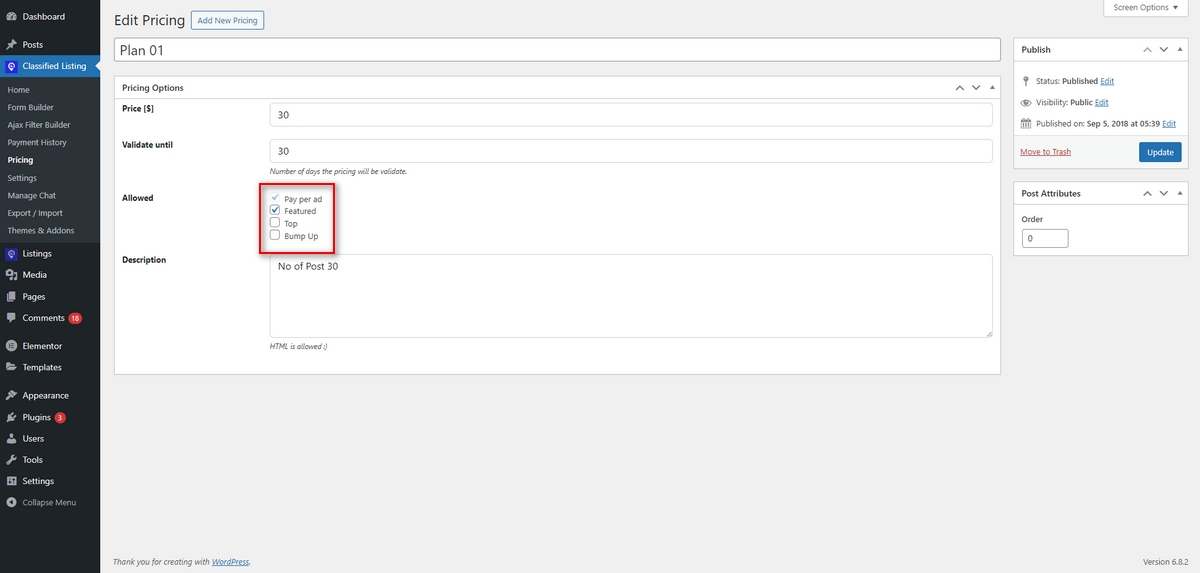
The Classified Listing plugin offers website owners numerous opportunities to make money, allowing them to do so in various ways. Users can charge for posting listings, offer membership packages, and promote ads for a fee.
The plugin also lets website owners employ premium services like top ads and bump-up ads, which give them more ways to monetize their sites. There are a lot of ways to make money with a directory or classified ads website, and Classified Listing just illuminates those paths.
The Business Directory Plugin, on the other hand, only lets you make money when your targeted users pay for listings and ads that are shown. It can help you make money in some fundamental ways, but it doesn’t have the variety and flexibility that Classified Listing has.
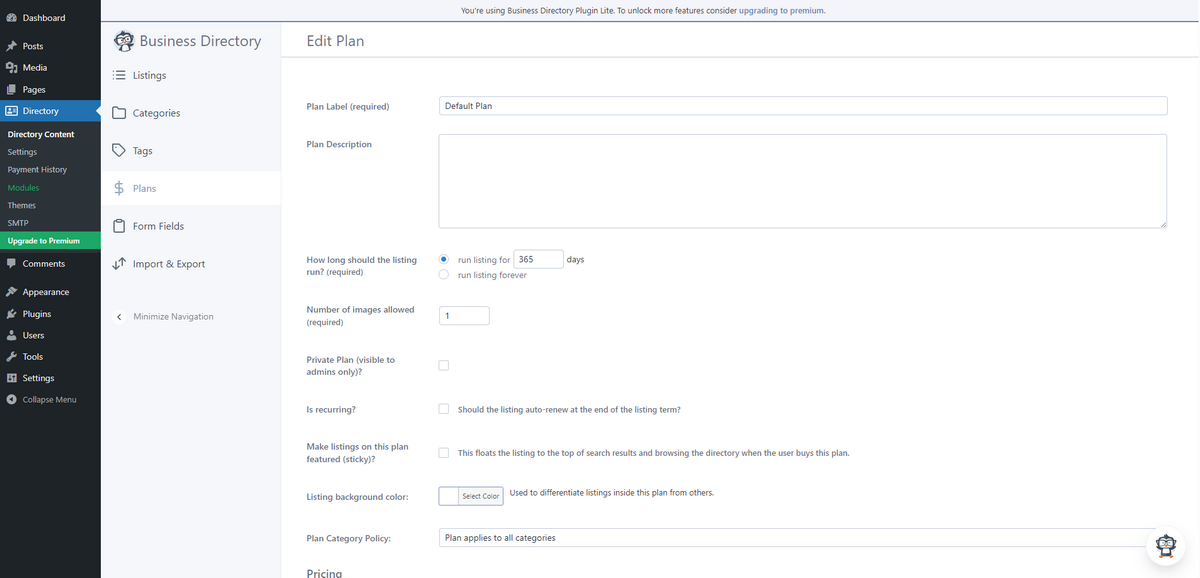
This makes the Classified Listing plugin a better choice for people who want to earn a quick and easy income with their classified ads website.
Form Builder
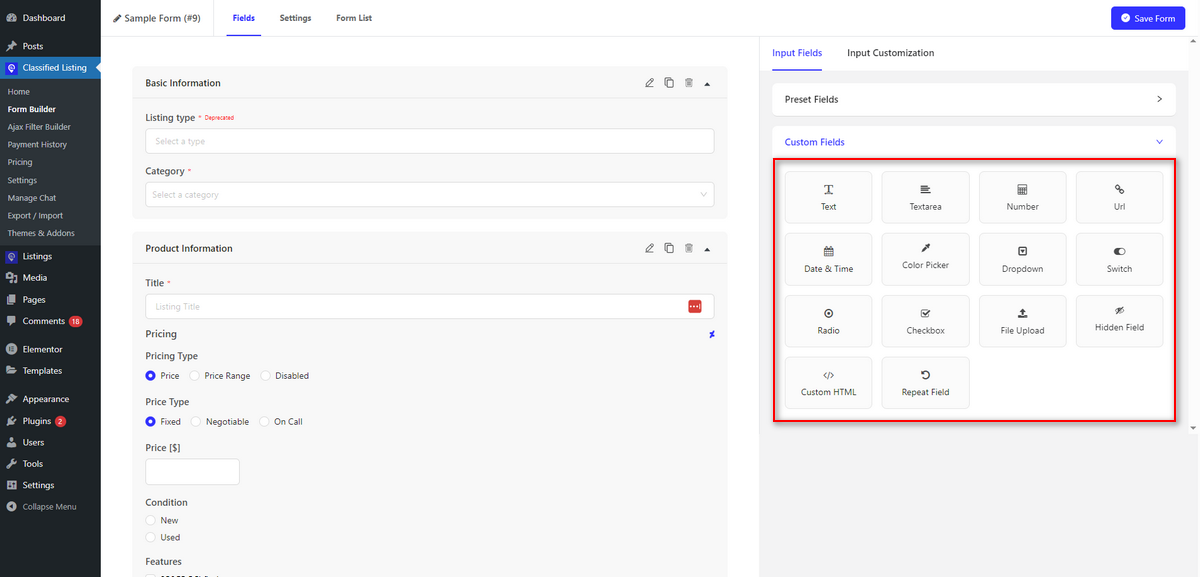
The Classified Listing plugin has a robust drag-and-drop form builder that lets users design listing forms that can be altered in many ways. Users can design forms that work for them by using 14 different types of fields and adding as many custom fields as they want.
The plugin also contains conditional logic, which enables users to show or hide fields based on their previous choices. This makes it easy to find precise information in listings.
The Business Directory plugin, on the other hand, makes it easier to construct forms. Users can create forms and add fields, but they can’t edit them as much as they can using the advanced features in Classified Listing.
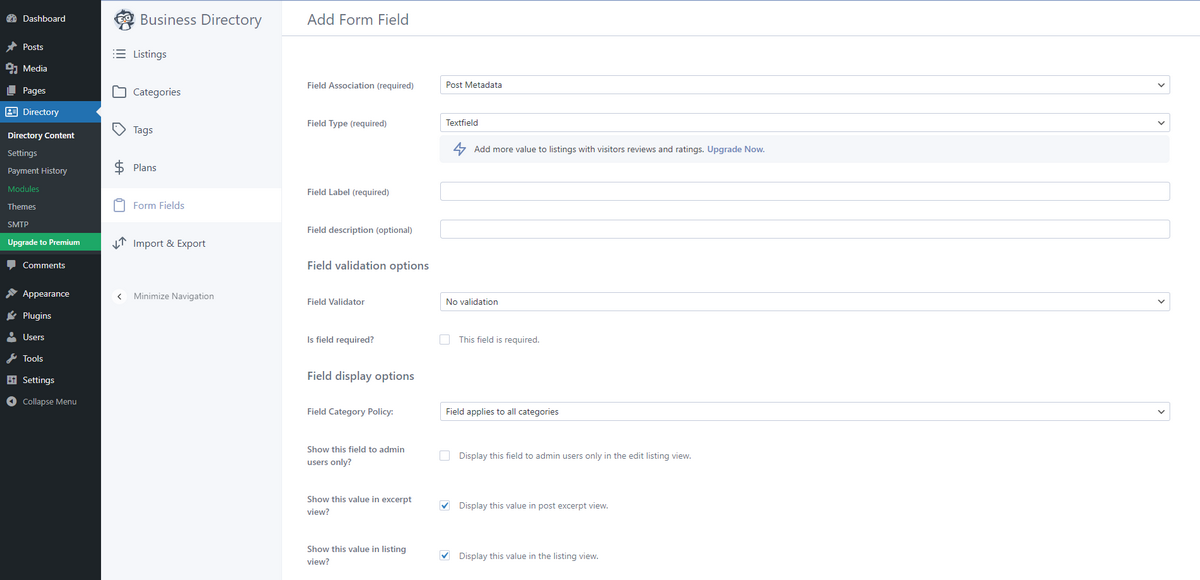
It isn’t as flexible because it doesn’t have a drag-and-drop interface or conditional logic. This can be tricky for folks who need more complex forms for their classified advertisements or directory site.
Search and Filtering
The Classified Listing plugin offers a strong AJAX-based search and filtering option that enables users to narrow down their search results without having to reload the page.
This functionality improves the user experience by allowing them to search in real time and without any problems.
Classified Listing also lets users filter by area and add their own fields, which makes it easier for searchers to identify ads that fit their demands.
On top of that, Classified Listing has a Search Alert addon that lets your users on your site save their queries and receive email notifications when listings that match their search queries go live on your directory website.
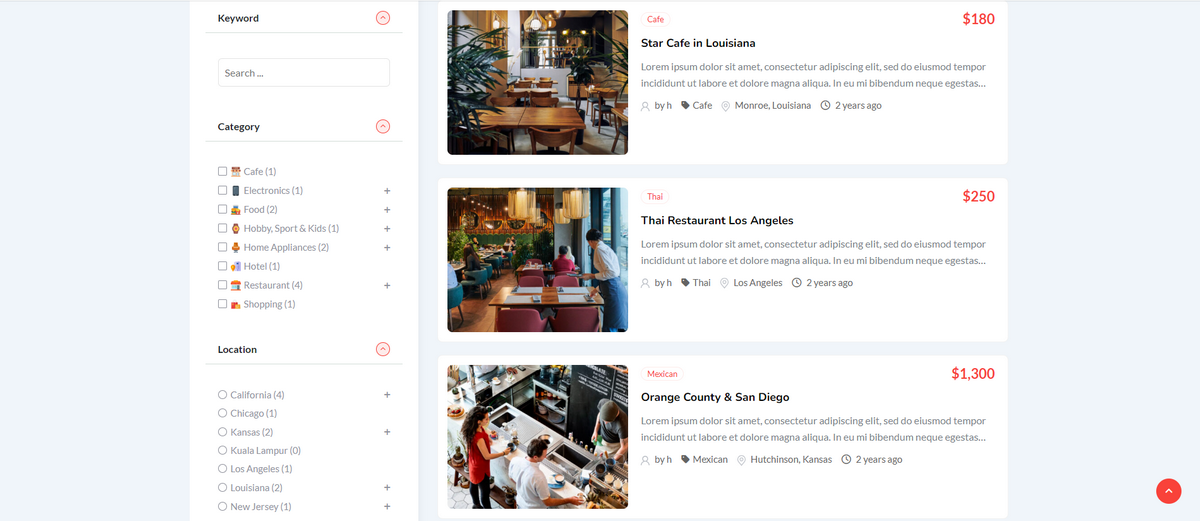
The Business Directory Plugin, on the other hand, lets users change their search options by adding their fields. This allows them to create search options that work for them.
But it doesn’t work with AJAX, so you have to refresh the page to get the search results. This can make it harder to find things and slower to traverse the web than the real-time search features of Classified Listing.
Live Chat
The Classified Listing plugin contains a live chat feature that lets people interact with each other in real time on the site. This feature also enables site admins to monitor conversations and filter out inappropriate words.
The Business Directory Plugin, on the other hand, does not include a built-in live chat feature. It does let you add third-party chat solutions, though. It doesn’t provide the same fluid conversation experience that Classified Listing does.
Add-on Support
The Classified Listing plugin has more than 18 add-ons that enhance its capabilities. Some of these are booking systems, support for several currencies, seller verification, and more. Users can customize and expand their directory or classified ads site to fit their needs because there are so many add-ons available.
Here’s a glimpse into the addons Classified Listing offers:
- Elementor Builder
- Multi Currency Addon
- Seller Verification
- Mobile no Verification
- WPML MultiLingual Addon
- BuddyPress Integration
- BuddyBoss Integration
- Claim Listing
- Search Alert
- Payfast
- Paystack
- Booking (Reservation & Appointment)
- PDF Invoices
- Store & Membership Addon
- Real Estate Agent Addon
- Coupon Addon
- Razorpay Payment
- Job Manager
- Marketplace
- Listing FAQs
The Business Directory Plugin contains roughly 15 modules that are useful, like ways to connect to payment gateways and log in with social media. It has a lot of valuable features to enhance the directory, but it doesn’t have as many add-ons as Classified Listing does.
Here’s a list of a few modules the Business Directory plugin provides:
- PayFast Payment
- Stripe Payment
- File Attachments
- ZIP Search
- Restrictions
- Regions
- Ratings
- Google Maps
Theme Collection
To help you decorate your classified ads or directory site the way you want it, Classified Listing offers you some free and paid WordPress themes.
These responsive, lightweight, SEO-optimized, and niche-specific themes can beautify your website and enhance its functionality.
- CLRestaurant
- CLDirectory
- CLCar
- CLProperty
- ClassiList
- CLHotel
- Obitore
- CLDoctor
- Servlisting
- CLPlace
- Radius Directory (Free Theme)
- CLClassified (Free Theme)
Also, explore the themes the Business Directory plugin offers:
- Business Card Theme
- Elegant Business Theme
- Elegant Grid Theme
- Mobile Compact Theme
- Modern Business Theme
- Tabbed Business Theme
Mobile App Availability
With the Classified Listing plugin, you can manage your directory or classified ads site on the go using mobile apps for both Android and iOS.
This feature is handy if you need to stay connected and keep track of listings, ads, and user interactions when you are outside your workstation.
The Business Directory Plugin, on the other hand, doesn’t operate with apps on mobile devices. This might not be as useful for folks who need to manage their directory from anywhere.
Check Out Classified Listing Mobile Apps
Pricing
The Classified Listing plugin is reasonably priced. Its premium plan starts at $44 per year for one site. Users can also pay $319 for a lifetime contract, which allows them access to all the services for life without having to pay annual costs. This pricing structure is a great deal if you want a complete solution with a lot of features.
The Business Directory Plugin, on the other hand, costs $99 a year to start, so it’s more expensive at the beginning. Users also have to pay extra for premium add-ons, which might increase the total cost depending on what features they need. Given this, the Classified Listing plugin is an alternative business directory plugin.
Strengths and Weaknesses
This section will walk you through the strengths and weaknesses of the Classified Listing and Business Directory WordPress plugins.
Classified Listing
Okay, let’s just start with the Classified Listing plugin.
Strengths:
- User-friendly interface, ideal for beginners
- AI-powered directory creation
- Mobile app support for both Android and iOS
- Comprehensive monetization options (paid listings, memberships, featured ads)
- Extensive range of add-ons to enhance functionality
Weaknesses:
- Limited features are available in the free version
Business Directory Plugin
Learn about the strengths and weaknesses of the Business Directory plugin.
Strengths:
- Easy to use for creating basic directories
- Good choice for business listings
- Customizable search filters
Weaknesses:
- Lacks AI-powered features
- No live chat functionality
- No mobile app support
Which Plugin is Ideal for Your Business?
Needless to say, Classified Listing is the winner in this battle of Classified Listing vs. Business Directory. As you can read from this article, Classified Listing has many more powerful features than the Business Directory plugin.
Plus, it helps users smoothly create classified ads or directory websites without having to touch a single line of code or deal with challenging technical tasks. Users can use AI to build their preferred directory’s listing forms with Classified Listing.
On the other hand, the Business Directory plugin offers a complicated way to create directory sites. Plus, it has limited features and an interface that is not beginner-friendly for getting your site going easily.
Thus, the decision is yours. You can select either the Classified Listing or the Business Directory to create your directory or classified ads website.



