

On This Page
In today’s digital world, having a multilingual website isn’t just a nice-to-have, it is essential. As more businesses expand their reach globally, WordPress site owners are looking for powerful tools to translate their content and connect with audiences in different languages.
For years, Polylang and TranslatePress have been go-to solutions for multilingual WordPress websites. But as we step forward, the landscape is changing. New tools and technologies, especially AI-driven translation plugins, are transforming how translations are done on WordPress, making them faster, smarter, and more cost-effective.
In this post, we’ll explore whether there is a better choice than Polylang or TranslatePress, including how tools like Linguator stack up, what features you should look for in a modern multilingual plugin, and which solution might be right for your site.
Why Do You Need a Multilingual WordPress Plugin?
Before comparing plugins, it’s important to understand why multilingual functionality matters:
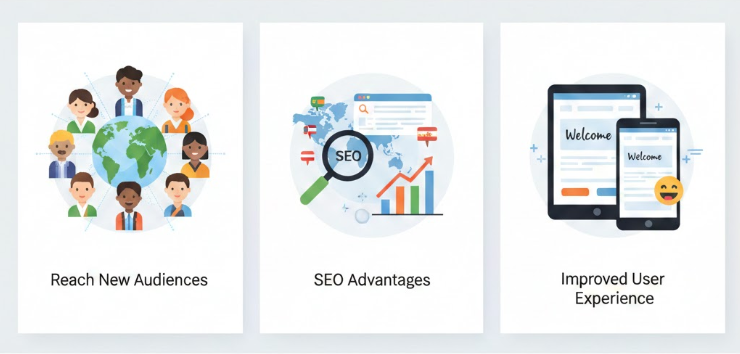
- Reach New Audiences: Most internet users prefer content in their native language. Translating your site can increase engagement and conversions.
- SEO Advantages: Search engines rank localized content better, helping your website appear in search results across regions.
- Improved User Experience: Visitors spend more time on sites they can understand easily.
Now let’s dive into the plugins that power multilingual websites.
How Polylang and TranslatePress Work
Polylang
Polylang is one of the most popular WordPress multilingual plugins. It allows you to create a bilingual or multilingual site by linking translations of posts, pages, media, categories, menus, and more.
Key points about Polylang:
- Works with almost any theme
- Supports SEO-friendly URLs
- Compatible with custom post types
- Offers a language switcher
However, the free version doesn’t include automatic translation — meaning you must manually translate content or use third-party addons.
TranslatePress
TranslatePress focuses on a visual translation experience, allowing site owners to translate directly from the front end — seeing text as it appears on the live site.
Features include:
- Front-end translation interface (visual)
- Automatic translation with AI addons
- SEO support for multilingual sites
- WooCommerce compatibility
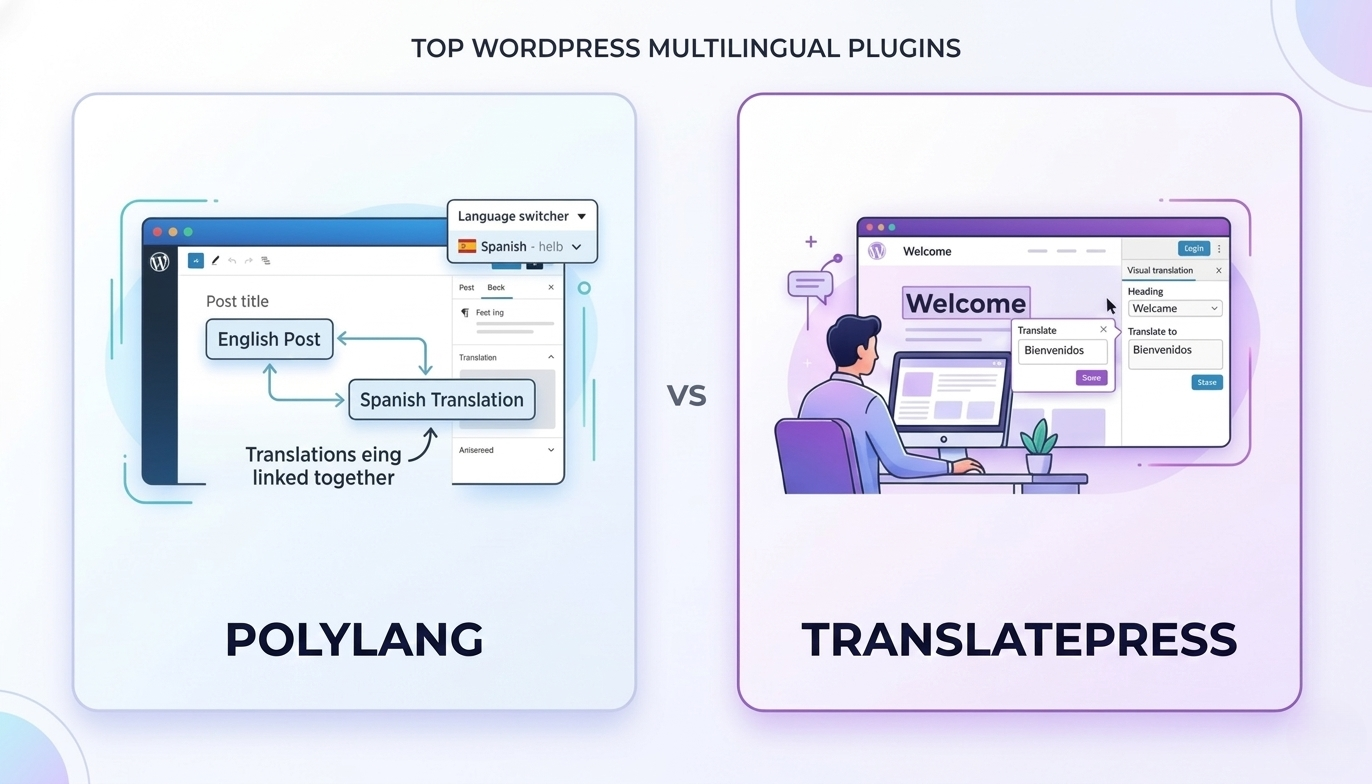
TranslatePress gives more convenience for visual translators, but its auto-translation addons usually require API keys and recurring fees.
Emerging Multilingual Plugin
As AI advances, newer plugins are entering the market with automatic translation powered by artificial intelligence. One such plugin gaining significant attention is:
Linguator – Auto Translate & Create Multilingual Sites
Linguator is an AI-based multilingual WordPress plugin designed to make translating websites easier and cheaper. Unlike traditional plugins that rely on external translation APIs with monthly credits, Linguator uses Chrome’s built-in AI and Google Translate — meaning you can generate translations without recurring subscription fees or API keys.
Linguator supports:
- Automatic AI translation
- Manual editing of translated content
- Translation of menus, media, custom post types, SEO metadata
- Elementor and Gutenberg compatibility
- Language switcher options
This unique approach has helped Linguator gain popularity among WordPress owners who want an affordable and powerful solution for building a Multilingual WordPress Website.
Comparison Table: Polylang vs TranslatePress vs Linguator
Here’s a detailed comparison to help you understand how these tools differ:
| Feature | Polylang | TranslatePress | Linguator |
| Automatic AI Translation | ❌ (needs addon) | ✅ with addon (API credits) | ✅ (Chrome AI + Google Translate) |
| Manual Translation | ✅ | ✅ | ✅ |
| Visual/Inline Editing | ❌ | ✅ | ✅ |
| SEO-Friendly URLs | ✅ | ✅ | ✅ |
| Elementor Support | Limited | Strong | Strong |
| Gutenberg Support | Strong | Strong | Strong |
| WooCommerce Translation | ❌ (needs addon) | ✅ | ✅ |
| No Recurring Fees | ✅ | ❌ | ✅ |
| Uses External API Keys | ❌ | ✅ | ❌ |
| Cost-Effective for Small Business | Medium | Higher | High |
| Custom Post Type Translation | ✅ | ✅ | ✅ |
| Global Glossary Control | Limited | With addon | Built-in |
| Translation of Media (alt, title) | Limited | With addon | Built-in |
Is There a Better Choice Than Polylang or TranslatePress?
The answer depends on what you prioritize when building a multilingual website — control, translation workflow, or automation.
1. If You Want Manual + DIY Control
Polylang is still a reliable choice for users who prefer full control over their translations.
It works well if:
- You enjoy managing translations manually
- You want a lightweight plugin without extra complexity
- You don’t rely heavily on automatic translation
Polylang is especially useful for smaller blogs or simple websites where manual translation helps maintain accuracy and tone.
2. If You Prefer a Visual Translation Experience
TranslatePress stands out because of its front-end visual translation editor, which allows you to translate content directly from the website interface.
It is ideal for:
- Users who want a live preview while translating
- Designers and marketers who need to see translations in context
- WooCommerce stores using API-based machine translation services
However, some advanced features require premium addons, and using automatic translation typically involves paid translation APIs, which can increase the overall cost.
3. If You Want More Automation With Lower Complexity
In recent years, newer tools have started focusing on simplifying automatic translation without relying heavily on external APIs. One example is Linguator, which aims to combine automation with manual flexibility.
It offers features such as:
- AI-powered automatic translation
- No need to configure external API keys
- The ability to manually edit translations when needed
- Translation support for pages, products, menus, and metadata
This type of approach can be particularly useful for:
- Small to medium businesses that want to launch multilingual sites faster
- Elementor-powered websites
- WooCommerce stores that need to translate large catalogs efficiently
For site owners looking to reduce setup complexity while still keeping control over translations, tools like Linguator are becoming an interesting option to explore.
Final Thoughts — What’s Better?
So, is there a better choice than Polylang or TranslatePress?
The honest answer is:
👉 Yes — if your focus is easy, automatic AI translation with no extra costs.
In that case, Linguator is worth serious consideration.
But if you want pure manual control or highly polished visual translation interfaces, Polylang and TranslatePress still have strong use cases for WordPress Website Translation.
At the end of the day, the best multilingual plugin is the one that fits your workflow, budget, and long-term goals, whether that’s manual precision, visual ease, or AI-powered automation.
FAQs
Yes, there are alternatives that offer different translation workflows. Some plugins focus on manual translation, while others provide AI-powered automatic translation. Tools like Linguator aim to reduce translation costs by generating translations automatically without requiring API keys or recurring translation credits.
Yes. Multilingual plugins help create SEO-friendly language versions of your website, allowing search engines to index pages in multiple languages. This improves international visibility, increases organic traffic from different countries, and enhances the overall user experience for global audiences.
Manual translation requires you or a translator to translate each piece of content manually, which provides higher accuracy and better context. Automatic translation uses AI or machine translation tools to instantly translate content, making it faster and more scalable for large websites.
Linguator uses AI-powered translation technology combined with Google Translate and Chrome-based AI capabilities to automatically translate website content. It can generate translations for pages, posts, menus, custom post types, and SEO metadata, while still allowing users to manually edit translations for better accuracy.
Yes. Linguator is designed to work smoothly with both Elementor and the WordPress Gutenberg editor. It can translate page content, layouts, widgets, and dynamic elements while keeping the original design intact, making it a practical solution for modern WordPress websites.



