To add/edit a tag, navigate the WordPress admin menu, Testimonial => Tags.
Fill out the name of the tag. This name will appear on your website. The slug will be automatically added.
Add a short description about the tag. Click on “Add New Tag”.
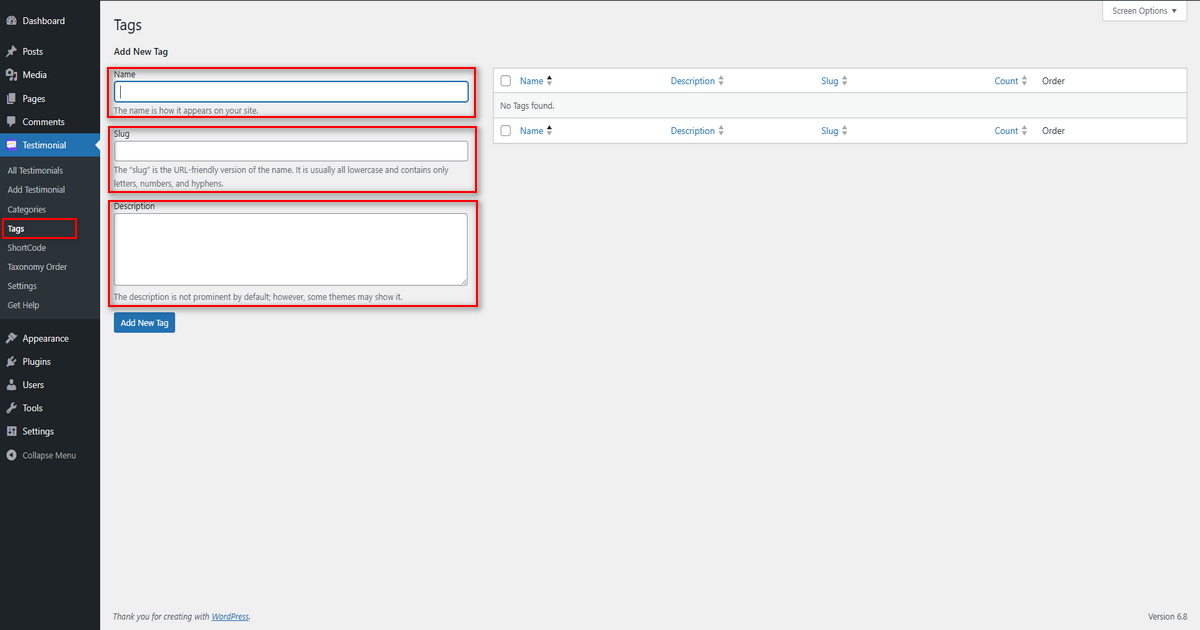

To add/edit a tag, navigate the WordPress admin menu, Testimonial => Tags.
Fill out the name of the tag. This name will appear on your website. The slug will be automatically added.
Add a short description about the tag. Click on “Add New Tag”.


