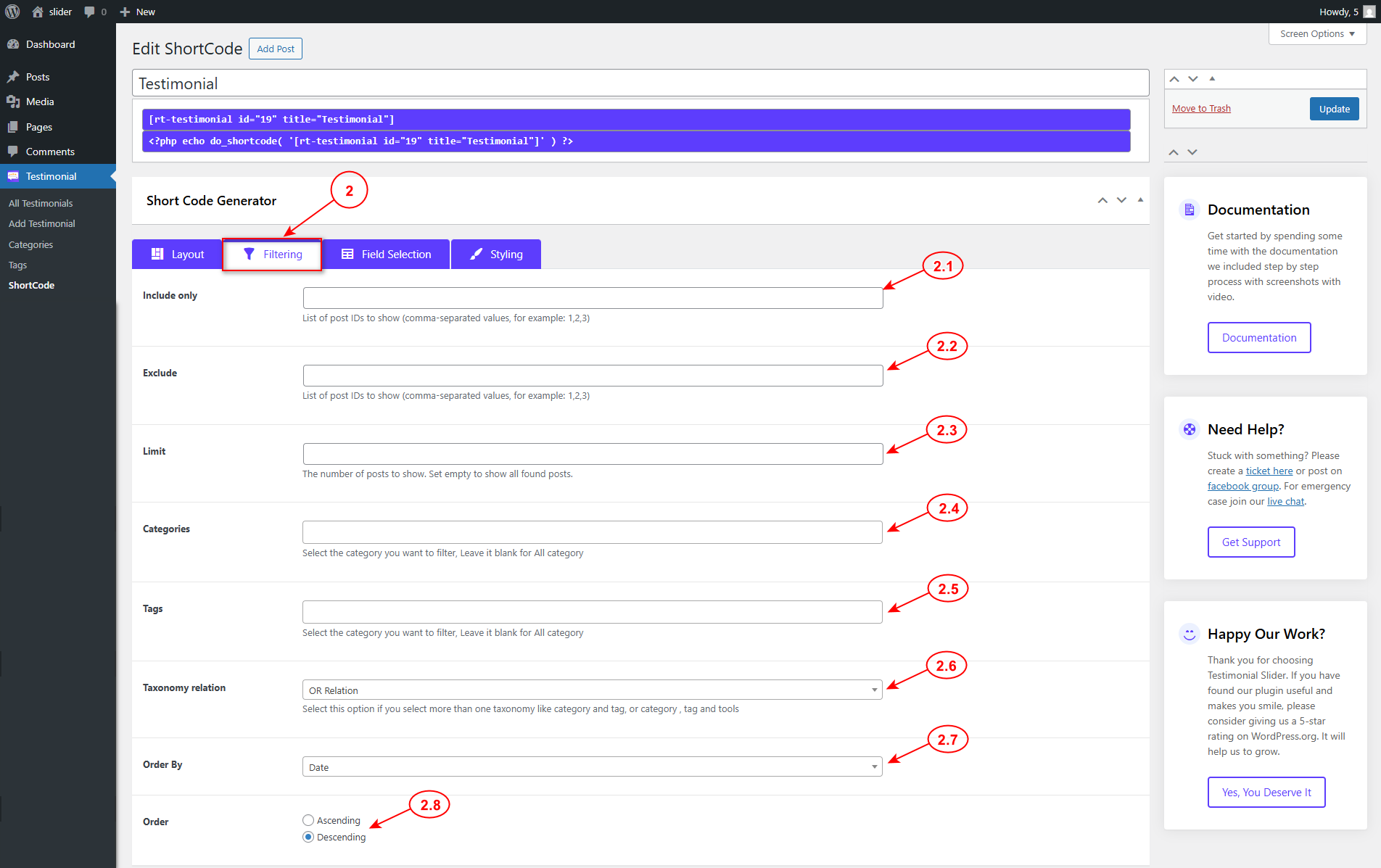
The second step of the shortcode generator is Filtering selection. Navigate WordPress admin menu Testimonial => Shortcode Generator => Filtering.
2.1 Include only: You can set the specific ID by a comma.
2.2 Exclude: Choose which testimonial you want to exclude.
2.3 Limit: Set how many testimonials you want to display.
2.4 Categories [PRO]: Select the category or categories you want to display. If you do not select any option, then it will show all the testimonials.
2.5 Tags [PRO]: Determine the tag or tags.
2.6 Taxonomy relation: [PRO] Select the relation between the category and tags.
2.7 Order By: You can select the order by option ID, title, data, or Random [Pro].
2.8 Order: Set order, either ascending or descending.