
To configuring backend related information follow the following steps #
- Navigate to api folder and open the client.js file.
- Replace the values of the domain and apiKey property.
– Go to your website admin dashboard.
– Navigate to Classified Listing> Settings > Tools
– Now Under “App Management” section, Activate the “Allow Rest API” Toggle button.
– Now click the “Generate Rest API key” Option. This will generate an API key.
– Finally must click the “Save Change” button.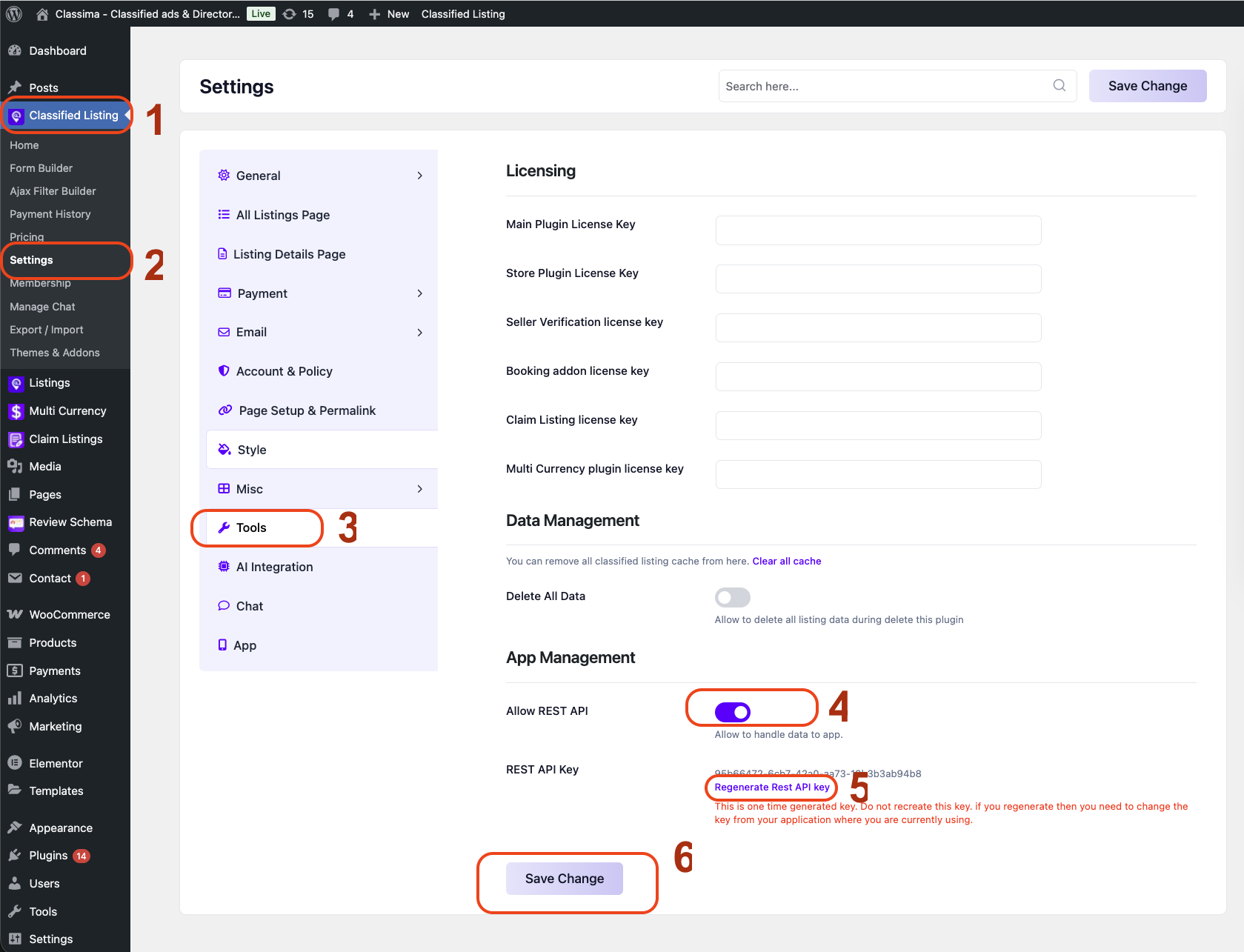
- You can also change the api request timeout. By default, it is set to 30 seconds.
Do not edit any other information in this file.

Configuring In App Pagination #
- Navigate to app > pagination > paginationData.js file.
- Here you’ll get all the pagination data for this app. Only edit the per_page property if needed. per_page property defines item per page while scrolling through a list of items.


