
Map and Location related settings #
- Please keep in mind that if you’re using google map, google might charge you for using their features. And your google map api key must not have any restrictions.
- By default, the location type is set to local from backend. To change location type to google please follow this:
Go to your website admin dashboard > Classified Listing > Settings > Location > Select GEO Location and Save Change
- For Google map to work properly, enable the following things (Without these, app might not display google map):
– Enable Maps SDK For Android (For Android)
– Enable Maps SDK For iOS (For iOS)
– Enable Maps Javascript API
– Enable Places API
– Enable Geocoding Api
– Enable billing for the associated google account (This step is required).
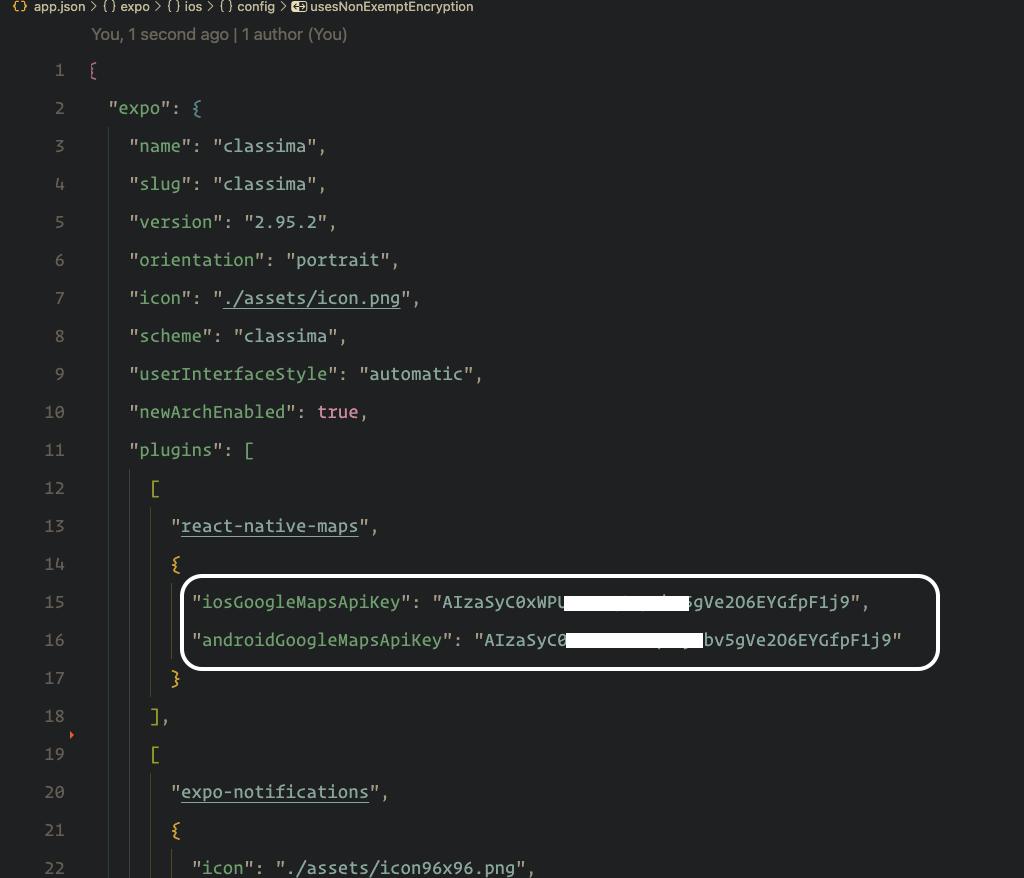
- If you use google map feature please set your Google Map Api key in app.json file. (This step is very important.)

Open Street Map #
For OpenStreet Map, All setup will come from Web. You need to enable settings from backend (Admin Dashboard). No configuration is needed in the app.


