Step 1: Add the Desired Taxonomy (Category) to Your Block
#
To begin, ensure that you’ve assigned the appropriate taxonomy (such as a category or custom taxonomy) to the posts you want to display in your Post Grid block.

If you do not select a specific taxonomy (e.g., category or tag), the shortcode will automatically include all available taxonomies and display posts from each of them in the grid.
Step 2: Configure Filter Options #
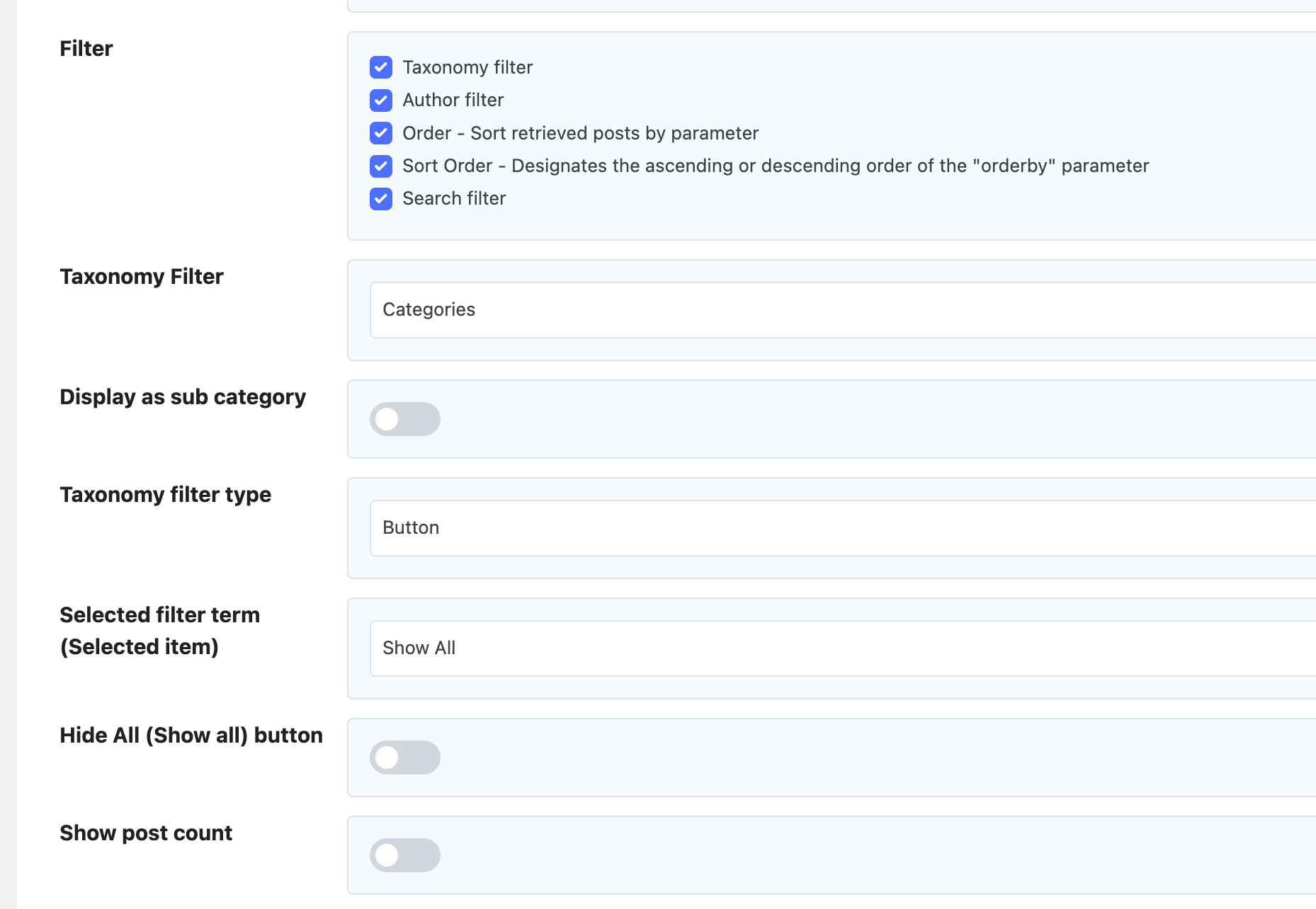
Navigate to: Layout Settings → Filter
- Choose Desired Filter Items from the Filter panel, select the filter items you want to display on the frontend. These will allow users to filter posts dynamically based on taxonomy terms.
- Select Taxonomy for Filtering under the Taxonomy Filter option, choose the taxonomy you want to use for filtering—such as:
- Category
- Tags
- Or any custom taxonomy you’ve registered
- Choose Display as a subcategory for displaying subcategories.
- Choose the taxonomy filter type button or dropdown, whichever you want.
- Select the one you would like to make the selected item.
- Hide “Show all” button if you wish.
- Show post count under taxonomy.
Check the screenshot for more details-