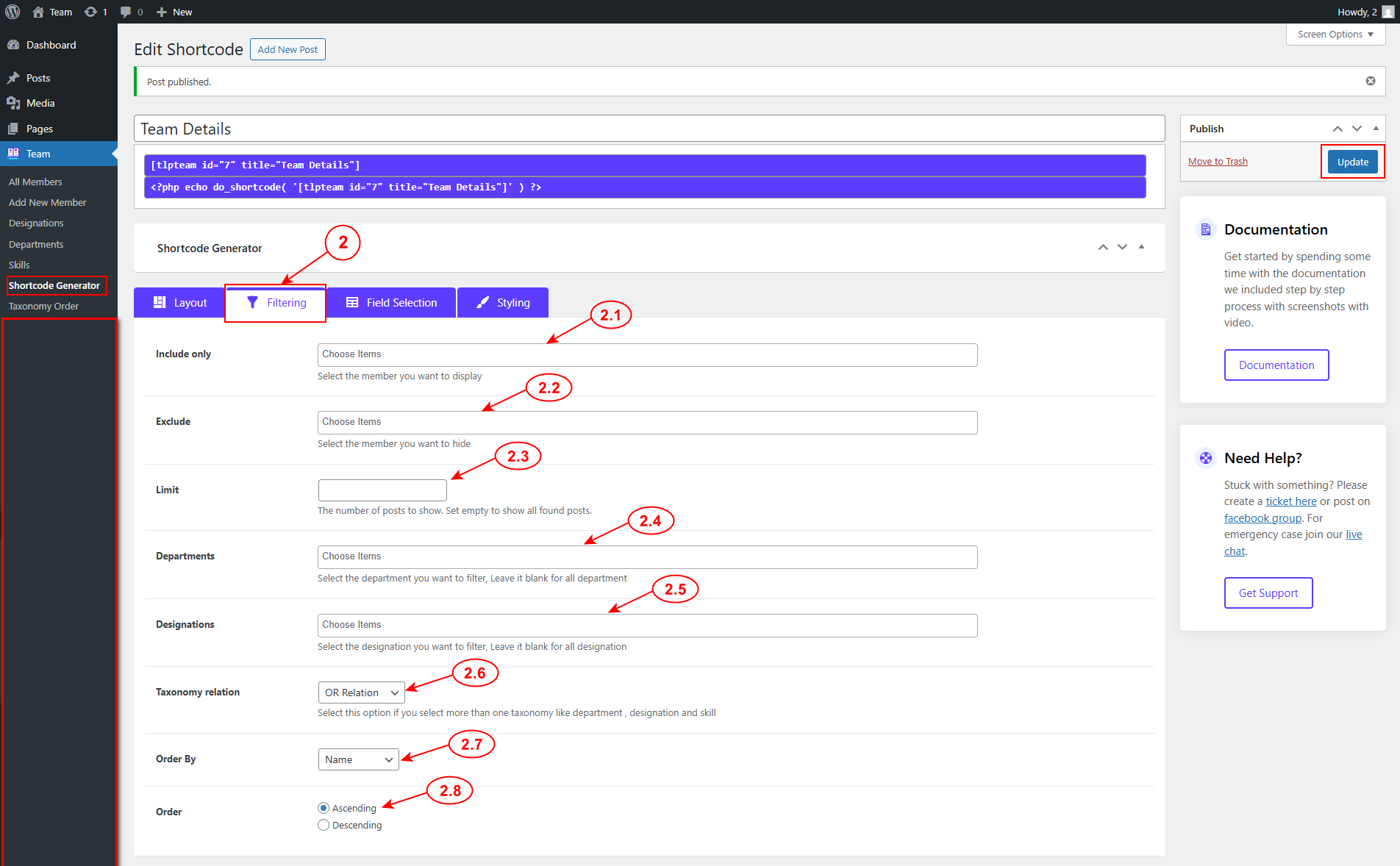
The second step of the shortcode generator is Filtering selection. Navigate WordPress admin menu Team => Shortcode Generator => Filtering.
You can filter specific members or categories or tags from the filter tab
2.1 Include only: You can select which members you want to include.
2.2 Exclude: You can choose which member you want to exclude.
2.3 Limit: Set how many members you want to display.
2.4 Departments: You can select the departments or categories. If you do not select any option, then it will show all department’s member profiles.
2.5 Designations [Pro]: You can choose the designations. If you do not select any item, then it will show all the designations.
2.6 Taxonomy Relation [Pro]: You can set a relation between Department & Designation Taxonomy.
2.7 Order by: Set order by Name, Date, ID. Note: Random Order is a Pro feature.
2.8 Order: Set Ascending or Descending order.