
The Advanced tab is for merchants who want to go beyond the built-in style controls. It is a Pro feature. If you don’t have CSS knowledge, leave this tab alone — the Style Customizer covers visual customization without touching code.
For developers or merchants who need pixel-perfect control beyond the visual editor.
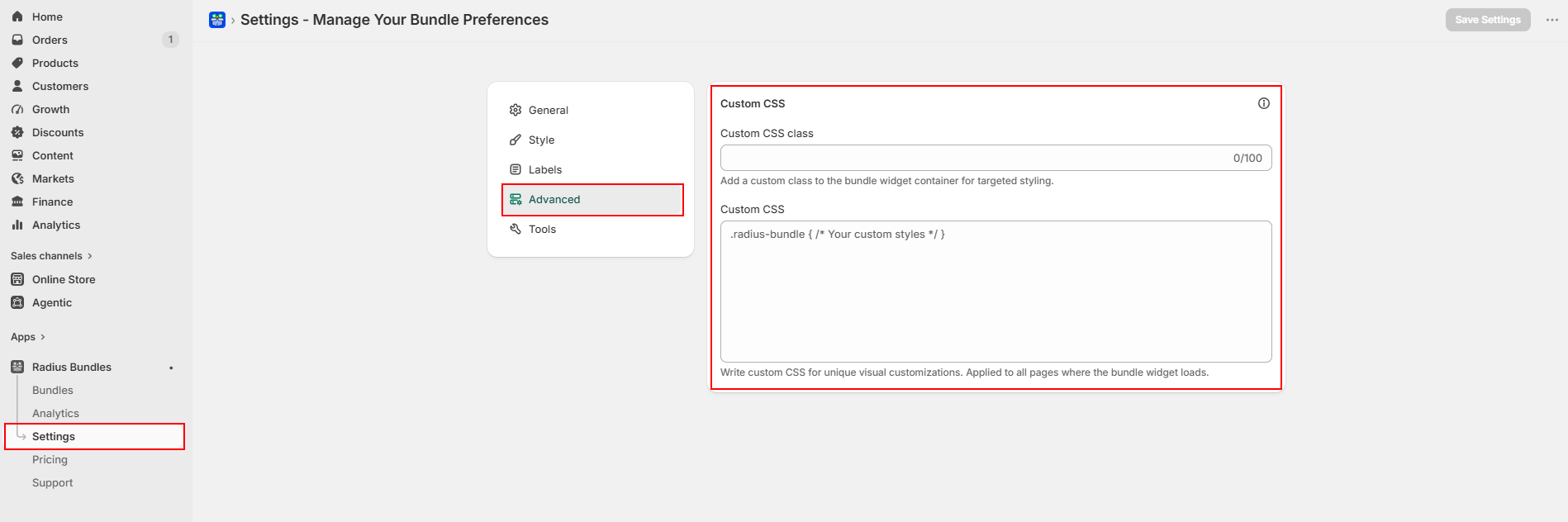
Custom CSS class — Add a custom class name to the bundle widget container, so you can target it with your own theme CSS for specific styling.
Custom CSS — Write your own CSS rules that apply to all pages where the bundle widget loads. Use the .radius-bundle selector as your starting point. This overrides all visual editor settings.
Tip: Most merchants won’t need this. Use it only if the Style settings don’t cover a specific design requirement.
When to Change These #
- Theme conflict: Your theme’s CSS is overriding widget styles. Add a custom class and use it as a higher-specificity selector.
- Typography: The widget’s font doesn’t match your store font. Override font-family on the widget container.
- Brand-specific styling: You want the widget to use a layout or visual treatment that the Style Customizer doesn’t expose as a control.


