
Bundle Management #
Your central hub for creating and managing all bundle offers. Find it under Radius Bundles → Bundles.
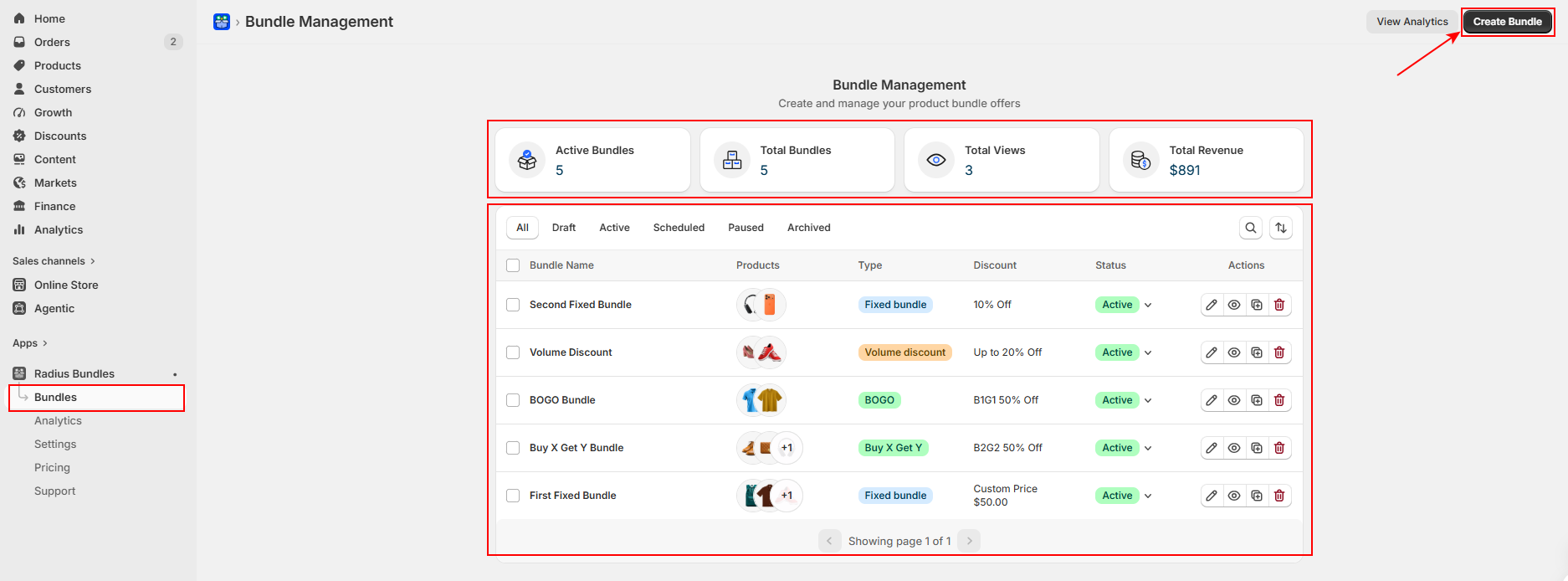
Summary Cards
Four metrics at the top give you a quick snapshot:
- Active Bundles — Number of bundles currently live on your store.
- Total Bundles — Total bundles created (including drafts, paused, and archived).
- Total Views — How many times customers have seen your bundle widgets.
- Total Revenue — Total sales generated across all bundles.
Bundle List
A table showing every bundle you’ve created. Filter by status using the tabs: All, Draft, Active, Scheduled, Paused, Archived. Each row shows the bundle name, product thumbnails, type, discount, and status. Use the action icons on the right to edit, preview, duplicate, or delete a bundle.
Click Create Bundle (top right) to start a new offer.
Bundle Types #
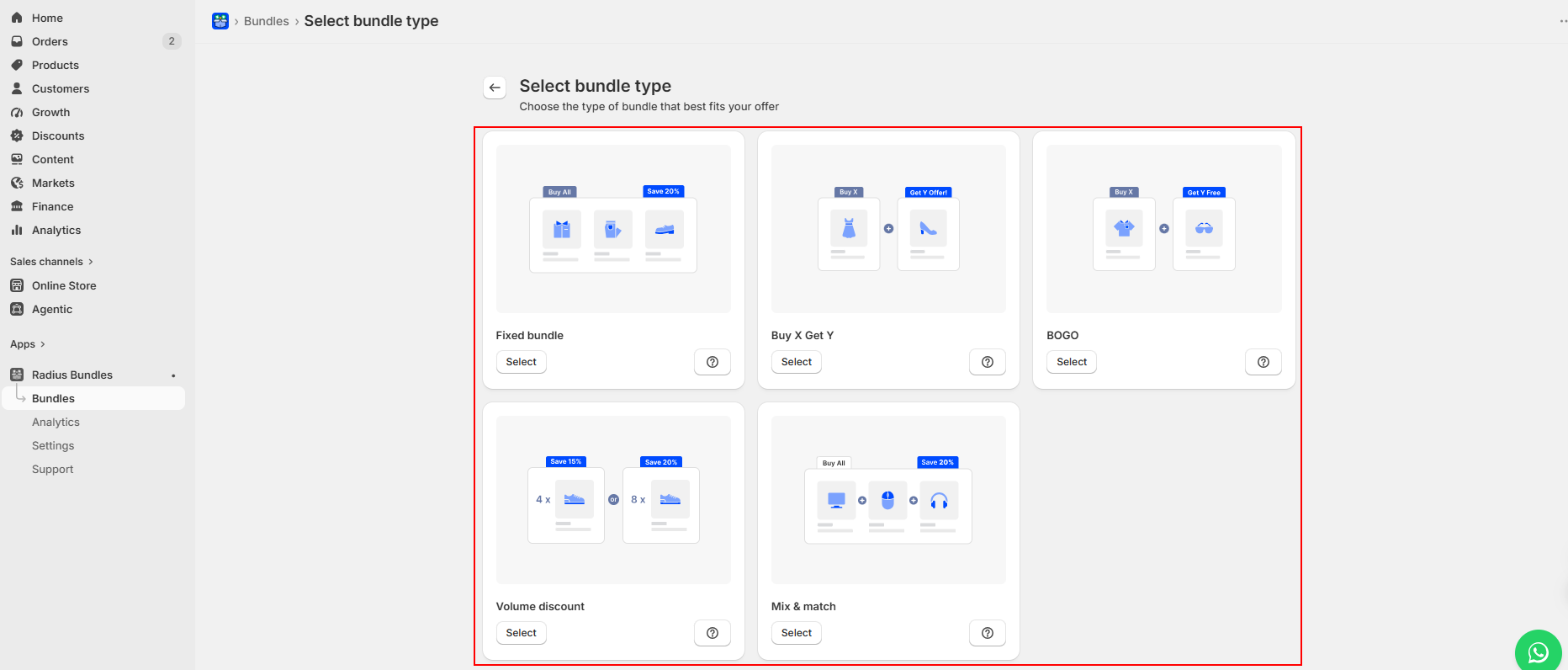
When you click Create Bundle, you’ll choose from four types:
- Fixed Bundle — Sell a curated set of products together at a discounted price. You pick the exact products, set one discount, and customers buy them as a package. Best for “Complete the Look,” “Starter Kit,” or “Gift Set” style offers.
- Buy X Get Y — Customers buy specific products and receive a different product as a reward — free or discounted. Best for cross-selling promotions like “Buy 2 Shirts, Get a Tie 50% Off.”
- BOGO — Buy One, Get One. Customers buy a product and get the same (or similar) product free or at a discount. Best for simple, high-converting promotions like “Buy 1 Get 1 Free” or “Buy 2 Get 1 Half Price.”
- Volume Discount — Tiered pricing that rewards customers for buying more quantity of the same product. The more they buy, the more they save. Best for consumables, supplements, or any product customers restock — e.g., “Buy 3 Save 10%, Buy 5 Save 20%.”
- Mix & Match — Let customers build their own bundle by choosing products from a curated selection you define. Instead of a fixed set, shoppers pick and match their favorites to create a personalized bundle at a discounted price. Best for stores selling variety packs, gift boxes, or “build your own” offers where customer choice drives higher engagement and conversions.
Tip: Not sure which to pick? Start with Fixed Bundle if you want to group different products together, or Volume Discount if you want to encourage customers to buy more of a single product.


